Rowa — Router Manager
Per-device internet control
Designed for iPhone, iPad, iPod touch
Free · In-app purchases
- Age rating4+
- CategoryUtilities
- DeveloperLong Hoang Tuan
- LanguagesEnglish+ 1 more
- Size54.3 MB
Links to the official App Store page
Download.org hosts no file of Rowa — Router Manager. The button opens its official App Store page, published by Long Hoang Tuan. Listing last checked on Nov 26, 2026.
Screenshots

About
Rowa is an independent app. It is not affiliated with, endorsed by, or sponsored by OpenWrt, AdGuard Home, Tailscale, GL.iNet, Telegram or Zalo.
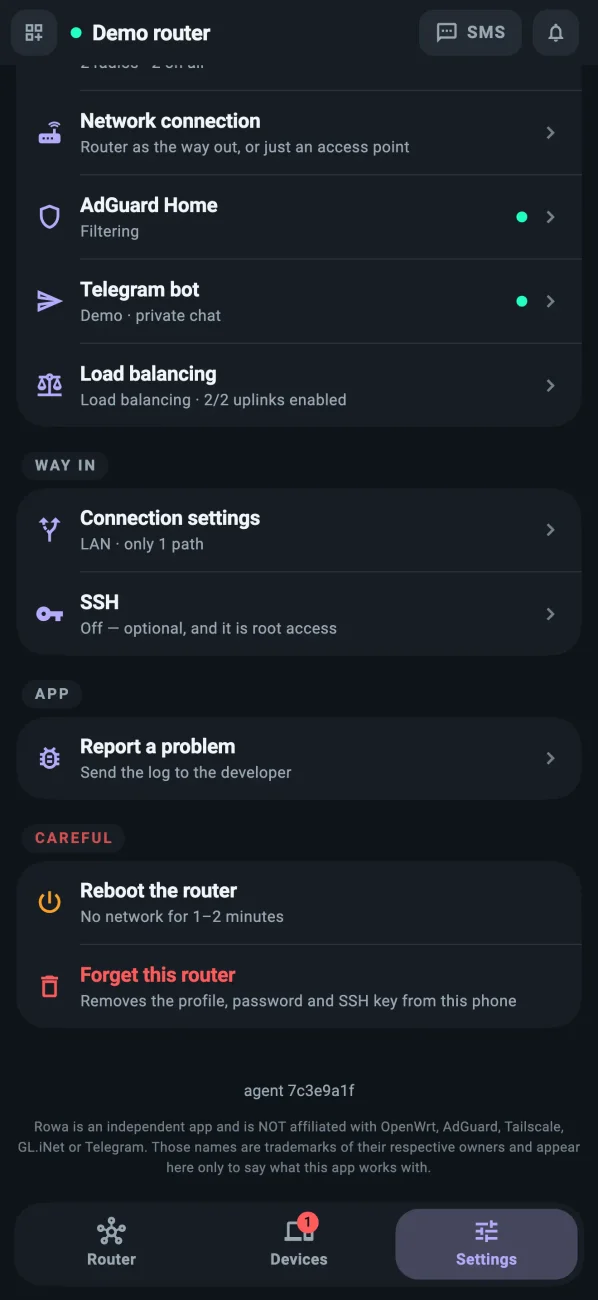
Rowa turns your own router into something you can actually see and steer, from your phone.
WHAT YOU CAN DO
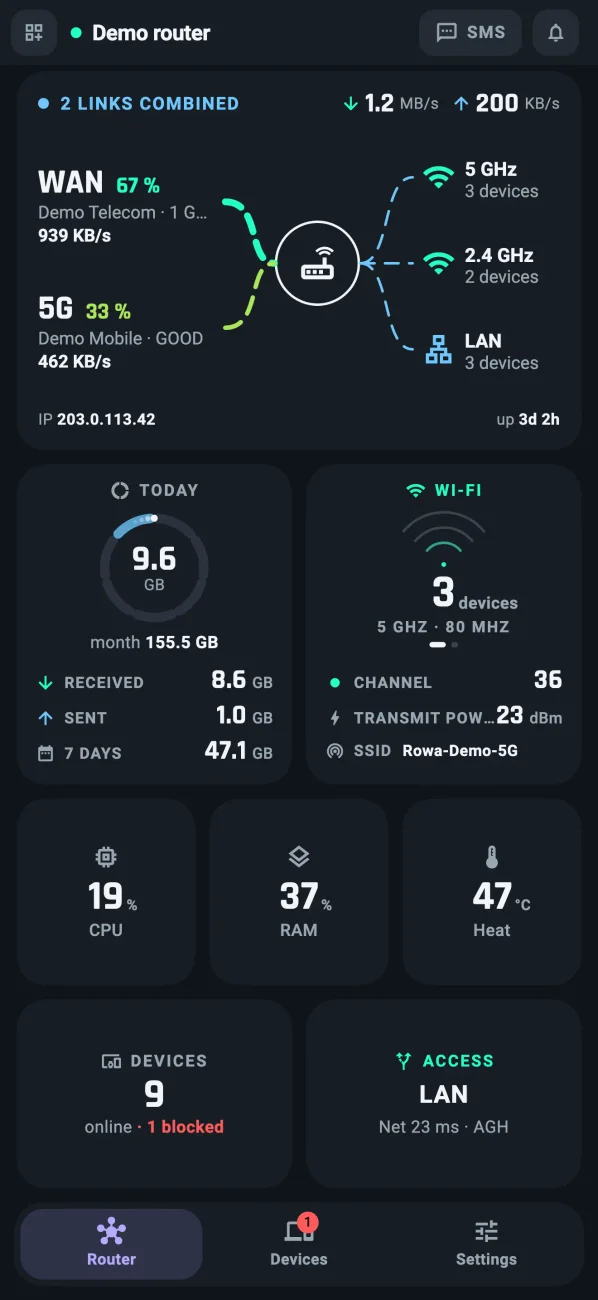
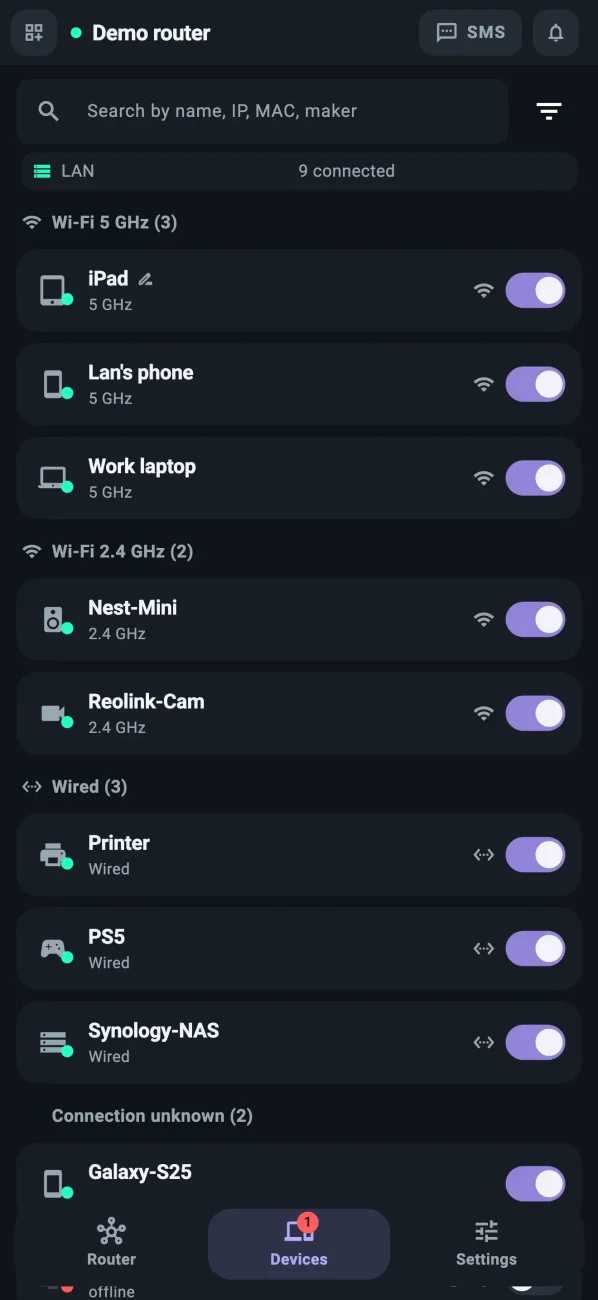
• See every device on the network, grouped by how it connects, under the name it announces — and how much it is pulling right now.
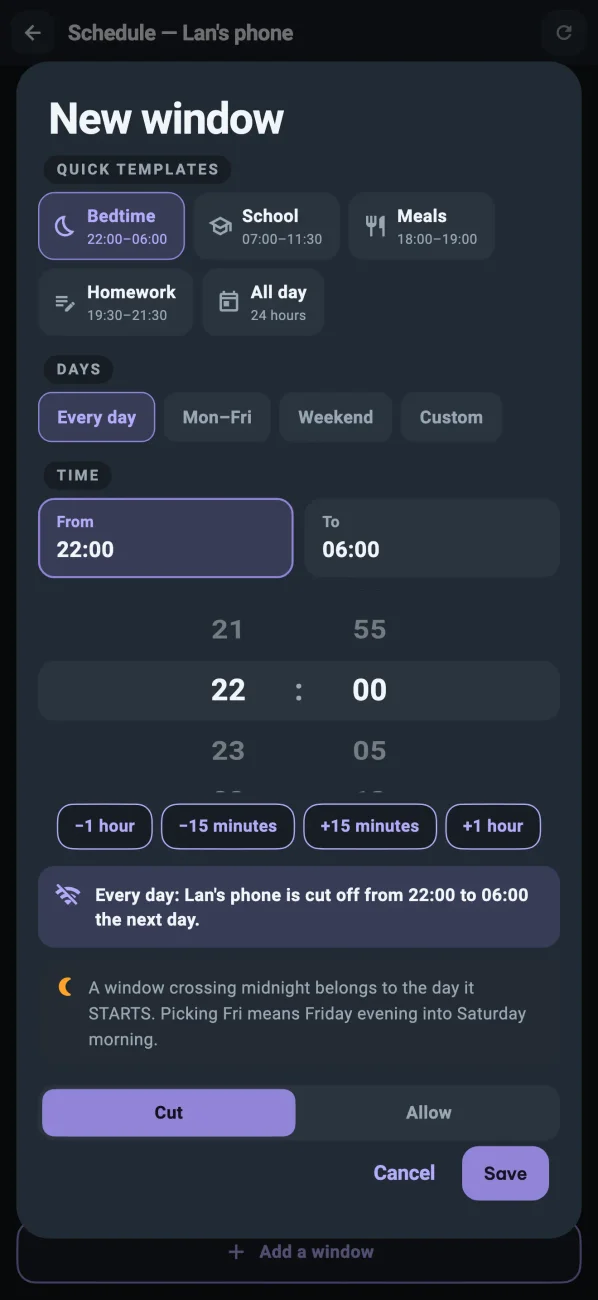
• Cut the internet for one device with a tap, and restore it the same way.
• Deny a device the router altogether when cutting the internet is not enough.
• Schedule those cuts by day and hour. Useful for a child's tablet at bedtime.
• Block websites for one device only.
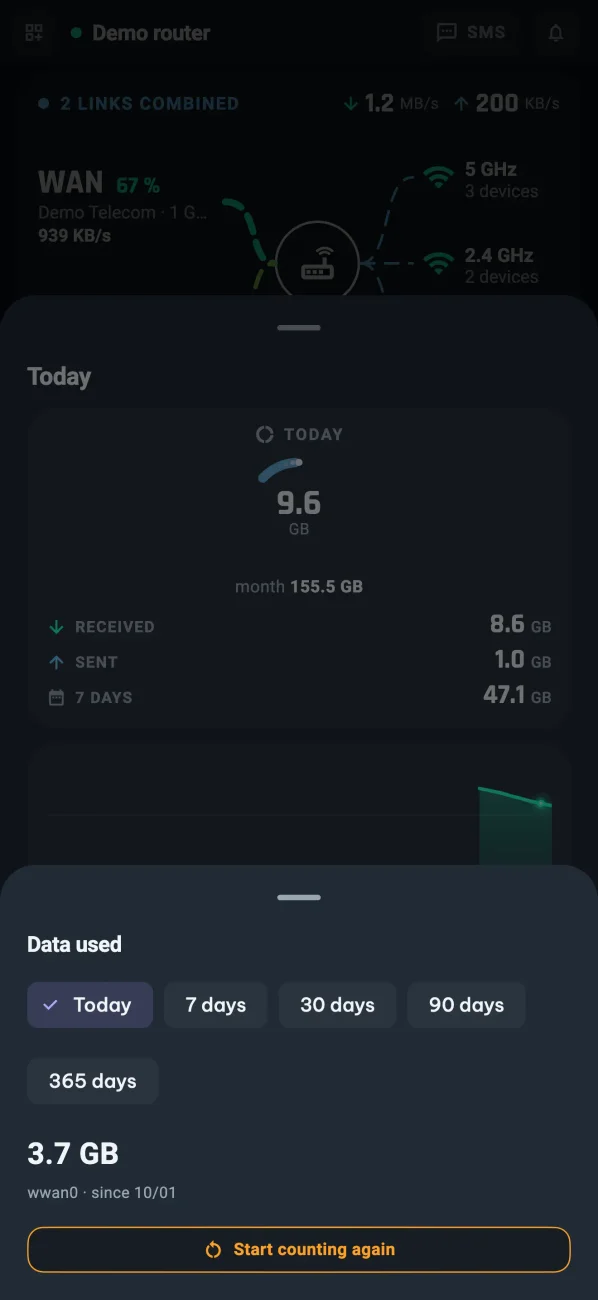
• See how much data went out today, or over 7 to 365 days, counted on the router itself.
• Measure the line itself: three seconds each way against the nearest speed test server.
• Change Wi-Fi names and passwords, quickly or in detail, and read every change before applying.
• Watch the mobile link on a router with a SIM: signal graded on RSRP, SINR and RSRQ, band, carrier, data used — and read or send SIM messages.
• Set up a new router’s connection in a few steps; see every uplink; switch an Ethernet port between WAN and LAN.
• Get told when the router drops off the network or loses mains power, when the battery runs low, when an unknown device joins, when a text arrives or when the public address changes — in a Telegram bot of your own that also answers questions and can reboot the router, or in a Zalo bot of your own.
• Block ads for the whole house through AdGuard Home, if your router has it.
• Combine several uplinks: balance traffic across fibre, mobile and Wi-Fi repeater, set priority, or fail over.
• Restart the router on a schedule.
• See CPU use per core and which processes eat it, in plain language, and end one from the app.
• Set the fan on a router that has one: quiet, medium, maximum, or automatic.
• Reach the router from anywhere over Tailscale, with no Tailscale app to install.
FREE, AND STAYING FREE
Router status, the device list, cutting and restoring internet by hand, data usage, the process list, fan control, Wi-Fi, alerts while the app is open, Telegram and Zalo alerts, SIM messages and the diagnostics report cost nothing, now or later.
Seven advanced features are free for 7 days, then a single purchase unlocks them for good — no subscription, nothing to renew:
• Scheduled cuts by the hour
• Ad blocking (needs AdGuard Home)
• Per-device website blocking
• Multi-WAN load balancing
• Automatic cache trimming
• Scheduled router reboots
• No ads
WHAT YOU NEED
• A router running OpenWrt 22.03 or newer (or GL.iNet firmware 4.x) that you administer; 21.02 works once nftables is installed. It can route for the whole house, or just serve Wi-Fi as an access point.
• The first pairing has to happen on the same Wi-Fi as the router: Rowa shows you the router's certificate fingerprint and trusts only that one.
• Rowa installs a small helper on the router the first time, with your permission and SSH password. There is a button to remove it again.
PRIVACY
Your router password and SSH key never leave your phone — they live in the Keychain and go only to your own router. No analytics, no account to create. The diagnostics report is never sent anywhere on its own: you see all of it first and choose who gets it.
ADS
Once the 7-day trial is over and until you buy, the app shows one small Google ad strip at the foot of the screen; buying removes it. Where the law requires it, you are asked for consent first. No cross-app tracking.
Rowa works with routers running OpenWrt (openwrt.org), and with the optional packages AdGuard Home (adguard.com) and Tailscale (tailscale.com) where they are installed. Telegram (telegram.org) and Zalo (zalo.me) are services the router sends alerts to, not packages on it. Those are separate projects and services; Rowa is not one of them.
What’s new
Version 4.1 · Nov 25, 2026
The trial is now 7 days. After it, the store build shows one small Google ad strip; the one-time purchase removes it and unlocks the advanced features.
Zalo alerts: pair your own Zalo bot on the phone; the router sends alerts straight to Zalo.
Where the law requires it, ads ask for your consent first; Settings has a row to change it.
Devices: 79 icons, the maker guessed from the hardware address, a fixed IP per device, actions on many at once and a Diagnostics page.
App privacy
What Long Hoang Tuan declares on the App Store about how this app handles data.
-
Data linked to you
May be collected and linked to your identity.
- Identifiers
- Usage data
Privacy practices may vary, for example with the features you use or your age.
Information
- Seller
- Long Hoang Tuan
- Category
- Utilities
- Version
- 4.1
- Updated
- Nov 25, 2026
- Released
- Aug 31, 2026
- Size
- 54.3 MB
- Requires
- iOS 15.0 or later
- Age rating
- 4+
- Price
- Free
- In-app purchases
- Yes
- Languages
- English, Vietnamese
- Copyright
- © 2026 Long Hoang Tuan
You might also like
-
 Xermius - SSH TerminalServer Manager & SFTP Client
-
 MyTik: Network ManagerManage Routers, UBNT & Mimosa
-
 Router Admin Setup Wifisolution for router management
-
 VifoxProfile-Based Browser
-
 LuCI MobileManage your OpenWrt router
-
 WRTune for OpenWRTRouter, Wi-Fi & LuCI Manager
-
 NFC Pro Tools: Scan & WriteRead, Write, Encrypt NFC Tags
-
 5G Router ManagerUtilities
-
 Mochi NetProbeSee every device on your Wi-Fi
-
 DitiQRCreate, design and scan QR