
- Age rating4+
- CategoryBusiness
- DeveloperRox.Chat
- LanguagesRussian+ 10 more
- Size12.6 MB
Links to the official App Store page
Download.org hosts no file of Rox.Chat. The button opens its official App Store page, published by Rox.Chat. Listing last checked on Nov 12, 2026.
Screenshots





About
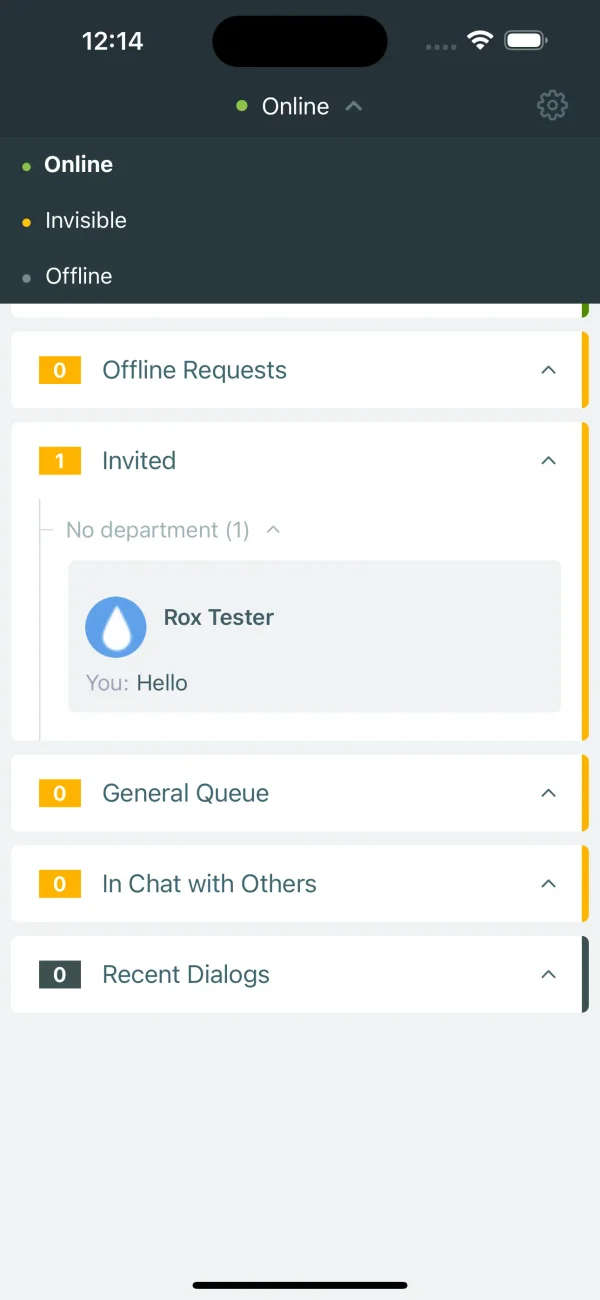
Сhoose Rox.Chat to add online chat to your website. Set up the Rox.Chat app for iOS on your iPhone, iPad, or iPod touch, and monitor who is browsing your site and which pages exactly. Using this app, you can instantly see a visitor with a question, respond to his/her request, or offer help in advance.
With a Rox.Chat mobile app, you need no to sit at your desktop computer constantly in order to serve all visitors. The app runs in background, when iPhone is in your pocket. Upon request from some visitor or incoming message, iPhone notifies you with a vibro, sound, and visual alert. You can answer immediately using the mobile app.
Read our Privacy Policy at https://rox.chat/privacy-policy
Advantages
- Online consulting service 24/7 for your visitors
- Client retention – leave not a single chance to your competitors!
- Admin interface available in English
- Operators can choose from 6 statuses which indicate their current operational mode
- Notifications about messages and help requests from visitors, when the app runs in background
- List of visitors browsing your site, updated in real time
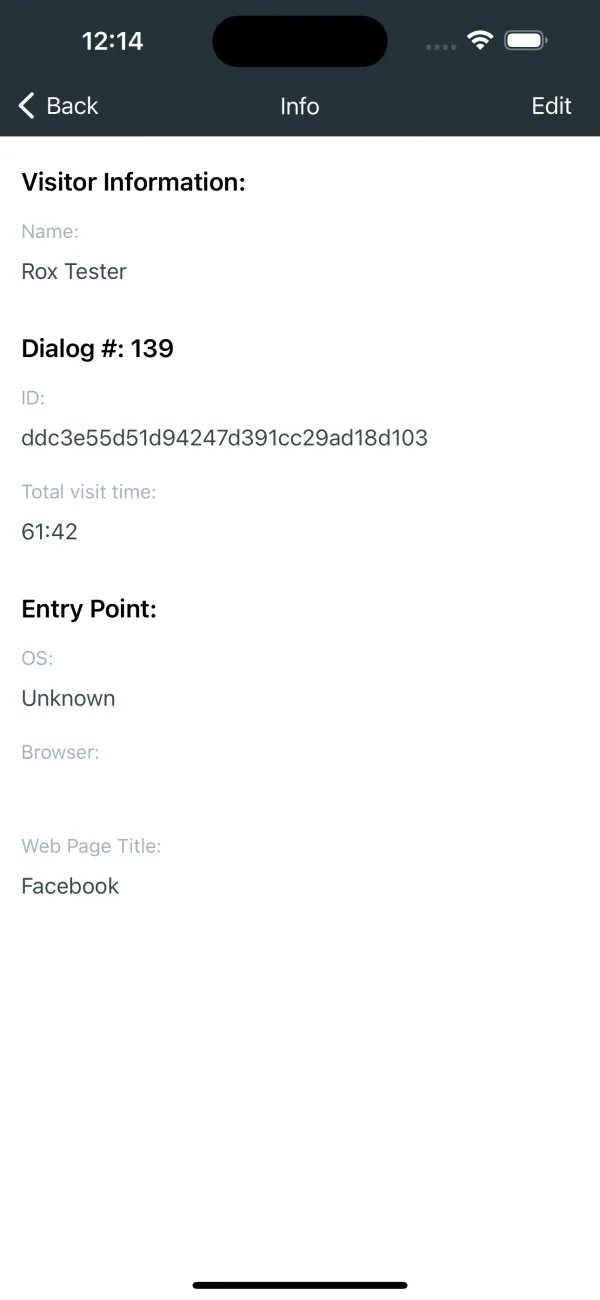
- Brief information about any visitor: name, location, web page opened in his browser
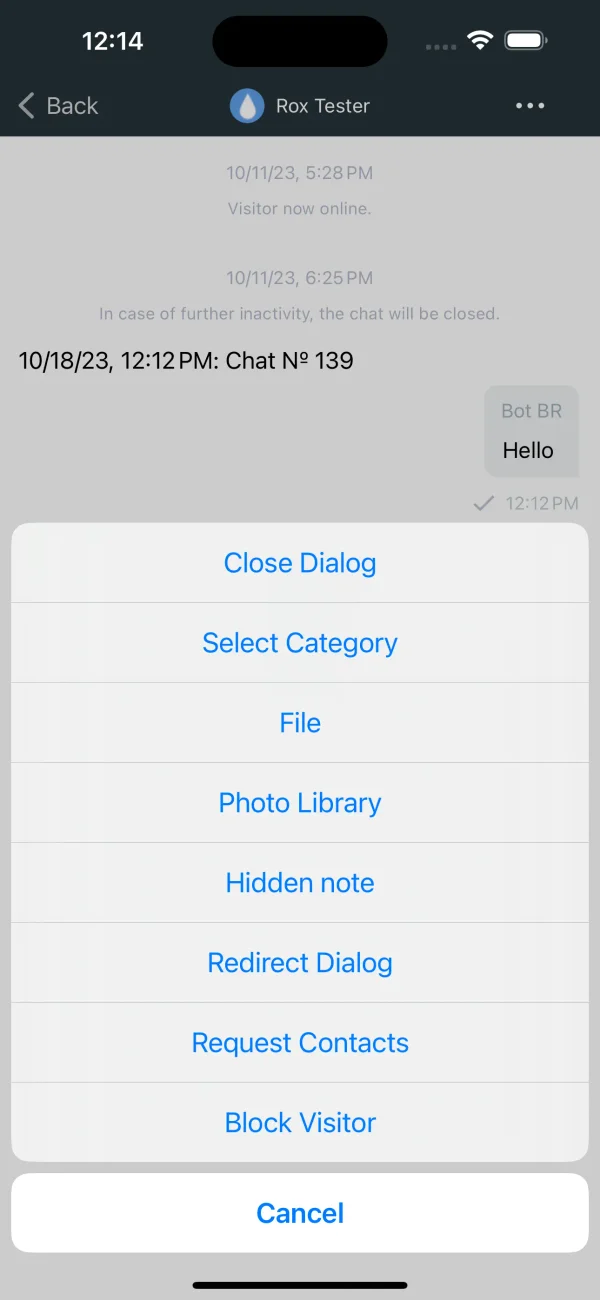
- Online/offline chat with visitors
- Chat history
- Templates for frequent answers
- Support for uploading files from visitors
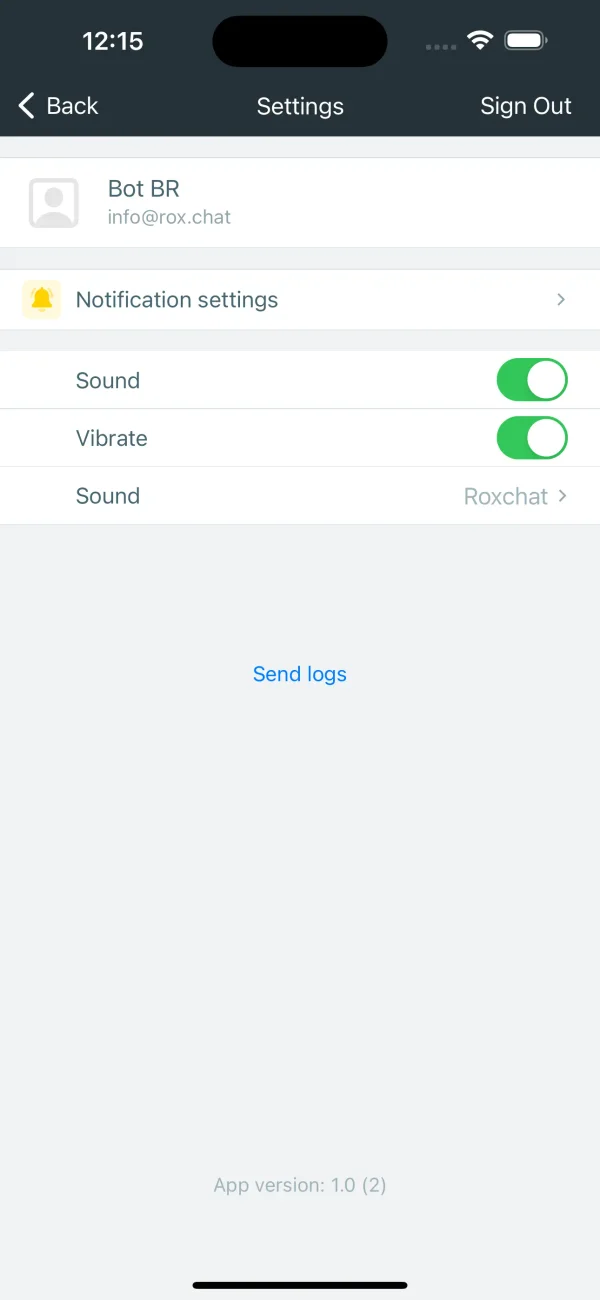
- System sounds (for notification on a new visitor or an incoming message) with the on/off switch
- Password recovery
- Service domain selection
Frequently Asked Questions
- Why shall I use this mobile app, if I am able to just open the Rox.Chat admin interface in my mobile browser?
* First, the full-scale Rox.Chat admin interface cannot be optimized for limited capacities of a mobile browser.
Second, mobile browsers are not designed for such usage. As soon as you send the mobile browser to background or switch to another application, your mobile device will “freeze” the Rox.Chat interface, and you will miss all visitors requesting help during this period of time.
- How can I authorize in the Rox.Chat service?
1. Set up the Rox.Chat app from Apple App Store on your mobile device.
2. Run the app.
3. Enter your email address and password which you use at Rox.Chat. Hit “Log In”.
- If you forgot your password, press the “Forgot your password?” button.
- If you are an operator from a support team that uses Rox.Chat, then ask your system administrator for your login and password.
- Should I authorize again when I restart the mobile app?
*No, the credentials you previously provided are cached. When you turn your iPhone off and on again, or restart the Rox.Chat mobile app, the service starts automatically.
- Will the app notify me of new incoming messages, if it is running in background?
*Yes, you will get visual, vibro, and sound notifications on arrival of a message.
What’s new
Version 1.2 · Feb 16, 2026
- Bug fix.
App privacy
What Rox.Chat declares on the App Store about how this app handles data.
-
Data linked to you
May be collected and linked to your identity.
- Contact info
- User content
- Identifiers
Privacy practices may vary, for example with the features you use or your age.
Information
- Seller
- OLBO LIMITED
- Category
- Business
- Version
- 1.2
- Updated
- Feb 16, 2026
- Released
- Oct 20, 2023
- Size
- 12.6 MB
- Requires
- iOS 13.0 or later
- Age rating
- 4+
- Languages
- Russian, Bulgarian, English, Arabic, Hebrew, Spanish, Italian, German, Portuguese, Ukrainian, French
- Copyright
- © OLBO LIMITED
You might also like
-
 Webim: chat service for agentsBusiness
-
 Webim SDK AppBusiness
-
 Studio-Admin: booking & CRMClient booking & studio CRM
-
 BreathhhThe easiest way to feel better
-
 Rox CustodyRox Custody Approval App.
-
 Auto Repair Shop SoftwareJobs, Invoices & Scheduling
-
 Finance: MyMoneyManagerЛичные расходы, доходы, долги
-
 Consentify: Paperless IntakeSecure Digital Waivers & HIPAA
-
 Mind PromptLocal AI Prompt Generator
-
 AI+ChatAI+Chat