
- Age rating4+
- CategoryHealth & Fitness
- DeveloperDavid Fields
- LanguagesEnglish
- Size3.8 MB
Links to the official App Store page
Download.org hosts no file of RunWindow. The button opens its official App Store page, published by David Fields. Listing last checked on Nov 7, 2026.
Screenshots
About
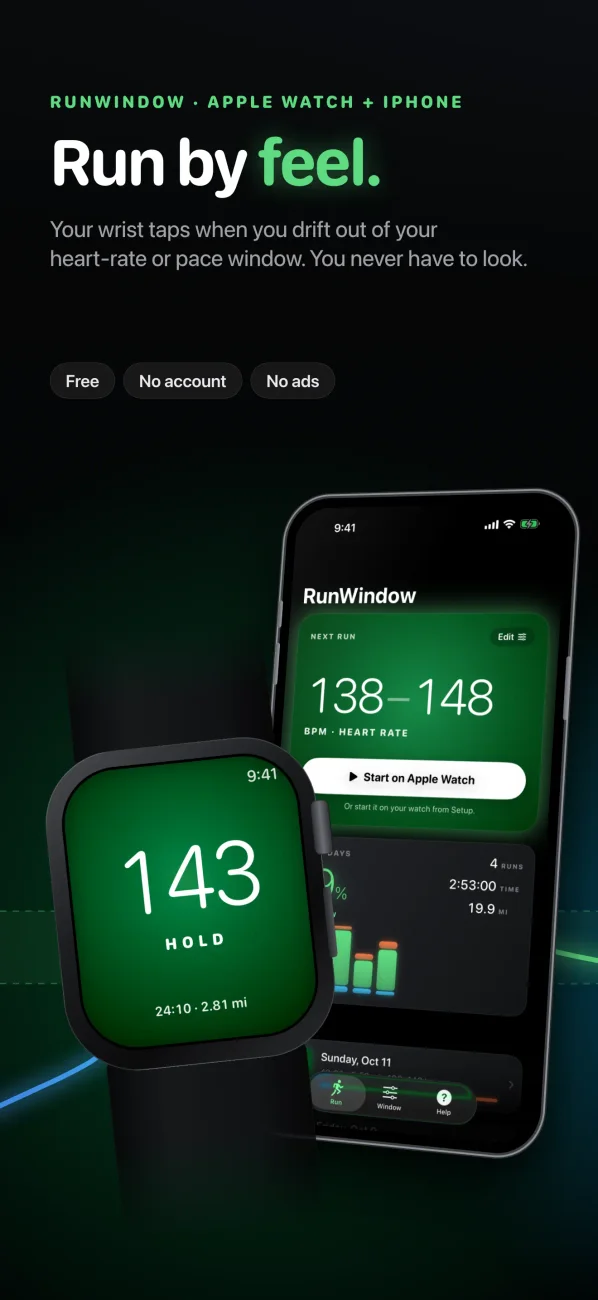
RunWindow taps you on the wrist when you drift outside the window you set, so you can run by feel without looking at your watch.
Pick a target: a heart-rate range or a pace range. Then press Start, on your watch or your iPhone, and drop your arm.
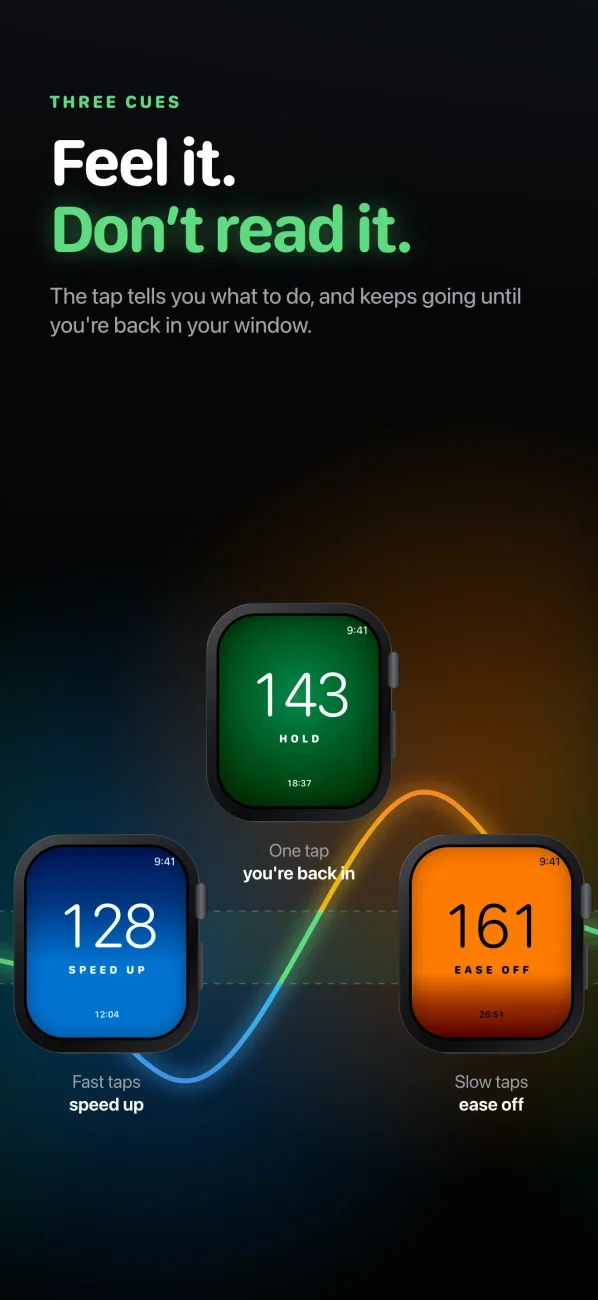
THREE CUES, NOTHING ELSE
• Fast taps, nonstop: speed up
• Slow taps, nonstop: ease off
• One tap: you're back in range
The cue tells you what to do, never which number moved, and it keeps going until you're back in your window. Hold a steady effort right on the edge and RunWindow stays silent. It waits for a real drift, not a wobble.
ON YOUR IPHONE
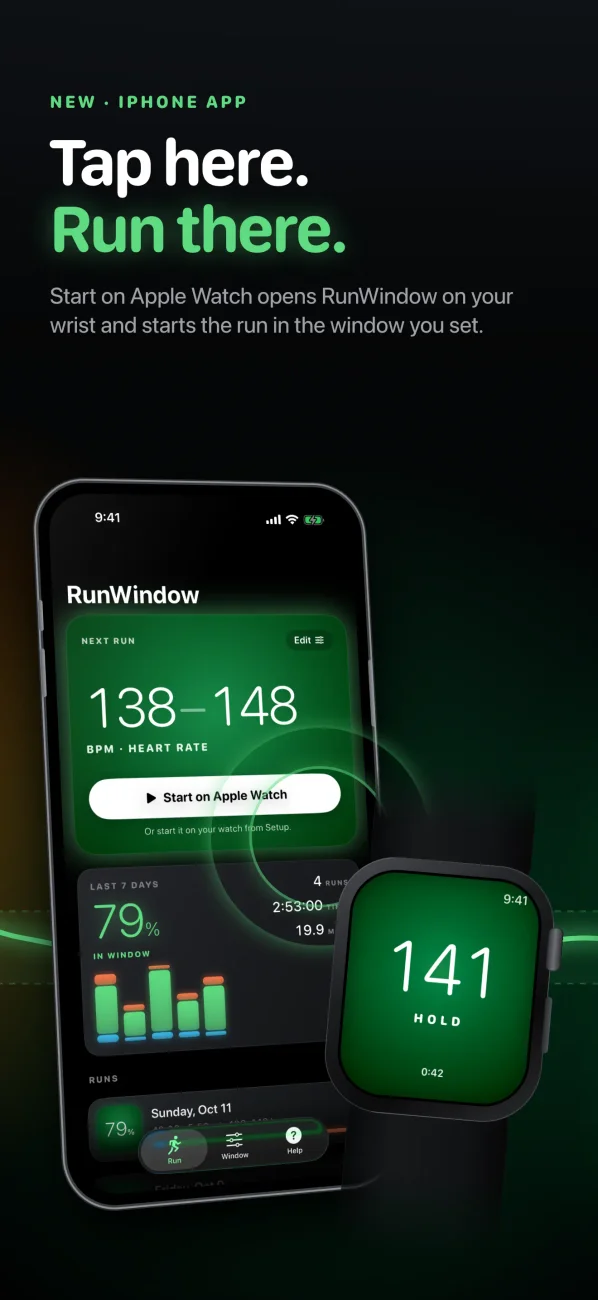
• Start on Apple Watch: one tap opens RunWindow on your wrist and starts the run
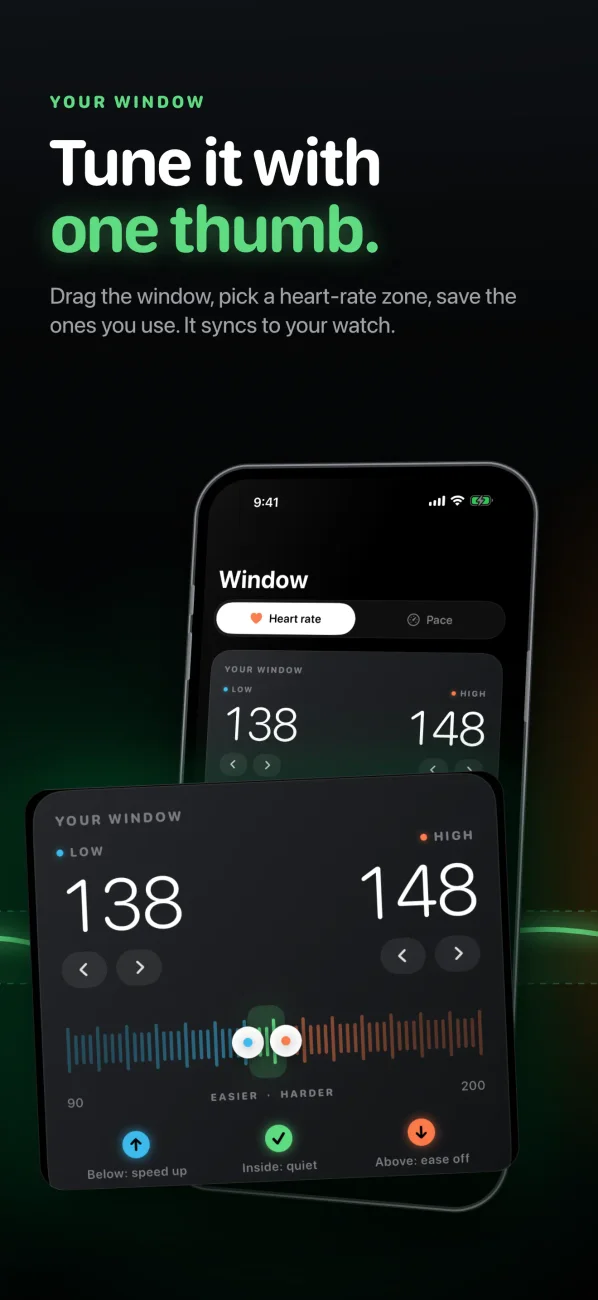
• Tune your window on a drag-to-set track, lit green inside, warm above, cool below
• Or set just a Max or a Min: one marker, cues on one side only
• Quick heart-rate zones from your age, and your own saved windows
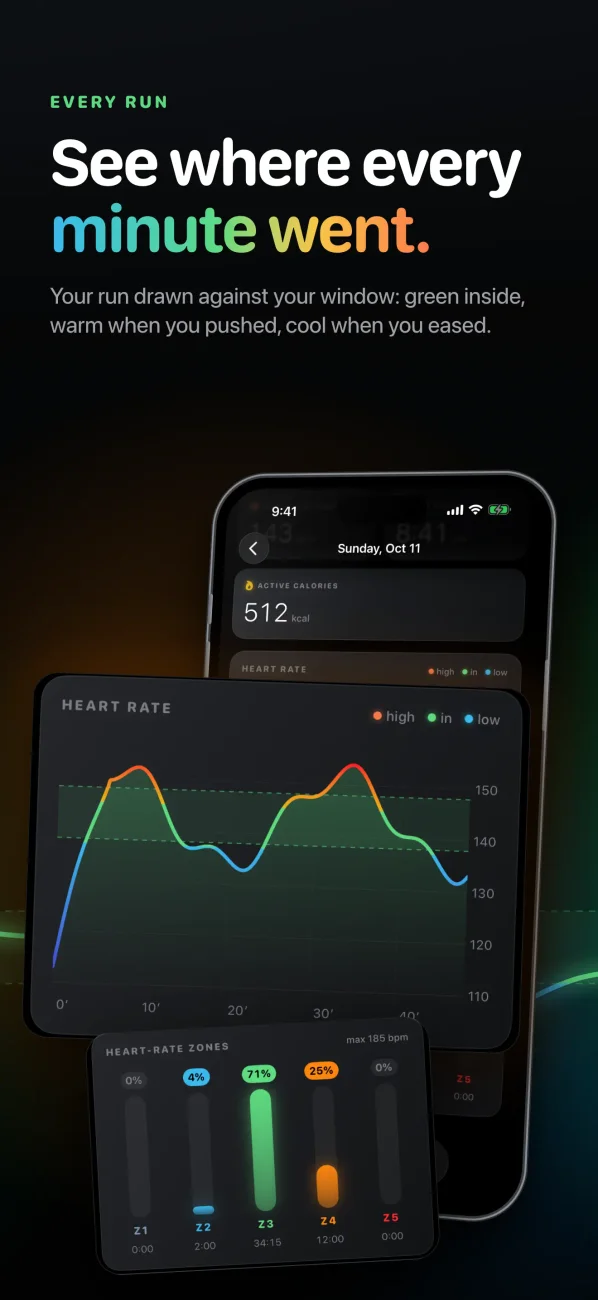
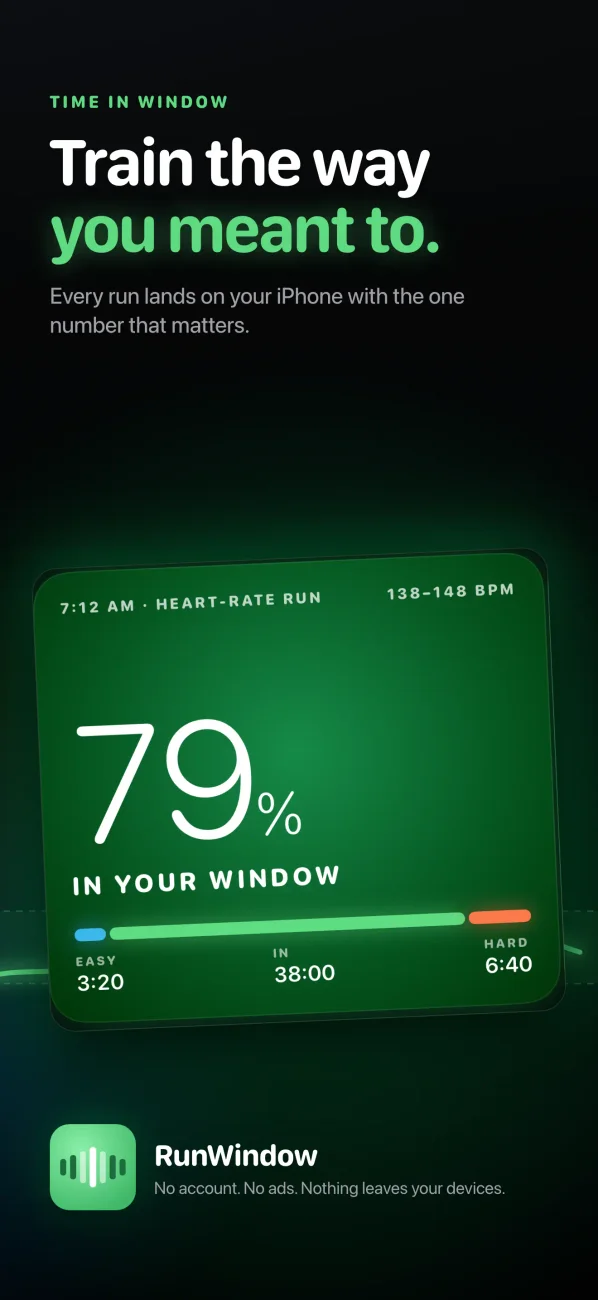
• Every run in one place: time in window, the run drawn against your window, heart-rate zones, distance, pace and active calories. Delete any run you didn't mean to record
• Settings sync both ways with your watch
ON YOUR WATCH
• Color Field turns the whole screen into the signal: green in range, warming toward red when you push too hard, cooling toward deep blue when you're too easy, with the word on screen so colour is never the only cue. Swipe up or down for a tick ring or a tuner.
• Pause, resume, or change your window mid-run
• Trend and Summary pages after every run
• A one-minute demo shows every cue without running
BUILT FOR TRAINING, NOT TRACKING
• Heart rate streams live from the watch during the workout
• Pace comes from GPS, smoothed so a single bad fix can't buzz you
• Miles or kilometres
• Every run is saved to Apple Health as a workout
• No account, and no data leaves your devices
RunWindow requires an Apple Watch: the cues are taps on your wrist. The watch needs Health access for heart rate and Location access for pace; the iPhone app reads your runs from Apple Health to show your history.
What’s new
Version 2.1 · Oct 18, 2026
• Max or Min: set one marker instead of a window. Max taps you only while you're over it; Min only while you're under it.
• Delete runs: swipe a run, press and hold it, or tap Delete Run at the bottom of a run.
• Run history grouped by week, with totals. Older runs show average heart rate by zone.
• Fixed: a window set on iPhone sometimes didn't reach the watch.
• Fixed: the iPhone app could ask for Health access again after the watch had asked.
App privacy
What David Fields declares on the App Store about how this app handles data.
-
Data not linked to you
May be collected but is not linked to your identity.
- Health and fitness
- Location
Privacy practices may vary, for example with the features you use or your age.
Information
- Seller
- David Fields
- Category
- Health & Fitness
- Version
- 2.1
- Updated
- Oct 18, 2026
- Released
- Oct 7, 2026
- Size
- 3.8 MB
- Requires
- iOS 17.0 or later
- Age rating
- 4+
- Price
- Free
- Languages
- English
- Copyright
- © 2026 David Fields
You might also like
-
 R1SE TrainingTrain Clients. AI Does Admin.
-
 Woojer WellnessFEEL the Vibroacoustic power
-
 Reaction Light Trainer: ReflexReaction Time, Agility, Speed
-
 The Fort Membership AppHealth & Fitness
-
 Strivers: Training & WellnessHealth & Fitness
-
 RecoveryOne: PT With MeHealth & Fitness
-
 Exerp StaffHealth & Fitness
-
 AlterMeHealth & Fitness
-
 The Program by Bandit RunningMarathon Training
-
 Empirical HealthCholesterol & blood pressure