
- Classificação etária4+
- CategoriaSaúde e fitness
- DesenvolvedorDavid Fields
- IdiomasInglês
- Tamanho3,8 MB
Leva à página oficial na App Store
O Download.org não hospeda nenhum arquivo de RunWindow. O botão abre a página do app na App Store, onde David Fields o publica. Página verificada pela última vez em 07/11/2026.
Capturas de tela
Sobre
O desenvolvedor não forneceu este texto no seu idioma.
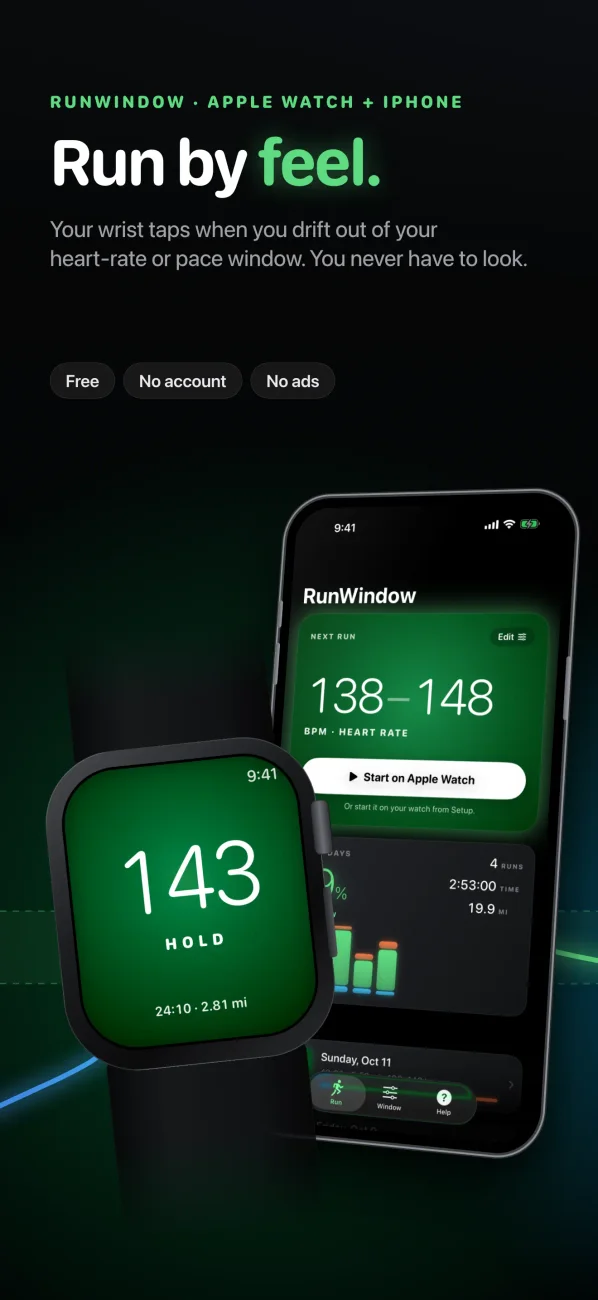
RunWindow taps you on the wrist when you drift outside the window you set, so you can run by feel without looking at your watch.
Pick a target: a heart-rate range or a pace range. Then press Start, on your watch or your iPhone, and drop your arm.
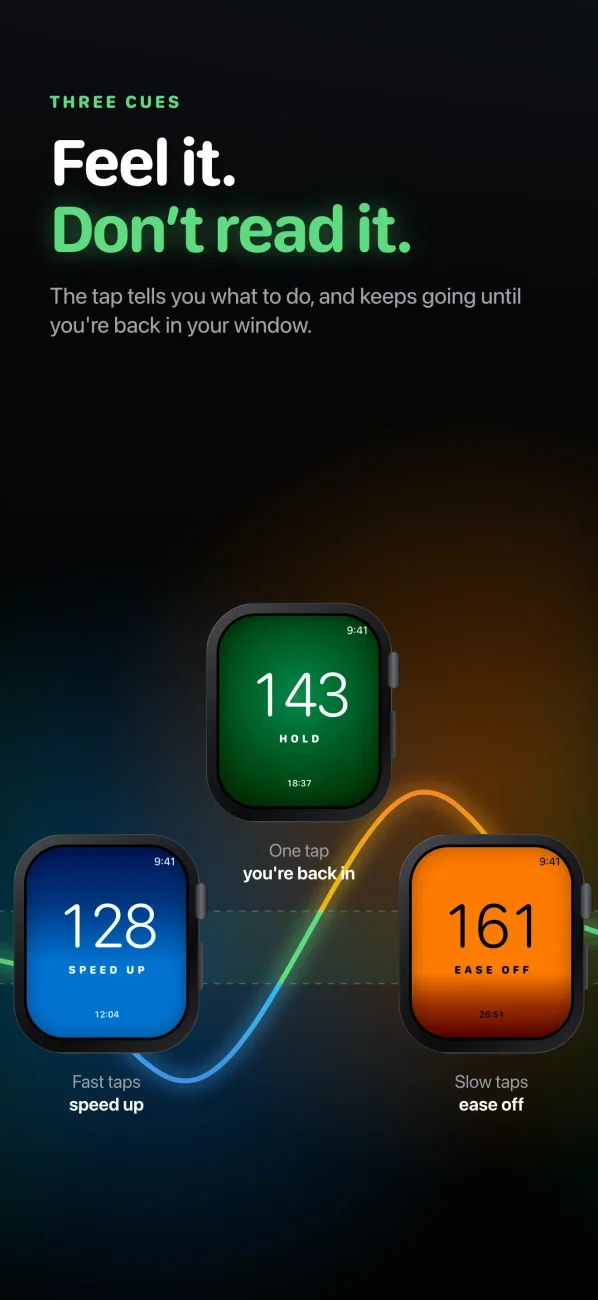
THREE CUES, NOTHING ELSE
• Fast taps, nonstop: speed up
• Slow taps, nonstop: ease off
• One tap: you're back in range
The cue tells you what to do, never which number moved, and it keeps going until you're back in your window. Hold a steady effort right on the edge and RunWindow stays silent. It waits for a real drift, not a wobble.
ON YOUR IPHONE
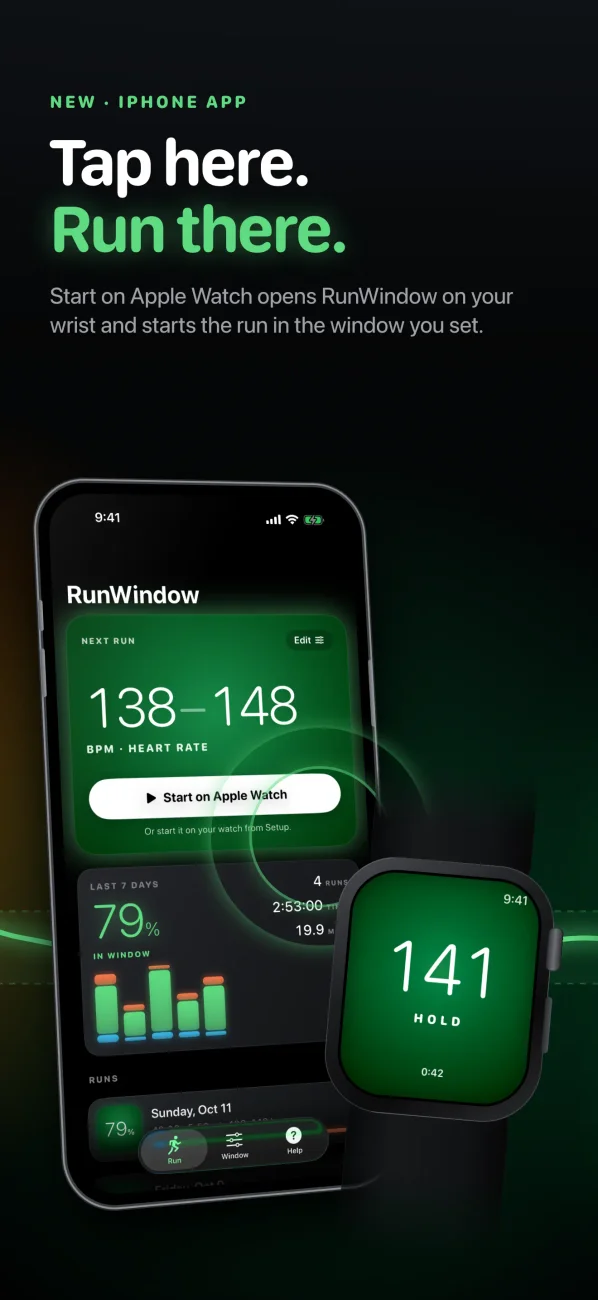
• Start on Apple Watch: one tap opens RunWindow on your wrist and starts the run
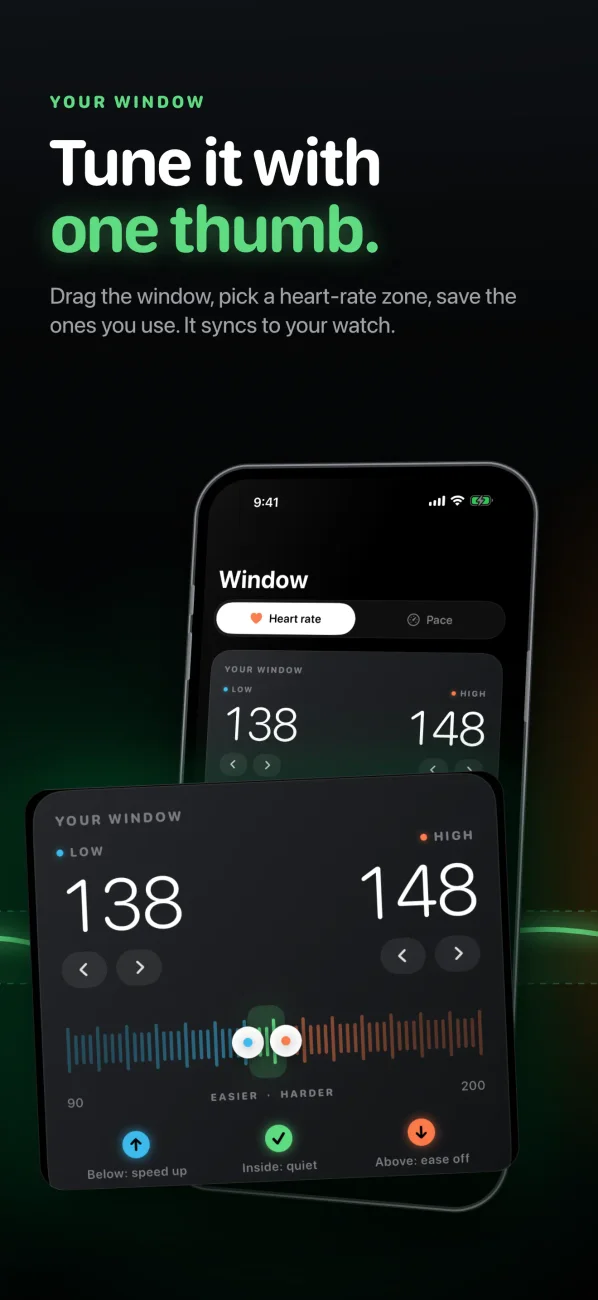
• Tune your window on a drag-to-set track, lit green inside, warm above, cool below
• Or set just a Max or a Min: one marker, cues on one side only
• Quick heart-rate zones from your age, and your own saved windows
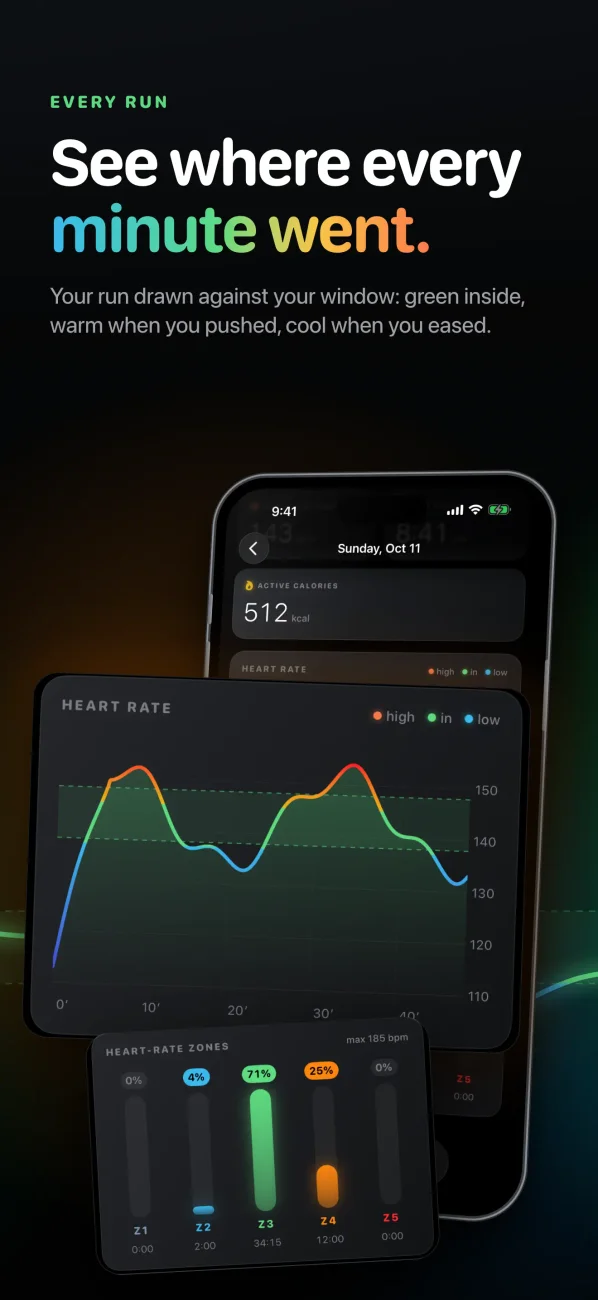
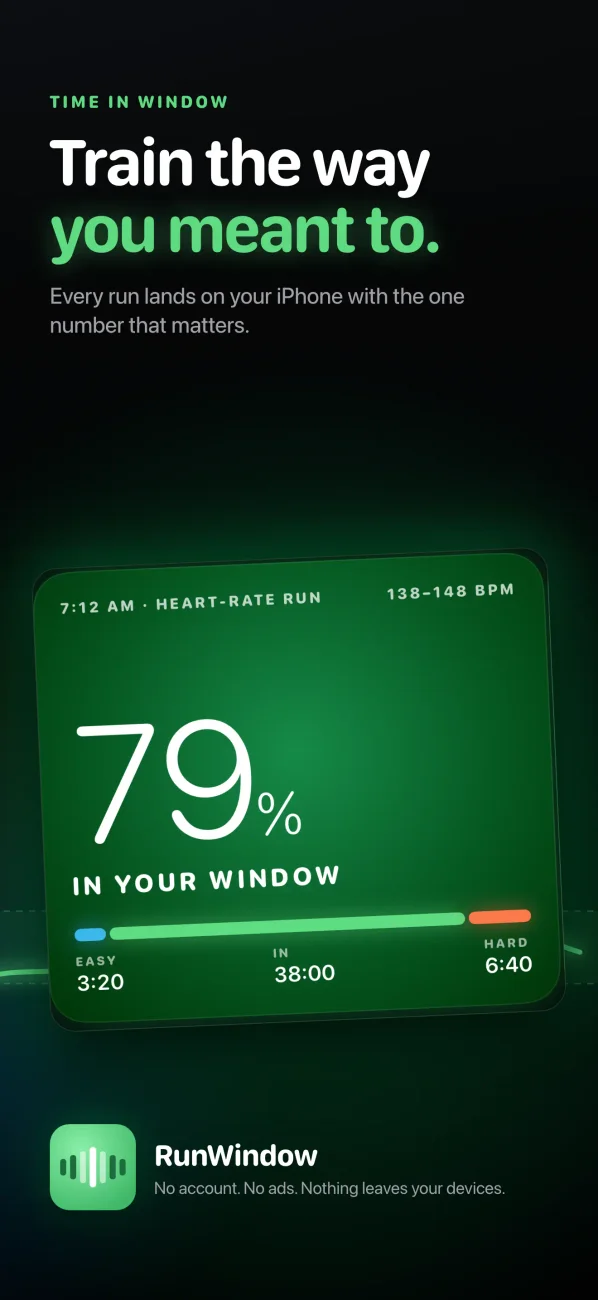
• Every run in one place: time in window, the run drawn against your window, heart-rate zones, distance, pace and active calories. Delete any run you didn't mean to record
• Settings sync both ways with your watch
ON YOUR WATCH
• Color Field turns the whole screen into the signal: green in range, warming toward red when you push too hard, cooling toward deep blue when you're too easy, with the word on screen so colour is never the only cue. Swipe up or down for a tick ring or a tuner.
• Pause, resume, or change your window mid-run
• Trend and Summary pages after every run
• A one-minute demo shows every cue without running
BUILT FOR TRAINING, NOT TRACKING
• Heart rate streams live from the watch during the workout
• Pace comes from GPS, smoothed so a single bad fix can't buzz you
• Miles or kilometres
• Every run is saved to Apple Health as a workout
• No account, and no data leaves your devices
RunWindow requires an Apple Watch: the cues are taps on your wrist. The watch needs Health access for heart rate and Location access for pace; the iPhone app reads your runs from Apple Health to show your history.
Novidades
Versão 2.1 · 18/10/2026
• Max or Min: set one marker instead of a window. Max taps you only while you're over it; Min only while you're under it.
• Delete runs: swipe a run, press and hold it, or tap Delete Run at the bottom of a run.
• Run history grouped by week, with totals. Older runs show average heart rate by zone.
• Fixed: a window set on iPhone sometimes didn't reach the watch.
• Fixed: the iPhone app could ask for Health access again after the watch had asked.
Privacidade do app
O que David Fields declara na App Store sobre como este app lida com os dados.
-
Dados não vinculados a você
Podem ser coletados, mas não são vinculados à sua identidade.
- Saúde e fitness
- Localização
As práticas de privacidade podem variar, por exemplo, com base nos recursos que você usa ou na sua idade.
Informações
- Vendedor
- David Fields
- Categoria
- Saúde e fitness
- Versão
- 2.1
- Atualizado
- 18/10/2026
- Lançamento
- 07/10/2026
- Tamanho
- 3,8 MB
- Requer
- iOS 17.0 ou posterior
- Classificação etária
- 4+
- Preço
- Grátis
- Idiomas
- Inglês
- Copyright
- © 2026 David Fields
Você também pode gostar
-
 R1SE TrainingSaúde e fitness
-
 Woojer WellnessSaúde e fitness
-
 Reaction Light Trainer: ReflexSaúde e fitness
-
 The Fort Membership AppSaúde e fitness
-
 Strivers: Training & WellnessSaúde e fitness
-
 RecoveryOne: PT With MeSaúde e fitness
-
 Exerp StaffSaúde e fitness
-
 AlterMeSaúde e fitness
-
 The Program by Bandit RunningSaúde e fitness
-
 Empirical HealthSaúde e fitness