SageDocs: Secure Document Safe
Document Vault Expiry Tracker
Designed for iPhone, iPad, Mac
Free · In-app purchases
- Age rating4+
- CategoryUtilities
- DeveloperFlorin Nica
- LanguagesEnglish+ 11 more
- Size9.8 MB
Links to the official App Store page
Download.org hosts no file of SageDocs: Secure Document Safe. The button opens its official App Store page, published by Florin Nica. Listing last checked on Nov 20, 2026.
Screenshots
About
SageDocs is a private vault for the documents you can't afford to lose track of: passports, ID cards, driver's licenses, insurance, warranties, vehicle papers, health records and tax files. It tells you before they expire, on iPhone, iPad and Mac. Your files and document details are encrypted with AES-256-GCM on your device.
REMINDERS THAT ACTUALLY ARRIVE
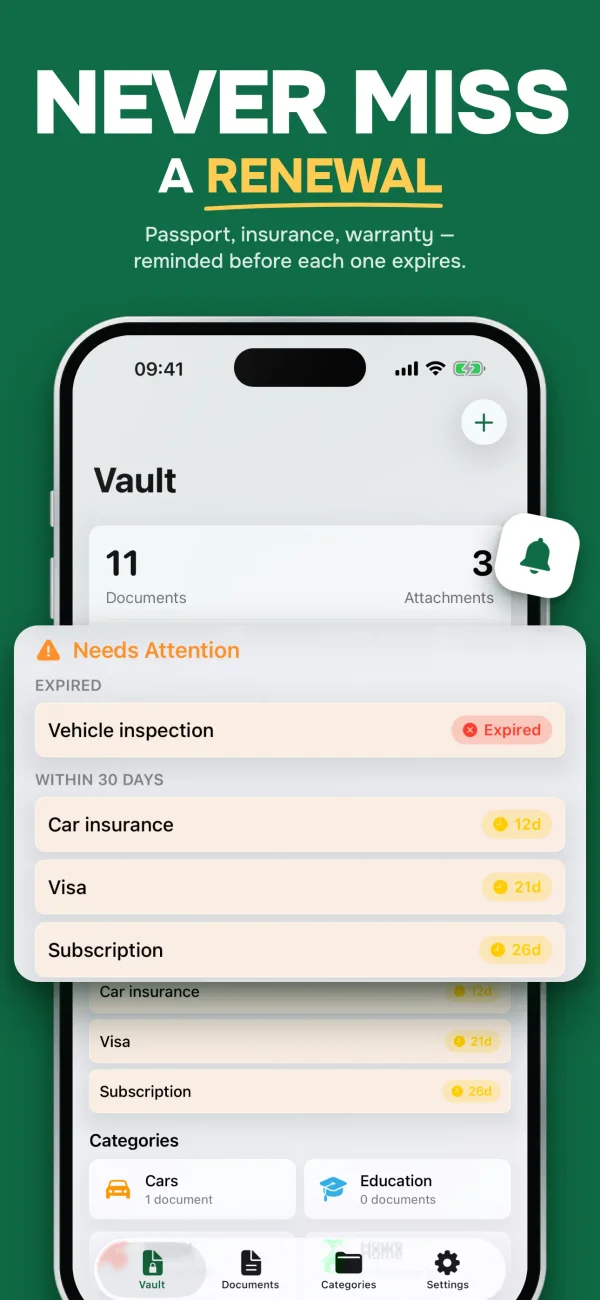
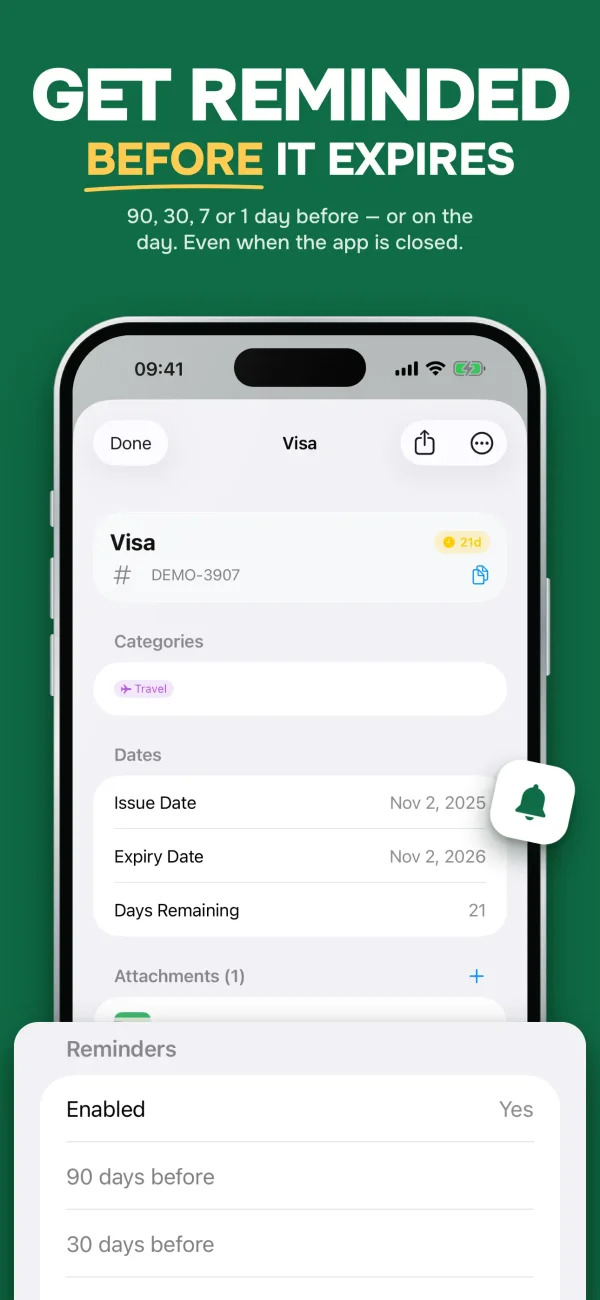
Set an expiry date and SageDocs reminds you 90, 30, 7 and 1 days before, or on the day itself. You choose the hour. Reminders are planned across your whole vault, soonest first, so the nearest expiries always get their reminders first. The dashboard's Needs Attention card shows what has expired and what is coming up in the next 7 and 30 days. Snooze 7 Days, Mark Renewed or Open straight from the notification. The Timeline section lists every document by when it expires: overdue, this week, this month and later.
START IN SECONDS
Pick a template (Passport, National ID, Driver's licence, Car insurance, Vehicle inspection, Health insurance, Home insurance, Pet vaccination, Warranty, Subscription or Visa) and the title, category and reminder schedule are filled in for you. Scan with the camera on iPhone and iPad, or drag files in on Mac and iPad. Text on a photo, scan or PDF can fill in the fields for you, on iPhone, iPad and Mac.
KEEP IT TIDY
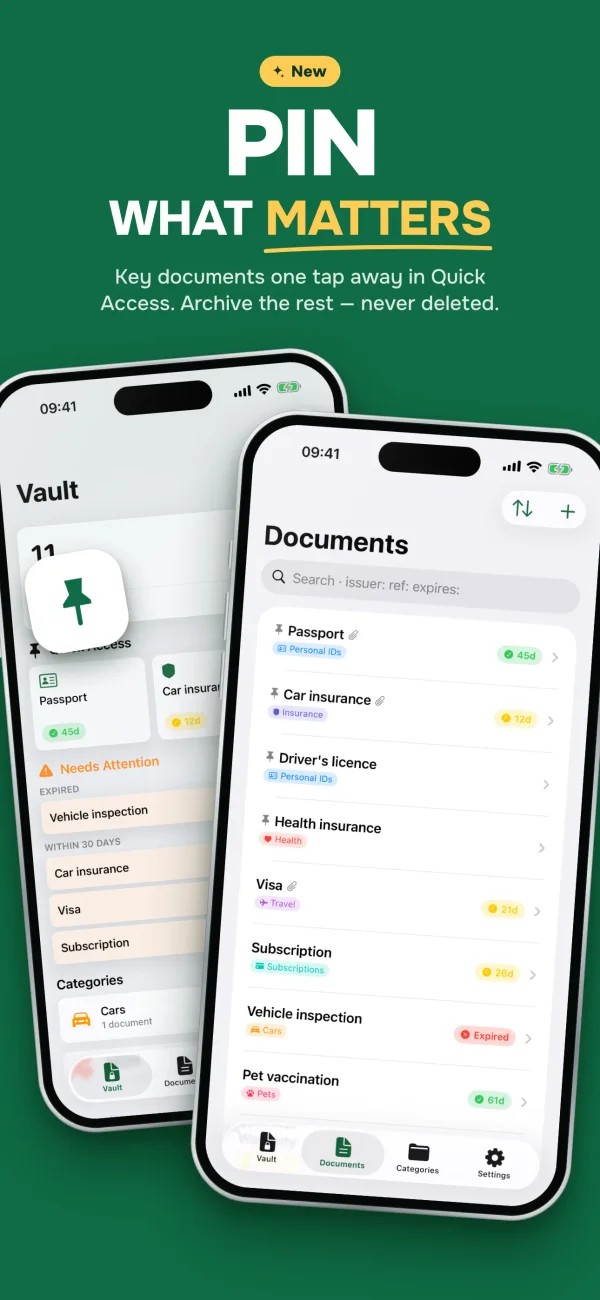
Archive documents you want to keep but no longer track, like an old passport or a cancelled policy. They drop out of your counts and reminders and stay searchable. Pin the ones you open most and they appear first, in a Quick Access row. Fifteen built-in categories, plus your own.
PRIVATE BY DESIGN
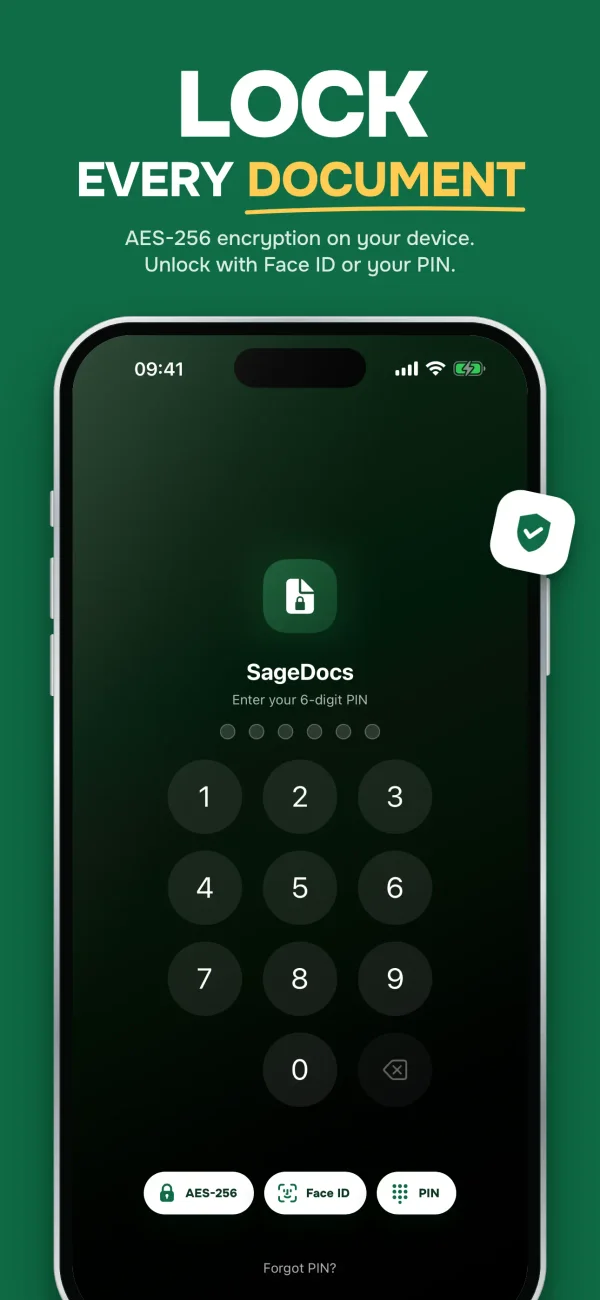
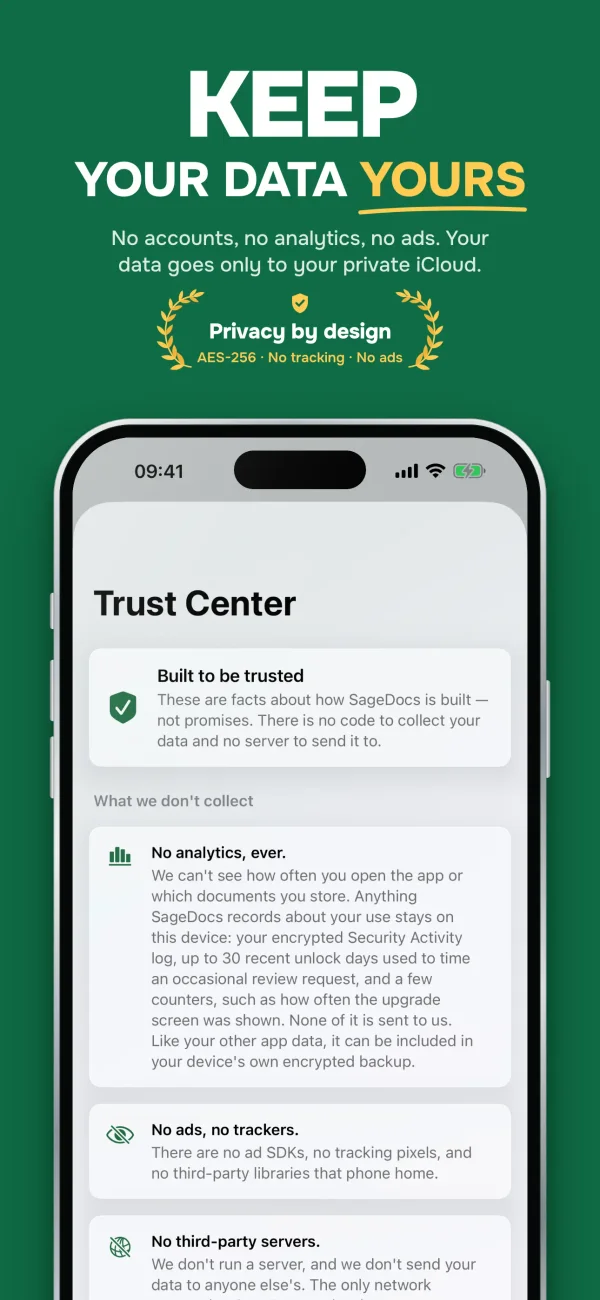
Attachments and document details (titles, notes, issuers, reference numbers) are encrypted with AES-256-GCM on your device before anything is saved or synced. Unlock with Face ID, Touch ID or your PIN. Sharing a file always asks for Face ID, Touch ID or your PIN first. SageDocs has no servers of its own, no accounts and no tracking, and it works offline.
SYNC THAT STAYS YOURS
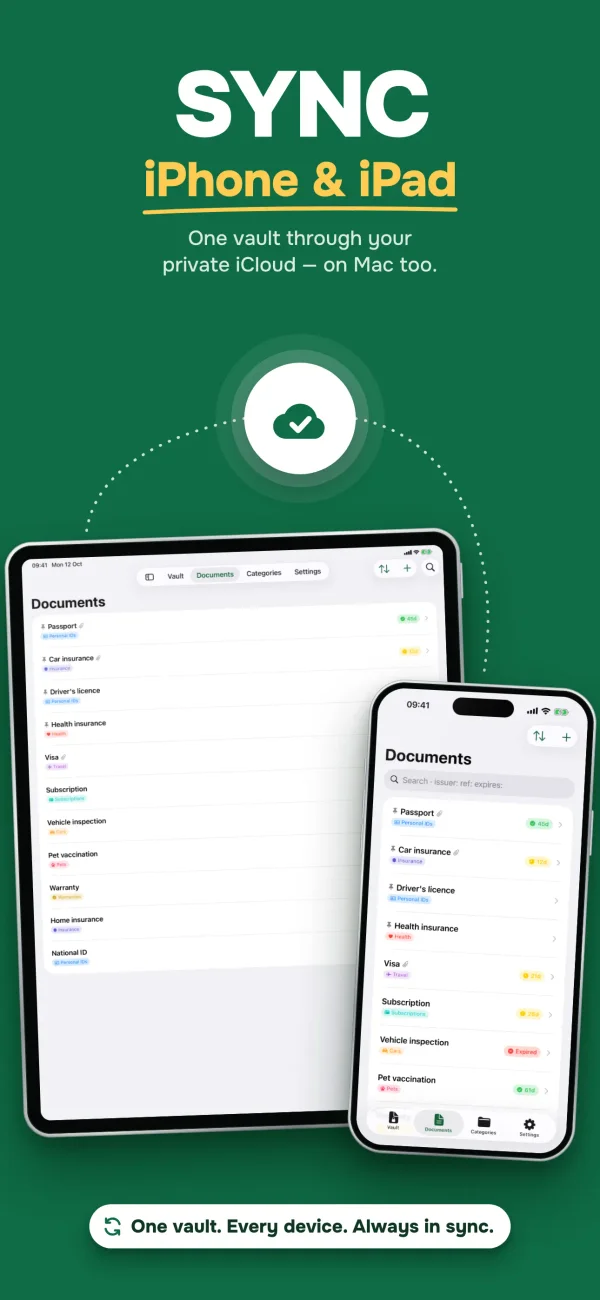
Documents sync between your devices through your private iCloud account, and only there. Add a passport on your iPhone and it shows up on your Mac shortly after. Sync also works with iCloud Drive turned off.
BUILT FOR APPLE DEVICES
Small, medium and large Home Screen widgets and a Lock Screen widget, Siri shortcuts, a Share extension, Mac menu bar and keyboard shortcuts, an optional Liquid Glass look on iOS 26, iPadOS 26 and macOS 26 or later, and a layout that adapts to iPhone, iPad and Mac. Available in 12 languages.
SUBSCRIPTION
SageDocs Premium is an auto-renewing subscription, monthly or yearly. New users get 7 days of full access for free, and the monthly plan also includes a free 7-day introductory offer for eligible new subscribers; the yearly plan has none. Payment is charged to your Apple Account when you confirm the purchase or, with the introductory offer, when the free period ends. The subscription renews automatically unless you cancel at least 24 hours before the end of the current period, including the free introductory period. You can manage or cancel it in your Apple Account settings. When a trial or subscription ends, your documents stay yours: you can still open, edit, export and delete them, but adding new documents or files needs Premium.
Terms of Use (EULA): https://www.apple.com/legal/internet-services/itunes/dev/stdeula/
Privacy Policy: https://sagelight-studio.com/privacy-policy.html
Support: contact@sagelight-studio.com
What’s new
Version 1.0.13 · Oct 13, 2026
Faster to start, calmer reminders, better on Mac and iPad.
• Act on reminders: Snooze 7 Days, Mark Renewed or Open, right from the notification.
• New Timeline section: every document by when it expires.
• Medium and large widgets and a Lock Screen widget list your next expiry dates, dates and icons only.
• Auto-fill on Mac: add a photo, scan or PDF and SageDocs suggests the details.
• 11 quick-add templates: Passport, Car insurance, Warranty, Visa and more.
• Archive documents you no longer track. Pin your favorites to a new Quick Access row.
• Needs Attention shows expired and soon-to-expire documents first.
• Choose the hour reminders arrive. Reminders now cover your whole vault, soonest first.
• Auto-lock delay on every device, plus drag and drop and menu commands on Mac and iPad.
• Optional Liquid Glass style on iOS 26, iPadOS 26 and macOS 26.
• Now in 12 languages.
• iCloud sync now also works with iCloud Drive turned off. Already have documents? Choose Start iCloud Sync in Settings > iCloud Status, then reopen the app.
• The Face ID prompt no longer reopens after you cancel it.
• Lock screen: a countdown after wrong attempts, haptics, and typing your PIN on a keyboard.
• What's New screen, plus a private way to send feedback.
App privacy
What Florin Nica declares on the App Store about how this app handles data.
-
Data not collected
The developer does not collect any data from this app.
Privacy practices may vary, for example with the features you use or your age.
Information
- Seller
- Florin Nica
- Category
- Utilities
- Version
- 1.0.13
- Updated
- Oct 13, 2026
- Released
- Apr 13, 2026
- Size
- 9.8 MB
- Requires
- iOS 17.0 or later
- Age rating
- 4+
- Price
- Free
- In-app purchases
- Yes
- Languages
- English, Czech, Dutch, French, German, Hungarian, Italian, Polish, Portuguese, Romanian, Spanish, Swedish
- Copyright
- © Florin Nica
You might also like
-
 Recopy - Copy & PasteCopy, Organize, Search, Paste
-
 Clipboard Manager - CliptopHistory, Snippets & Sync
-
 DocScan Hub: PDF & OCR ScannerScan, Merge PDF & Text OCR
-
 Proof Pocket - Document VaultSafe offline document vault
-
 BLESPloitBluetooth Low Energy tool
-
 PDF. Scanner.Camera Dokument Scanner
-
 Silver Vault: Hide PhotosSecret album, lock & encrypt
-
 POI ToolboxManage locations effortlessly
-
 Measure Book - EstimateDraw Shapes, Price & Quote
-
 PureSurf: Browser Ad BlockerFaster Saver Purer