
Save This: Remember Anything
Your private second memory
Designed for iPhone, iPad, iPod touch
Free · In-app purchases
- Age rating4+
- CategoryProductivity
- DeveloperABC-Astro Media
- LanguagesEnglish
- Size35.8 MB
Links to the official App Store page
Download.org hosts no file of Save This: Remember Anything. The button opens its official App Store page, published by ABC-Astro Media. Listing last checked on Nov 20, 2026.
Screenshots


About
What size is the furnace filter? Which paint color did you use? Where did you store the warranty?
Save This is your private second memory for the small but important details you will need again. Type or speak an entry, add photos or videos, and let Save This organize everything into folders so it is easy to find later.
SAVE IT YOUR WAY
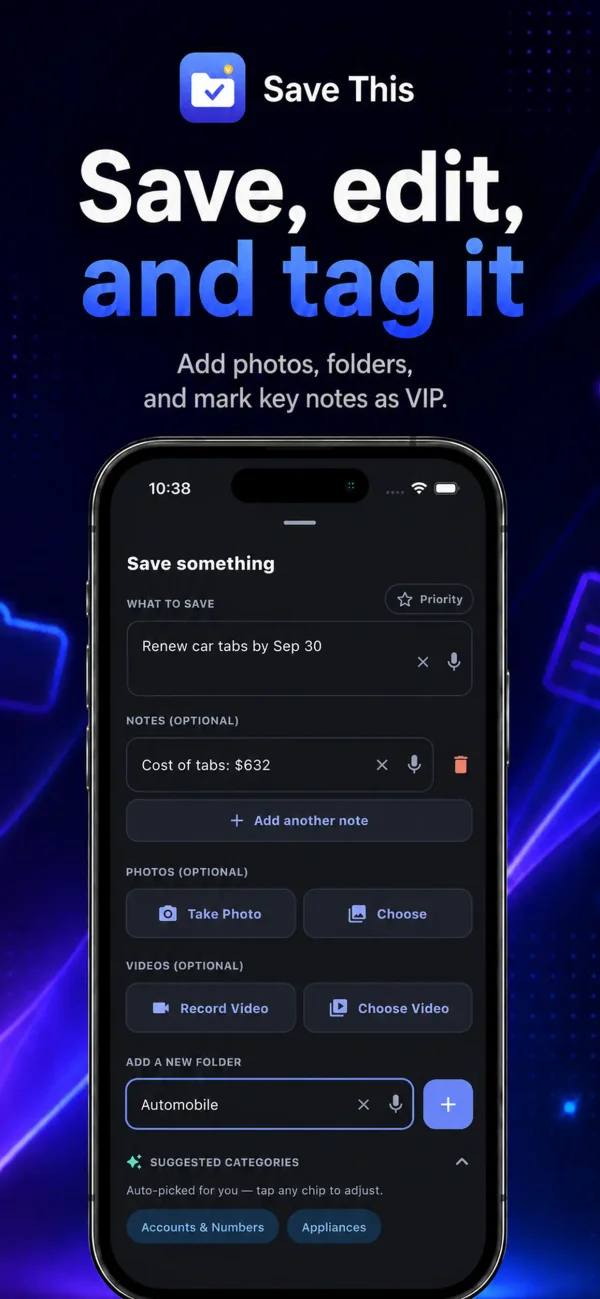
Capture household details, appliance information, Wi-Fi notes, warranties, appointments, travel information, gift ideas, storage locations, and more. Add text, an optional note, photos, videos, and reminders to any entry.
AUTOMATICALLY ORGANIZED
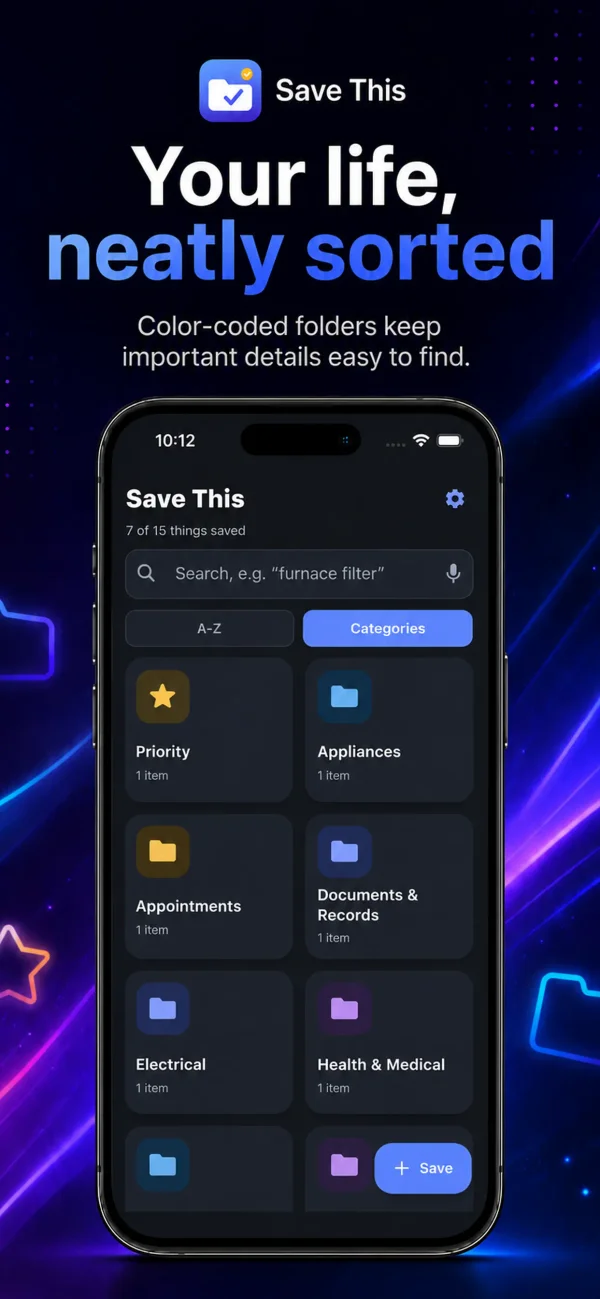
Save This suggests useful folders as you type. One entry can appear in several folders, and you can adjust suggestions or create your own folders. Switch between the Categories view and a simple A-Z list whenever you prefer.
FIND IT FAST
Search your saved entries by text or voice. Mark important entries as Priority to keep them in a gold Priority folder at the top.
REMINDERS
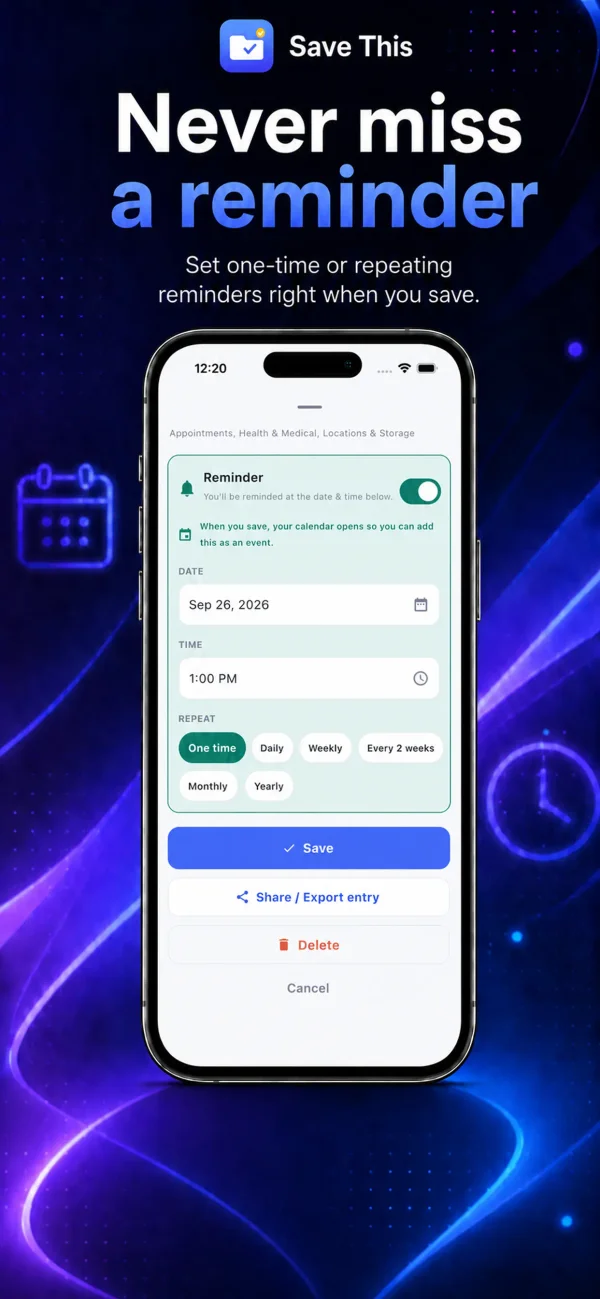
Create one-time or repeating reminders. Choose daily, weekly, every two weeks, monthly, yearly, or selected weekdays.
PHOTOS AND VIDEOS
Capture or import photos and videos, view media from an entry, save media to Photos, and include supported media in backups, sharing, and exports.
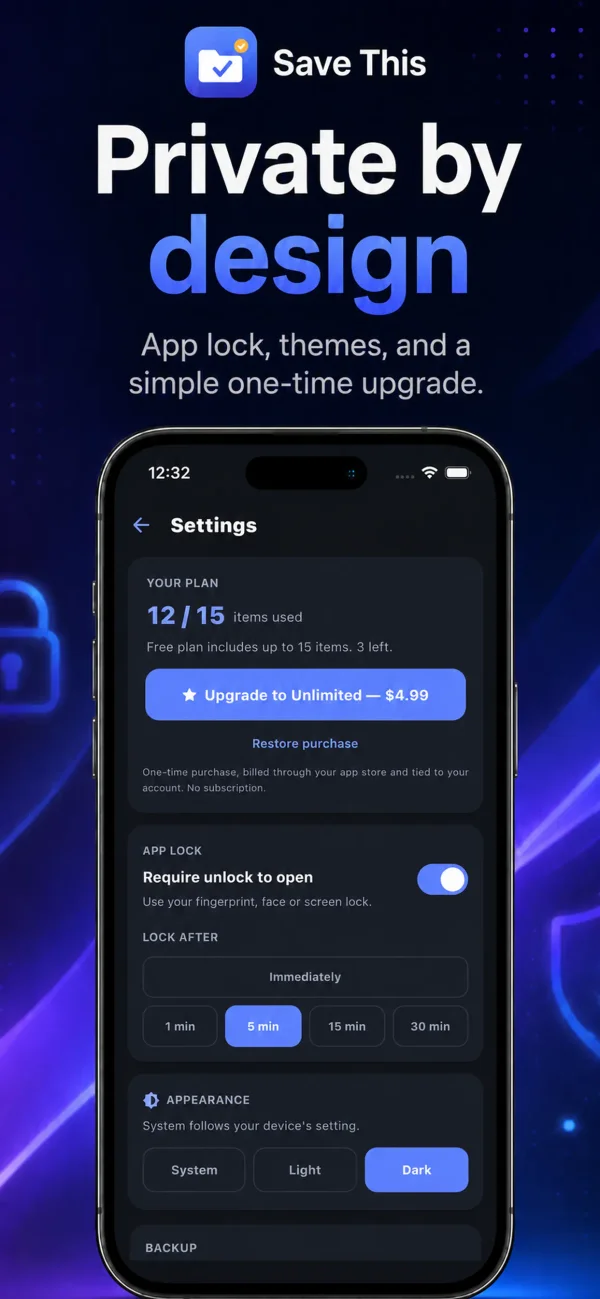
PRIVATE BY DESIGN
Your information stays on your device unless you choose to share or export it.
• No account or sign-in
• No ads or analytics
• Works offline for core features
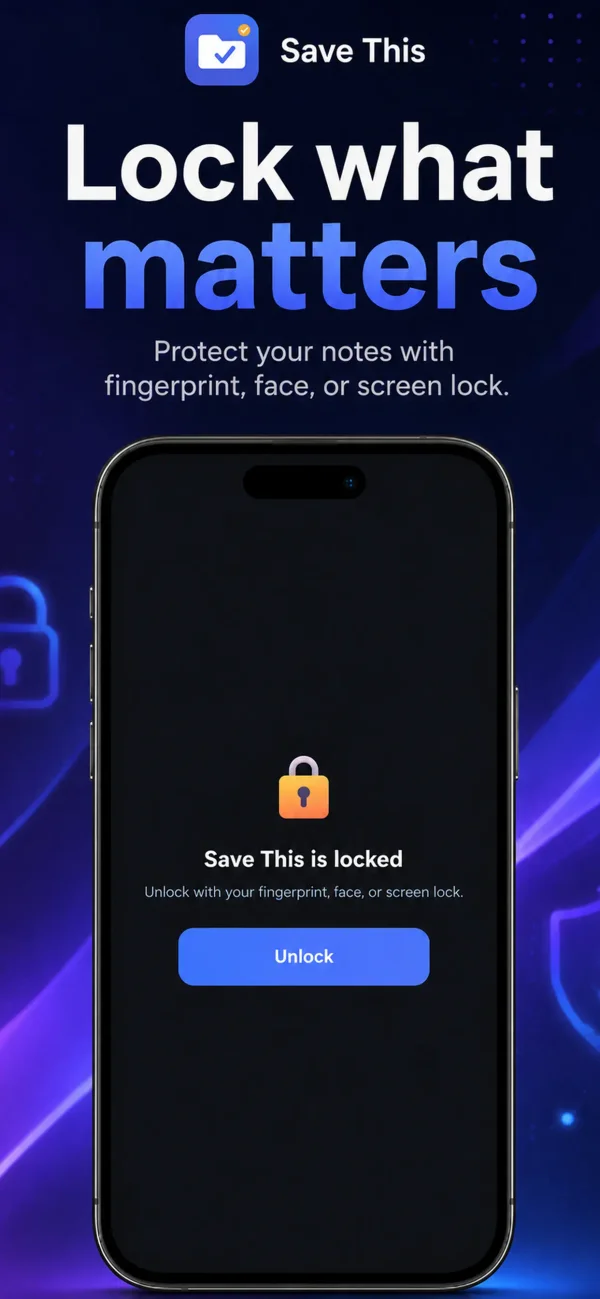
• App lock with Face ID, Touch ID, device authentication, or PIN
• Apple Data Protection for stored app data
• Photo location metadata removed during processing
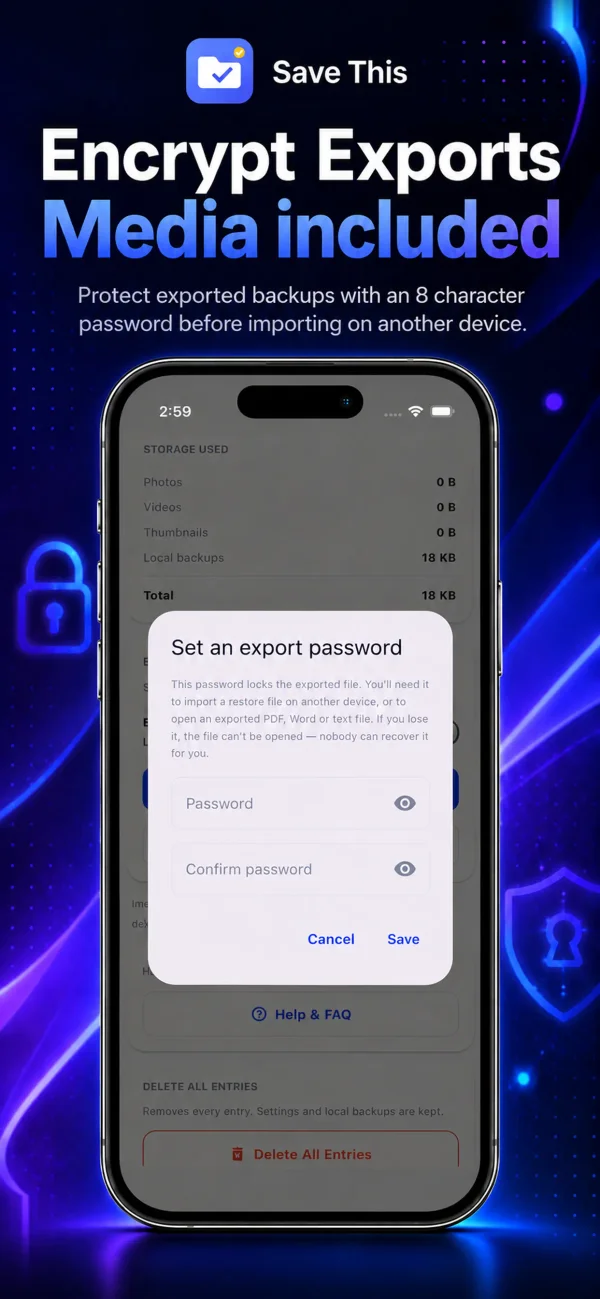
• Optional password-protected backups and exports
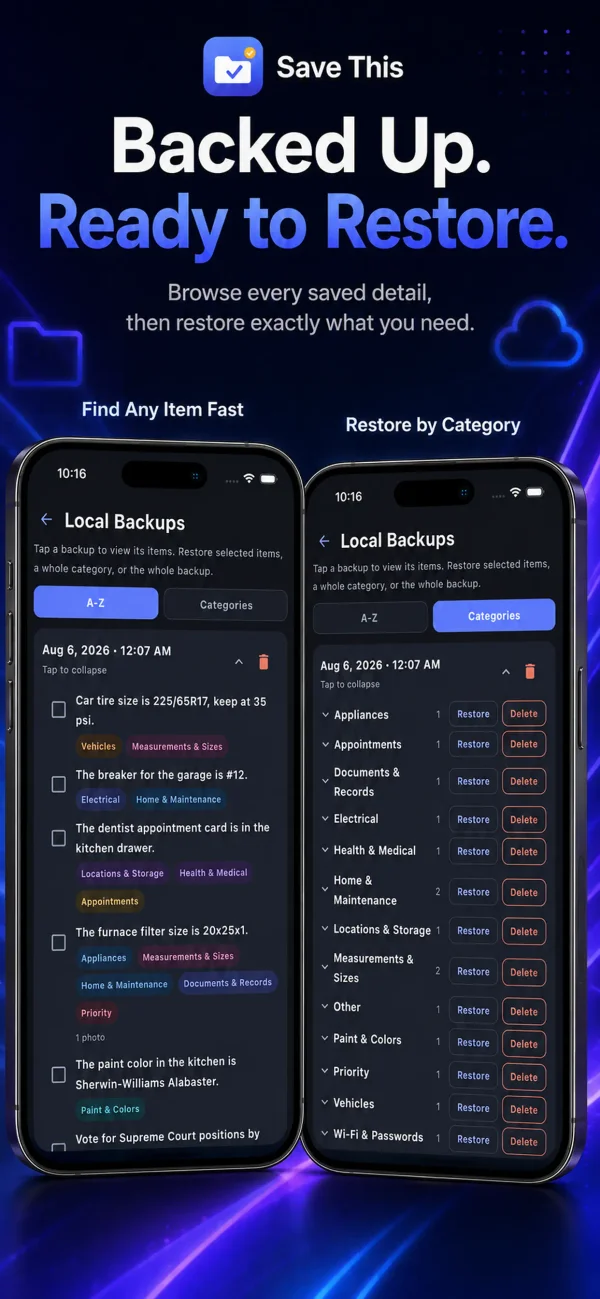
BACK UP, RESTORE, AND EXPORT
Create dated backups and restore selected entries or your full collection. Export individual entries or your complete collection as PDF, Microsoft Word, plain text, or a restore file. Organize full exports by folder or A-Z and include photos where supported.
START FREE
Save up to 15 items free. A single one-time in-app purchase unlocks unlimited items. There is no subscription or recurring charge. Restore Purchases is available for purchases associated with your Apple Account.
Save This is designed to remember your information, not collect it.
What’s new
Version 1.6.0 · Sep 26, 2026
What size is the furnace filter? Which breaker runs the garage? What's the Wi-Fi password at the cabin? You looked it up once. Now you need it again.
Save This is the easiest way to remember life's little details, and find them again the moment you need them.
SAY IT. DONE.
Type it or just say it: "The kitchen paint is Sherwin-Williams Alabaster." "Spare key is under the blue pot." That's it. No forms, no folders to set up, no tags to think about.
IT FILES ITSELF
As you type, Save This reads what you wrote and files it into the right folders automatically: Appliances, Wi-Fi & Passwords, Vehicles, Warranties & Receipts and more. One entry can live in several folders at once. Don't agree? Tap to change it, or create your own folders. It all happens on your iPhone, with no cloud AI.
FIND IT IN SECONDS
Browse a colorful folder grid or a clean A-Z list. Star what matters most as Priority. Or just search, by typing or by voice, across everything you've saved.
A PICTURE REMEMBERS MORE
Snap the label on the water heater, the back of the router, a receipt, or record a quick video walkthrough. Swipe through photos and videos full screen, pinch to zoom in on the fine print, and play clips right in the app. Photos are saved at a size that looks identical on screen but takes far less space, and their hidden location data is removed.
NEW: REMINDERS ON YOUR CALENDAR
Mention a date and Save This offers a reminder, already filled in. Repeat it once, daily, weekly, every two weeks, monthly or yearly, on the days you choose. On iOS 17 or later, add it to your calendar with one tap through Apple's own event screen, alert included. Save This never needs access to your calendar.
MORE IN THIS UPDATE
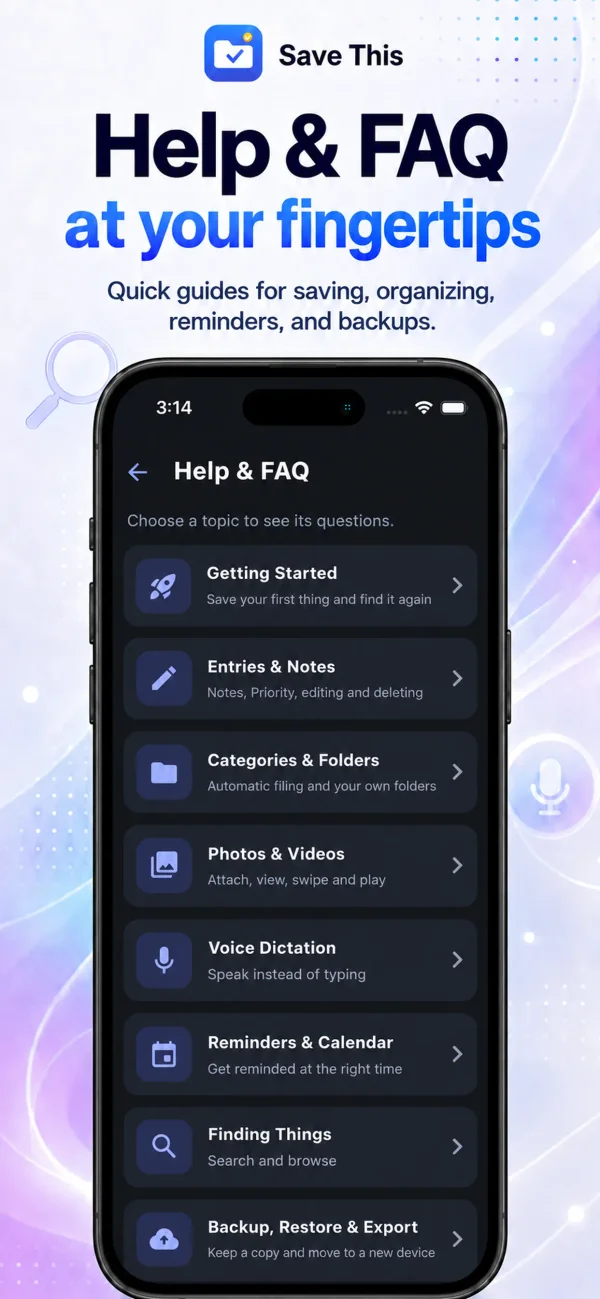
Keep several notes on one entry. Enjoy new photo and video viewers. Clear everything with Delete All Entries, with a backup offered first. And get answers fast in the new Help & FAQ.
PRIVATE BY DESIGN
No account. No sign-in. No ads. No analytics. No developer cloud. Your entries live on your device, not on our servers, and the app works offline. Lock Save This with Face ID, Touch ID or your passcode, and choose how quickly it locks.
YOUR DATA, YOUR WAY
Keep a history of local backups, lock them with a code, and restore one entry or everything. Moving to a new phone? Export a restore file with your photos and videos inside. Need a copy to print or send? Export any entry, or all of them, as a PDF, Word document or text, organized by folder or A-Z. Lock any export with a password and AES-256 encryption.
MADE FOR IPHONE AND IPAD
Light, Dark or System theme, and layouts that make full use of the bigger iPad screen.
FREE TO START. YOURS FOREVER.
Save up to 15 items free. Love it? One single purchase unlocks unlimited items for good. No subscription. No recurring charges. Ever.
PERFECT FOR
- Homeowners and renters: filter sizes, paint colors, breakers, model and serial numbers
- Families: sizes, school details, the babysitter checklist, where things are stored
- Car owners: tire size, oil type, service dates
- Travelers: parking spots, confirmation numbers, rental details
- Anyone: warranties, receipts, appointment details and every small fact you swear you'll remember
Stop searching. Start saving. Save This remembers, so you don't have to.
App privacy
What ABC-Astro Media declares on the App Store about how this app handles data.
-
Data not collected
The developer does not collect any data from this app.
Privacy practices may vary, for example with the features you use or your age.
Information
- Seller
- SafeBuy Marketplace, LLC
- Category
- Productivity
- Version
- 1.6.0
- Updated
- Sep 26, 2026
- Released
- Sep 8, 2026
- Size
- 35.8 MB
- Requires
- iOS 15.0 or later
- Age rating
- 4+
- Price
- Free
- In-app purchases
- Yes
- Languages
- English
- Copyright
- © 2026 SafeBuy Marketplace, LLC
You might also like
-
 Stashy: Save Links & Ask AIBookmark Manager, Second Brain
-
 rebuspro appProductivity
-
 DataSieve: Text to DataExtract emails, dates & more
-
 BrainFlow: AI Voice NotesBrain dump into a to-do list
-
 Prompt Tutor: AI Prompt MakerPrompt Engineering Templates
-
 CarryLinksThe Complete Bookmark Manager
-
 AssistMe: AI To Do ListPlanner, Tasks & Reminders
-
 AI Transcribe Voice MessagesConvert Audio to Text & Memos
-
 Voice language translatorText, Voice & Photo Translator
-
 Grammar Air - Writing CheckerAI Keyboard: Check & Correct