Scan Cam PDF: Document Scanner
Offline OCR, sign, no ads
Designed for iPhone, iPod touch
Free · In-app purchases
- Age rating4+
- CategoryProductivity
- DeveloperPierre Trochet
- LanguagesEnglish+ 8 more
- Size87.4 MB
Links to the official App Store page
Download.org hosts no file of Scan Cam PDF: Document Scanner. The button opens its official App Store page, published by Pierre Trochet. Listing last checked on Nov 27, 2026.
Screenshots



About
Scan Cam turns your iPhone into a document scanner. You photograph a sheet of paper, the app finds its edges, straightens it and cleans up the text: what you get is a real scan, not a photo of a piece of paper.
Your documents stay on your iPhone and in your own iCloud Drive — never on a server of ours. No account to create, no adverts, no analytics of ours. The iCloud copy brings your invoices, your contracts and your identity papers back if you reinstall the app or change iPhones, and you can turn it off in the settings. Apart from that copy, a document leaves your phone only on the day you decide to share it yourself.
SCANNING
• Edges detected and the page straightened, even shot at an angle
• Four looks: original photo, colour, greyscale, black and white
• Strength adjustable with your finger, with a preview that follows
• Shadows removed in one tap, for pages shot under a lamp or a hand
• Several pages in one document, to reorder, rotate or remove
• Import a photo or a PDF already on your phone: it becomes a document, just like a scan
• Auto enhance in one tap: softer shadows, white paper, crisper text
ORGANIZING
• Folders and subfolders, like on a computer
• A search that also finds what is filed deep inside a folder, and tells you where
• Rename, move, duplicate, delete
• A copy in your own iCloud Drive: your documents come back after a reinstall or on a new iPhone
• Lock the app with Face ID, so no one else opens your papers
• Open in Scan Cam: a PDF or photo you receive in Mail or Files becomes a document
FINISHING AND SHARING
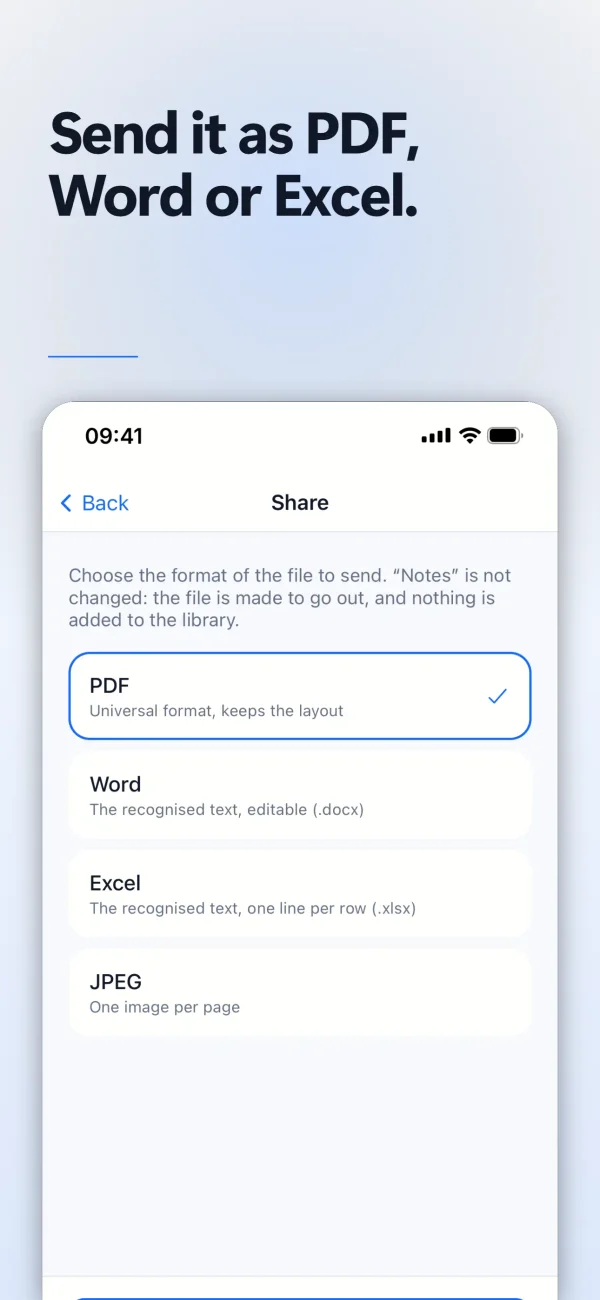
• Export to PDF or JPEG
• Add text on a page
• Print straight from the app
• Save to the Files app, or send through the iPhone's share sheet
SCAN CAM PRO
The free version is complete and never expires: scan, organize, filter, annotate, print and export to PDF as much as you like. Free PDFs carry a small "Scanned with Scan Cam" line at the foot of the page.
The Pro subscription adds:
• PDF with no line at the foot
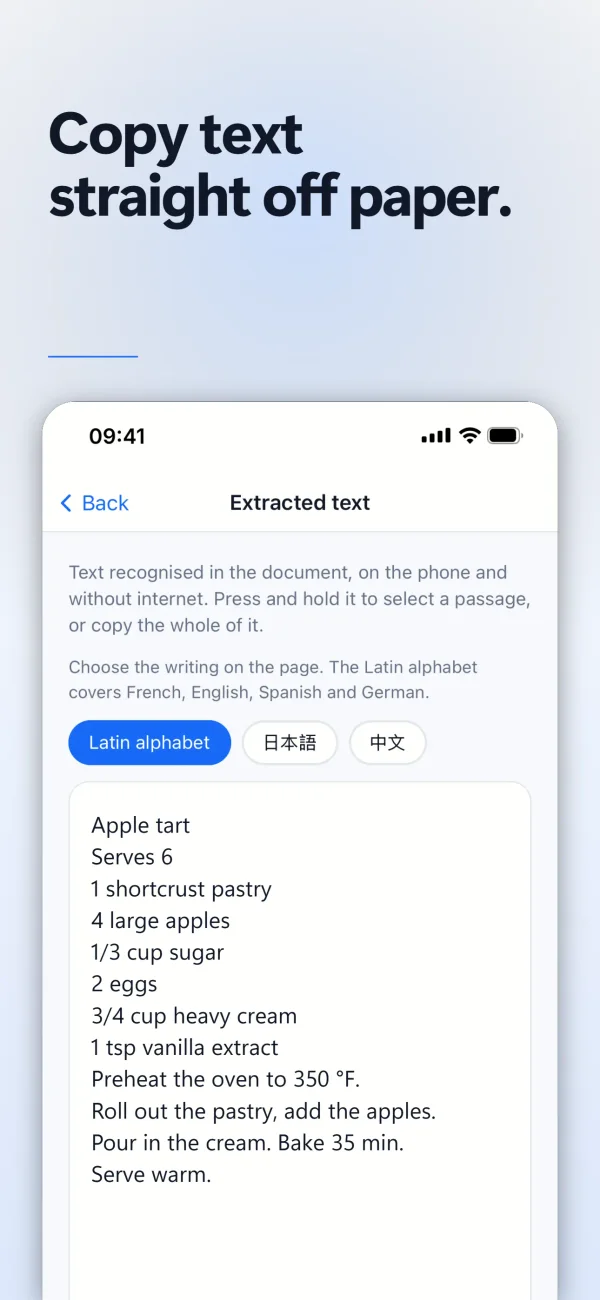
• Text recognition, which reads your pages and hands you the text to copy
• Search inside your documents: find one by a word written on it
• PDFs whose text can be selected and searched
• ID cards, front and back on a single page
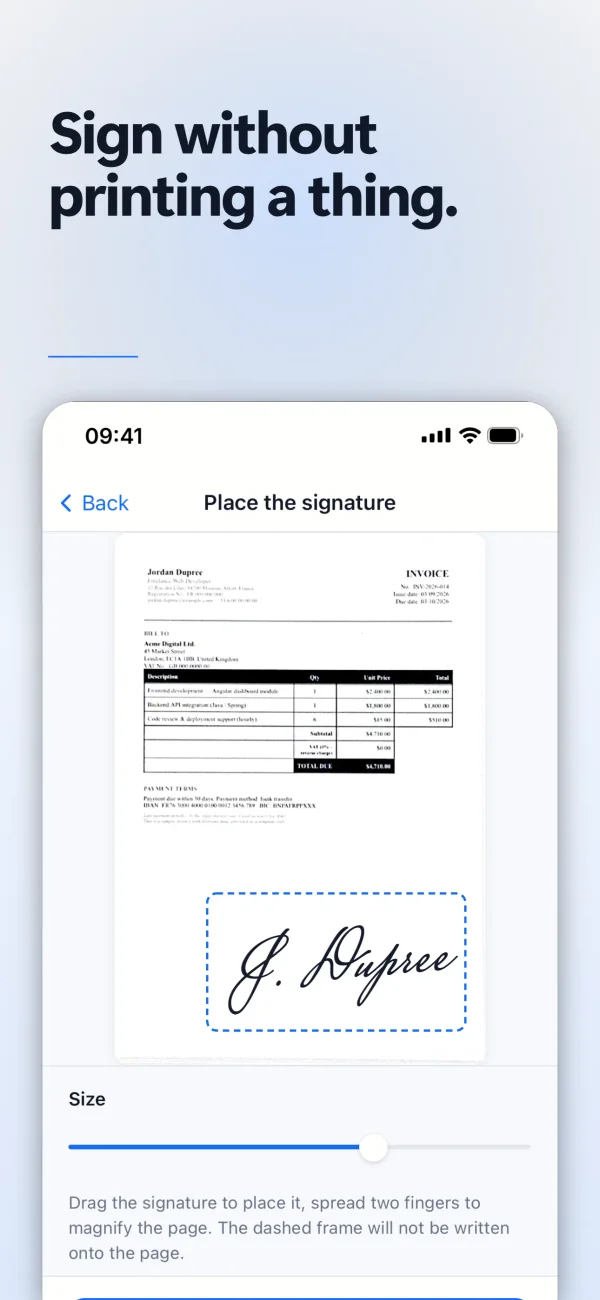
• Signature, drawn with your finger and placed where you want it
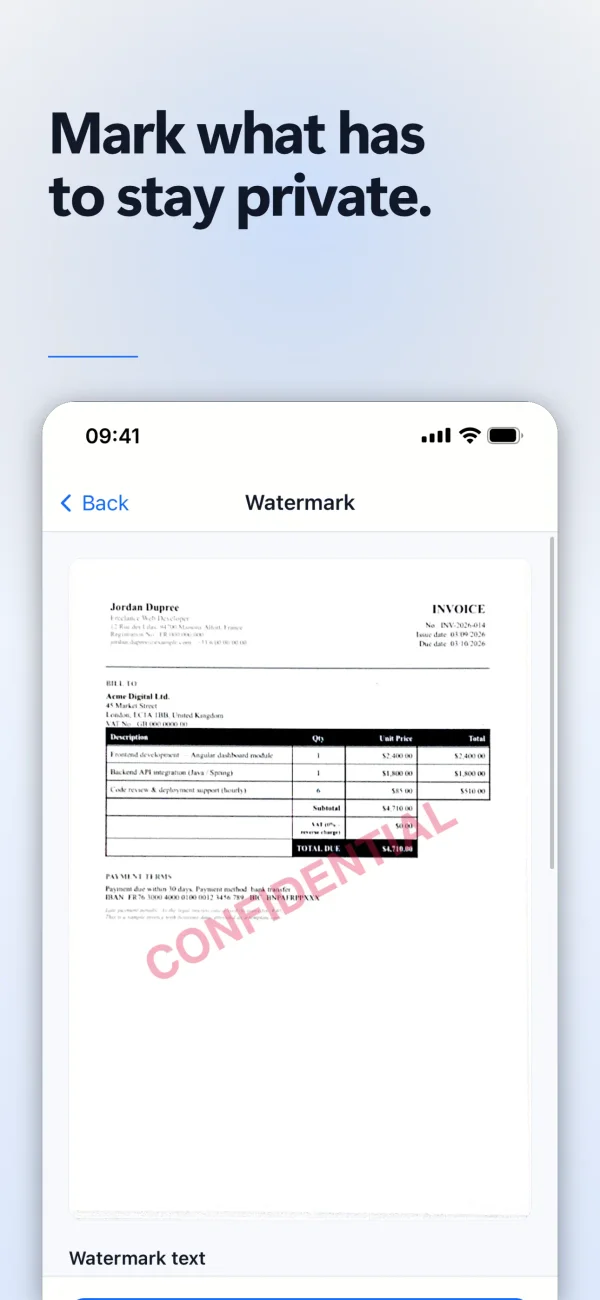
• Watermark, across the page
• Merging several documents into one
• Pulling pages out into a new document
• Export to Word (.docx) and Excel (.xlsx)
Text recognition runs on the phone, with no internet: it reads the Latin alphabet, Japanese, Chinese and Korean.
NINE LANGUAGES
The app reads in French, English, Spanish, German, Italian, Portuguese (Brazil), Japanese, Chinese and Korean.
SUBSCRIPTION
• Scan Cam Pro — one year, after a 7-day free trial
• The price is the one shown by the App Store and in the app, in your own currency
• Payment is charged to your Apple account when you confirm the purchase
• The subscription renews automatically at the end of each year unless it is cancelled at least 24 hours before that date
• You can manage and cancel it at any time in your Apple account settings
• Terms of Use: https://www.apple.com/legal/internet-services/itunes/dev/stdeula/
• Privacy Policy: https://scancam.app/privacy.html
What’s new
Version 1.5 · Nov 6, 2026
Scan Cam now reads the text of your documents, and shows you around the scanner before your first scan.
FIND A DOCUMENT BY A WORD
• The app reads the text of every scan by itself. With Pro, search finds a document by a word written on it, even if you never renamed it.
• With Pro, your PDFs keep that text: it can be selected and searched in any reader.
WHEN YOU SCAN
• An animated guide shows where the scanner's buttons are. You can watch it again in Settings.
• After scanning, you land straight in your document. If a shadow seems to fall across the page, the app offers to take it out.
• Auto enhance: Apple's enhancement in one tap (softer shadows, white paper, more contrast), on the Filters screen.
• ID cards (Pro): front and back together on a single page.
SAFER, HANDIER
• Lock the app with Face ID, in Settings.
• Open in Scan Cam a PDF or photo you receive in Mail or Files.
• A faster library, even with lots of documents.
• The privacy policy has been rewritten in more detail.
App privacy
What Pierre Trochet declares on the App Store about how this app handles data.
-
Data not linked to you
May be collected but is not linked to your identity.
- Purchases
- Identifiers
- Diagnostics
Privacy practices may vary, for example with the features you use or your age.
Information
- Seller
- Pierre Trochet
- Category
- Productivity
- Version
- 1.5
- Updated
- Nov 6, 2026
- Released
- Sep 1, 2026
- Size
- 87.4 MB
- Requires
- iOS 15.5 or later
- Age rating
- 4+
- Price
- Free
- In-app purchases
- Yes
- Languages
- English, French, German, Italian, Japanese, Korean, Portuguese, Simplified Chinese, Spanish
- Copyright
- © 2026 Pierre Trochet
You might also like
-
 Scantivia: PDF Scanner & ToolsFast Full-Text Search with OCR
-
 Papiers de vieProductivity
-
 PaperGuard: Private ScannerPDF & OCR docs, never uploaded
-
 Flatten Scan: Offline PDFPrivate document scanner
-
 MyPDFScanner: Document ScanPhotograph letters as PDF
-
 Splitly: Split PDFExtract Pages · On Device
-
 MriyaScanPDF Scanner, Sign & Edit
-
 ScannerCam LightPrivate on-device PDF scanner
-
 scanAll - Document ScannerSearch Text Inside Your Scans
-
 Doc Scanner To PDFScan, sign and share documents