
Scanly: Scanner & PDF
Scan, OCR, sign & lock PDFs
Designed for iPhone
Free · In-app purchases
- Age rating4+
- CategoryProductivity
- DeveloperSahil Jain
- LanguagesEnglish+ 7 more
- Size3.7 MB
Links to the official App Store page
Download.org hosts no file of Scanly: Scanner & PDF. The button opens its official App Store page, published by Sahil Jain. Listing last checked on Nov 17, 2026.
Screenshots


About
Turn any paper document, receipt, ID card, or whiteboard into a clean, searchable PDF - right on your iPhone. Scanly scans, sharpens, signs, organizes, and recognizes text entirely on-device. Nothing is ever uploaded.
FAST, SHARP SCANS
- Capture pages with the camera, or import existing photos and PDFs.
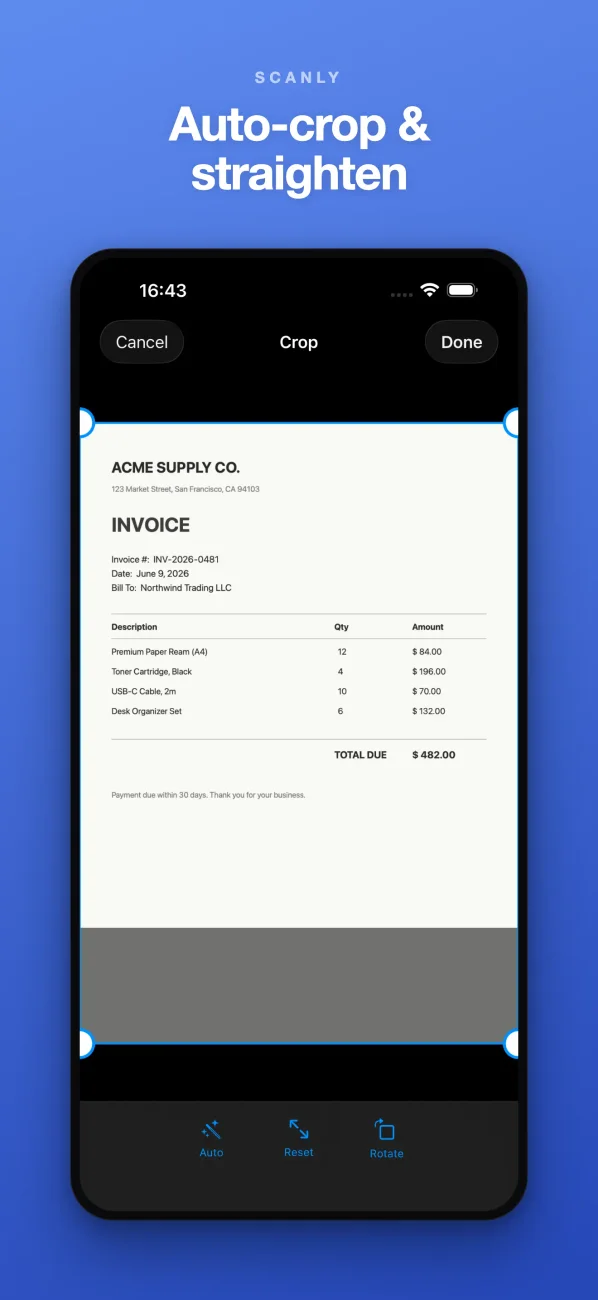
- Automatic edge detection and perspective correction straighten every page.
- Manual crop editor with draggable corners, loupe magnifier, and pinch-to-zoom for pixel-perfect framing.
- Enhancement filters clean up lighting and boost contrast for crisp, readable results.
- Multi-page documents in one tap - reorder, retake, or delete pages before saving.
- ID & card mode scans both sides of a card onto a single page.
SEARCHABLE TEXT WITH ON-DEVICE OCR
Scanly reads the text in your scans using Apple's on-device Vision engine - in multiple languages - and adds a searchable text layer to every PDF. Find any document later by the words inside it. QR codes in your scans are detected and ready to open or copy.
SIGN & ANNOTATE
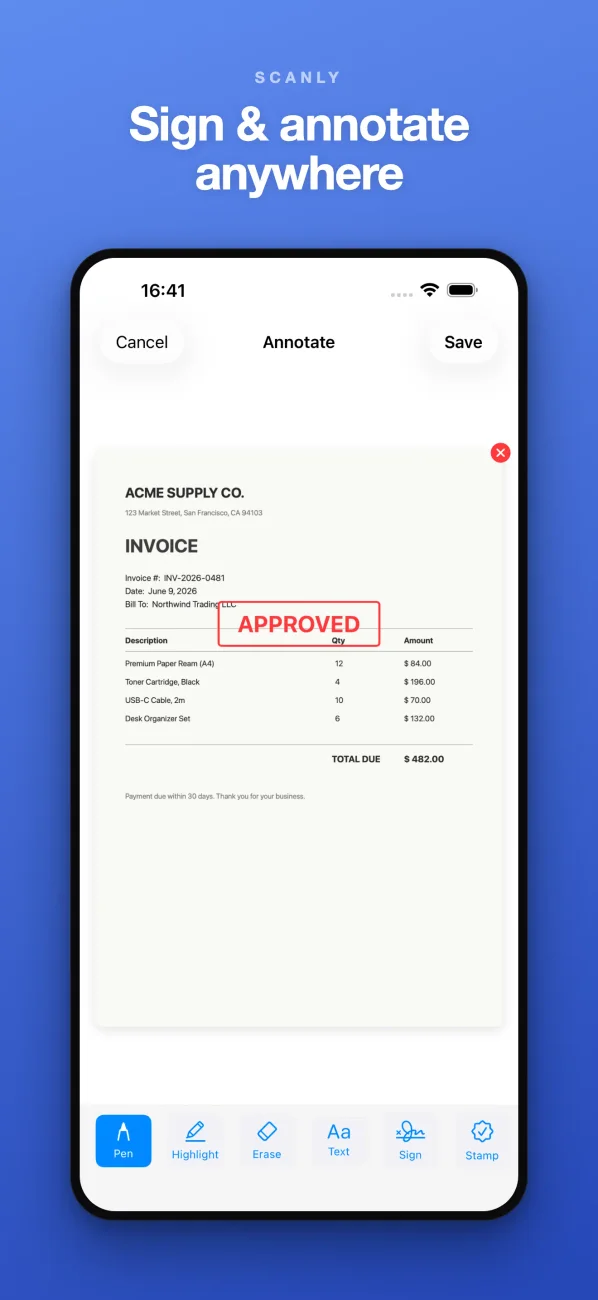
Draw your signature once and place it on any page. Highlight, draw, and mark up scans with built-in annotation tools - everything stays in the PDF.
ORGANIZED, PROTECTED, YOURS
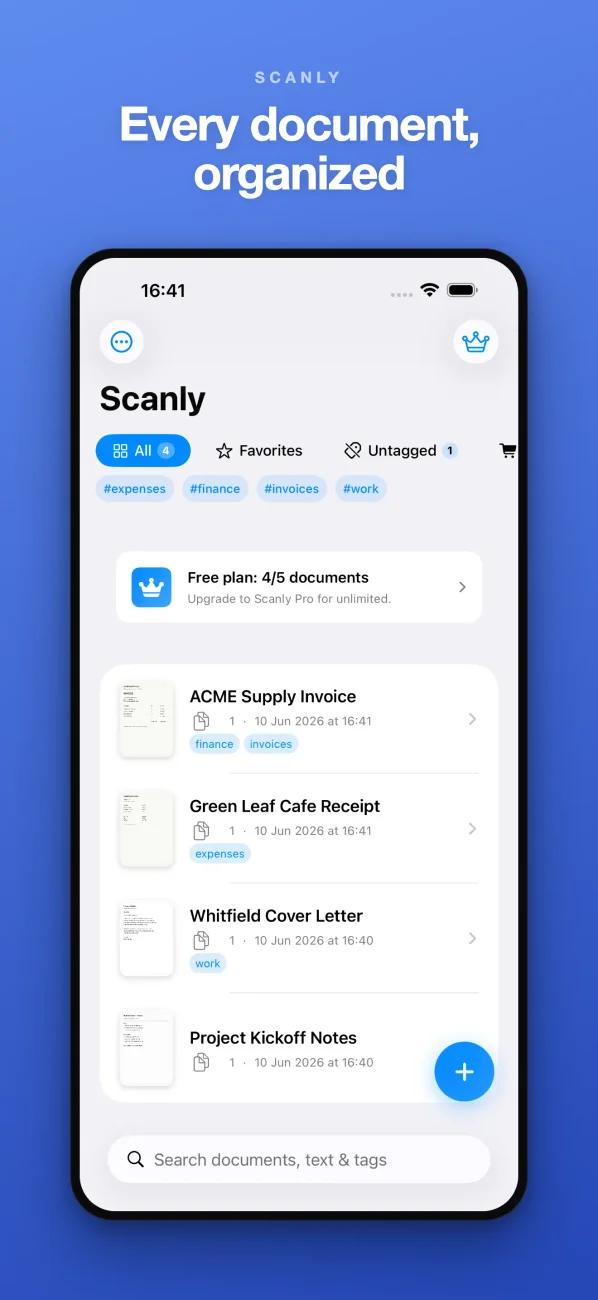
- Folders and tags keep hundreds of scans tidy; search finds them instantly.
- Lock the app with Face ID so only you can open your documents.
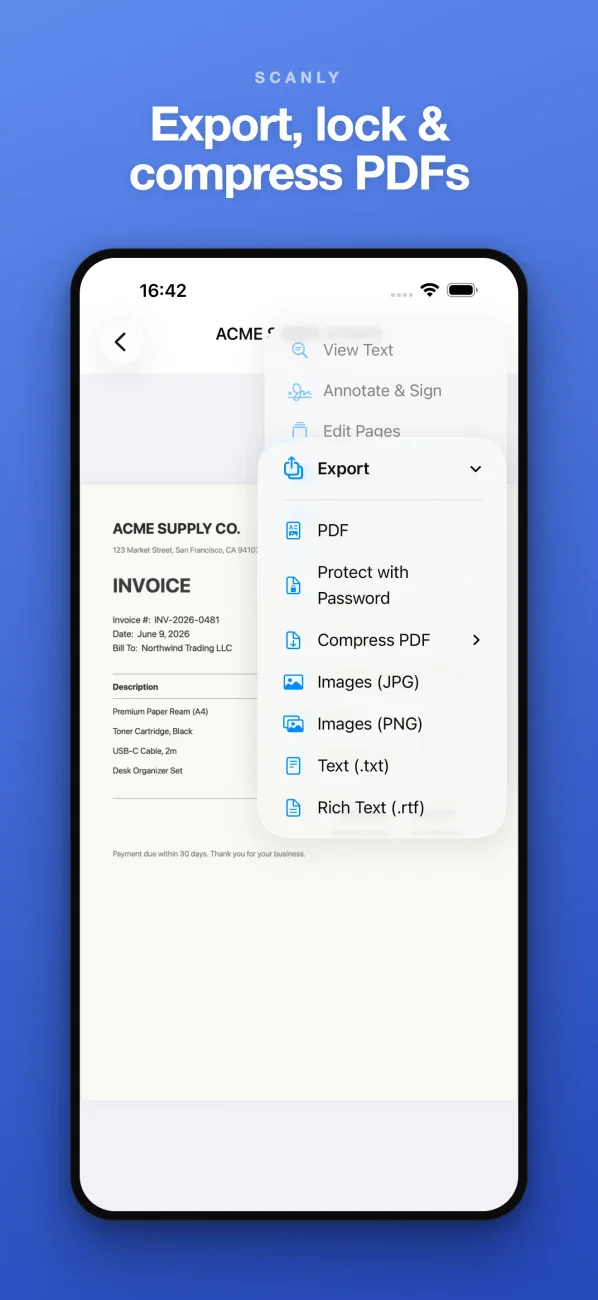
- Password-protect sensitive PDFs, compress large ones, or split a document into parts.
- Print with AirPrint or save straight to the Files app.
SMART EXTRAS
- Scan a business card and add it to Contacts in one tap.
- Turn a stack of receipts into a CSV you can open in Numbers or Excel.
- Scanly works with Shortcuts, home-screen widgets, and the share sheet - send images or PDFs from any app straight into your library.
NO WATERMARK. EVER.
Your exported PDFs are clean and professional, with no stamps or watermarks - even on the free tier. Share to Mail, Messages, Files, or any app.
100% PRIVATE - BY DESIGN
Everything runs locally. There is no account, no sign-in, no analytics, and no tracking. Scanly contains zero networking code - your documents and their contents stay on your device, always.
HONEST, ONE-TIME PRICING
Scanly is free to use and genuinely useful on its own. The free tier lets you keep up to 5 saved documents.
Want unlimited documents and the full toolkit? Unlock Scanly Pro with a single one-time purchase - yours forever. No weekly subscriptions, no recurring charges. So many "scanner" apps charge every single week for the same on-device work. We think that's wrong. Pay once, scan forever.
DESIGNED FOR EVERYONE
- Full Dark Mode and Dynamic Type support
- VoiceOver labels throughout
- Reduce Motion support and gentle haptics
- Works without a camera via Photos and Files import
Scan it. Sign it. Search it. Keep it private. That's Scanly.
What’s new
Version 2.1.3 · Jul 14, 2026
Scanly now speaks your language — the entire app is translated into Japanese, German, Chinese, Spanish, French, Portuguese and Korean.
Small polish and stability improvements throughout.
App privacy
What Sahil Jain declares on the App Store about how this app handles data.
-
Data not collected
The developer does not collect any data from this app.
Privacy practices may vary, for example with the features you use or your age.
Information
- Seller
- Sahil Jain
- Category
- Productivity
- Version
- 2.1.3
- Updated
- Jul 14, 2026
- Released
- Jun 15, 2026
- Size
- 3.7 MB
- Requires
- iOS 17.0 or later
- Age rating
- 4+
- Price
- Free
- In-app purchases
- Yes
- Languages
- English, French, German, Japanese, Korean, Portuguese, Simplified Chinese, Spanish
- Copyright
- © 2026 App Ideas
You might also like
-
 PDF Scanner OCR Document ScanScan documents to PDF with OCR
-
 Scanly: Scan to PDFPrivate scanner & OCR
-
 PDF Online ToolsPDF Scanner & Converter
-
 ScanWave ProID Card & Document Scanner
-
 PDF Tools AI : Merge & ScanCompress, OCR, Read PDFs
-
 Image Converter: Batch & PDFConvert HEIC JPG PNG EXIF WebP
-
 Snap書類Productivity
-
 PDF Editor & Scanner ProSign, Fill Forms & Merge Docs
-
 Crisp ScanPrivate scanner. Pay once.
-
 Scan Flow: Document ScannerDocuments & receipts to PDF