Scanmint: PDF Document Scanner
PDF converter, scan, receipts
Designed for iPhone, iPad
In-app purchases
- Age rating4+
- CategoryProductivity
- DeveloperGolinski Ventures Sp. z o.o.
- LanguagesEnglish
- Size16.4 MB
Links to the official App Store page
Download.org hosts no file of Scanmint: PDF Document Scanner. The button opens its official App Store page, published by Golinski Ventures Sp. z o.o. Listing last checked on Nov 13, 2026.
Screenshots



About
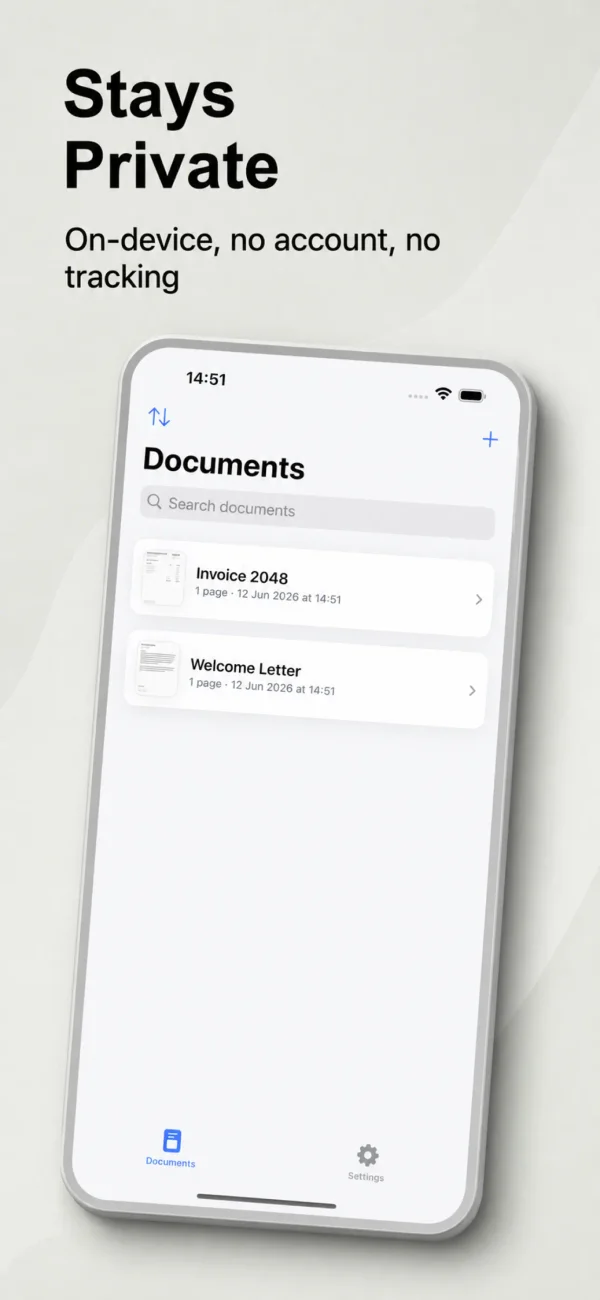
Scanmint turns your phone into a fast, private document scanner. Scan documents, receipts, ID cards, books, and notes, then save a clean, high-quality PDF in seconds. No account, no ads, and your scans never leave your device.
FREE PDF EXPORT - NO PAYWALL
Most scanner apps make you pay just to export your own scan. Scanmint does not. Saving and sharing PDFs is always free. No export paywall, no surprise wall after you have done the work.
PRIVATE AND ON-DEVICE
Your documents stay on your phone. OCR and scanning run on-device, so sensitive paperwork, contracts, and IDs never get uploaded to a server.
NO ADS, HONEST PRICING
A clean, ad-free scanner with transparent pricing, a clear trial, and easy cancel. No banners covering your scans.
POWERFUL SCANNING, BUILT IN
- Auto edge detection and multi-page capture
- Manual crop and perspective correction
- Scan modes: document, whiteboard, business card, QR code
- Per-page filters: auto, black and white, grayscale, color
- Page management: reorder, rotate, delete, add pages
- OCR with searchable PDF, copy text, and TXT export
- Export to PDF or JPG and share to Files or any app
- App lock with Face ID or fingerprint
GREAT FOR EVERYDAY DOCUMENTS
Scan to PDF for tax receipts, contracts, homework, handwritten notes, whiteboards, business cards, and books. Use OCR to turn any scan into searchable, copyable text. A simple camera scanner and pdf maker for home, school, and work.
PRO FEATURES
- ID card scan (front and back on one page)
- Signature: draw and place your signature on a page
- Batch export multiple documents into one PDF
- Advanced OCR with multi-language support (English, German, French, Spanish, Italian, Portuguese)
- Password-protect and encrypt your exported PDF
Scanmint is the document scanner that respects your documents and your wallet: free PDF export, no ads, and on-device privacy. Download Scanmint and scan your first document to PDF today.
----------------------
SCANMINT PRO SUBSCRIPTION
Scanmint Pro is available as an auto-renewing subscription (monthly or yearly; the monthly plan includes a 3-day free trial) or as a one-time Lifetime Unlock. For subscriptions, payment is charged to your Apple ID and auto-renews unless cancelled at least 24 hours before the current period ends. Manage or cancel anytime in Settings.
Terms of Use (EULA): https://golinski-ventures.pl/scanmint/terms
Privacy Policy: https://golinski-ventures.pl/scanmint/privacy
App privacy
What Golinski Ventures Sp. z o.o. declares on the App Store about how this app handles data.
-
Data not linked to you
May be collected but is not linked to your identity.
- Usage data
- Diagnostics
Privacy practices may vary, for example with the features you use or your age.
Information
- Seller
- Golinski Ventures Sp. z o.o.
- Category
- Productivity
- Version
- 1.0
- Updated
- Jun 23, 2026
- Released
- Jun 23, 2026
- Size
- 16.4 MB
- Requires
- iOS 17.0 or later
- Age rating
- 4+
- In-app purchases
- Yes
- Languages
- English
- Copyright
- © 2026 Golinski Ventures sp. z o.o.
You might also like
-
 Scanner: Scan Documents to PDFJPG to PDF, Image to Text OCR
-
 PDF Scanner - Scan & OCRScan, OCR & AI Document Reader
-
 SnapDoc: PDF Scanner & EditorScan, Annotate & Export to PDF
-
 ScannerBest - PDF Scanner AppScan docs, export PDF
-
 LensFlow ScannerScan, OCR & searchable PDFs
-
 Pageva: PDF to Word ConverterPhoto to PDF Maker & Scanner
-
 Keeper: Finance ManagerFinance Manager
-
 Supaplan – AI Calendar PlannerYour AI-powered daily planner
-
 AllDocs - Document Viewerpdf, excel, ppt, epub & code
-
 Paperix - PDF Secure and LocalPDF Secure Scans On Device AI