Scanner: Scan Documents to PDF
JPG to PDF, Image to Text OCR
Designed for iPhone
In-app purchases
- Age rating4+
- CategoryProductivity
- DeveloperCricket Live Line
- LanguagesGerman+ 7 more
- Size30.0 MB
Links to the official App Store page
Download.org hosts no file of Scanner: Scan Documents to PDF. The button opens its official App Store page, published by Cricket Live Line. Listing last checked on Nov 13, 2026.
Screenshots
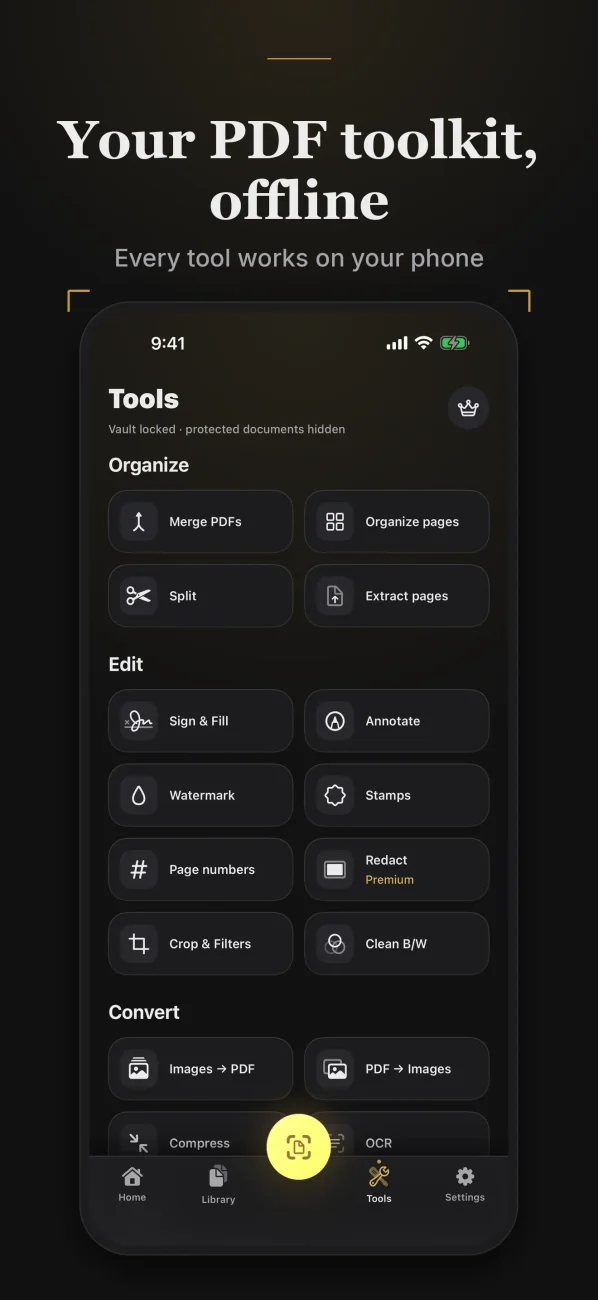
About
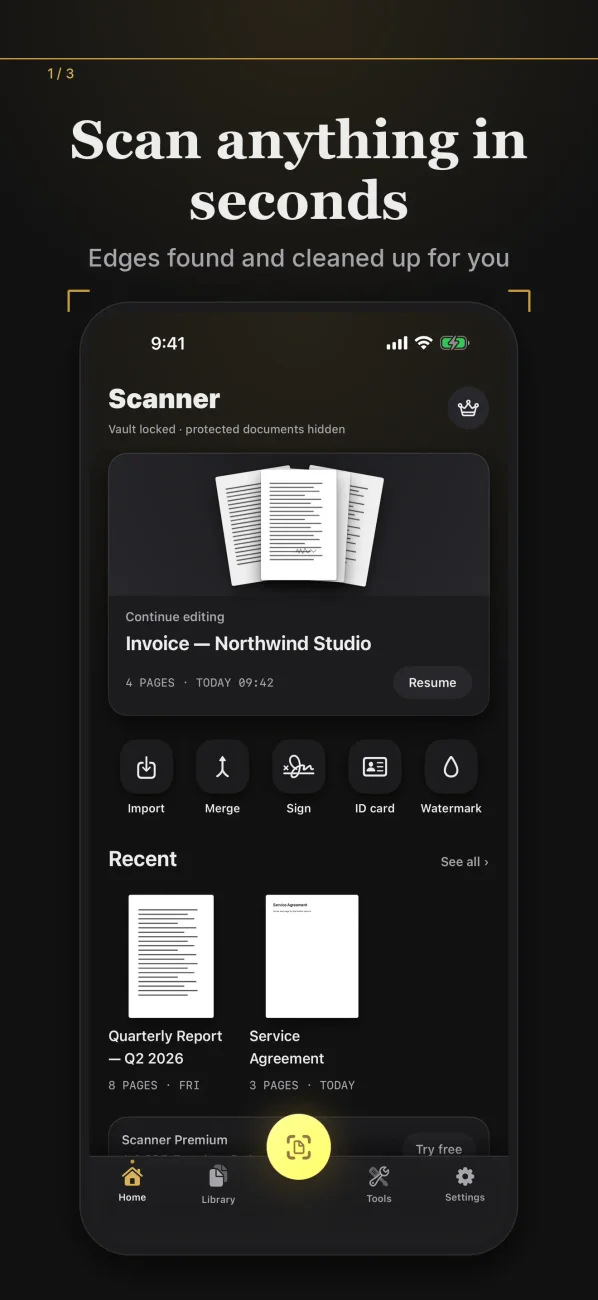
Turn paper into a clean, searchable PDF in seconds, then merge, organize, sign and share it without your documents leaving your iPhone.
SCAN AND CLEAN
• Scan documents, receipts, ID cards, books and whiteboards with automatic edge detection.
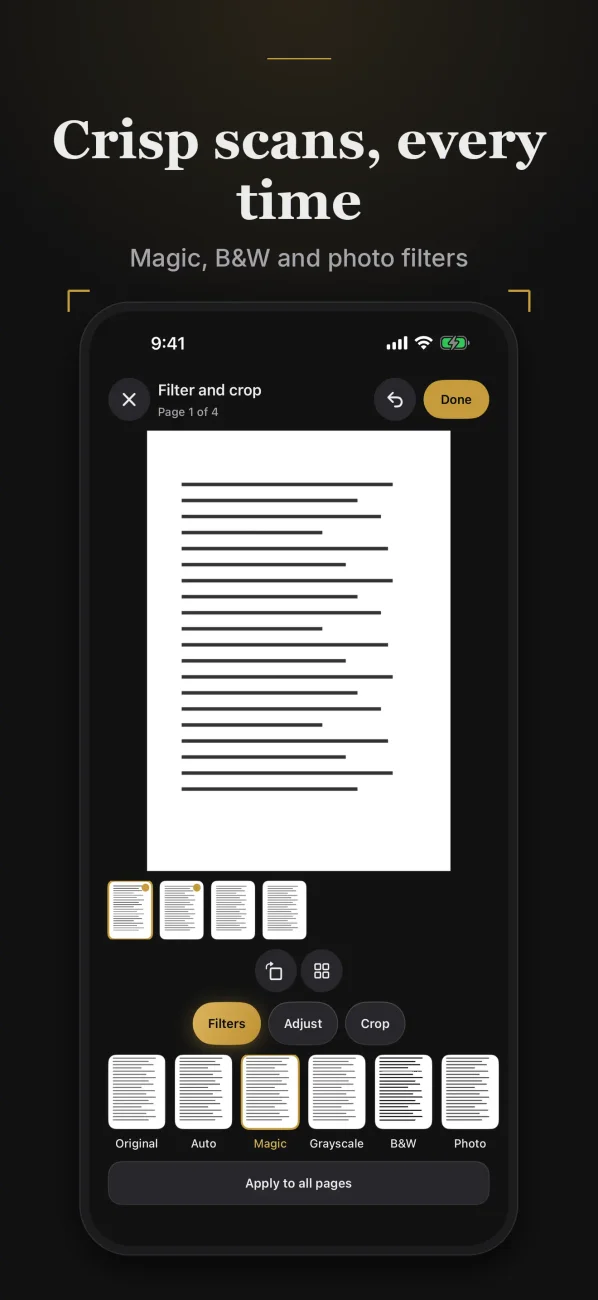
• Review every page before saving: crop, rotate, retake, and apply filters for sharp black-and-white or colour pages.
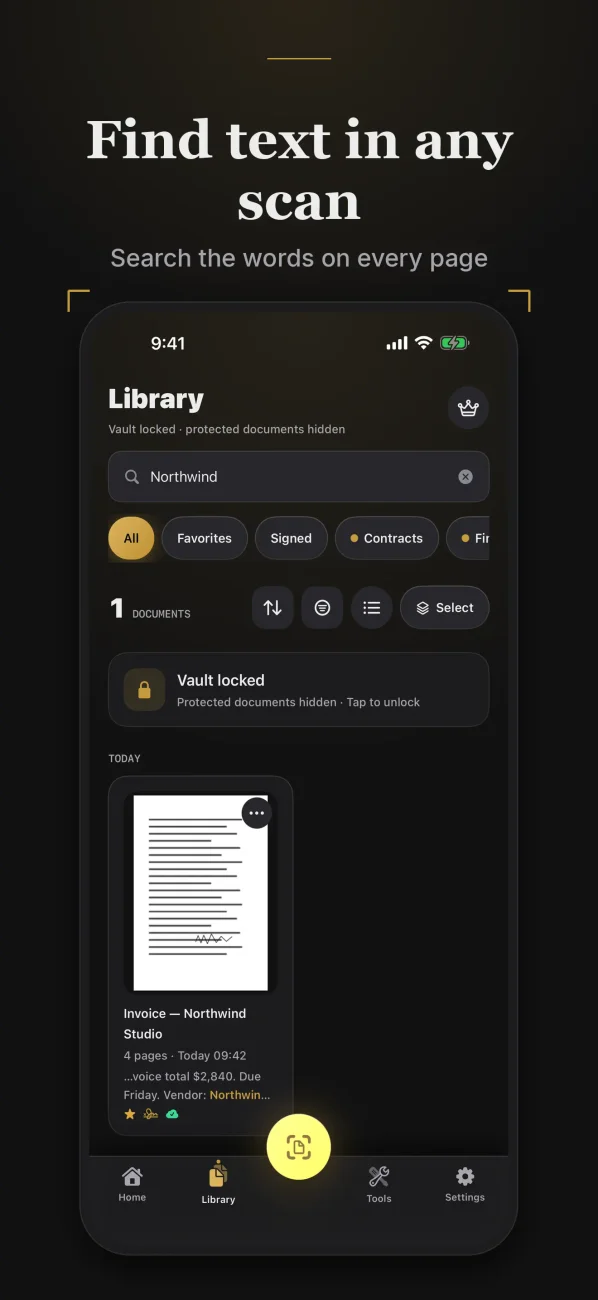
• Text recognition (OCR) makes scanned pages searchable and lets you copy the text.
A COMPLETE PDF STUDIO
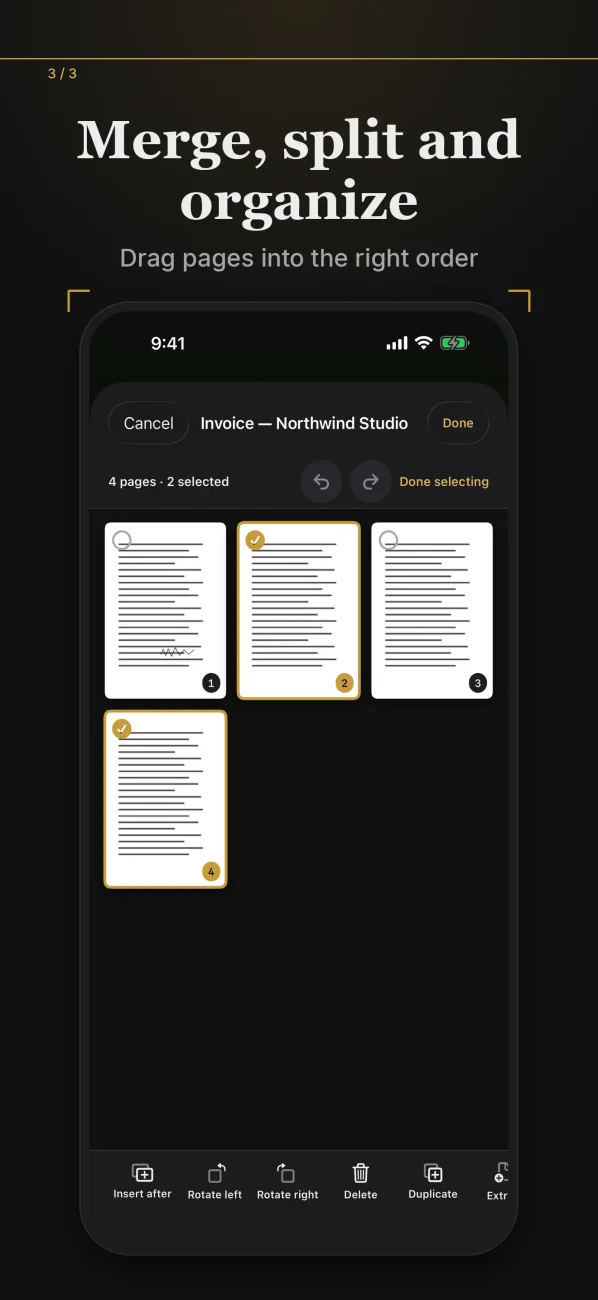
• Merge PDFs and images into one document, in the order you choose.
• Organize pages: reorder, rotate, delete, split and extract pages.
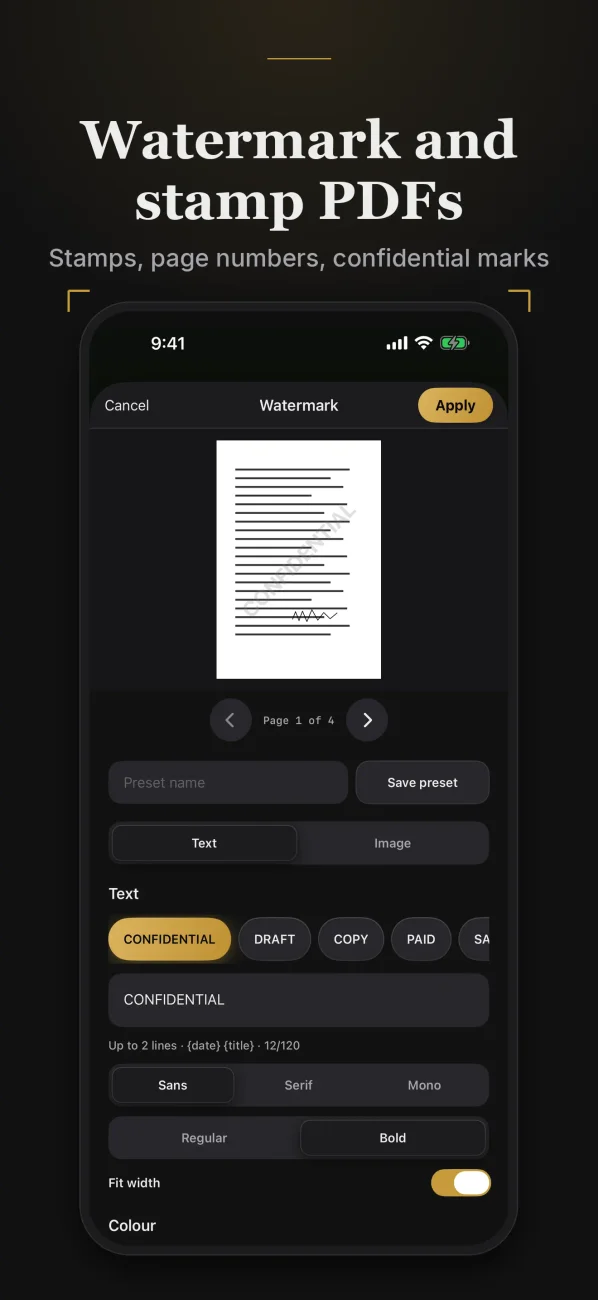
• Add watermarks, stamps and page numbers.
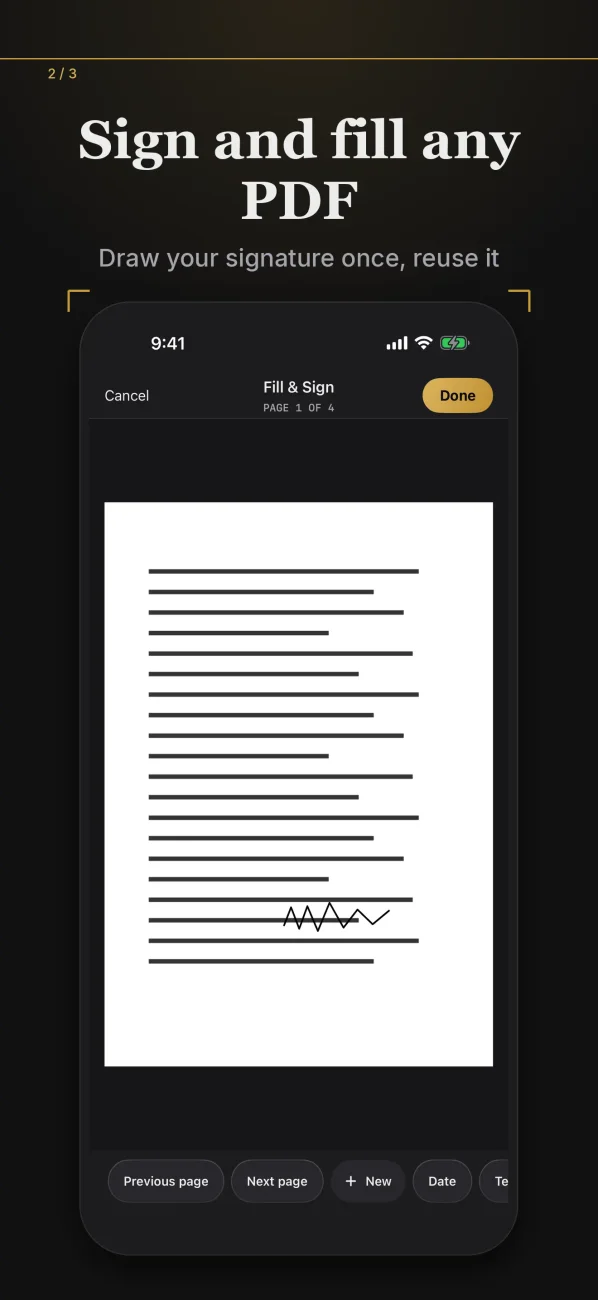
• Sign and fill documents, annotate and highlight.
• Compress PDFs, add or remove a password, and convert PDFs to images.
• Open PDFs and photos from Files, Mail and other apps.
PRIVATE BY DESIGN
• Scanning, editing and text recognition run on your iPhone.
• No account is needed to use the app.
• Scanning, editing and exporting work offline.
• Documents stay on your device until you choose to share them.
What Scanner Premium adds
• Ask PDF: ask questions about a document and get summaries.
• Translate: translate the recognised text of a document.
• Redaction: remove sensitive text from a page, not just cover it.
• Count & area: count objects and measure rooms and surfaces.
Scanner Premium is an auto-renewing subscription, with a one-time option where offered. Payment is charged to your Apple Account at confirmation of purchase. The subscription renews unless cancelled at least 24 hours before the end of the current period. Manage or cancel it in Settings › Apple Account › Subscriptions.
Terms of Use (EULA): https://arioapps.com/terms
Privacy Policy: https://arioapps.com/privacy
What’s new
Version 2.1.0 · Oct 26, 2026
What's new in Scanner 2.1
• Export to a file-size target, with a Verified output check
• Privacy check before you share
• Fix this spot: re-capture just the bad area
• OCR proofreading
• Find documents by meaning
• Due dates picked up from bills
• Tables to Excel or CSV
• Read aloud
• Auto-filing and a tax pack
• Fill forms from your details
• Smart split of a mail pile
• Spotlight and Shortcuts
• Easier signature placement and resizing
• Report a problem from Settings
App privacy
What Cricket Live Line declares on the App Store about how this app handles data.
-
Data not linked to you
May be collected but is not linked to your identity.
- User content
Privacy practices may vary, for example with the features you use or your age.
Information
- Seller
- Autosphere Tech Private Limited
- Category
- Productivity
- Version
- 2.1.0
- Updated
- Oct 26, 2026
- Released
- Jun 21, 2026
- Size
- 30.0 MB
- Requires
- iOS 17.0 or later
- Age rating
- 4+
- In-app purchases
- Yes
- Languages
- German, English, French, Italian, Japanese, Korean, Portuguese, Spanish
- Copyright
- © 2026 Autosphere Tech Private Limited
You might also like
-
 Scanmint: PDF Document ScannerPDF converter, scan, receipts
-
 Scan King: Scanner PDFDocument scanner to PDF
-
 PDF Creator : Read,Scan & SignConvert PDF Export & Sign docs
-
 ScanMate: PDF ScannerNo ads. No watermark. Ever.
-
 Glean - Document ScannerScan to PDF & Google Drive
-
 PDF Converter: Create PDF FileConvert Photos・Documents・Files
-
 Spy PDF: PDF viewerOpen PDFs quickly, anywhere.
-
 Sync with FilesBackup photos to Files
-
 FlipScan: Book & Notes ScannerTextbook OCR, PDF & AI Summary
-
 UpWrite: Write Better, FasterProofreading Editor & Keyboard