
ScanOwl: PDF Document Scanner
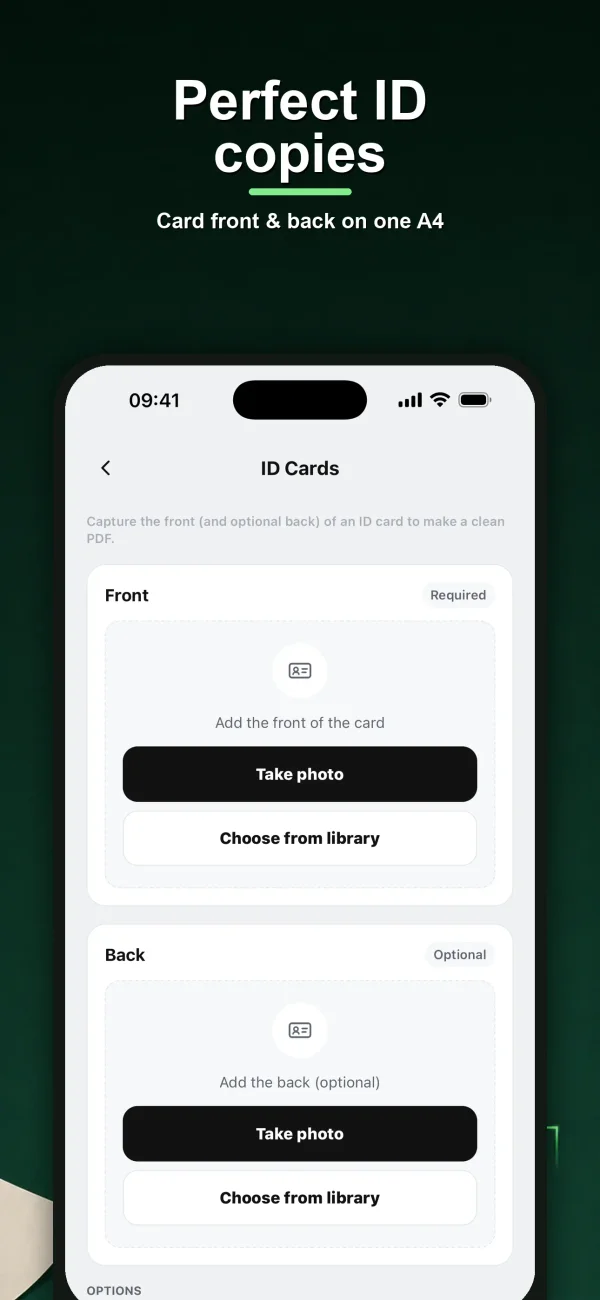
ID copies & signed contracts
Designed for iPhone, iPod touch
In-app purchases
- Age rating4+
- CategoryProductivity
- Developer小飞 刘
- LanguagesEnglish+ 16 more
- Size45.7 MB
Links to the official App Store page
Download.org hosts no file of ScanOwl: PDF Document Scanner. The button opens its official App Store page, published by 小飞 刘. Listing last checked on Nov 14, 2026.
Screenshots

About
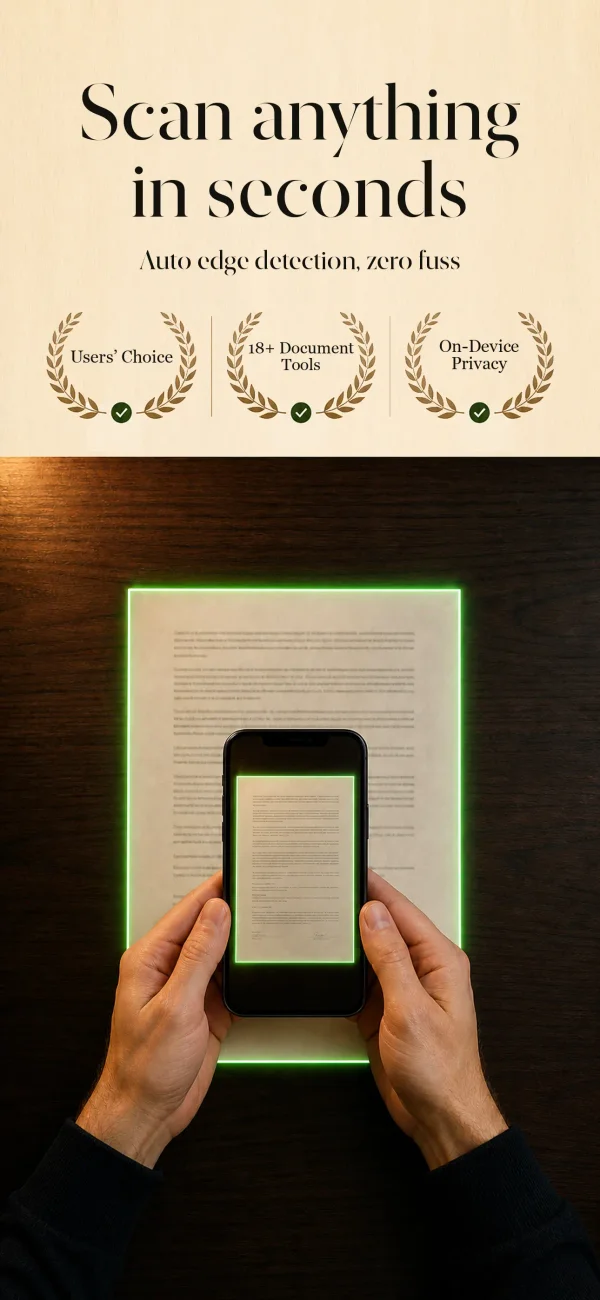
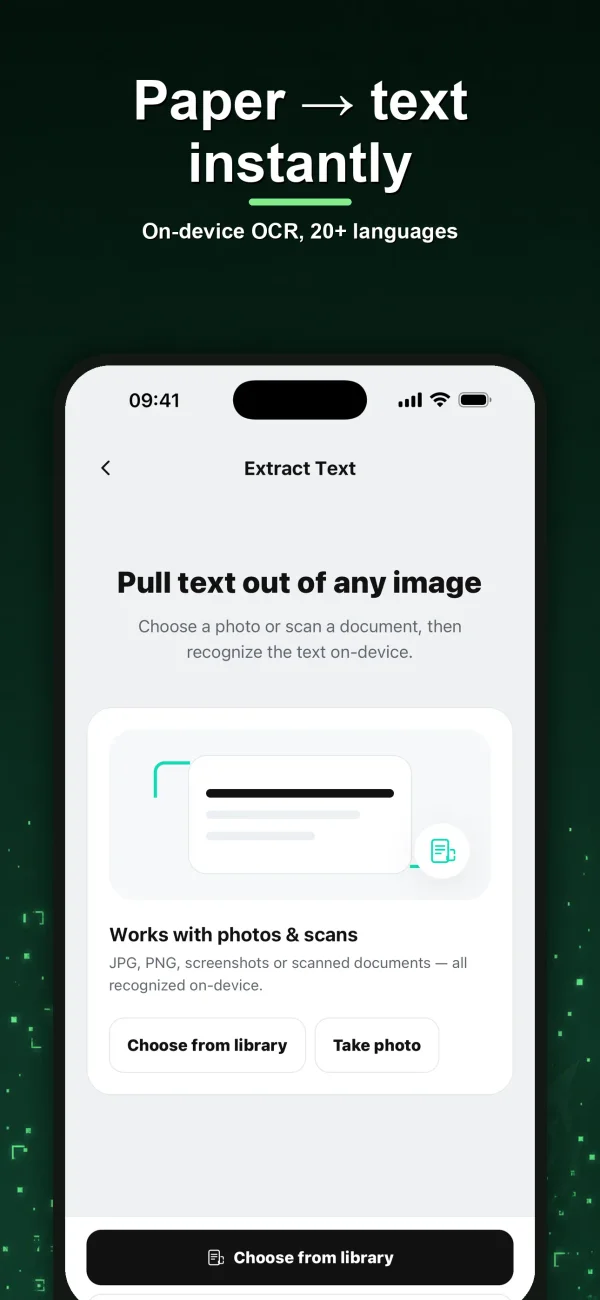
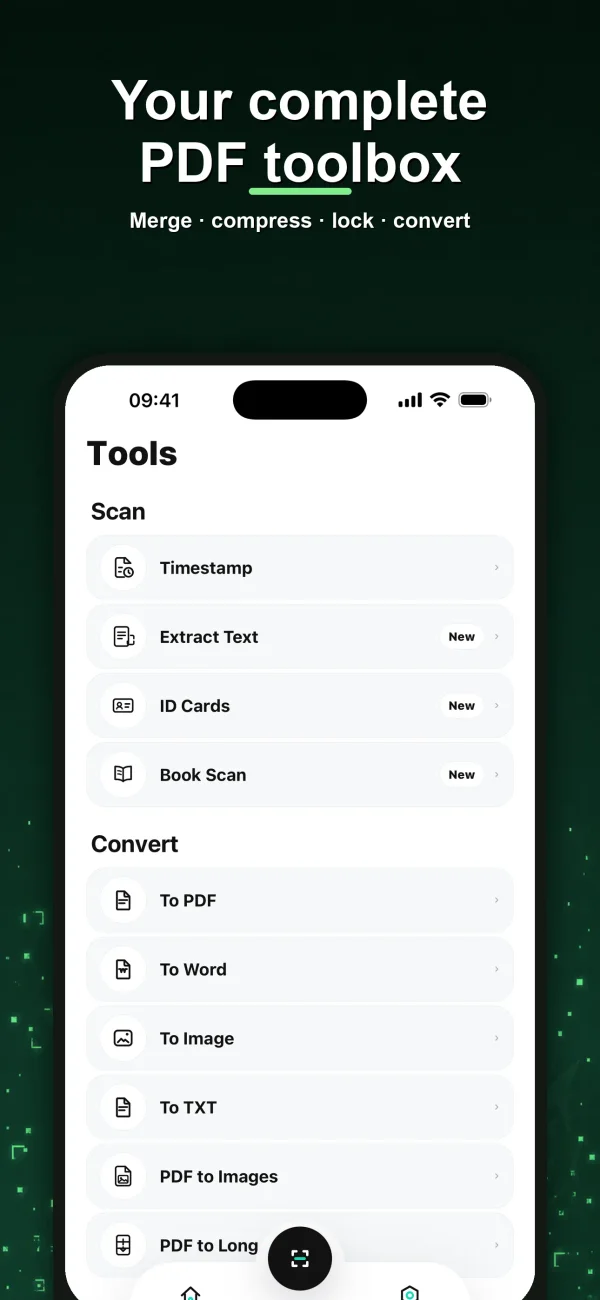
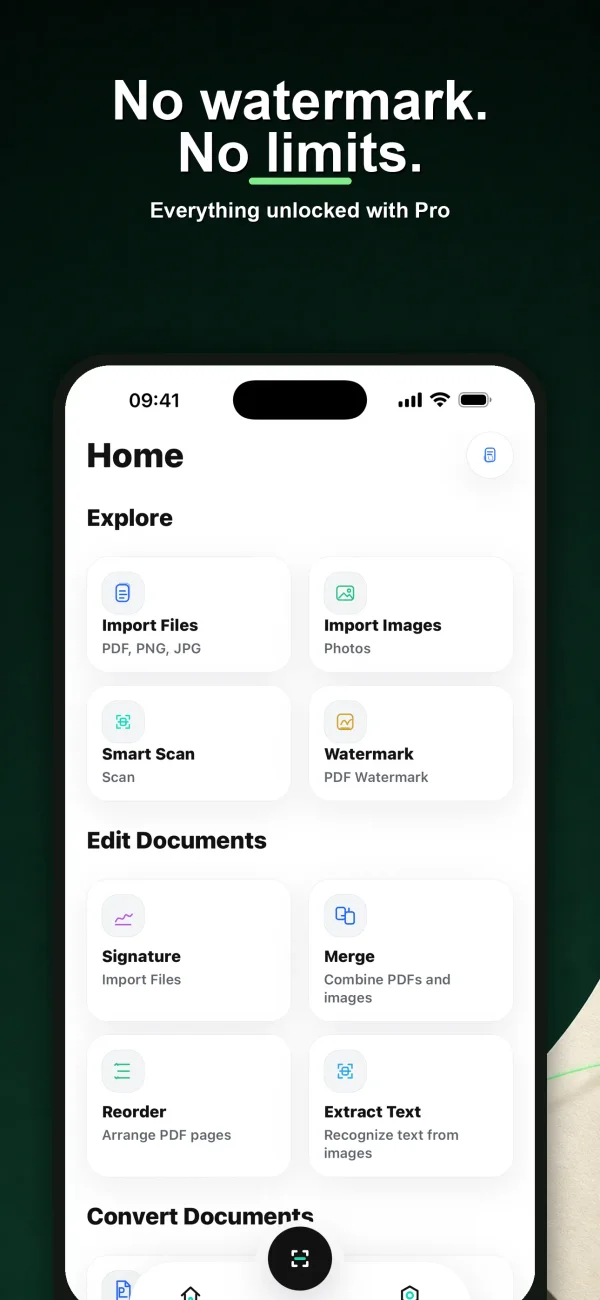
ScanOwl is a private document workspace for scanning documents and IDs, importing PDFs and images, adding signatures and watermarks, extracting text, organizing pages, and exporting clean files. Every scan comes out flat and straight: tilted shots square themselves up, page edges snap precisely into place, and crease shadows or uneven lighting lift away for a clean, copier-white page — with a quick corner check before you save. Merge, split, compress, reorder, convert, or protect documents from one app.
Document contents, scans, signatures, and OCR text are processed on your device and are not uploaded to our servers. With your permission, ScanOwl sends optional usage, diagnostic, and subscription analytics with random app identifiers to its Cloudflare-hosted operations service and RevenueCat. You can turn this off at any time in More settings; declining does not affect scanning or purchasing. Apple processes payments. RevenueCat processes the subscription identifiers, purchase history, and access status needed to validate and restore purchases.
ScanOwl Pro is available through auto-renewable subscriptions. Available plans, billing periods, local prices, and any eligible free trial are shown in the app and confirmed in the App Store purchase sheet. A trial is available only when your Apple ID and selected plan qualify. Payment is charged to your Apple ID. Subscriptions renew automatically unless canceled at least 24 hours before the end of the current period. You can manage or cancel subscriptions in App Store account settings. Pro includes multipage scanning, OCR, unlimited exports, and a clean ad-free document workflow.
Terms of Use (EULA): https://www.apple.com/legal/internet-services/itunes/dev/stdeula/
Privacy Policy: https://scanowl-ops.pauley-apps.workers.dev/privacy?lang=en
What’s new
Version 1.0.238 · Oct 17, 2026
• Your first scan is saved and opens directly in the editing and export flow.
• Subscription choices reflect available plans, current prices, and your free-trial eligibility.
• Canceled exports and failed operations no longer use a free allowance. OCR and tools count a use only after producing a result.
• Restoring an active Pro subscription lets you continue the export that prompted the upgrade.
App privacy
What 小飞 刘 declares on the App Store about how this app handles data.
-
Data not collected
The developer does not collect any data from this app.
Privacy practices may vary, for example with the features you use or your age.
Information
- Seller
- 小飞 刘
- Category
- Productivity
- Version
- 1.0.238
- Updated
- Oct 17, 2026
- Released
- Jun 15, 2026
- Size
- 45.7 MB
- Requires
- iOS 15.5 or later
- Age rating
- 4+
- In-app purchases
- Yes
- Languages
- English, Arabic, French, German, Hindi, Indonesian, Italian, Japanese, Korean, Portuguese, Russian, Simplified Chinese + 5 more
- Copyright
- © 2026 QuickSign
You might also like
-
 KaranScan: PDF ScannerScan, sign & translate PDFs
-
 Doc Scanner To PDFScan, sign and share documents
-
 PDF Watermark & StampAdd Text to Documents
-
 ScanNgai: Scan, Sign & SendPDF scanner & certified copies
-
 Scan PDF: Document Scanner OCRConvert Photo to Word & JPG
-
 PDF Scanner - Sign & OCRScan Documents & Extract Text
-
 MemoketCapture Context,Free Your Mind
-
 Image to pdf: easy converterPhoto Scanner, PDF Maker
-
 FileCentral for iPhoneSimple file & cloud management
-
 Viral PitchViral Pitch influencer's App