
ScanPal - PDF Doc Scanner
PDF & Text Recognition Tool
Designed for iPhone, iPad, iPod touch
Free · In-app purchases
- Age rating4+
- CategoryProductivity
- DeveloperShenzhen Cx Interactive Technology Co., Ltd.
- LanguagesEnglish+ 2 more
- Size76.6 MB
Links to the official App Store page
Download.org hosts no file of ScanPal - PDF Doc Scanner. The button opens its official App Store page, published by Shenzhen Cx Interactive Technology Co., Ltd. Listing last checked on Nov 12, 2026.
Screenshots
About
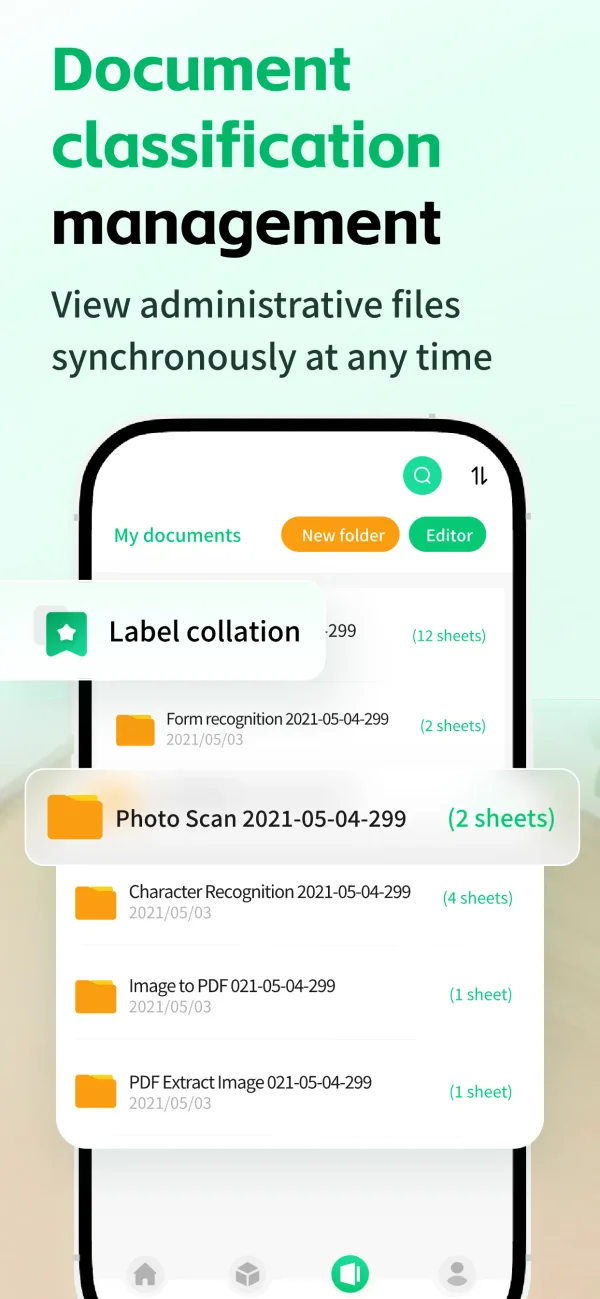
ScanPal: Your versatile office partner, making efficiency within reach. Say goodbye to bulky scanners and cluttered files, portable scanners, translators, and document managers are professional scanning tools. Whether for office, study or daily use, it is the best choice for you to improve productivity.
[Core Function]
Intelligent document scanning
Scan any paper document, contract, book, or note with just one click.
Intelligent cropping, removing cluttered backgrounds and enhancing image quality, generating clear PDF or JPG files as if printed.
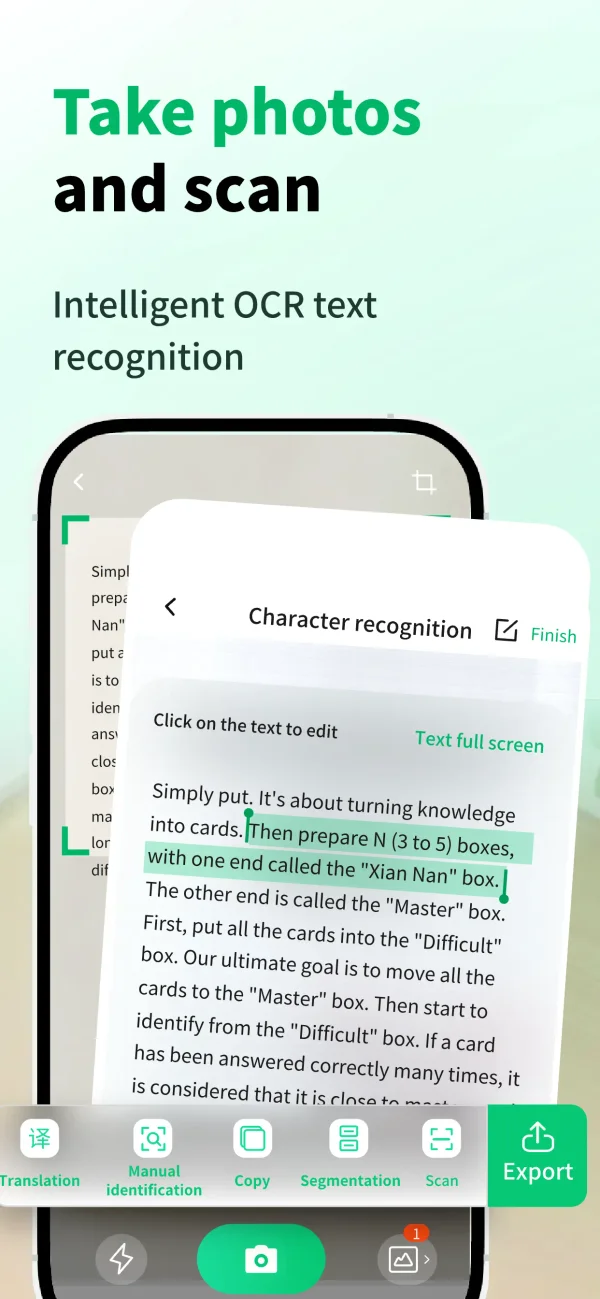
Powerful OCR text recognition and extraction
Using high-precision OCR technology to accurately recognize text in images.
One click quick text extraction, easy copying, editing, sharing, or saving, bidding farewell to the hassle of manual input.
Photo translation and image translation
Encountering foreign menus, logos, or documents? Just take a photo and we will scan and translate it for you immediately.
Supporting multiple languages, it is your portable translator for traveling, reading foreign materials, and learning.
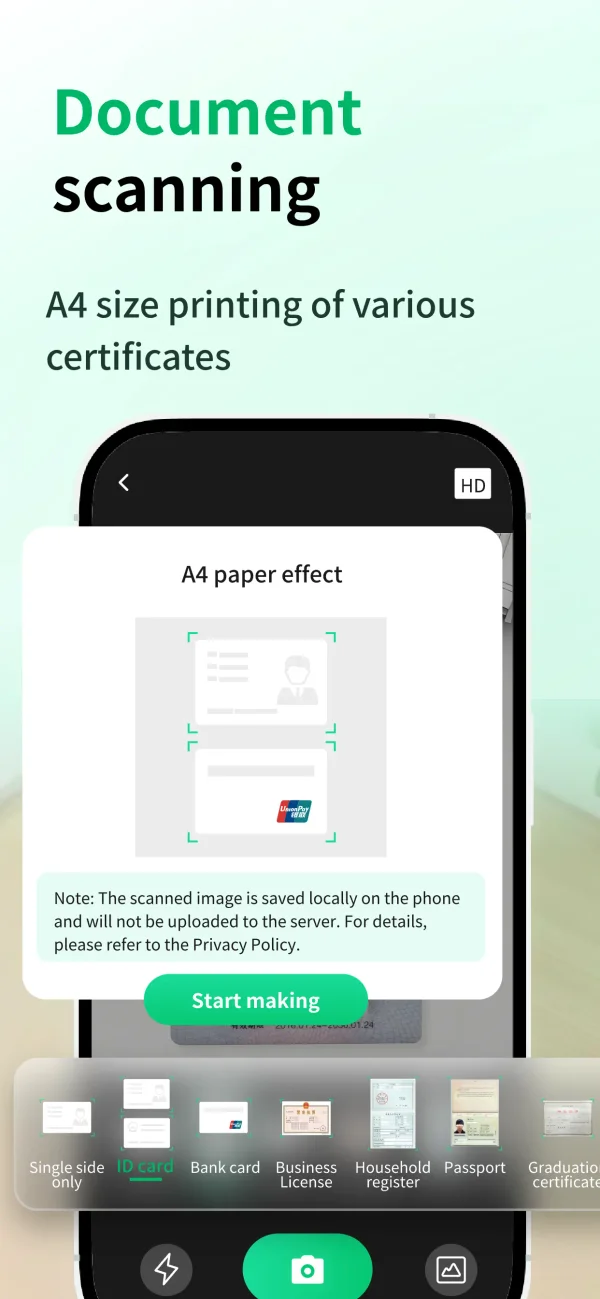
Professional ID scanning
Safely and conveniently scan and manage your important documents such as ID card, passport, driver's license, etc.
Automatic calibration, generating flat and professional scanned documents, supporting encrypted storage to protect privacy.
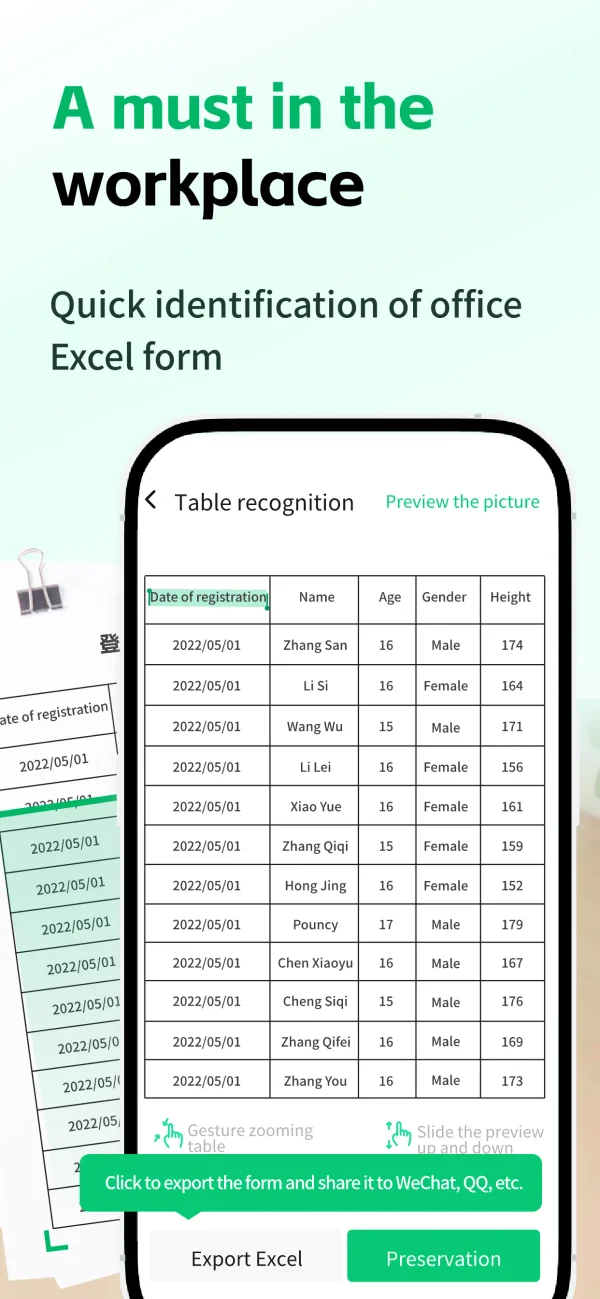
Advanced Table Recognition
Intelligent text recognition converts it into Excel format, making data organization twice as efficient.
Subscription Instructions
Subscription: Weekly Membership/$4.99
Payment: After the user confirms the purchase and makes the payment, it will be credited to their iTunes account
Renewal: The Apple iTunes account will be charged within 24 hours before expiration. After successful charging, the subscription period will be extended by one subscription period
Turn off service: Click on "AppleID" in "iTunes Store and AppStore", select "View AppleID", enter the "Account Settings" page, click "Subscription", and manage the automatic subscription service
If cancellation is required, it can be closed 24 hours before the end of each billing cycle, and no charges will be deducted within 24 hours before expiration
Privacy Policy: https://www.kdocs.cn/l/cncDxPKRcVyL
User Agreement: https://www.kdocs.cn/l/cqqRJS55kyQK
What’s new
Version 1.2 · Mar 6, 2026
Fix bugs and optimize
App privacy
What Shenzhen Cx Interactive Technology Co., Ltd. declares on the App Store about how this app handles data.
-
Data linked to you
May be collected and linked to your identity.
- User content
- Other data
Privacy practices may vary, for example with the features you use or your age.
Information
- Seller
- Shenzhen Chenxing Interactive Technology Co., Ltd.
- Category
- Productivity
- Version
- 1.2
- Updated
- Mar 6, 2026
- Released
- Dec 11, 2025
- Size
- 76.6 MB
- Requires
- iOS 15.6 or later
- Age rating
- 4+
- Price
- Free
- In-app purchases
- Yes
- Languages
- English, Simplified Chinese, Traditional Chinese
- Copyright
- © 2025DingJiaYi
You might also like
-
 Scanner: PDF OCR Document ScanPDF OCR & QR Scanner
-
 FlashScan - Simple doc scannerSignature · PDF · OCR
-
 Pocket Scan: Offline ScannerScan. Search. Sign. Listen.
-
 手机扫描仪-智能测距&文档扫描&OCR识别、文档处理Productivity
-
 手机扫描王-文件全能助手&PDF图片转Word、一键计数测距Productivity
-
 BaiPDF: Scan & PDF ConvertOCR, Translation & PDF Tools
-
 PDF Document Scanner - PDFscanPhotos & JPG to PDF Converter
-
 手机扫描王 - 扫描仪提取文字&PDF合同生成Productivity
-
 Photo to PDF Converter - Pic2PScan Pictures & Images (PNG)
-
 PDF Scanner - Fax, Sign & EditScanning & signing documents