FlashScan - Simple doc scanner
Signature · PDF · OCR
Designed for iPhone, iPad
Free · In-app purchases
- Age rating4+
- CategoryProductivity
- Developer祖恒 廖
- LanguagesEnglish+ 6 more
- Size81.6 MB
Links to the official App Store page
Download.org hosts no file of FlashScan - Simple doc scanner. The button opens its official App Store page, published by 祖恒 廖. Listing last checked on Nov 24, 2026.
Screenshots

About
FlashScan is a privacy-first document scanner and PDF tool. Point your camera at any document and it automatically detects the edges, crops, corrects perspective and enhances the image.
KEY FEATURES
• Smart Crop — find the page edges and correct perspective, even when the photo is tilted.
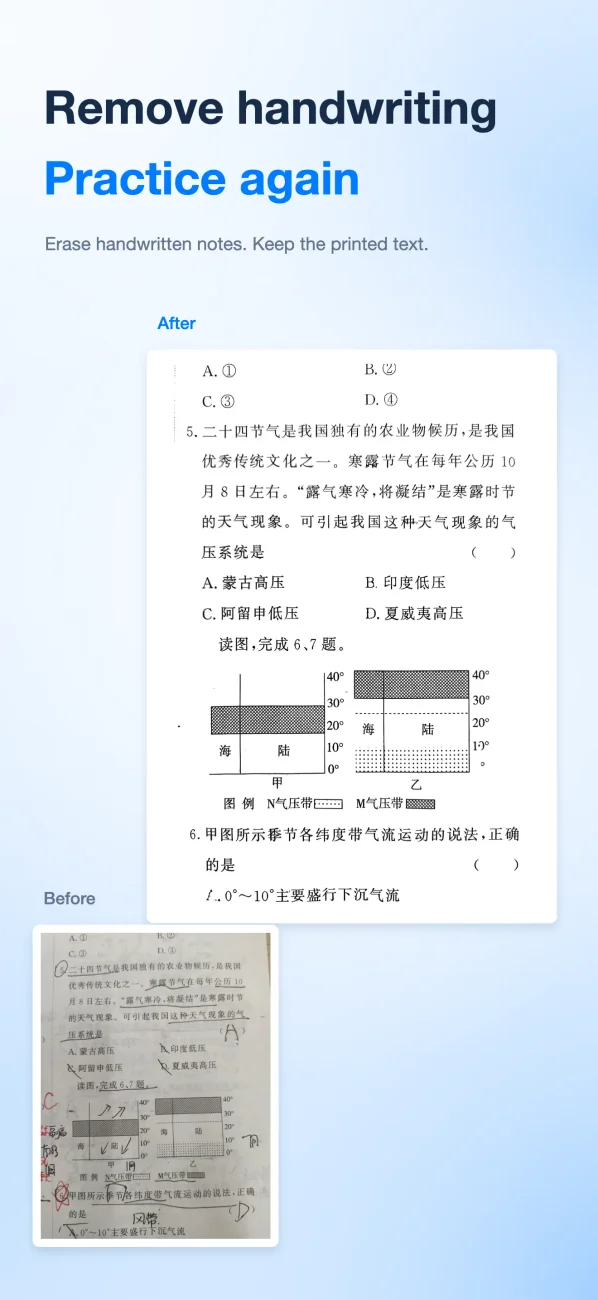
• Remove Handwriting — clear handwritten marks while keeping printed content and layout.
• Text Removal — erase unwanted text or marks while keeping the paper background.
• Exam Enhancement — remove shadows and background tint for clearer exam papers.
• Receipt Enhancement — make receipt and invoice text and tables easier to read.
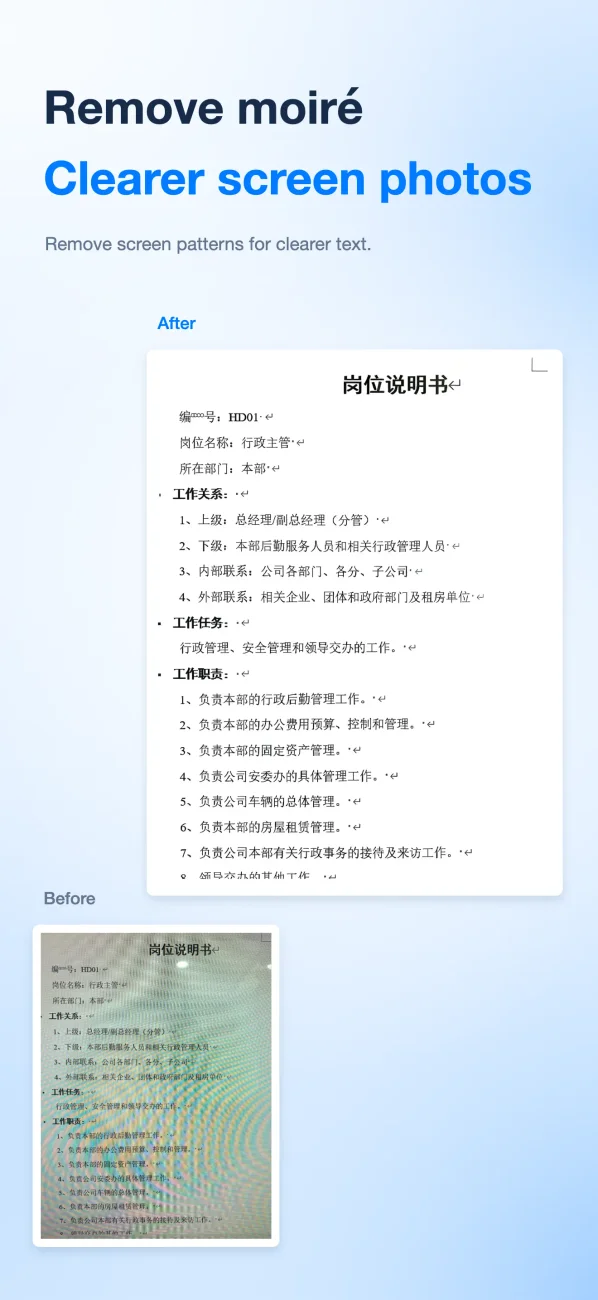
• Remove Screen Moiré — reduce moiré patterns and glare from photos of screens.
• Background Cleanup — remove paper tint and shadows for a clean scan.
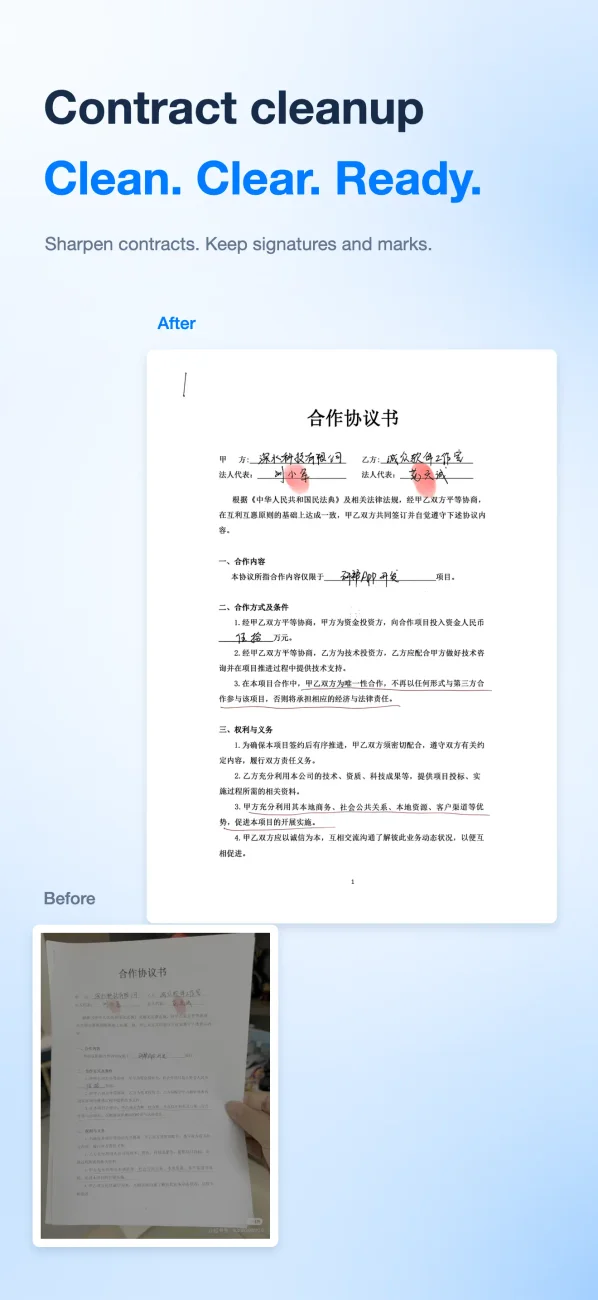
• Contract Cleanup — flatten and clarify contract pages for archiving and sharing.
• Smart Scanning — automatic edge detection and perspective correction, with flash and auto/manual capture.
• Image Enhance — filters such as Bright, Clarity, Print, Color Print, Grayscale and Black & White, applied to one page or the whole document.
• Privacy Redaction — automatically detects names, phone numbers and addresses and redacts them in one tap; supports manual region drawing and per-word redaction with multiple colors.
• Text Recognition (OCR) — extract text from documents, then select, copy and share it, with multi-language support.
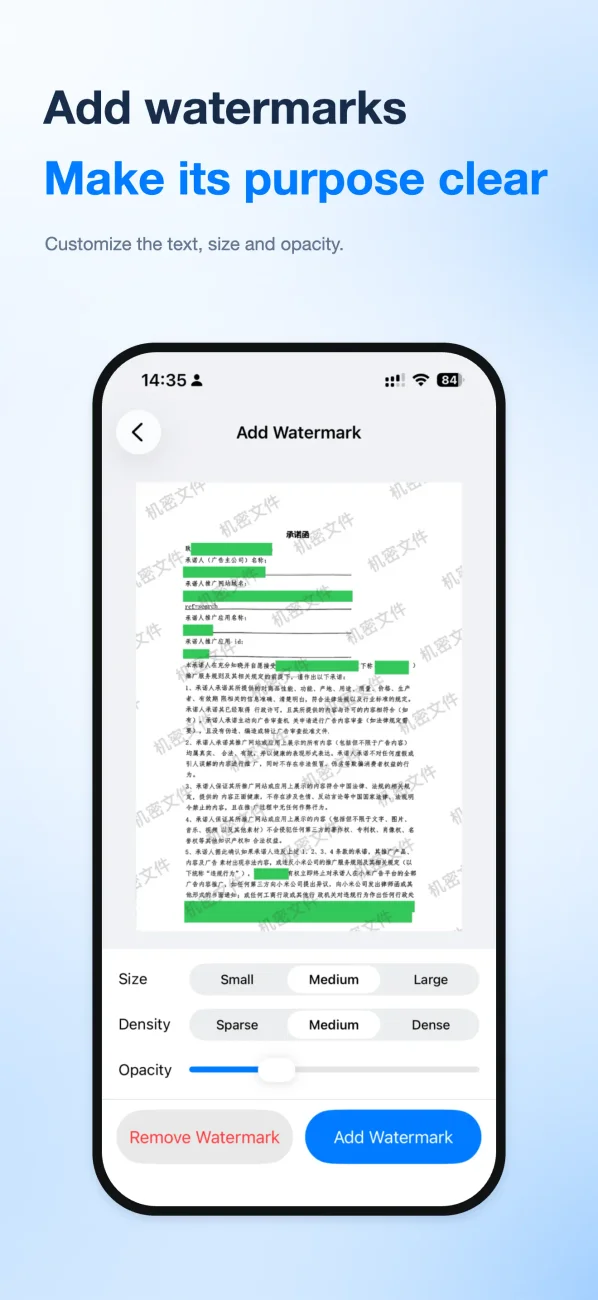
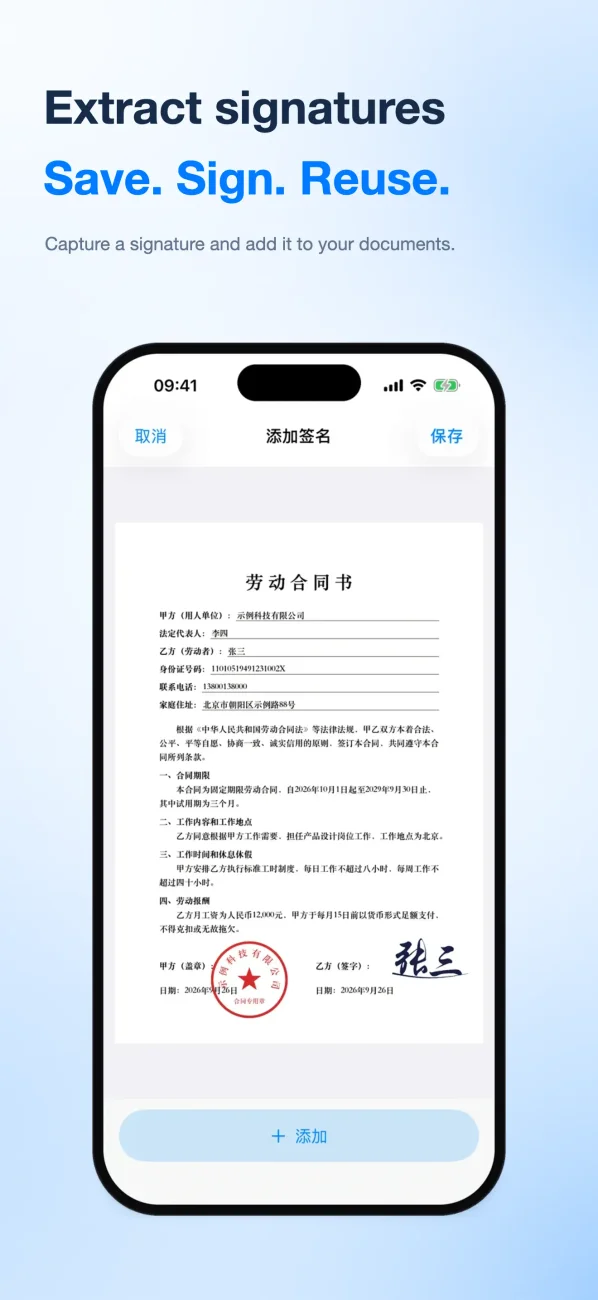
• PDF Tool — import PDFs and edit a copy (your original is never modified): insert pages, batch delete, jump to pages, convert pages to images, add signatures and watermarks, then export as a new PDF.
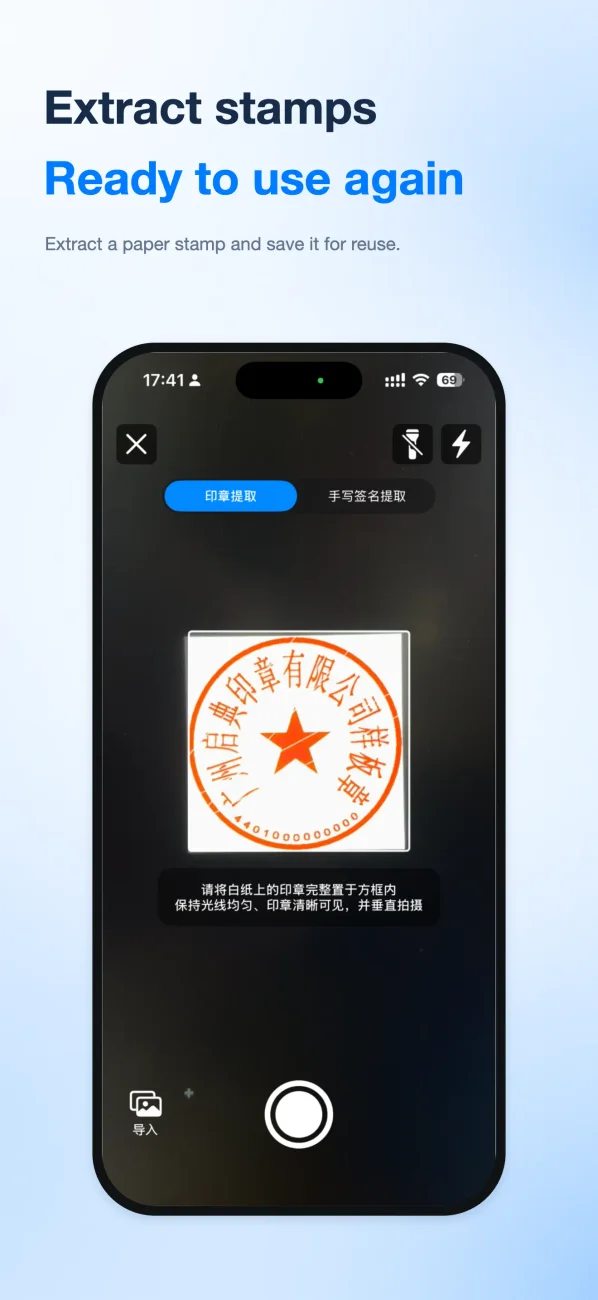
• Signatures & Stamps — sign on screen, or extract a signature or stamp from a photo and reuse it from your library.
• Watermark — protect your scans with a custom watermark.
• ID Card — a dedicated mode for scanning both sides of ID cards.
• Defaults — choose the default filter for scans and imports, plus auto or manual capture.
• Export & Share — export as PDF, images or a ZIP archive, plus system printing.
Smart Crop, Remove Handwriting, Text Removal, Exam Enhancement, Receipt Enhancement, Remove Screen Moiré, Background Cleanup and Contract Cleanup use credits per page (4 credits per page). New users receive starter credits, and inviting a friend gives credits to both of you. Only the selected pages are uploaded for processing; the third-party provider does not retain the original images. Credits for a page are refunded if processing fails.
PRIVACY
Everyday scanning, filters, redaction and text recognition happen on your device. The per-page enhancements listed above send only the selected pages to a third-party technology provider for processing; the original images are not retained afterward. Your documents are stored locally by default.
Auto-Renewal Service Description:
Service Name: Membership Subscription
Subscription Period: One month / One year
Subscription Price: $1.99/month, $14.99/year
Payment: The membership subscription will be paid directly through your iTunes account.
Renewal: Within 24 hours before the subscription expires, the system will automatically renew and deduct the corresponding fee according to the subscription type. To cancel the continuous annual subscription, you must cancel the subscription 24 hours before the end of the validity period.
Cancellation Method: Open "App Store" on your Apple iOS device --> Tap the Apple account avatar in the upper right corner --> Go to "Account" --> Tap "Subscriptions" --> Select the paid service name related to [FlashScan] for which you want to cancel auto-renewal, and cancel the subscription.
Privacy Policy: https://xiaoyucx.com/scanner_app/privacy_policy_en.html
User Agreement: https://xiaoyucx.com/scanner_app/user_agreement_en.html
What’s new
Version 3.6.0 · Nov 23, 2026
Increased the limit on the number of images that can be imported;
Other feature optimizations.
App privacy
What 祖恒 廖 declares on the App Store about how this app handles data.
-
Data used to track you
May be used to track you across apps and websites owned by other companies.
- Identifiers
- Usage data
-
Data linked to you
May be collected and linked to your identity.
- Identifiers
- Usage data
-
Data not linked to you
May be collected but is not linked to your identity.
- Usage data
Privacy practices may vary, for example with the features you use or your age.
Information
- Seller
- 祖恒 廖
- Category
- Productivity
- Version
- 3.6.0
- Updated
- Nov 23, 2026
- Released
- Aug 26, 2026
- Size
- 81.6 MB
- Requires
- iOS 16.0 or later
- Age rating
- 4+
- Price
- Free
- In-app purchases
- Yes
- Languages
- English, Arabic, Indonesian, Japanese, Korean, Simplified Chinese, Traditional Chinese
- Copyright
- © xycx
You might also like
-
 OneScan: PDF & ID ScannerScan, Save & Find Documents
-
 扫描仙人-无水印的扫描王Productivity
-
 Nudgy - Reminders Until DoneAlarm & to do list that nags
-
 Scanner: PDF OCR Document ScanPDF OCR & QR Scanner
-
 Near: Pickup Codes & TicketsTickets, Codes & Lock Screen
-
 MindThreadeasy-to-use mind map editor
-
 BaiPDF: Scan & PDF ConvertOCR, Translation & PDF Tools
-
 Kepori: Read Later & CollectSave, read and rediscover
-
 EverPass: Expiry ReminderDocument Wallet & Passport Box
-
 Just Right Scan - PDF ScannerOCR, ID Scan, Convert & eSign