- Age rating4+
- CategoryProductivity
- DeveloperMarco Luthi
- LanguagesEnglish
- Size10.4 MB
Links to the official App Store page
Download.org hosts no file of 59 min. The button opens its official App Store page, published by Marco Luthi. Listing last checked on Nov 15, 2026.
Screenshots
About
Turn your phone. That’s the timer.
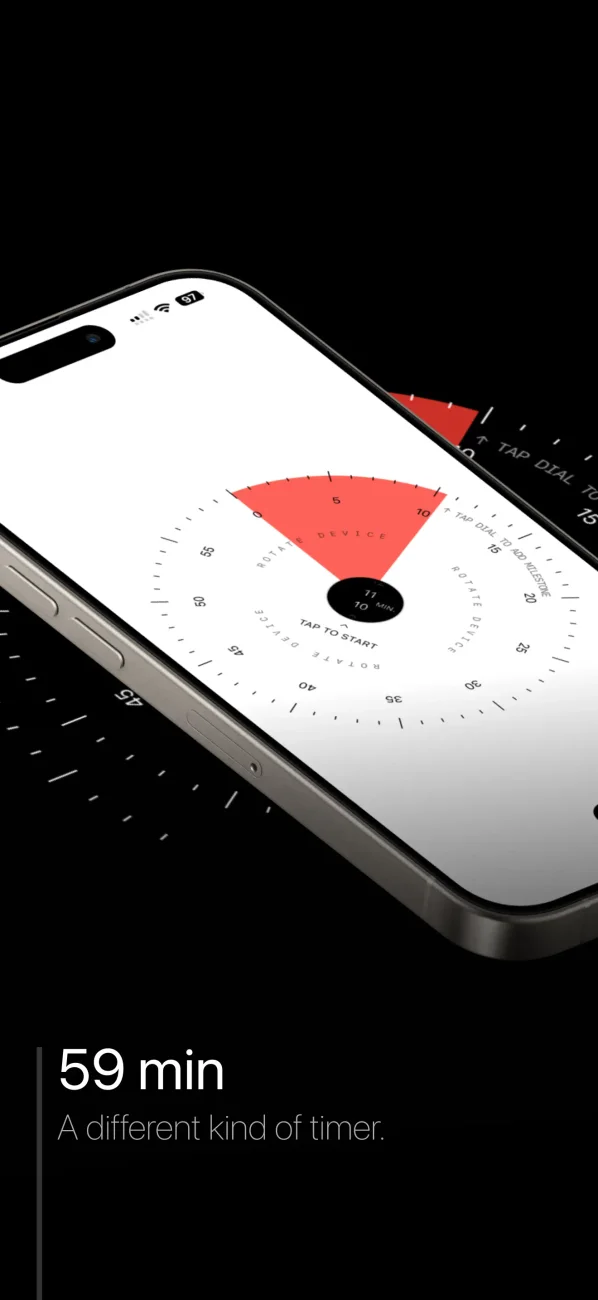
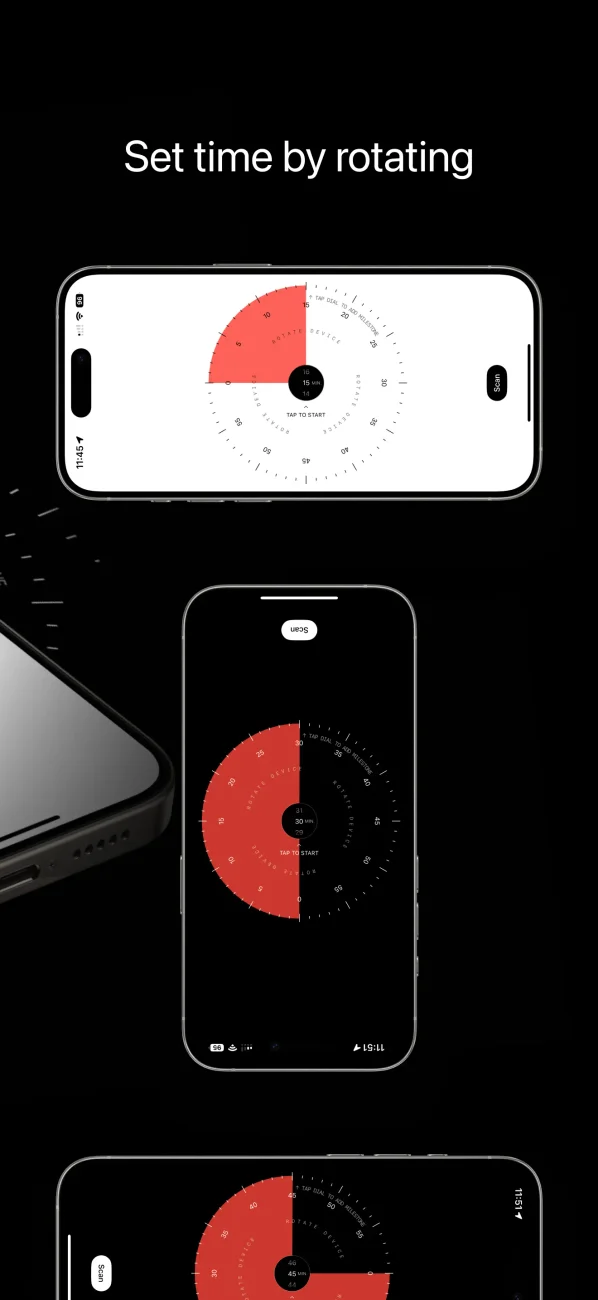
59 min is a visual timer you set the way you set a kitchen timer: by twisting it. Tap +, rotate your iPhone, and a red disk fills the dial. One full turn is one hour. Tap again and the disk starts to shrink, so you can see how much time is left from across the room.
TWIST TO SET
• Rotate your iPhone to dial in anything up to 60 minutes
• A big countdown above the dial shows the exact time, and gentle haptics tick off each minute
• The labels stay upright while you turn. No wheels to scroll, no numbers to type
SEE TIME DISAPPEAR
• A big red disk shows the time that’s left, like a classic classroom timer
• The countdown tells you when it ends, like “Ends at 10:45”
• The screen stays awake while the timer runs, and the dial rattles like an alarm clock when time’s up
MILESTONES: A HEADS‑UP BEFORE TIME’S UP
• Tap the dial while setting to add extra alerts, like “10 min left” or “5 min left”
• Tap a dot to remove it
• Great for talks, exams, meetings and workouts
REAL ALARMS THAT RING ON SILENT
• Built on Apple’s AlarmKit: your timer rings even in Silent Mode or a Focus
• A Live Activity on the Lock Screen and in the Dynamic Island shows the countdown
• Stop the alarm with one tap, without unlocking
ONE TIMER, EVERY PHONE. NO APP NEEDED
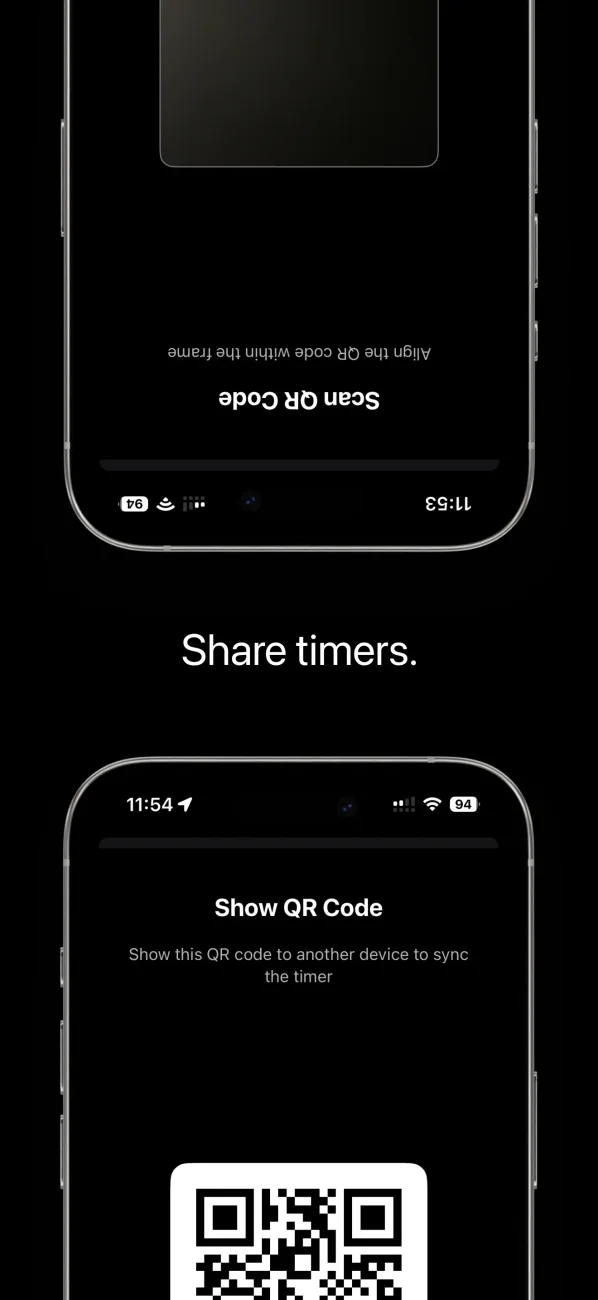
• Tap Share to show a QR code of your running timer
• Others scan it with the iPhone Camera and join instantly in an App Clip, no download needed
• Or tap Send Link to share it in Messages, Mail or anywhere else
• Everyone gets the same end time and milestones
• Perfect for classrooms, workshops, group workouts or a speaker and their timekeeper
• No account, no sign‑up, no server: the timer is in the code
ON YOUR HOME SCREEN
• A small or medium widget shows the red disk and the time left at a glance
CALM BY DESIGN
• Shake to cancel
• The screen fades to black when you’re not touching it; tap to wake it
• Light and Dark Mode
• No ads. No account. No tracking.
Made for anyone who works better when they can see time: people with ADHD, teachers and students, speakers, cooks, and anyone who just wants a timer without the clutter.
What’s new
Version 1.3 · Oct 10, 2026
Improved onboarding & tutorial
App privacy
What Marco Luthi declares on the App Store about how this app handles data.
-
Data not collected
The developer does not collect any data from this app.
Privacy practices may vary, for example with the features you use or your age.
Information
- Seller
- Marco Luthi
- Category
- Productivity
- Version
- 1.3
- Updated
- Oct 10, 2026
- Released
- Apr 29, 2025
- Size
- 10.4 MB
- Requires
- iOS 26.0 or later
- Age rating
- 4+
- Price
- Free
- Languages
- English
- Copyright
- © Marco Luthi
You might also like
-
 Bear Todo Box: To-Do & PlannerTask List·Widget·Voice Input
-
 Bleep - Visual Ideas & NotesBookmarks & images in boards
-
 Scrap PaperProductivity
-
 Minimalist Launcher: LessPhoneMinimal Dumb Phone to Refocus
-
 Habit Tracker - HabitBotTrack Habits & Streaks
-
 Pomodoro Focus Timer: KronoFocus & Study Tracker
-
 Habit Tracker - Goals OnTrackDaily Routine & Streak Maker
-
 Pomodoro Timer deepfocusProductivity
-
 Afternoon: Habit TrackerTasks, Streaks, & Achievements
-
 WakeMinder - Popup RemindersTasks appear when you wake up