- Age rating4+
- CategoryProductivity
- DeveloperZade Nassoura
- LanguagesEnglish
- Size60.6 MB
Links to the official App Store page
Download.org hosts no file of Scribbl: Notes & PDF Markup. The button opens its official App Store page, published by Zade Nassoura. Listing last checked on Nov 12, 2026.
Screenshots


About
Scribbl: handwriting, math, and markup in one free notebook.
Take handwritten notes, mark up PDFs, solve equations, and record lectures - then watch your handwriting turn into typed text as you write, with no mode to switch into and nothing to convert by hand.
WRITE, AND KEEP THE TEXT
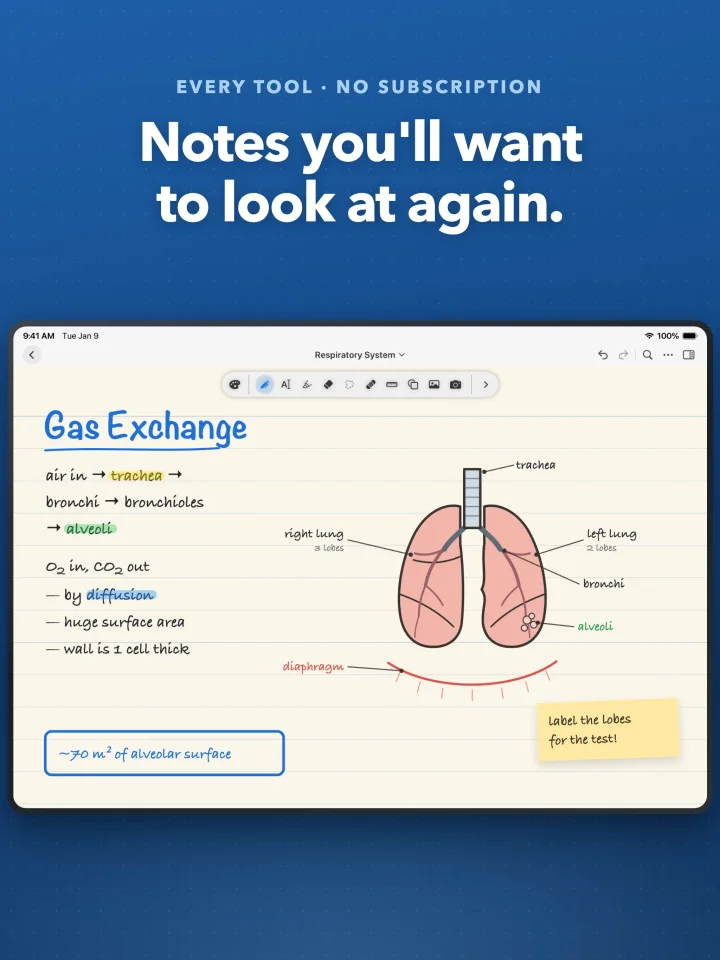
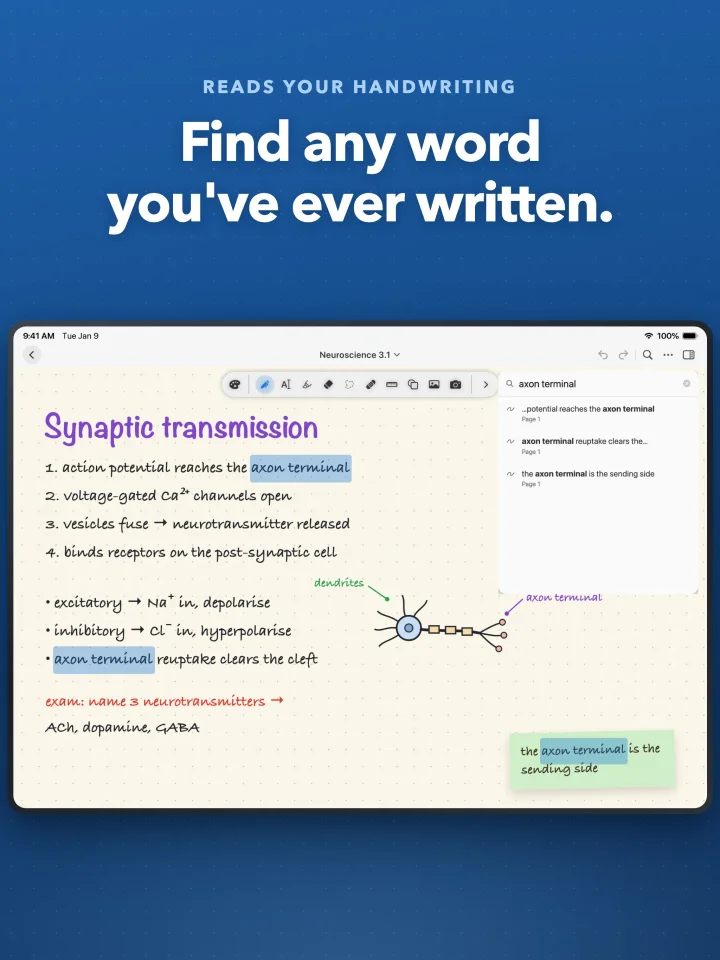
• Your handwriting becomes typed text in place, automatically, as you write.
• No text box to tap into first. No lasso-then-convert. Just write.
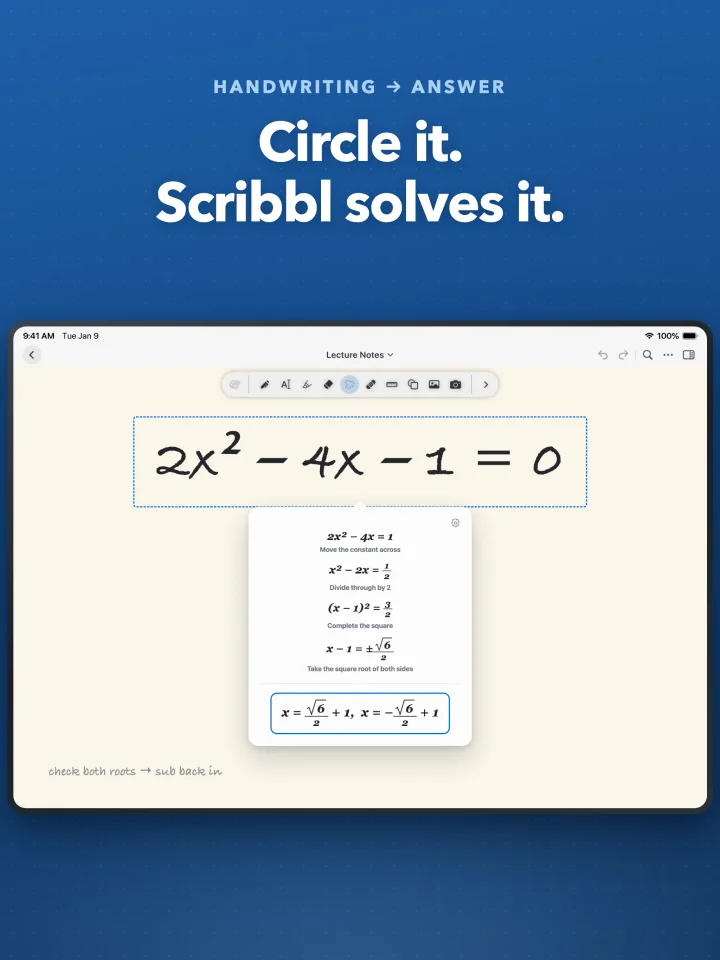
• Handwritten equations become properly typeset math the same way.
• Your original writing stays underneath, so every conversion is reversible.
• Recognition runs on your iPad in 10+ languages - offline, after a one-time setup.
FOR STUDENTS: KEEP UP IN CLASS
• Take handwritten notes and annotate lecture slides or textbook PDFs.
• Record the lecture while you write - playback follows the page.
• Search your handwriting to find anything you wrote all semester.
• Solve handwritten equations and see the working, step by step.
• Cover answers with tape, then tap to reveal - active recall, built in.
• Organize everything into folders, favorites and tags.
FOR PROFESSIONALS: MARK UP ANYTHING
• Import any PDF and write on it with every tool in the app.
• Export back to PDF with your annotations, or as an image.
• Present full screen with a laser pointer to guide attention.
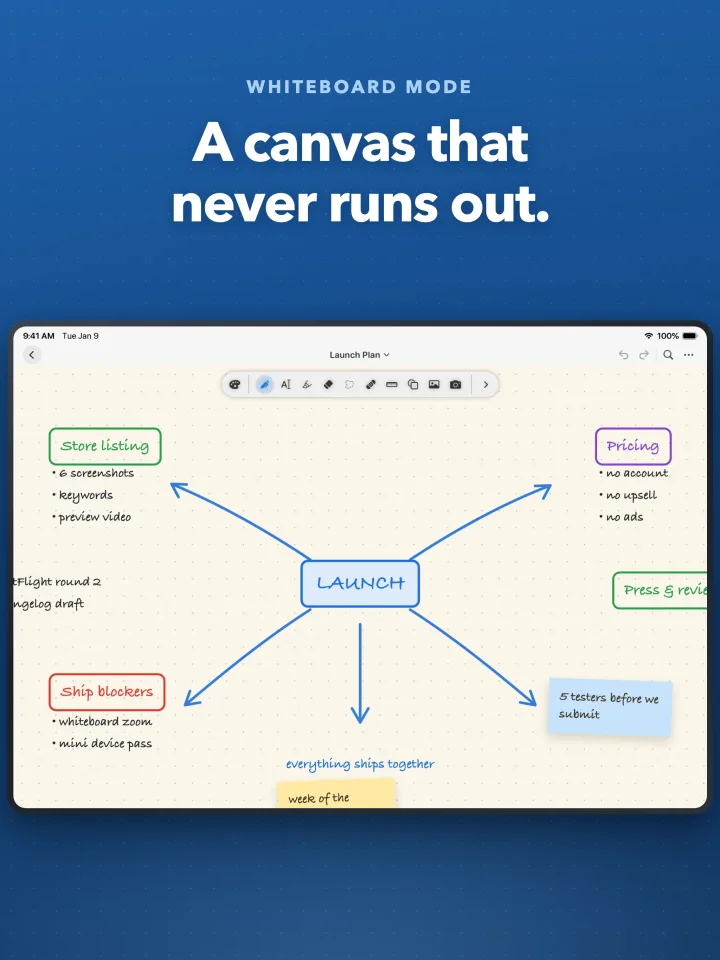
• Brainstorm on a true infinite canvas that grows with your ideas.
• Capture meetings with synced audio and handwritten notes together.
BUILT FOR APPLE PENCIL
• 3 custom-built pens: ballpoint, fountain pen and watercolor brush.
• A fountain pen that thins and swells with the speed of your hand.
• 30+ paper templates: ruled, dotted, grid, Cornell, isometric, music staves, storyboard, planner and more.
• Choose any page size, portrait or landscape, and rotate or lock any page.
• Highlighter, washi tape, ruler, and shapes that snap into place.
EDIT WITH YOUR PEN
• A precise eraser that takes a clean bite out of a single stroke.
• Lasso to move, resize, restyle, duplicate or convert a selection.
• Add photos and stickers, layered above or below your writing.
• Save any drawing to a reusable sticker library.
• Unlimited undo and redo.
WORK YOUR WAY
• Rearrange or hide any of the 16 tools in the toolbar.
• Build pen presets and switch between them instantly.
• Choose paper colors, line colors, a theme and an accent color.
• Save a whole setup as a profile and export it to share.
FREE, AND PRIVATE
Scribbl is completely free. No subscription, no in-app purchases, no locked features, and no account to create.
Your notes stay on your iPad. There is no server holding your work and no AI service reading it - handwriting recognition and math run entirely on-device. Backing up to your own iCloud is optional and off until you turn it on.
Privacy Policy: https://typhoon-dew-06f.notion.site/Privacy-Policy-3c051befa8a5802b94ecc3bf40015023?pvs=74
What’s new
Version 1.6.0 · Oct 26, 2026
- Rebuilt the pen to feel better while writing.
- More accurate arrow recognition.
- More precise eraser.
- Less lag on busy pages and whiteboards.
- Bug fixes and performance improvements.
App privacy
What Zade Nassoura declares on the App Store about how this app handles data.
-
Data not linked to you
May be collected but is not linked to your identity.
- Identifiers
- Usage data
- Diagnostics
- Other data
Privacy practices may vary, for example with the features you use or your age.
Information
- Seller
- Zade Nassoura
- Category
- Productivity
- Version
- 1.6.0
- Updated
- Oct 26, 2026
- Released
- Aug 26, 2026
- Size
- 60.6 MB
- Requires
- iOS 18.0 or later
- Age rating
- 4+
- Price
- Free
- Languages
- English
- Copyright
- © 2026 Scribbl
You might also like
-
 Noteora - Notes & HandwritingWrite, Sketch & Export to PDF
-
 ScribblePad: Notes & PDFHandwriting notes & PDF markup
-
 AINotes: Note Taking & PDFHandwriting & Infinite Canvas
-
 OpenNotes: Notes & PDF MarkupHandwriting, PDFs, no account
-
 UltraNotes - Note Taking & PDFType, Write & Annotate PDF
-
 Notewise - AI Notes, PDF, DocsWrite. Record. Draw. Remember.
-
 OrigNotesNotes, PDF Markup & Mind Maps
-
 StarNote: Notes & PDF MarkupAI Note-Taking & Handwriting
-
 MyScript Notes: AI HandwritingSmart note taking, PDF & study
-
 Feenote - Notes and listsNote-taking & handwriting