
ScrivenerBridge
Scrivener Companion & Editor
Designed for iPhone, iPad
Free · In-app purchases
- Age rating4+
- CategoryProductivity
- Developer明罡 蒋
- LanguagesEnglish+ 12 more
- Size28.7 MB
Links to the official App Store page
Download.org hosts no file of ScrivenerBridge. The button opens its official App Store page, published by 明罡 蒋. Listing last checked on Nov 23, 2026.
Screenshots


About
Bring your Scrivener projects to iPhone and iPad and continue reading, organising, and writing wherever you are.
ScrivenerBridge opens .scriv projects that you manage and preserves the Binder hierarchy, text, titles, synopses, status, document notes, and project structure. Projects can stay in the Files app or iCloud Drive, and your changes are written back to the original project.
AI FOR YOUR MANUSCRIPT
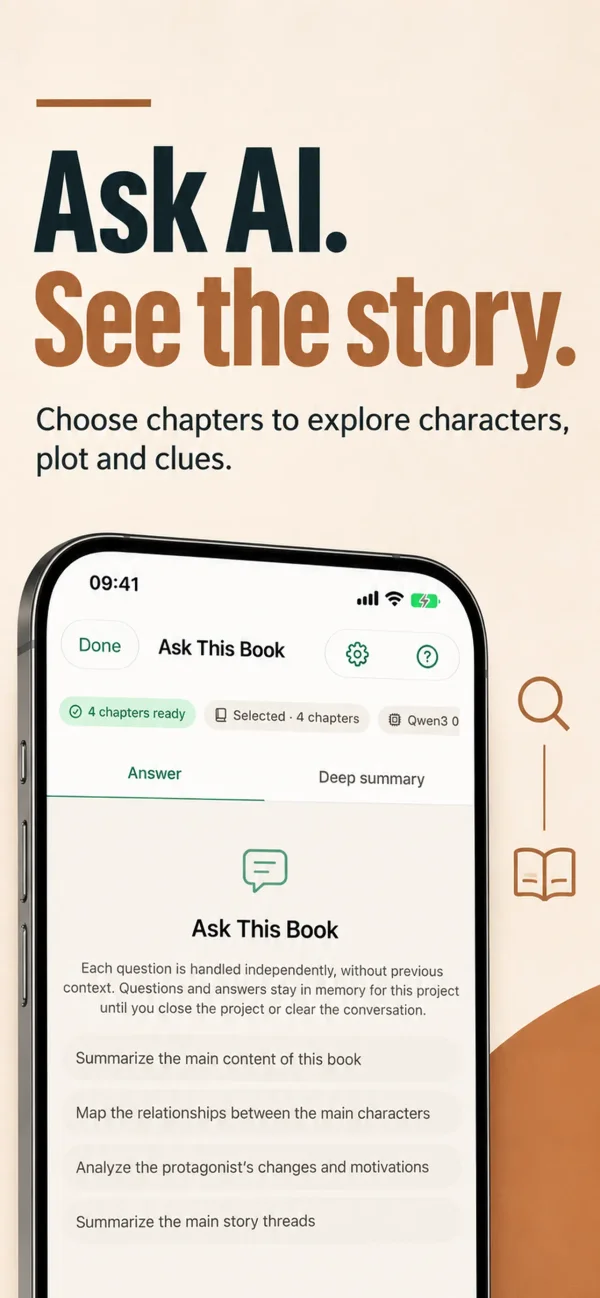
• Ask about plots, characters and relationships; choose the chapters to include.
• Select a local model, your own external API, or two external models with separate retrieval and analysis roles.
• Deep Summary processes selected, readable text in batches. External tasks require confirmation and may make multiple requests to the selected providers.
• Read answers and quoted passages separately, then open the source chapters to verify them. AI can make mistakes.
• Questions and answers stay in memory while the project is open, including when you close the question page. Clear them manually or close the project to erase them; they do not survive app termination.
Local inference requires a compatible device and downloaded model and text. External APIs require Internet and may charge separately.
CONTINUE WRITING
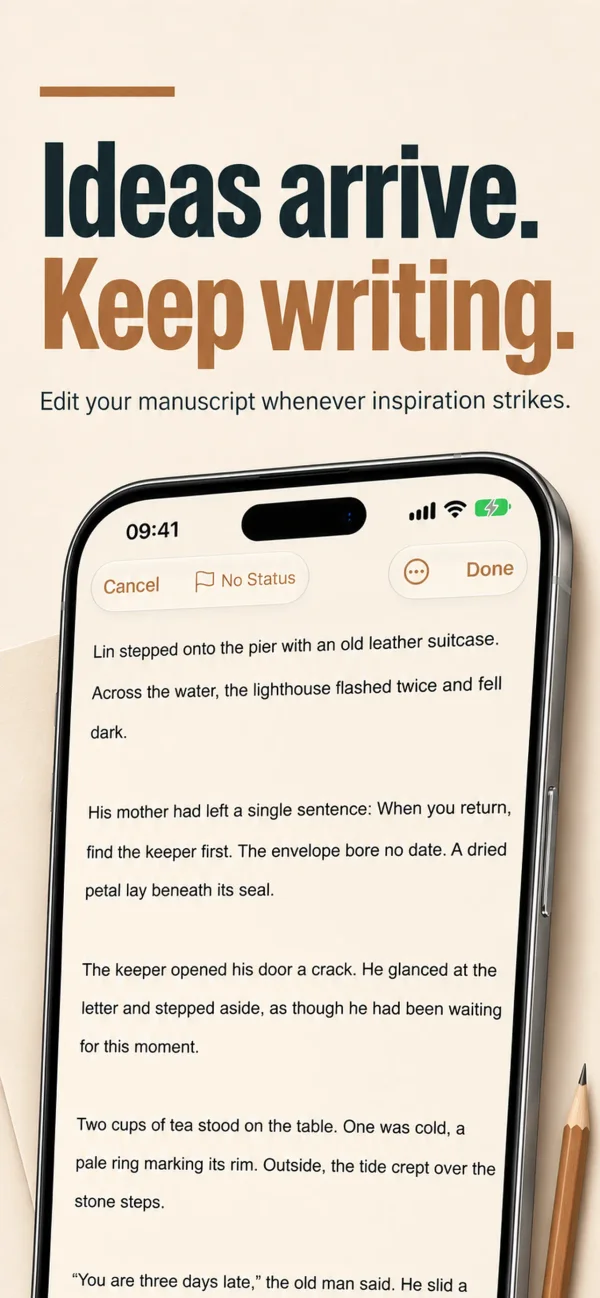
• Browse volumes, chapters, scenes, and documents through the Binder
• Edit text, titles, synopses, document notes, and chapter status
• Use rich-text formatting, punctuation, quick phrases, and a customisable keyboard bar
• Set word-count targets and follow your progress
READ AND ANNOTATE
• Read multiple chapters continuously
• Select a paragraph to add an annotation
• Tap an annotation note to select its full paragraph group for editing or removal
• View, edit, delete, locate, and re-anchor existing annotations
• Optionally mirror annotations to Scrivener Document Notes
HANDLE PROJECTS SAFELY
• Create an automatic backup before writing changes
• Use coordinated writes for text, project metadata, and checksums
• Preserve recovery copies when an iCloud conflict occurs and let you choose the version
• Load the current working set of large projects to avoid unnecessary downloads
IMPORT AND EXPORT
• Open a .scriv folder or .scriv.zip
• Import RTF and TXT documents
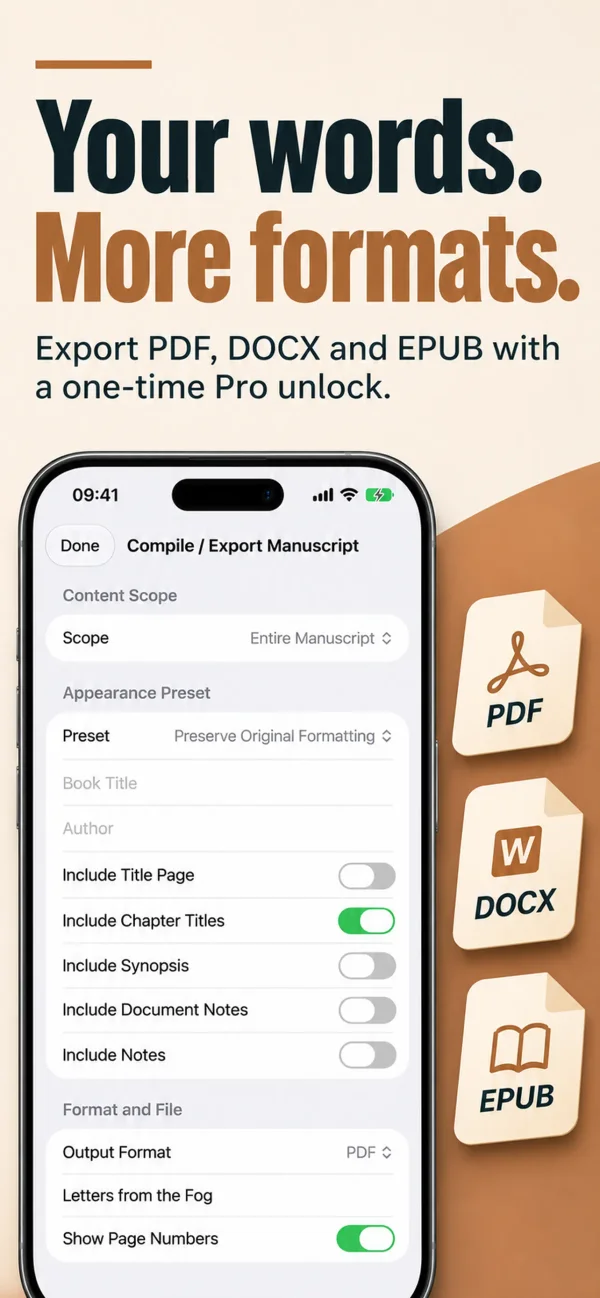
• Export RTF, PDF, DOCX, EPUB, TXT, Markdown, a complete .scriv project, or a ZIP backup
PRIVACY
No app account is required. The app has no advertising or analytics SDKs and does not upload your writing to developer-operated servers. With local models, text retrieval and answer generation run on your device. When you choose an external AI API, confirmed questions and manuscript content are sent directly to your selected provider, whose data handling and charges apply. Apple handles iCloud syncing according to your account settings.
Opening, reading and AI questions are free in the app. Pro is a one-time purchase for writing, annotations, document notes and compile/export, restorable with the same Apple Account. External AI provider charges are separate.
Scrivener is a trademark of Literature & Latte Ltd. This independent app is not affiliated with or endorsed by Literature & Latte Ltd.
What’s new
Version 1.0.3 · Nov 16, 2026
A smoother way to work with your manuscript, AI questions and annotations.
• Choose separate retrieval and analysis models for two-model collaboration.
• Select chapters for questions or deep summaries, with answers and source quotations shown separately.
• Return to a question session while its project stays open. Closing the project or app clears the session.
• Tap an annotation note to select its full paragraph group for editing or removal.
• Fixed the blank area left by the keyboard after saving an annotation.
• Updated the AI tutorial and sample project, export access checks and Settings privacy-policy link.
Local AI requires a downloaded model and compatible device. External API providers may charge separately.
App privacy
What 明罡 蒋 declares on the App Store about how this app handles data.
-
Data linked to you
May be collected and linked to your identity.
- User content
Privacy practices may vary, for example with the features you use or your age.
Information
- Seller
- 明罡 蒋
- Category
- Productivity
- Version
- 1.0.3
- Updated
- Nov 16, 2026
- Released
- Jul 23, 2026
- Size
- 28.7 MB
- Requires
- iOS 18.0 or later
- Age rating
- 4+
- Price
- Free
- In-app purchases
- Yes
- Languages
- English, Dutch, French, German, Italian, Japanese, Korean, Portuguese, Russian, Simplified Chinese, Spanish, Traditional Chinese + 1 more
- Copyright
- © 2026 Minggang Jiang
You might also like
-
 Lampira — Notes & FlashcardsStudy notes that quiz you back
-
 Novel Writing - Writer StudioAI Story Planner & Plot Tool
-
 Vellum InkHandwritten notes & journal
-
 Skyblue NoteProductivity
-
 NimbleDesk: Remote DesktopYour desktop, anywhere you go
-
 Falken WriterProductivity
-
 Markdown Editor & AI NotesCanvas notebook, Apple Pencil
-
 Relay: Next Actions & ReviewsA complete GTD system
-
 RecursaFamily Obligation Tracker
-
 Ficaryn: AI Novel WriterStory Bible & Long-Form Plot