
- Age rating4+
- CategoryProductivity
- DeveloperSeongdong Gim
- LanguagesEnglish
- Size44.6 MB
Links to the official App Store page
Download.org hosts no file of Skyblue Note. The button opens its official App Store page, published by Seongdong Gim. Listing last checked on Nov 16, 2026.
Screenshots

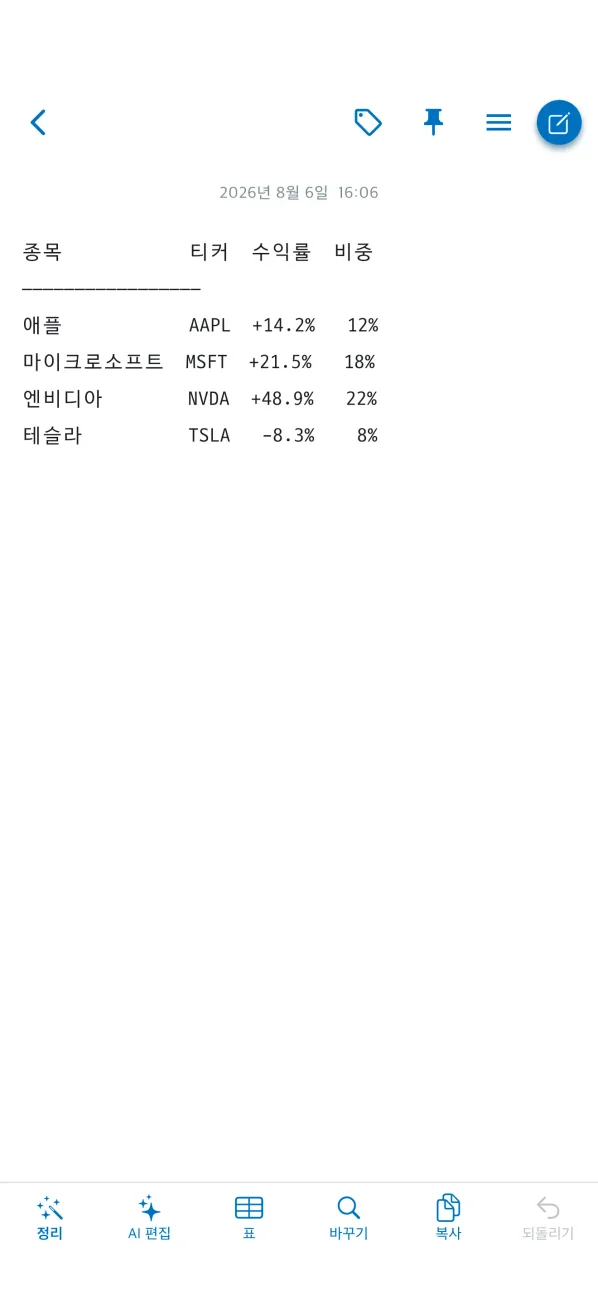
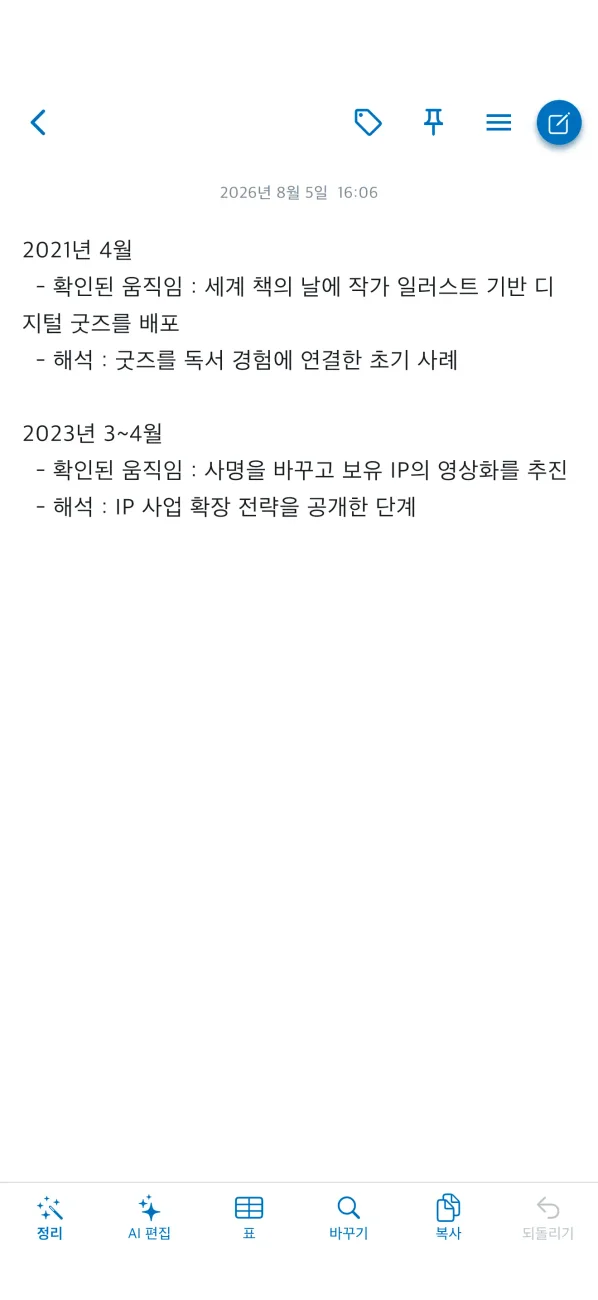
About
That answer the AI gave you is useful. The formatting is not.
Paste it in. Asterisks, hash marks and throat-clearing intros come out, and what is left is clean text you can drop anywhere.
WHAT IT REMOVES
- Markdown markers (**bold**, ## headings, --- rules)
- Emoji and openers like "Sure, here is a summary"
- Citation marks such as [1] and the link block at the end
- Invisible spaces and zero-width characters
WHAT IT DOES WITH TABLES
Misaligned rows and missing cells get repaired. Narrow tables are aligned into neat columns. Wide tables full of sentences are broken out row by row, so they stay readable on a phone. You can also copy any table straight into Google Sheets or Excel.
IT STAYS ON YOUR DEVICE
Cleanup runs entirely on your device. It works with no connection, and your text is never sent to a server.
YOU CAN ALWAYS GO BACK
Cleanup applies the moment you tap. If you do not like it, one undo puts it back.
YOUR RULES
Decide whether emphasis becomes quotes or disappears, pick your bullet character and indent, set the spacing around subheadings. Your choices carry over to the next paste.
IT IS ALSO YOUR NOTEBOOK
What you clean up stays as a note. Pin it, tag it, search it. Sign in with Google and your iPhone, iPad, Mac and web browser all see the same notes. Apple-only households can choose iCloud sync instead. Notes live only in your iCloud or your Google Drive — there is no server of ours. Lock the app with Face ID, and pick the paper you write on: cream, manuscript grid or graph.
Tuned for answers from ChatGPT, Claude, Gemini, Grok and Perplexity.
PREMIUM SUBSCRIPTION
- Premium Base — monthly or yearly
- Premium All Devices — monthly or yearly
- Premium Lifetime — one-time purchase
Prices are shown on the purchase screen and on the App Store. A subscription renews automatically unless it is cancelled at least 24 hours before the end of the current period, and your Apple Account is charged at that time. You can manage or cancel it any time in Settings > Apple Account > Subscriptions.
Terms of Use (EULA): https://www.apple.com/legal/internet-services/itunes/dev/stdeula/
Privacy Policy: https://ezlong.com/skybluenote/privacy/
What’s new
Version 3.19 · Sep 14, 2026
When the keyboard comes up, the ad bar at the top steps aside. That space goes back to your writing.
The two floating buttons are smaller and lighter now, and they sit at the very bottom, out of your text.
The reading rail on the right got quieter. Only your position stays; the line behind it is gone.
Settings can now check for the newest version and take you straight to the update.
App privacy
What Seongdong Gim declares on the App Store about how this app handles data.
-
Data used to track you
May be used to track you across apps and websites owned by other companies.
- Identifiers
- Usage data
-
Data not linked to you
May be collected but is not linked to your identity.
- Identifiers
- Usage data
Privacy practices may vary, for example with the features you use or your age.
Information
- Seller
- Seongdong Gim
- Category
- Productivity
- Version
- 3.19
- Updated
- Sep 14, 2026
- Released
- Aug 21, 2026
- Size
- 44.6 MB
- Requires
- iOS 15.0 or later
- Age rating
- 4+
- In-app purchases
- Yes
- Languages
- English
- Copyright
- © 2026 Seongdong Gim
You might also like
-
 dol - Markdown NotesOffline, synced to your server
-
 NoteScrap: Note, Memo, OCRHandwriting scan & organize
-
 ScrivenerBridgeScrivener Companion & Editor
-
 NovelingAI-powered writing tools
-
 Glit - Web Novel WritingEditor for Episodes & Chapters
-
 Novel Writing - Writer StudioAI Story Planner & Plot Tool
-
 FolderWorkEasy to use but powerful note
-
 SnapStash - AI Screenshot orgScreenshot AI Organizer Search
-
 sNote: AI Voice Note & WriterTranscribe, Summarise, Ideas