
ScrollCop: Block Apps & Focus
Screen Time Limit & Control
Designed for iPhone, iPad
Free · In-app purchases
- Age rating4+
- CategoryProductivity
- DeveloperJashandeep Singh
- LanguagesEnglish+ 2 more
- Size14.7 MB
Links to the official App Store page
Download.org hosts no file of ScrollCop: Block Apps & Focus. The button opens its official App Store page, published by Jashandeep Singh. Listing last checked on Nov 21, 2026.
Screenshots



About
Every app blocker has an off switch. At 11 p.m. you will find it. ScrollCop is a friendly cop for your phone: you decide, before the urge, who gets to let your apps out.
BLOCK APPS IN TWO TAPS
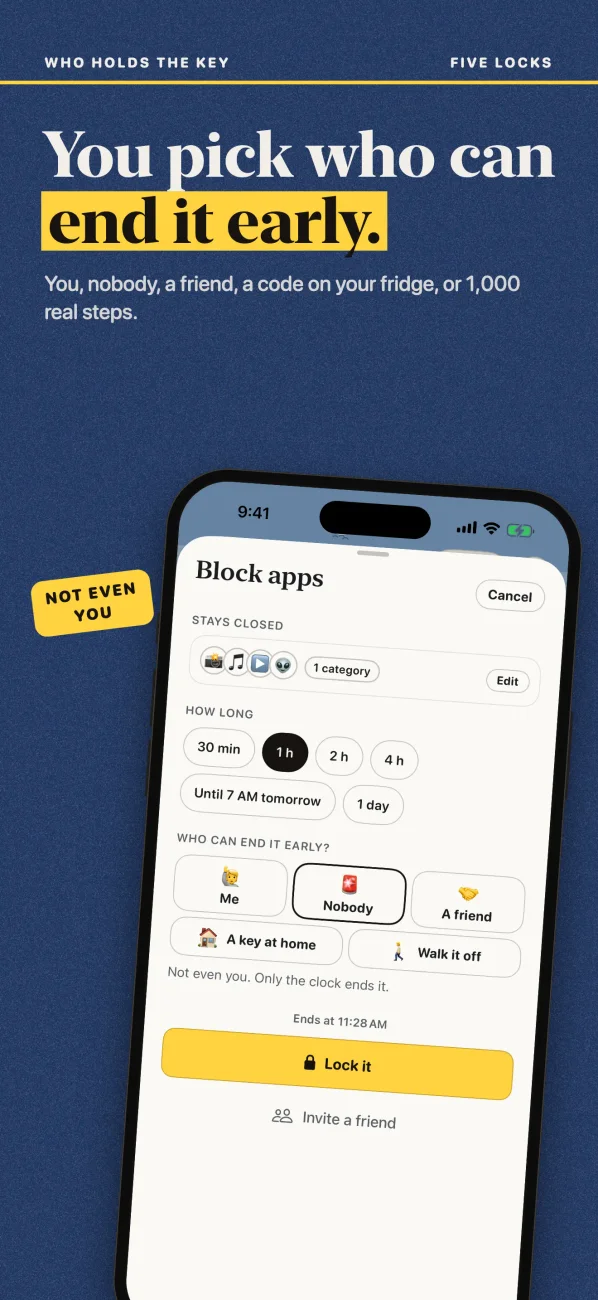
Tap the apps that eat your time: Instagram, TikTok, YouTube, Reddit, X, or any app on your phone, plus whole categories and websites. Pick how long. They won't open until time's up. It runs on Apple's Screen Time, so it holds even if you close ScrollCop. Try to open one and you get pulled over.
Or flip it: block everything except the few apps you keep.
YOU CHOOSE WHO CAN END IT EARLY
Pick who holds the key, with one tap:
• Me: end it whenever you want, after a ten-second pause.
• Nobody: not even you. It opens when time's up.
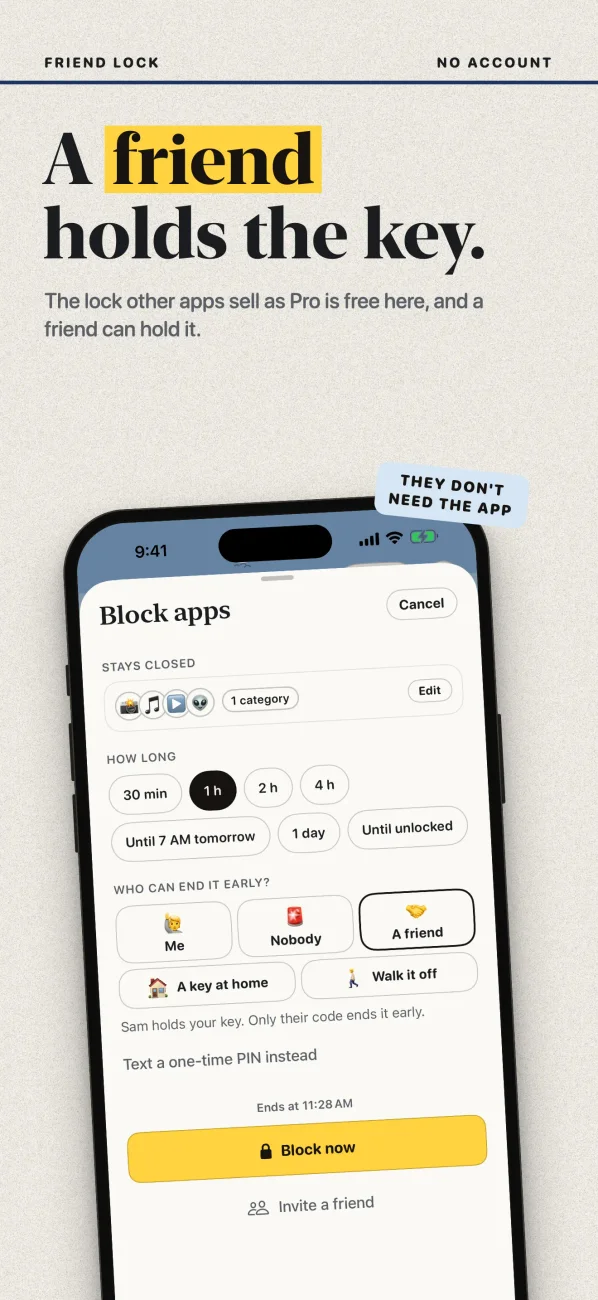
• A friend: ScrollCop texts them a one-time PIN, and only that PIN ends it. They don't need the app.
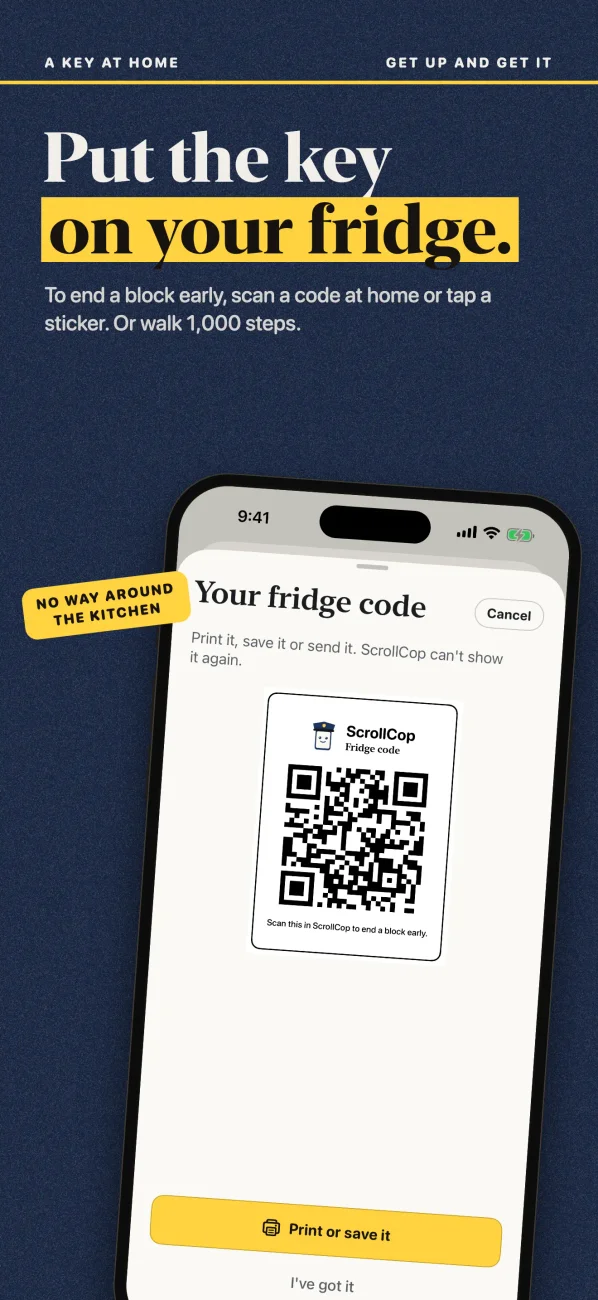
• A key at home: a code on your fridge or an NFC sticker. You have to get up and go to it.
• Walk it off: 1,000 real steps end the block.
The lock other apps sell as Pro is free here, and a friend can hold it. Locks hold even if you change the date or time, and ScrollCop can't be deleted while a locked block runs.
BLOCK WITH A FRIEND
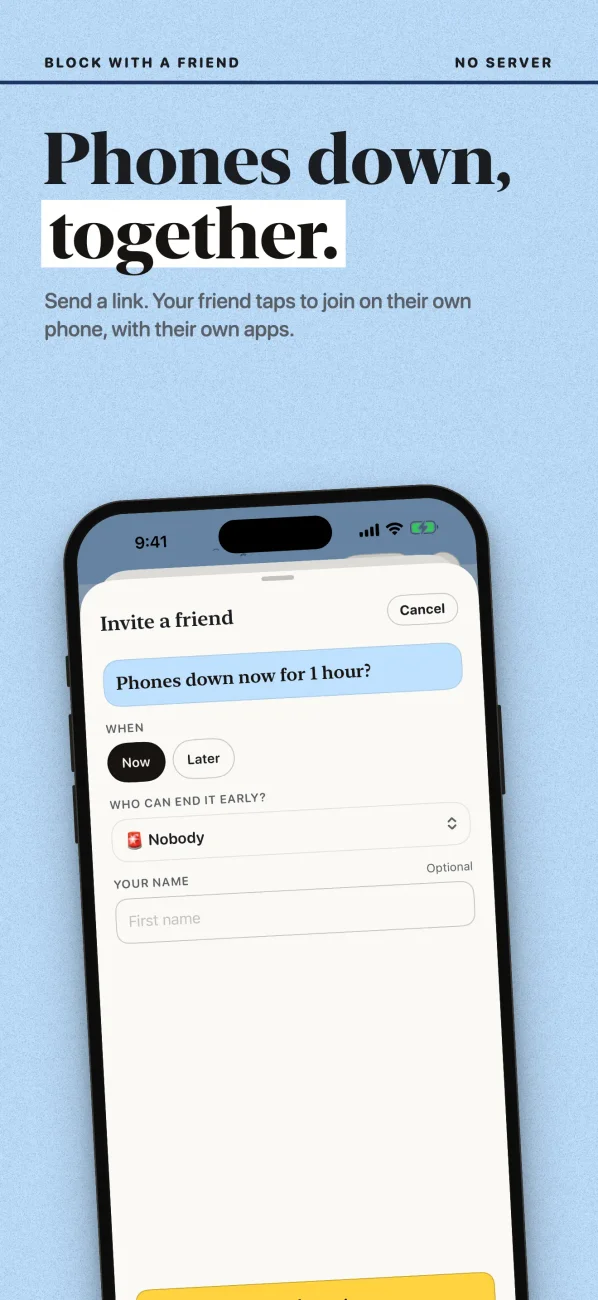
Phones down together. Send a link, and your friend taps to join on their own phone with their own apps. No account, no server.
SCHEDULES AND DAILY LIMITS
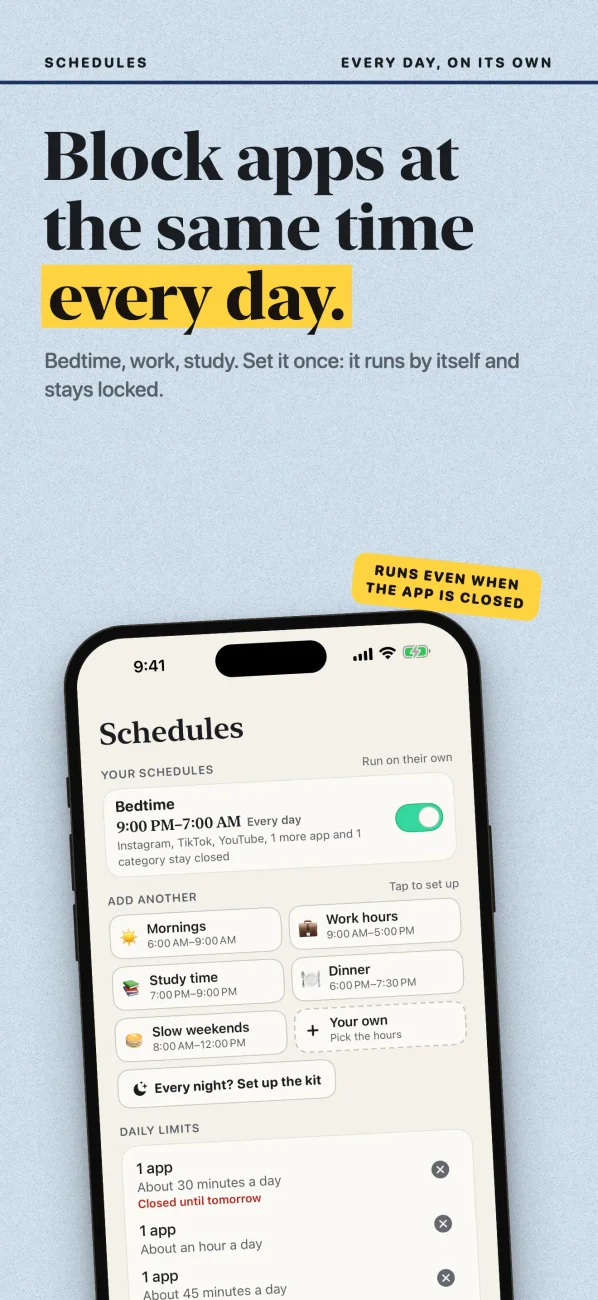
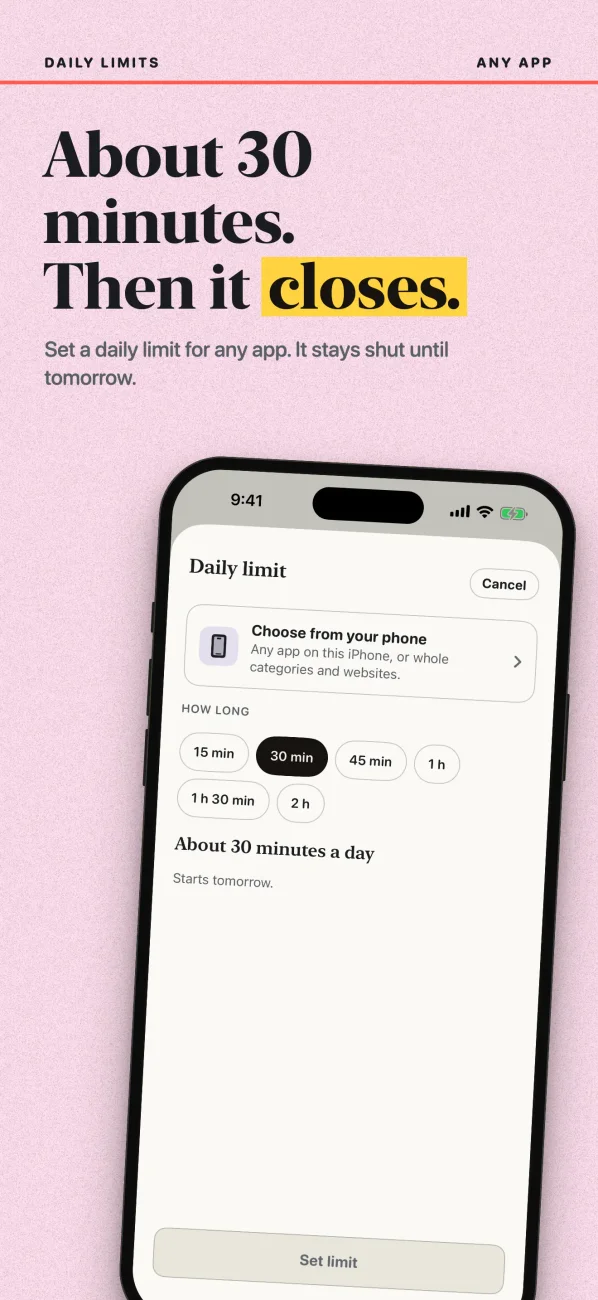
Block apps at the same time every day, even with ScrollCop closed. Give each schedule its own apps: games during study time, social apps at dinner, everything at bedtime. Or set a daily limit: about 30 minutes of an app, then it closes until tomorrow. Start from Bedtime, Mornings, Work hours, Study time or Dinner, or make your own, and see your whole week at a glance.
WIDGETS, SIRI AND CONTROL CENTER
See the time left, your clean days and how the cop is doing right on your Lock Screen. Start a block with one tap from a widget, Control Center or Siri, or let a Shortcut start one when you get to work.
A COP WHO RANKS UP
Every block you finish is a case, stamped CASE CLOSED. Your cop climbs from Rookie to Chief, and the rank never goes down. Earn new app icons along the way. Over 5,000 short, original lines turn up around the app: jokes and pep talks, all on your side.
WHEN THE URGE HITS
Tap "I feel the urge" and ScrollCop asks what you actually need: bored, stressed, tired, lonely, avoiding something. You get one small thing to do instead. Decide your plan once, and it shows up on the screen a blocked app opens to. There are 165 small things to do, picked for the time you have. The Boredom Gym trains the opposite of scrolling: sitting with nothing, thirty seconds first, then longer.
YOUR WEEK AS A CITY
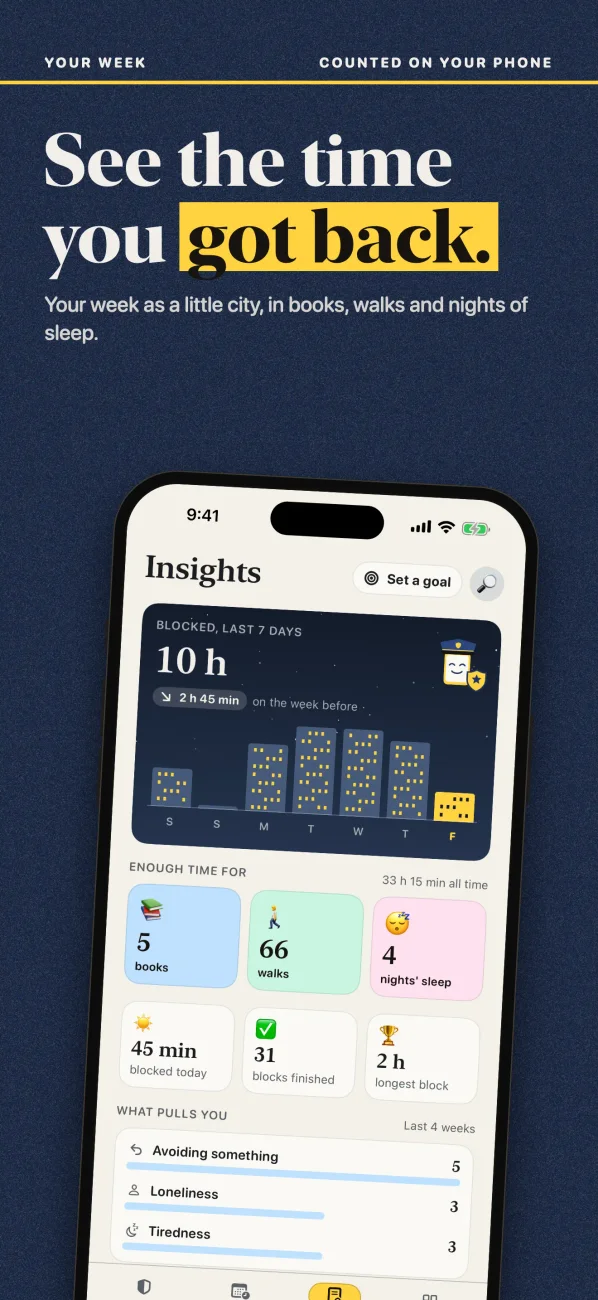
Your last 7 days as a little city at night, the time you got back shown as books, walks and nights of sleep, and a case file you can share. Need a day off? Your run can wait. Counted on your phone. A slip is data, not failure. No guilt notifications.
PRIVATE BY DESIGN
No account. No server. No ads, no analytics, no subscription. Apple's Screen Time gives ScrollCop opaque tokens, so it can't see which apps you use. Export or delete everything whenever you like.
Every feature is free. Optional tips only say thanks. Made in Canada. A behavior-change tool, not medical advice.
What’s new
Version 4.0.0 · Nov 8, 2026
ScrollCop 4.0 is the biggest update yet, and all of it is free.
New locks
- A key at home: a code on your fridge or an NFC sticker. You have to get up and go to it.
- Walk it off: 1,000 real steps end the block.
More ways to block
- Block everything except the apps you keep.
- Daily limits: about 30 minutes of an app, then it closes until tomorrow.
- Add any website by typing it.
- Take one five-minute break in a block you can end yourself.
- Block with a friend: send a link, they tap to join on their own phone with their own apps.
- A bedtime kit that sets up your nights in one go.
Your cop
- Your cop has a rank now, from Rookie to Chief, and it never goes down.
- The cop naps, has a coffee and salutes your blocks. Tap to say hi.
- Finished blocks get stamped CASE CLOSED.
- Earn new app icons as you rank up.
Insights
- Your week is now a small city at night.
- See your time back as books, walks and nights of sleep.
- Share your week as a case file.
- Take a day off. Your run can wait.
Widgets and shortcuts
- New Lock Screen and large Home Screen widgets, and StandBy.
- Start a block from a widget, Control Center, Siri or a Shortcut.
- Press and hold the app icon for quick actions.
Stronger and easier
- Locks keep your phone on automatic date and time.
- Blocking covers websites in the categories you pick.
- If Screen Time gets turned off, the app tells you.
- Made for iPad, with a sidebar, keyboard shortcuts and a week view of your schedules.
- Every screen works at the largest text size.
App privacy
What Jashandeep Singh declares on the App Store about how this app handles data.
-
Data not collected
The developer does not collect any data from this app.
Privacy practices may vary, for example with the features you use or your age.
Information
- Seller
- Jashandeep Singh
- Category
- Productivity
- Version
- 4.0.0
- Updated
- Nov 8, 2026
- Released
- Sep 12, 2026
- Size
- 14.7 MB
- Requires
- iOS 18.0 or later
- Age rating
- 4+
- Price
- Free
- In-app purchases
- Yes
- Languages
- English, French, Spanish
- Copyright
- © 2026 The Big Head Apps
You might also like
-
 InwardFocus: App BlockerLimit Screen Time on Schedule
-
 Detox: Screen Time App BlockerBlock apps, take timed breaks
-
 Free Flow by MASHBOX LabsOn-device dictation keyboard
-
 Grotto: Focus SpacesIntentional spaces for focus
-
 Reclaim - Screen Time ControlFocus & app blocker
-
 VoxBoardPrivate voice keyboard & AI
-
 Escape Matrix - App BlockerBlock Apps & Build Focus
-
 Mirror: Stop Scrolling & DetoxReels Blocker, Screen Time App
-
 Cloister: App & Site BlockerFocus & Stop Doomscrolling
-
 LionBlock: App BlockerScreen Time Limit & Focus