ScrollSnap: Long Screenshots
Record, stitch, crop & redact
Designed for iPhone, iPod touch
Free
- Age rating17+
- CategoryUtilities
- Developer茂元 生
- LanguagesEnglish+ 1 more
- Size14.1 MB
Links to the official App Store page
Download.org hosts no file of ScrollSnap: Long Screenshots. The button opens its official App Store page, published by 茂元 生. Listing last checked on Nov 16, 2026.
Screenshots


About
Multiple screens. One long image.
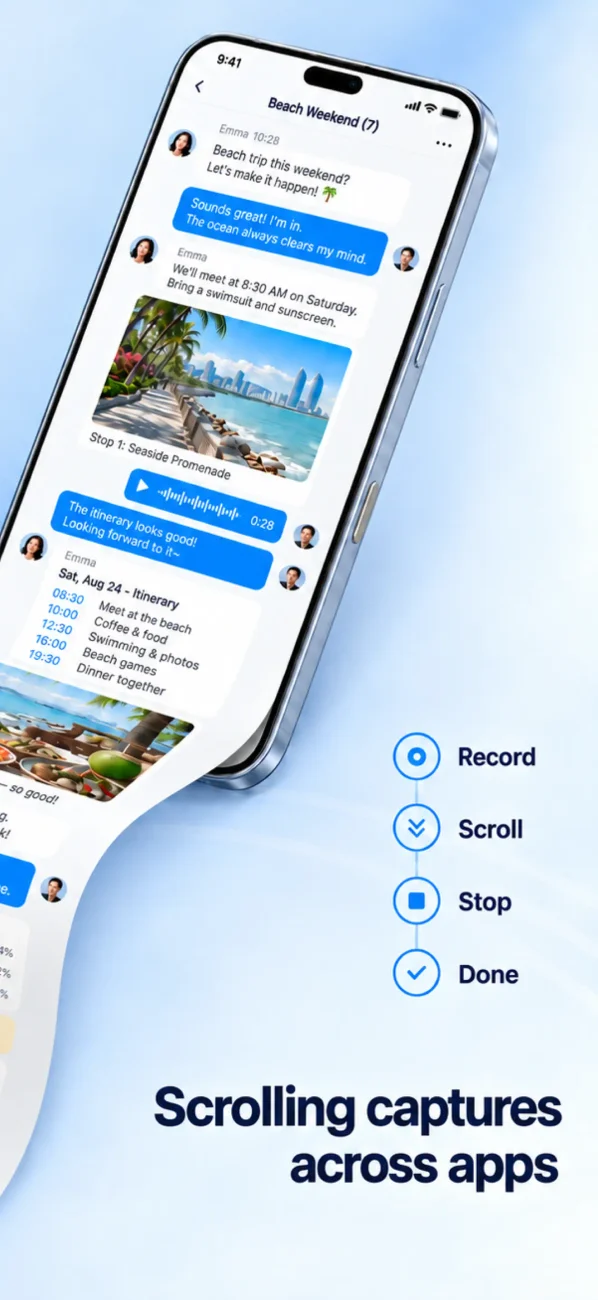
ScrollSnap turns scrolling recordings, screenshots, and webpages into long images. Capture conversations, save articles and notes, build step-by-step guides, or collect movie subtitles—all in one app, from capture and review to editing and sharing.
【Turn Scrolling Recordings into Long Screenshots】
Follow the instructions to start a system screen recording, switch to the page you want to capture, and scroll steadily. Return to ScrollSnap to generate your long screenshot. You can also import existing scrolling videos from Photos or Files and keep the originals for later use.
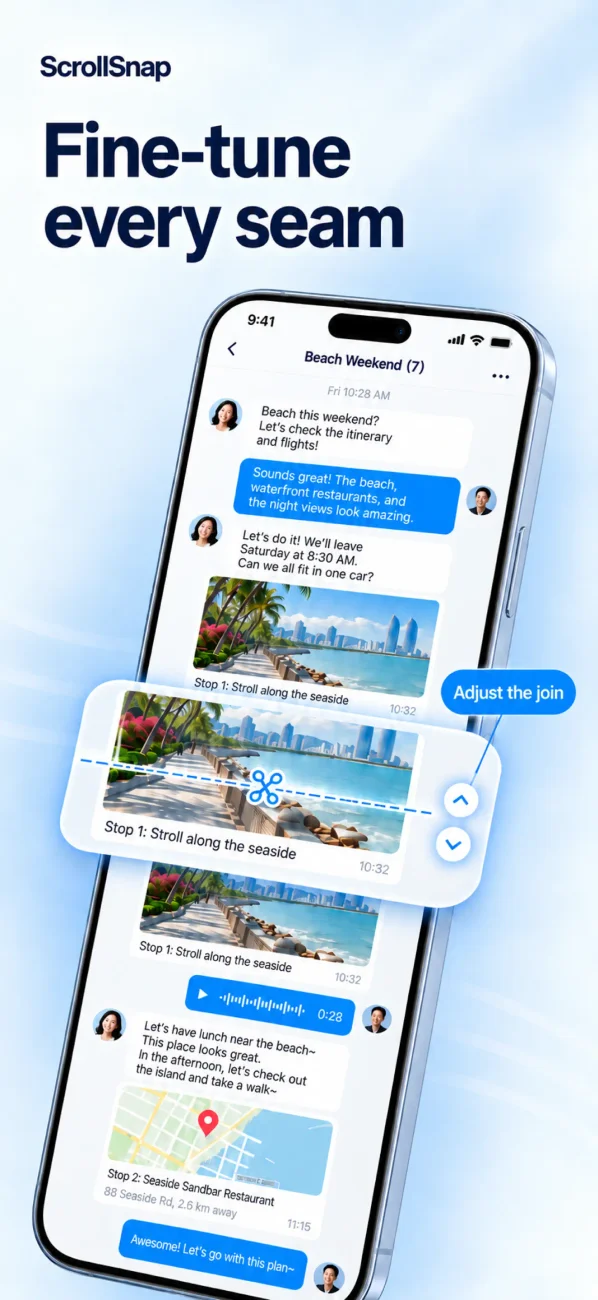
【Fine-Tune Every Join】
Check the text, beginning, end, and joins after generation. Use manual stitching and cropping to adjust the visible area of each segment and remove overlapping content. Content missed in the original recording cannot be recovered. If you scroll too quickly or skip a section, you may need to record again.
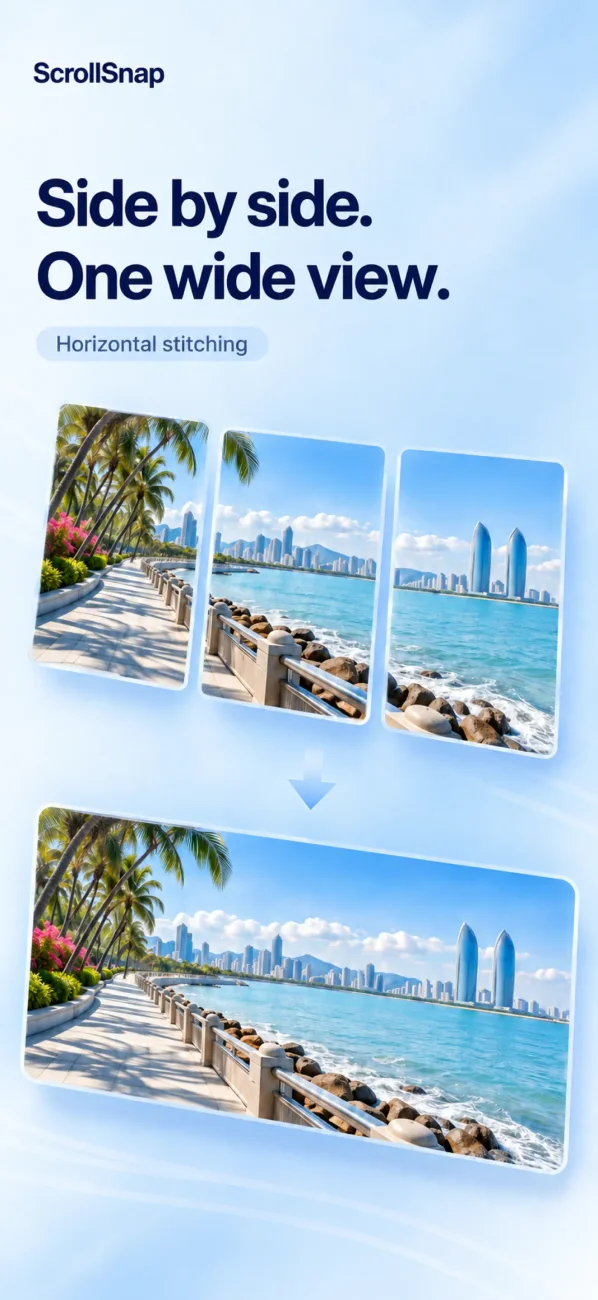
【Stitch Images Vertically or Horizontally】
Combine screenshots and photos in order, vertically or horizontally. Use subtitle stitching to bring selected movie dialogue together. Create conversation captures, visual notes, step-by-step instructions, and subtitle collections.
【Capture Long Webpages】
Open a webpage in ScrollSnap, let it load, and choose the area to capture. Lazy loading, infinite scrolling, dynamic elements, and website permissions may affect the result, so check your capture before saving. ScrollSnap does not bypass login requirements or content protection.
【Edit Before You Share】
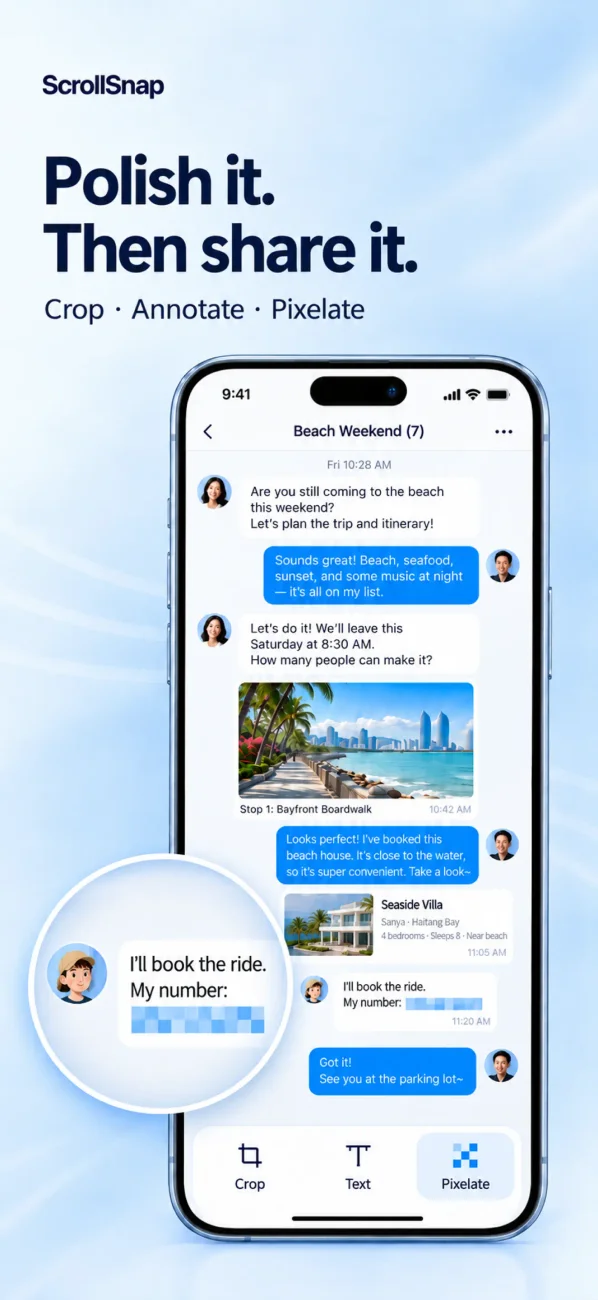
Crop, annotate, pixelate, add watermarks, or replace avatars to prepare your images for sharing. Check that names, profile pictures, and other sensitive information are properly covered. Video tools also let you trim, rotate, mute, and extract still frames.
【Keep Originals and Results Together】
Manage source videos and finished images in your local media library. Save completed work to Photos or export files through the system share sheet. ScrollSnap’s local library and Photos store files separately. Back up important work before uninstalling the app or clearing local data.
【Usage Credits and Privacy】
ScrollSnap is free to download. Some actions require available usage credits. You can use complimentary credits or earn credits by watching rewarded ads, as explained when you perform an action. Ad availability depends on your network connection and ad supply.
Image and video processing takes place on your device. Your media is not uploaded as part of ScrollSnap’s media-processing workflow. Browsing webpages and choosing to share content may connect to the relevant websites or services. Advertising and analytics services may process device, usage, and technical data. Please see the Privacy Policy for details.
Help: https://smydamao.github.io/scrollsnap/#guide
Support: zhichi.dmshow@qq.com
What’s new
Version 1.2.2 · Sep 20, 2026
- Improved saving and sharing.
- Improved progress updates for long screenshot generation, making processing status easier to follow.
- Refined stitching and editing for a smoother, more reliable experience.
App privacy
What 茂元 生 declares on the App Store about how this app handles data.
-
Data not linked to you
May be collected but is not linked to your identity.
- User content
- Usage data
- Diagnostics
Privacy practices may vary, for example with the features you use or your age.
Information
- Seller
- 茂元 生
- Category
- Utilities
- Version
- 1.2.2
- Updated
- Sep 20, 2026
- Released
- May 31, 2026
- Size
- 14.1 MB
- Requires
- iOS 15.0 or later
- Age rating
- 17+
- Price
- Free
- Languages
- English, Simplified Chinese
- Copyright
- © 2026 maoyuan sheng
You might also like
-
 Reelscap: Long ScreenshotScroll once. Full screenshot.
-
 Long: Full Screenshot CaptureCapture Long Screens Easily
-
 ScrollShot - Long ScreenshotsAutomatic Screenshot Stitching
-
 Scrollie: Long ScreenshotStitch, Blur & Movie Subtitles
-
 Zeta Stitch - Long ScreenshotsScroll Capture: Chat, Web, PDF
-
 Auto Screenshots Stitch TailorStitch Screenshots Easiest Way
-
 StitchPics-Stitch Screenshotsscreenshot and photo collage
-
 Stitch It: Long ScreenshotsStitch Photos—Edit Screenshots
-
 StitchShot - ScreenShotCaptureAutomatic Screenshot Stitching
-
 WorkBuddy - AI Work AgentFrom Chat to Deliverables