Seatsy: Seating Chart Planner
Floor Plans and Guest Lists
Designed for iPhone, iPad
Free · In-app purchases
- Age rating4+
- CategoryProductivity
- DeveloperAlona Nesterenko
- LanguagesEnglish
- Size8.5 MB
Links to the official App Store page
Download.org hosts no file of Seatsy: Seating Chart Planner. The button opens its official App Store page, published by Alona Nesterenko. Listing last checked on Nov 23, 2026.
Screenshots



About
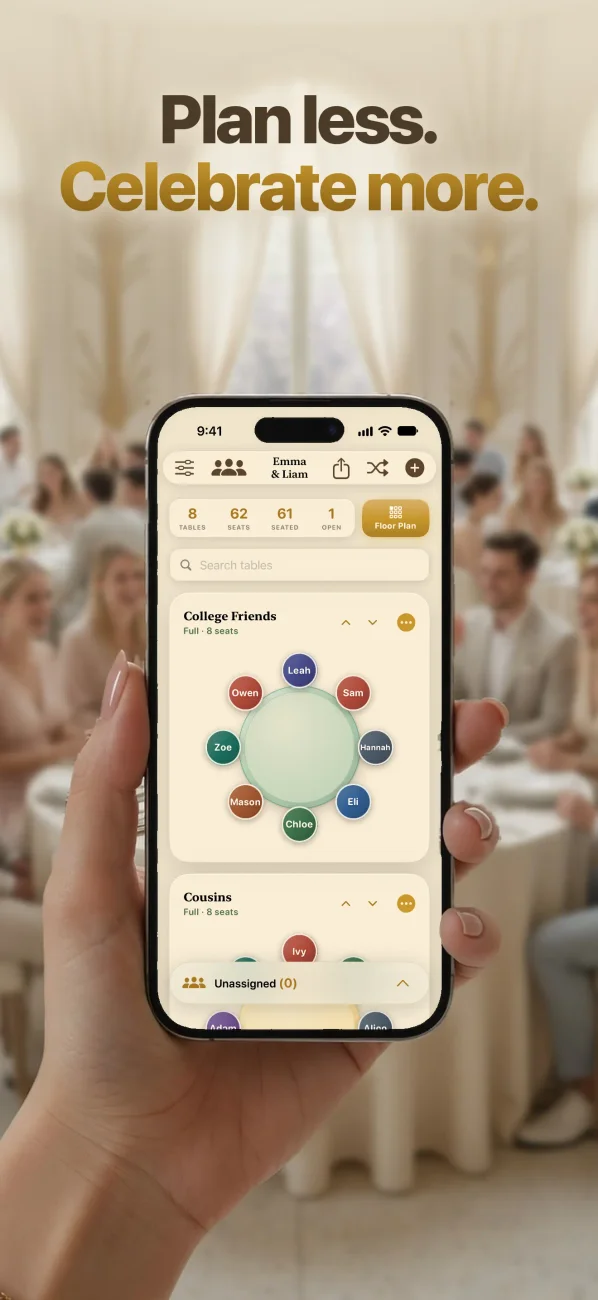
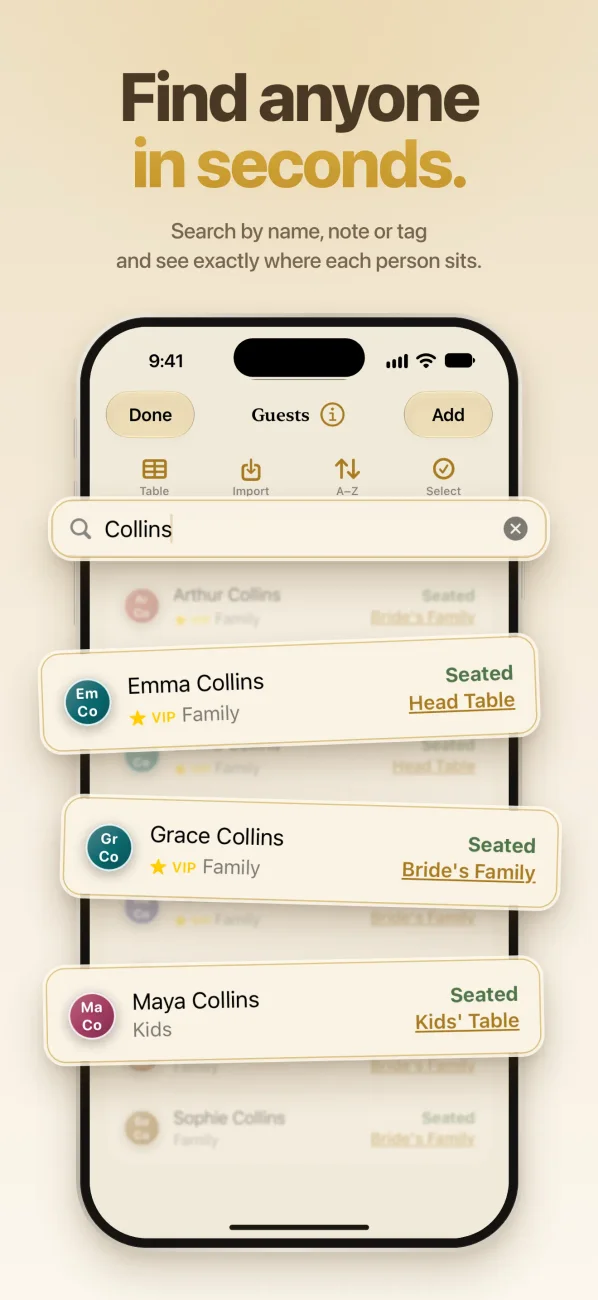
From intimate dinners to galas and conferences with hundreds of guests, Seatsy brings your guest list and your floor plan together. Import guests from a spreadsheet, drag them onto seats, lay out the room with tables, a dance floor and a stage, then print place cards, escort cards and seating charts.
No account needed. Seatsy works offline and saves automatically, and iCloud sync keeps your events up to date on iPhone, iPad and Mac.
SEATING
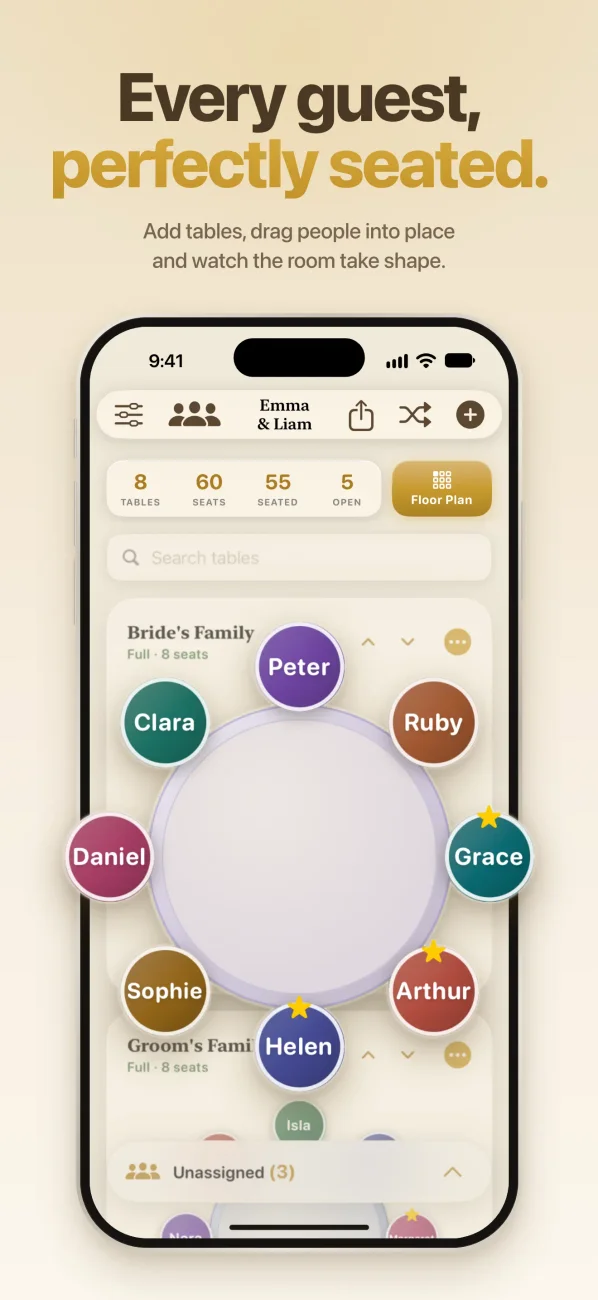
• Drag guests onto seats, or tap an empty seat and pick a guest
• Drag one seated guest onto another to swap their seats
• Lock a guest's seat or reserve an empty one
• See first names or initials right on the seats
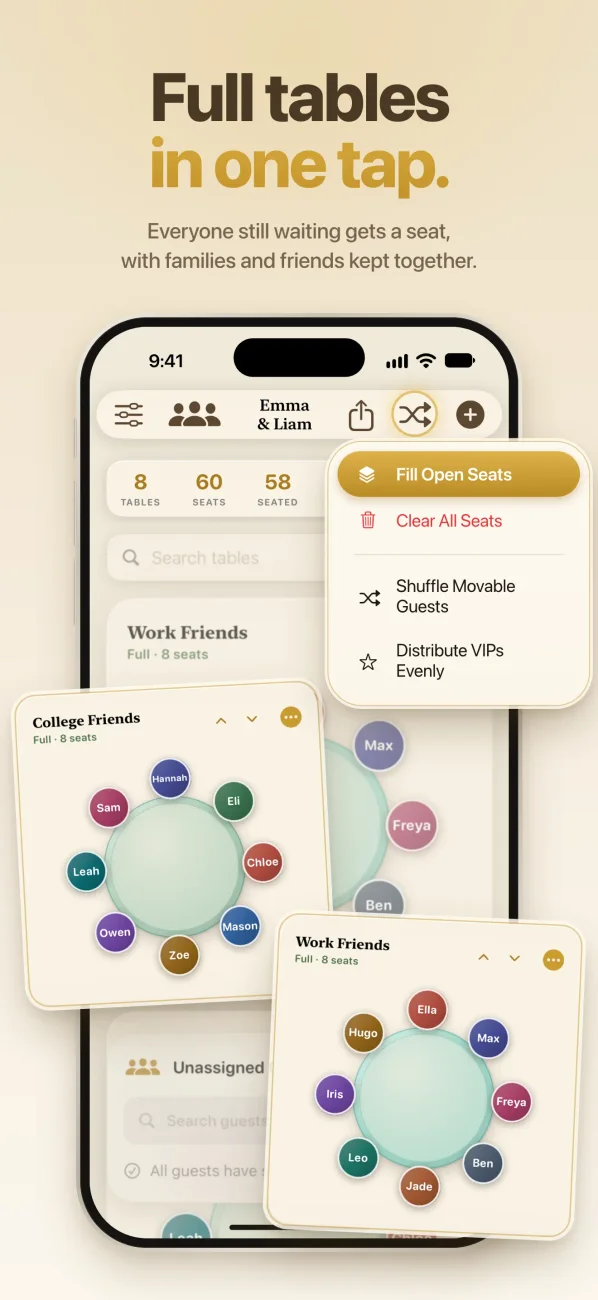
• Fill Open Seats in one tap: guests with the same tags sit together
• Shuffle guests while locked seats stay put
• Spread VIPs evenly across tables
• Clear all seats at once, while locked seats stay in place
FLOOR PLAN
• Set the room size in meters or feet
• Mark the dance floor, stage, DJ, bar, buffet, entrance or your own areas, in real sizes
• Drag tables into place with snap-to-grid and alignment guides
• Zoom, rotate and fine-tune every table
• Round, rectangular, rectangular with end seats, and banquet tables
• Add up to 10 matching tables at once, or start from ready-made layouts
• Jump from any table to its place on the floor plan
• Save the floor plan as an image
GUESTS
• Add notes, VIP status, built-in tags and your own tags
• Search by name, note, tag or table, and sort A–Z or Z–A
• Edit many guests at once in a spreadsheet-style table
• Manage all your tags in one place
• Built-in help guide
IMPORT, EXPORT & PRINT
• Import CSV, TSV or XLSX files with smart column matching that remembers your choices
• Paste a guest list straight from the clipboard
• Assign tables during import and create missing tables automatically
• Export your guest list with table assignments as CSV
• Print or save as PDF: seating chart poster, table lists, place cards and escort cards, on Letter or A4
EVENTS & SYNC
• Create, duplicate and rename events
• See tables, seats, seated guests and open seats at a glance
• On iPad and Mac, tables appear in two columns
• Works offline, and syncs through iCloud when it's available
Perfect for weddings, receptions, banquets, conferences, corporate dinners, galas, parties, classrooms and any event that needs organized seating.
FREE AND PREMIUM
The free plan includes one event with up to 30 guests and any number of tables, with every seating and floor plan tool. Premium adds unlimited events and guests, printing and PDF export, and floor plan images without a watermark. Premium is available as a monthly subscription or a one-time purchase.
Terms of Use: https://pipsapps.com/terms.html
Privacy Policy: https://pipsapps.com/privacy.html
What’s new
Version 1.4.5 · Nov 21, 2026
Two new table shapes: Half Round (up to 10 seats) and Rectangular + 1 End.
Chair color for several guests at once - in Guests, tap Select, pick the guests, then tap Color to give them all the same chair color.
App privacy
What Alona Nesterenko declares on the App Store about how this app handles data.
-
Data not collected
The developer does not collect any data from this app.
Privacy practices may vary, for example with the features you use or your age.
Information
- Seller
- Alona Nesterenko
- Category
- Productivity
- Version
- 1.4.5
- Updated
- Nov 21, 2026
- Released
- Oct 15, 2025
- Size
- 8.5 MB
- Requires
- iOS 18.6 or later
- Age rating
- 4+
- Price
- Free
- In-app purchases
- Yes
- Languages
- English
- Copyright
- © 2026 Alona Nesterenko
You might also like
-
 Seatly: Seating Chart MakerWedding tables or classroom
-
 Seating Chart - Table PlannerWedding & Event Plan in 3D
-
 SeatFlow - Seating Chart MakerWedding & Event Floor Planner
-
 Wedding Planner by PlanWedGuest List, RSVPs & Seating
-
 SnapSeat - Seating planSeating chart maker & planner
-
 ChartSeats: Seating ChartTable plans for events
-
 Placer - Seating Plan MakerWedding & event seating plans
-
 SEATOEffortless seat planning
-
 Guest List Organizer.Event check-in manager
-
 Event Hall Organiser Seat FlowWedding Seating Chart Planner