- Age rating12+
- CategoryPhoto & Video
- DeveloperBTECK
- LanguagesEnglish
- Size148.1 MB
Links to the official App Store page
Download.org hosts no file of Segmento - app. The button opens its official App Store page, published by BTECK. Listing last checked on Nov 20, 2026.
Screenshots




About
Segmento is the all-in-one toolkit for creators: edit a video in one screen, get it ready for wherever it's going, and turn long text into perfect posts. Everything runs on your device. No account, no limits, no watermark.
STUDIO: YOUR WHOLE EDIT, ONE SCREEN
Open a video and every tool is right there, under a preview that never leaves the screen.
• Trim: drag the handles, or snap to 15, 60 or 90 seconds in one tap
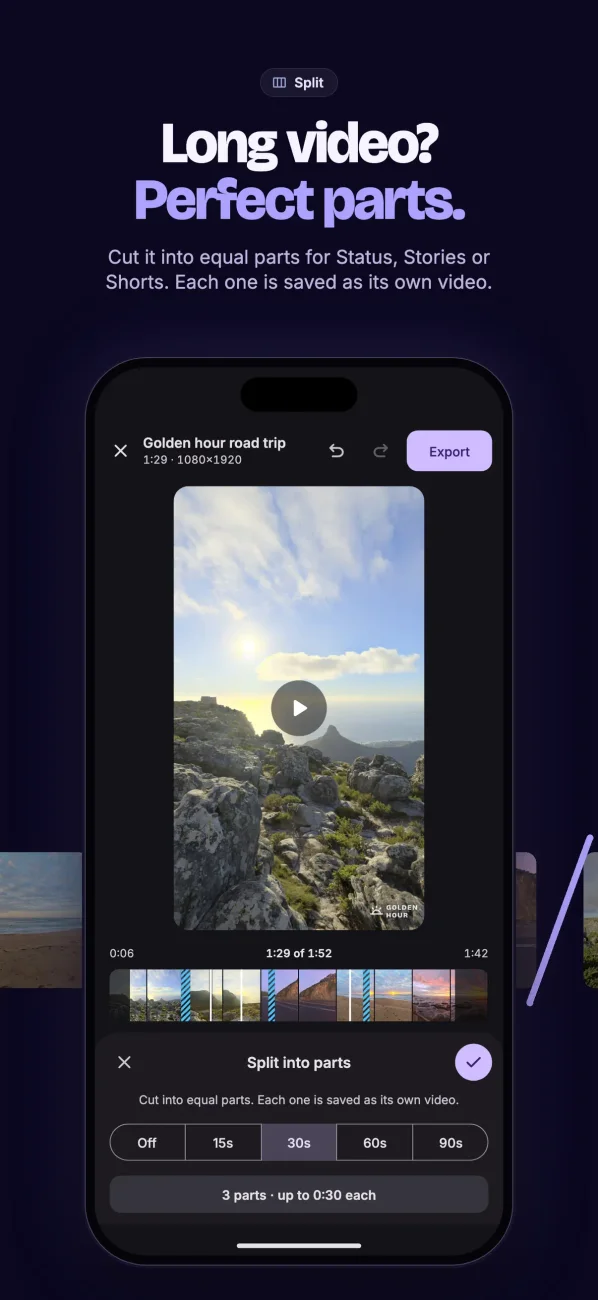
• Split: cut into equal parts, each saved as its own video
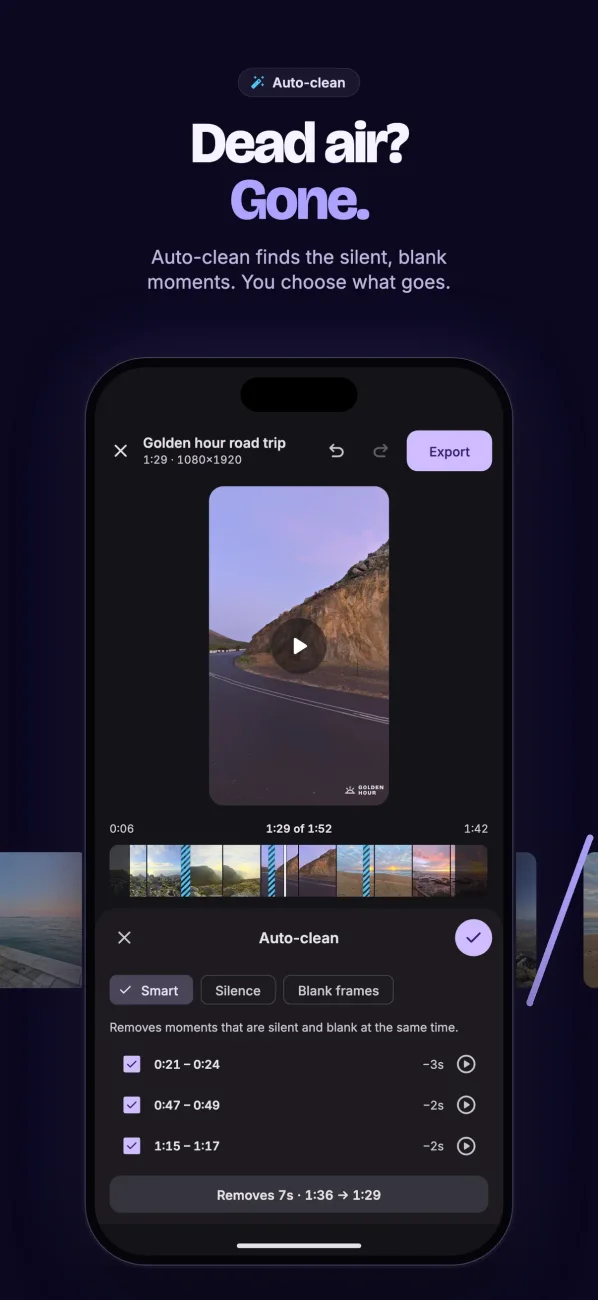
• Auto-clean: finds the silent, blank moments and lets you choose what goes
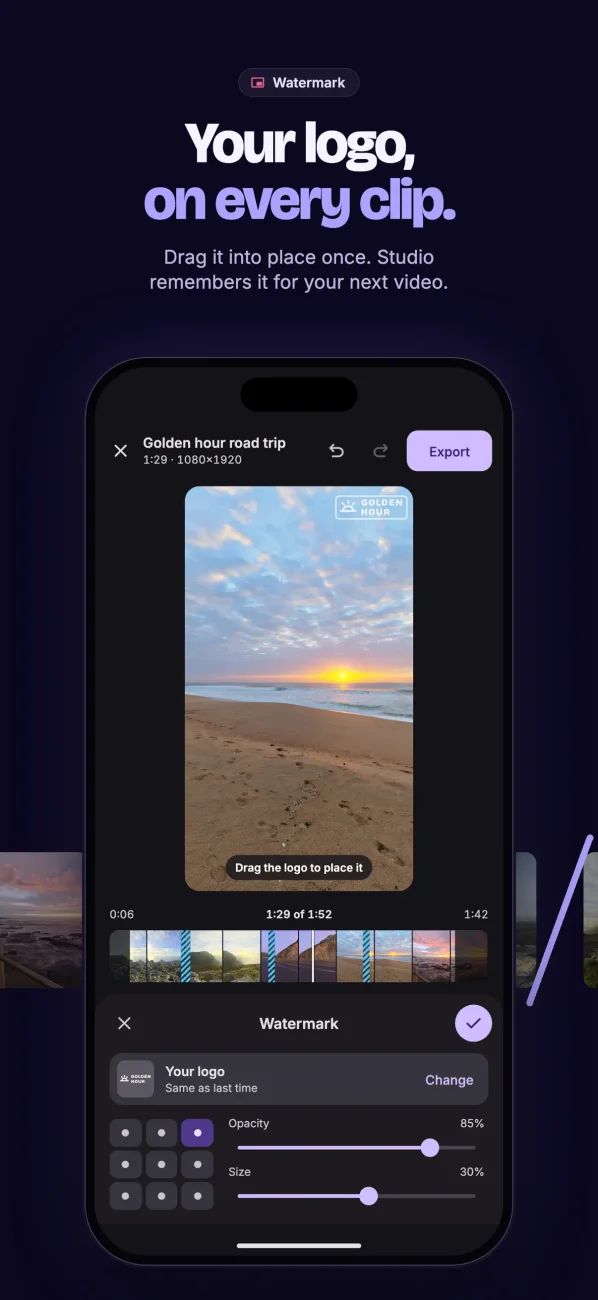
• Watermark: drag your logo into place; Studio remembers it for next time
• Audio: mute the video or swap in a music track, and hear it live
• Undo and redo anything, add more clips to merge, and save your steps as a recipe to reuse on the next video in one tap
Edits preview instantly and nothing is processed until you export. Then everything runs in a single pass: faster, with no quality lost between steps.
MADE FOR WHERE IT'S GOING
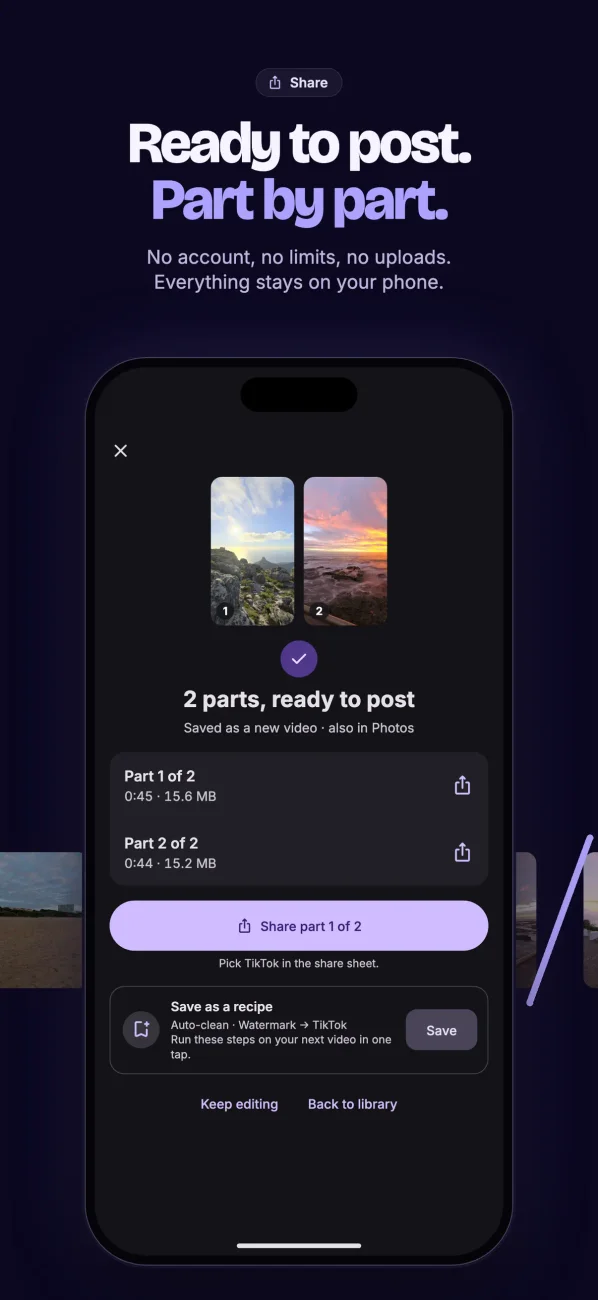
Pick the destination and Segmento sets the size, length and format: WhatsApp Status, Instagram Reels, TikTok, YouTube Shorts, email, best quality, smallest file, or audio only as MP3. Too long for the app you're posting
to? It's split into parts, so nothing gets cut. Then share them part by part.
MORE VIDEO TOOLS
• Record with the camera or import from Photos and Files
• Merge clips, reorder them and choose how different sizes fit together
• Save straight to Photos, or keep the original next to the edited version
TEXT, MADE SHAREABLE
• Split long text into posts that fit each platform's limit, breaking at paragraphs and sentences, never mid-word
• Scan text from photos, in many languages
• Turn text into styled images that are ready to post
PDF
• Fill in forms, add text and sign PDFs, page by page
BIG SCREENS
On iPad and iPhone Duo, Studio shows the video on one half and your tools on the other. Half-fold an iPhone Duo and the video stays on the top half while every control sits on the bottom half.
PRIVATE BY DESIGN
Your videos, texts and PDFs never leave your device. There's no account and no tracking, and every feature works offline.
FREE, NO LIMITS
Every feature is free, with no usage limits and no forced watermark on your exports. If Segmento saves you time, you can leave an optional one-time tip under Support Segmento in Settings. It unlocks nothing; it just keeps
the app going.
Available in English, Arabic, Chinese, French, German, Indonesian, Italian, Russian, Spanish and Turkish.
What’s new
Version 1.8.0 · Nov 9, 2026
Meet Studio, a new way to edit.
• Every video tool in one screen: trim, split, auto-clean, watermark and audio, with the video always in view
• Edits preview live and are processed together in one pass when you export, so it's faster and loses no quality between steps
• Export for where it's going: choose WhatsApp Status, Instagram Reels, TikTok, YouTube Shorts, email and more. Videos that are too long are split into parts automatically
• Auto-clean spots silent, blank moments as soon as you open a video
• Save your steps as a recipe and run them on your next video in one tap
• Add clips straight from the timeline to merge them
Built for big screens
• On iPad, the video and your tools sit side by side
• Made for iPhone Duo: half-fold it and edit on the bottom half while the video plays on top
• Designed for both landscape and portrait on iPad
Plus fixes and performance improvements.
App privacy
What BTECK declares on the App Store about how this app handles data.
-
Data not collected
The developer does not collect any data from this app.
Privacy practices may vary, for example with the features you use or your age.
Information
- Seller
- BMRTECKBUSINESS LLC
- Category
- Photo & Video
- Version
- 1.8.0
- Updated
- Nov 9, 2026
- Released
- Apr 20, 2026
- Size
- 148.1 MB
- Requires
- iOS 15.0 or later
- Age rating
- 12+
- Price
- Free
- In-app purchases
- Yes
- Languages
- English
- Copyright
- © 2026 BMRTECK
You might also like
-
 VueCutAI Video Editor & Captions
-
 BulkVid: Video CompressorBatch Shrink & Size Reducer
-
 SimpleCut VideoOne video to many clips
-
 Video Trimmer - Cut VideoMerge Video, Join & Edit Video
-
 Video Trimmer: Batch EditorMerge Clips & Capture Photos
-
 Video Compressor & Editor AppCompress, trim, crop
-
 VideoSplitr split long videosCut videos into parts
-
 VideoSplitter – Video CutterMultiple clips, one export
-
 Stretch VideoResize video freely
-
 Video Editor - ClipFlowLive Photo & Audio Editor