
Video Trimmer: Batch Editor
Merge Clips & Capture Photos
Designed for iPhone, iPad, iPod touch
Free · In-app purchases
- Age rating4+
- CategoryPhoto & Video
- DeveloperAli Umer
- LanguagesEnglish
- Size47.6 MB
Links to the official App Store page
Download.org hosts no file of Video Trimmer: Batch Editor. The button opens its official App Store page, published by Ali Umer. Listing last checked on Nov 18, 2026.
Screenshots
About
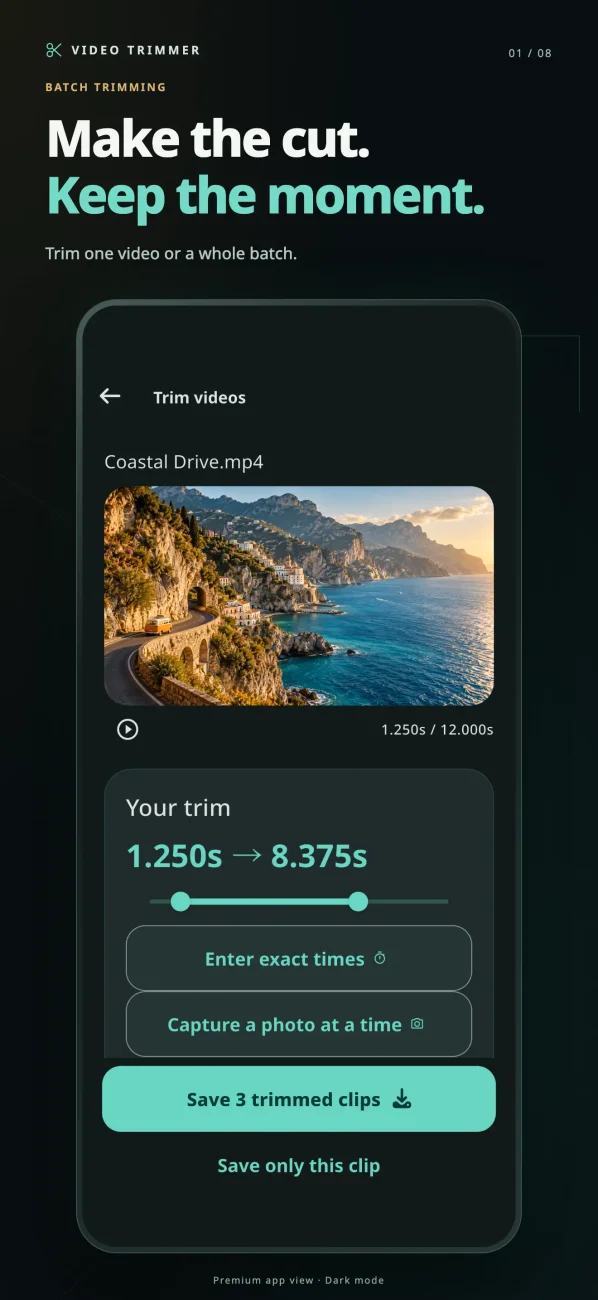
Trim one video or a whole batch, merge clips into one video, and capture photos from your favorite moments. Video Trimmer makes editing straightforward on iPhone and iPad, from import and preview to export and sharing.
TRIM ONE VIDEO OR A BATCH
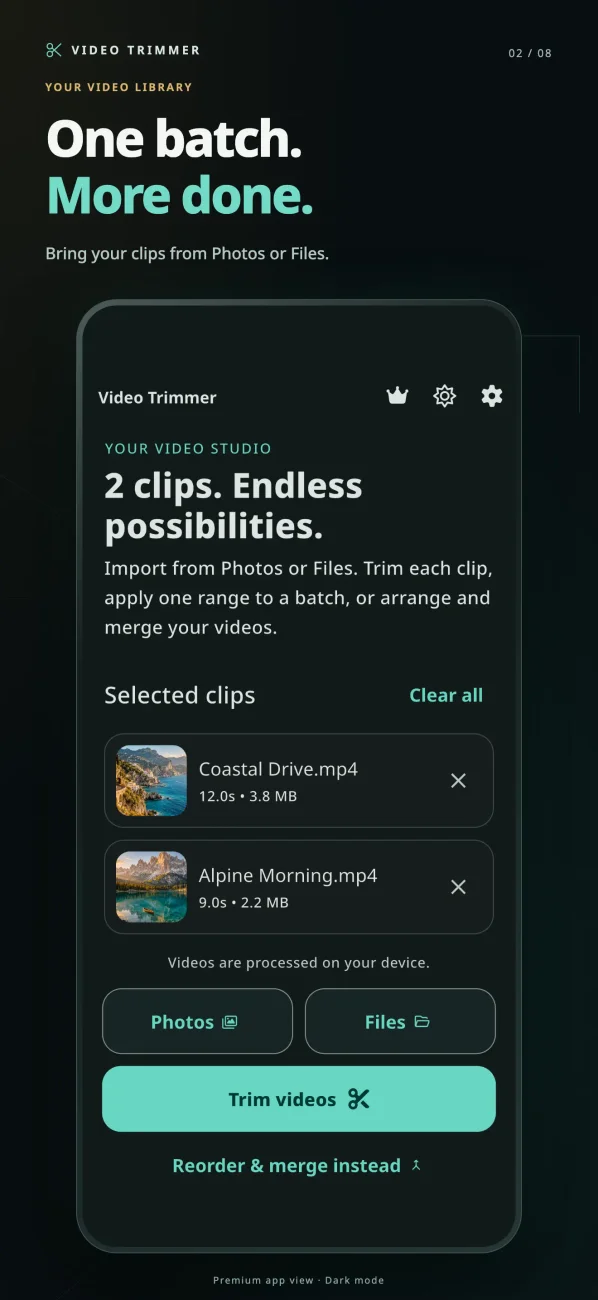
• Import videos from Photos or Files, including iCloud Drive.
• Choose a different trim for each clip, or apply one range to your batch.
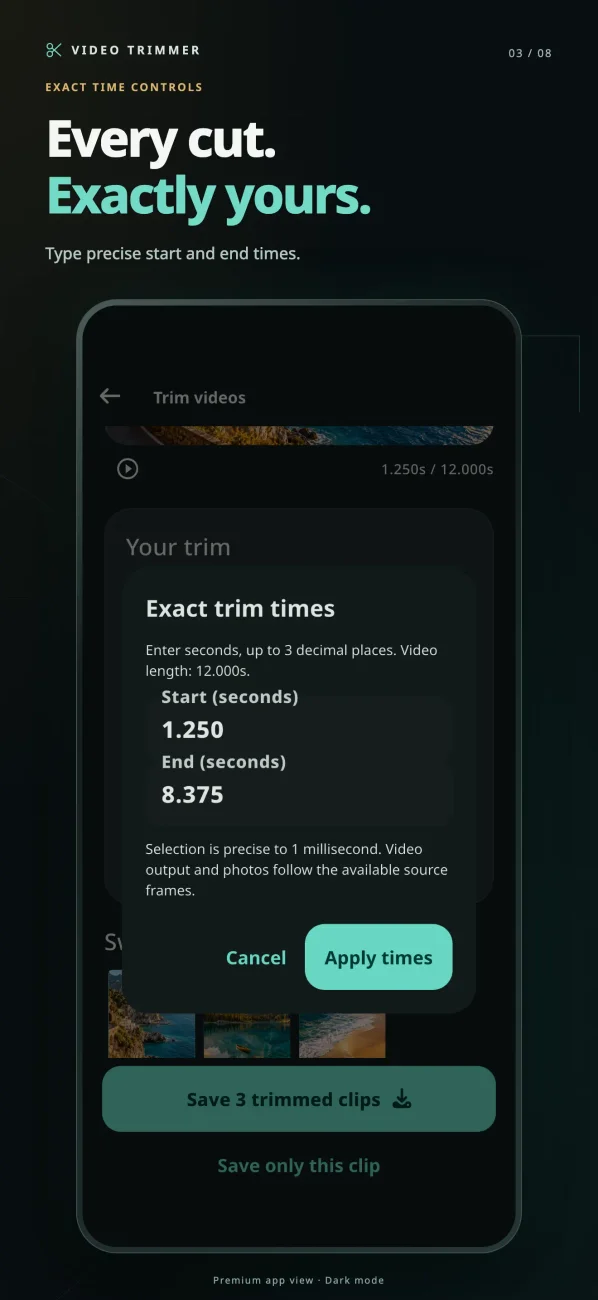
• Enter exact start and end times with millisecond controls.
• Preview your selection before exporting.
• Keep your original videos untouched.
TURN VIDEO MOMENTS INTO PHOTOS
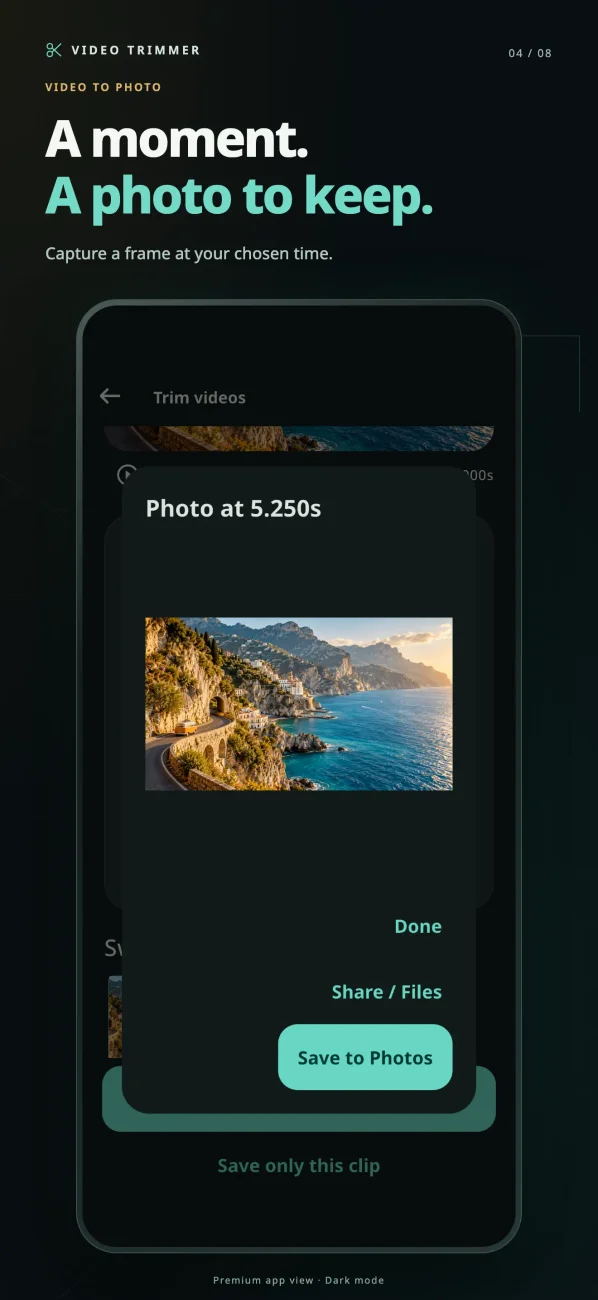
Choose a time in your video, capture a frame, then save the photo to Photos or share it. Ideal for keeping a favorite moment without taking a screenshot of the player.
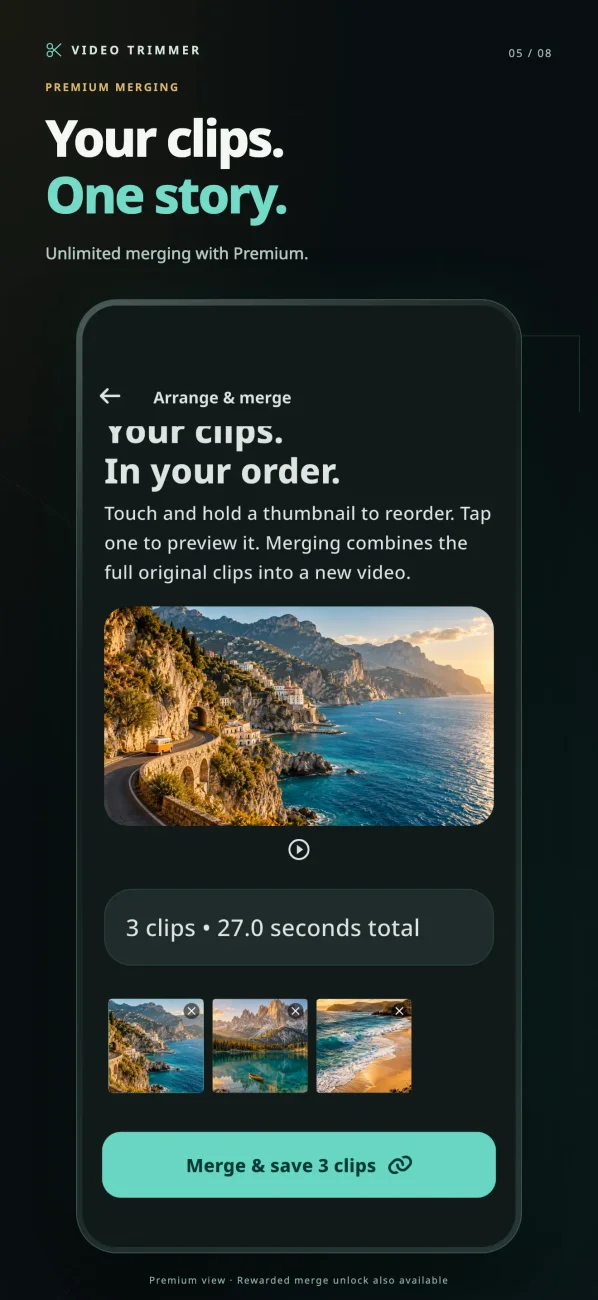
ARRANGE AND MERGE
Reorder your clips and combine them into one video. Premium includes unlimited merging. You can also finish a rewarded video ad to unlock one successful merge during your current app session.
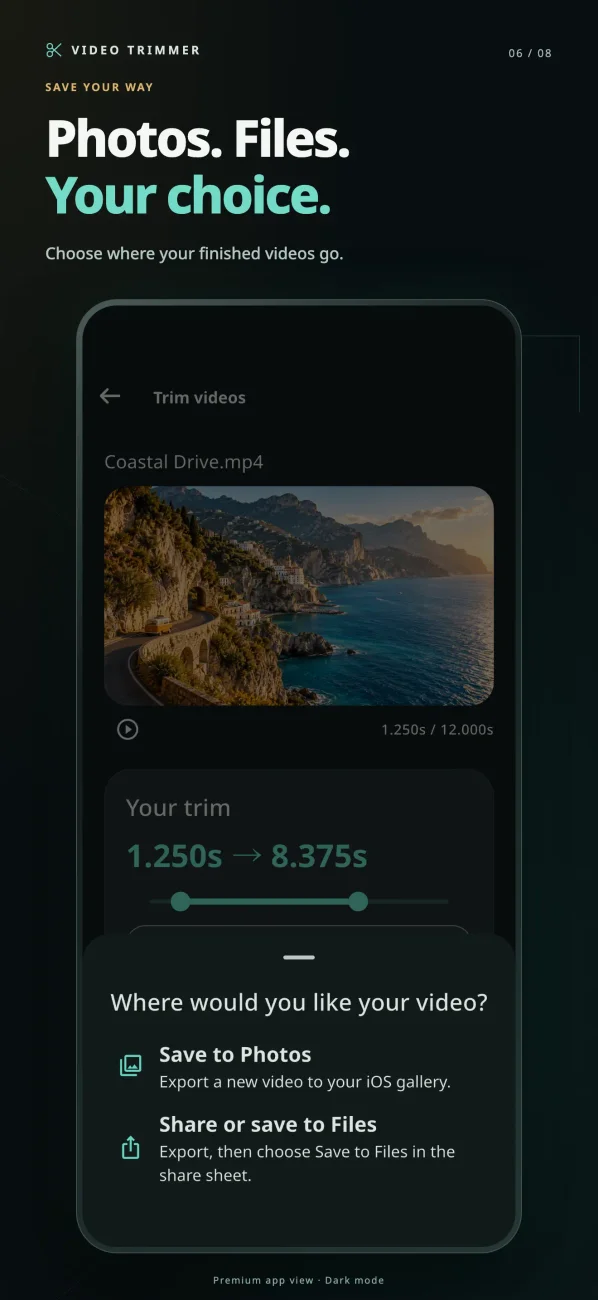
SAVE AND SHARE YOUR WAY
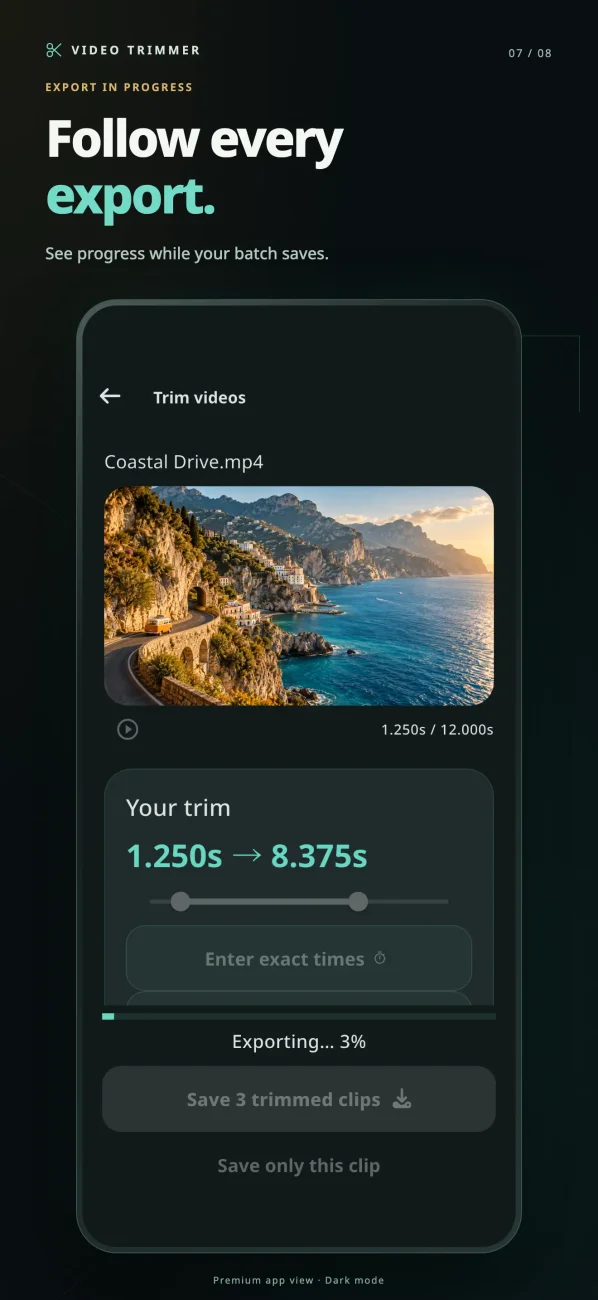
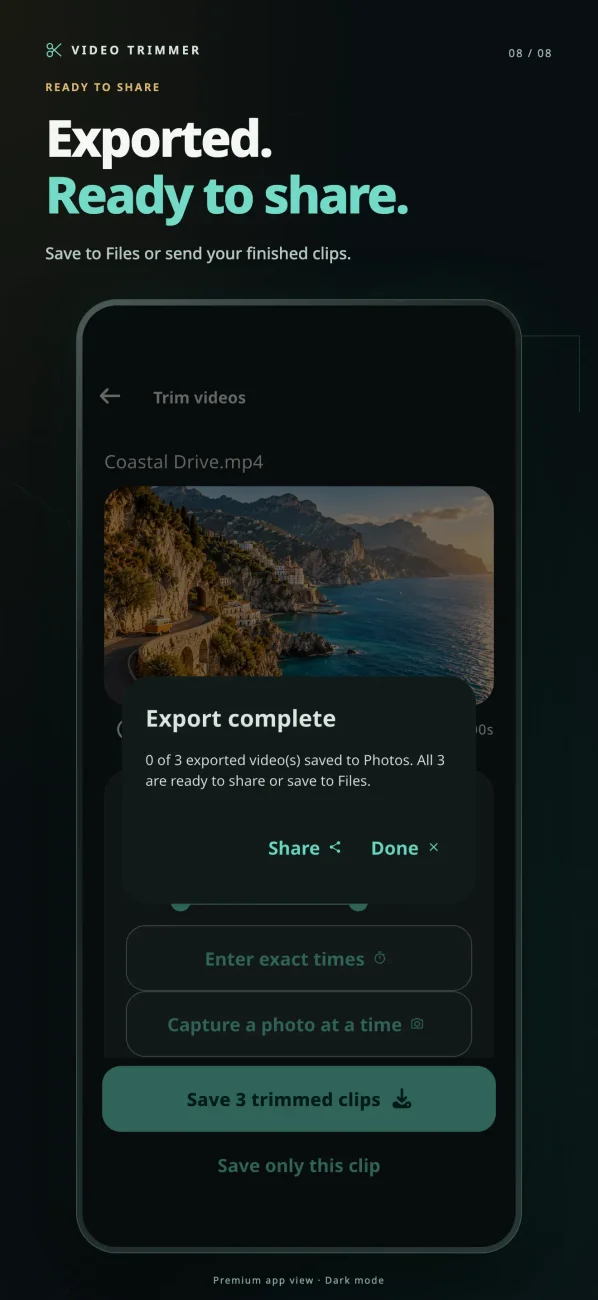
Follow the export progress, save to Photos, or use the share sheet to send your video or save it to Files. Exports have no added watermark.
EDIT ON YOUR DEVICE
Video processing takes place on your device. Enjoy a clear dark or light interface and a guided first edit that shows you the workflow using your own videos.
PREMIUM OPTIONS
Go premium for unlimited merging and an ad-free experience. Subscription and lifetime options are shown in the app where available. Rewarded ads and purchases require an internet connection.
Trim controls accept milliseconds; exported video and captured photos follow the frames available in the source video.
Privacy Policy: https://owlspeak.web.app/privacy
Terms of Use: https://owlspeak.web.app/terms
What’s new
Version 3.1 · Oct 17, 2026
• Pause, resume or cancel trimming and merging.
• Keep completed clips when cancelling a batch.
• Trim more precisely and capture photos from your videos.
• Updated dark theme and a refreshed glass scissors icon.
• Improved onboarding, premium options and ad experience.
• Bug fixes, performance improvements and iOS 27 support.
App privacy
What Ali Umer declares on the App Store about how this app handles data.
-
Data used to track you
May be used to track you across apps and websites owned by other companies.
- Other data
-
Data linked to you
May be collected and linked to your identity.
- Other data
Privacy practices may vary, for example with the features you use or your age.
Information
- Seller
- Ali Umer
- Category
- Photo & Video
- Version
- 3.1
- Updated
- Oct 17, 2026
- Released
- May 4, 2025
- Size
- 47.6 MB
- Requires
- iOS 15.0 or later
- Age rating
- 4+
- Price
- Free
- In-app purchases
- Yes
- Languages
- English
- Copyright
- © 2025 OwlSpeak Inc.
You might also like
-
 Video Trimmer - Cut VideoMerge Video, Join & Edit Video
-
 ViLine Video EditorStabilizator, Noise Reduction
-
 VTrimmer - Trim Video EditorTrim Video to the Exact Second
-
 Video Cutter – Trim & SplitEasy Video Editor & Crop Tool
-
 Video Cutter: Trim and Merge#1 Video Editing App
-
 Video - Crop & Trim EditorPhoto & Video
-
 Trim & Cut Videos video editorClip Trimmer cutter Speed Crop
-
 Video Joiner & TrimmerEasy video editor app
-
 Video Cut - Video EditorTrim video & Text on video
-
 Video Crop - Resize VideoChange Video Aspect Ratio