Sensory Scribe
Instant text transcription
Designed for iPhone, iPad
In-app purchases
- Age rating4+
- CategoryEducation
- DeveloperSensory App House Ltd
- LanguagesEnglish
- Size3.4 MB
Links to the official App Store page
Download.org hosts no file of Sensory Scribe. The button opens its official App Store page, published by Sensory App House Ltd. Listing last checked on Nov 12, 2026.
Screenshots


About
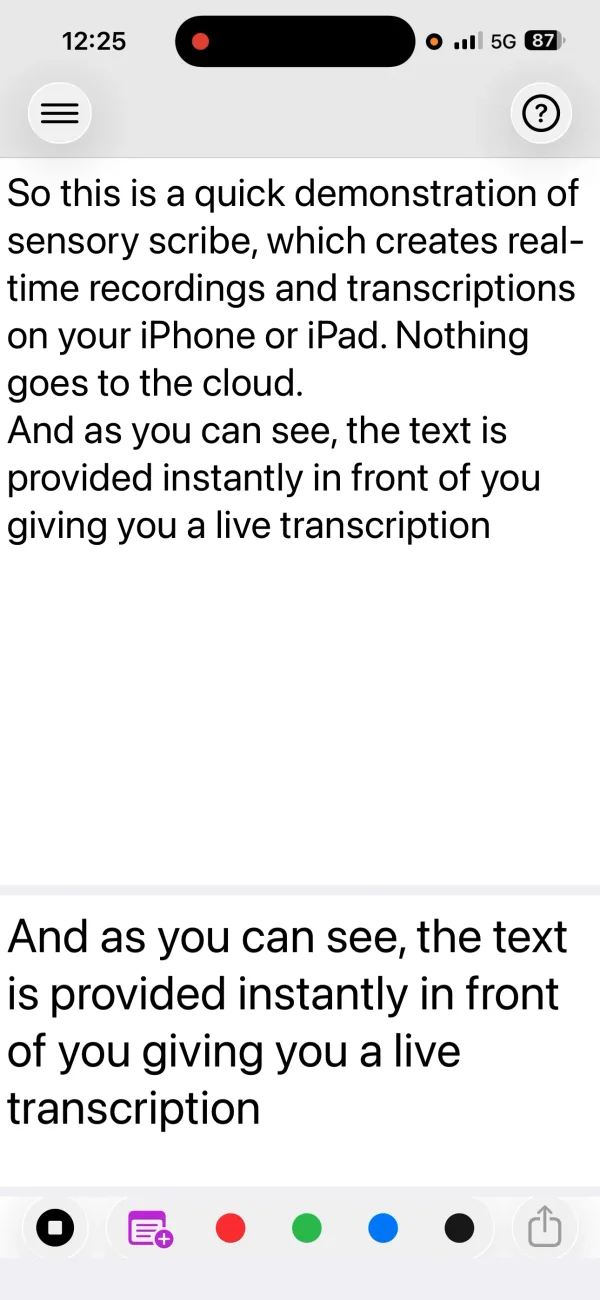
Sensory Scribe is here to help you out with a handy recording and instant text transcription tool. Sensory Scribe captures text live from the audio recording and you can use it even when you’re offline or phone is in Airplane mode. Storing the original recording of a live meeting, event, medical appointment or lecture as an audio file is always a good idea. And having an instant transcription of the whole event is helpful for students, employees, family and customers alike. A great new accessibility app. External iPad or iPhone microphone recommended for recording at a distance.
Sensory Scribe Mobile turns your iPhone or iPad into a live transcription tool. Record speech, see your words appear in real time, and annotate important moments with color-coded markers -- all processed on your device with no internet connection required. A great new accessibility and productivity app.
REAL-TIME LOCAL TRANSCRIPTION
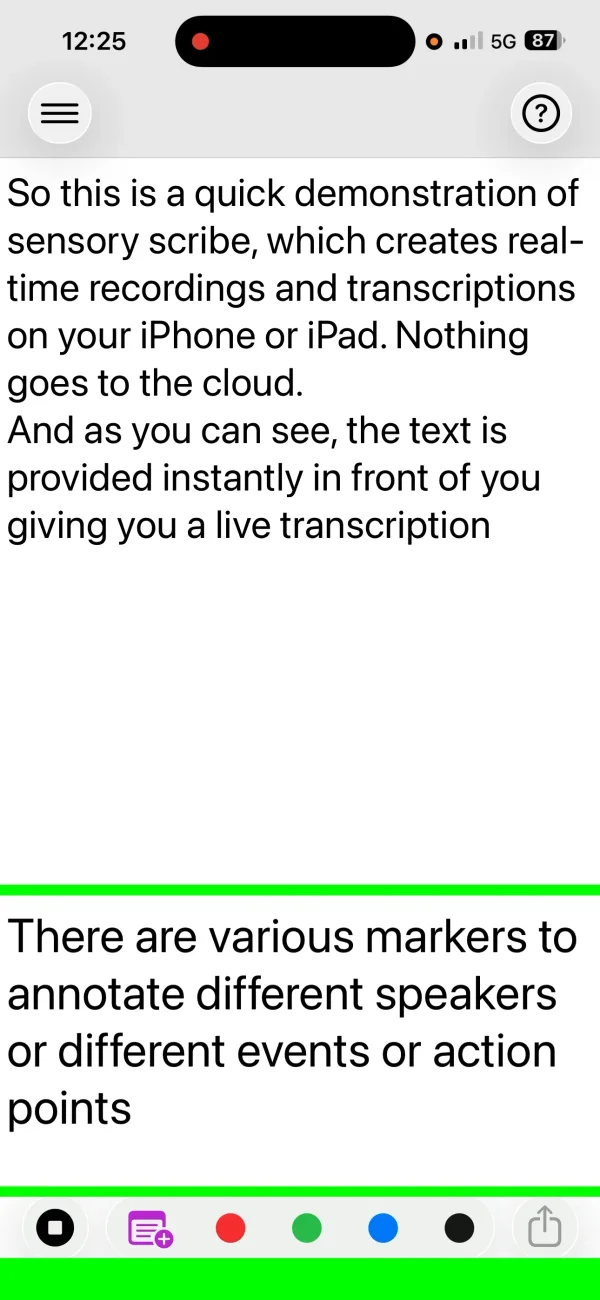
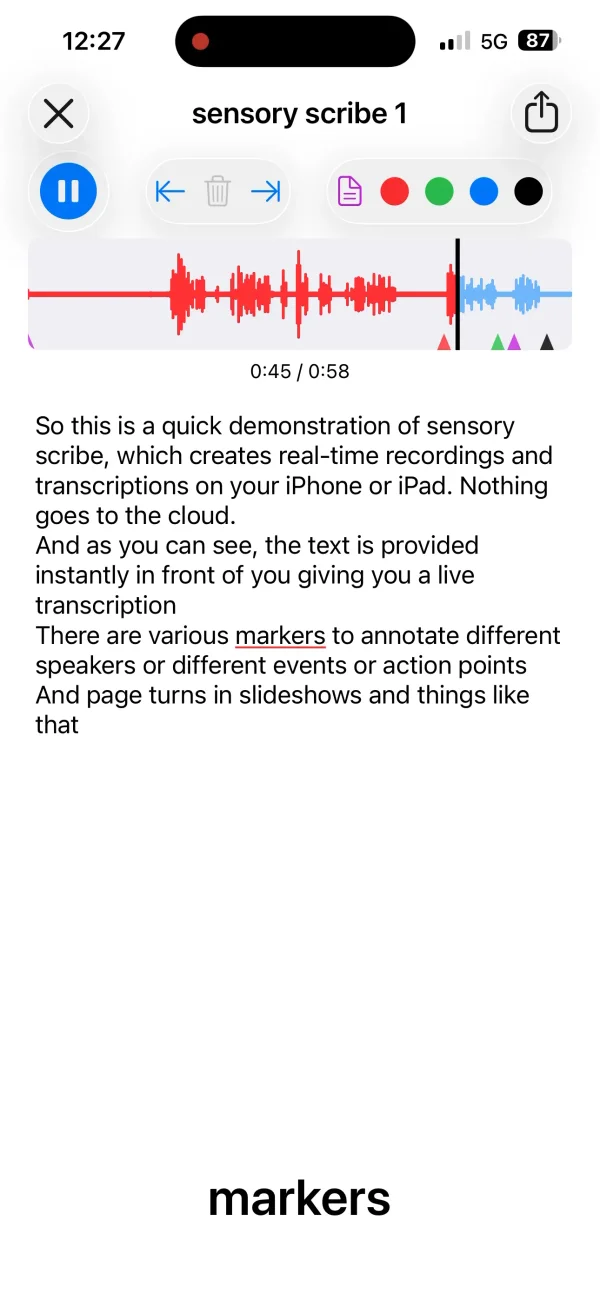
Tap record and start speaking. Sensory Scribe Mobile captures audio and performs speech recognition simultaneously, displaying words as they are spoken by any speaker in range. A dual-view display shows finalized text in the main area and live recognition results below, so you always see exactly what is being captured. You can look back at the history of the transcription whilst the recording continues.
COLOR-CODED MARKERS
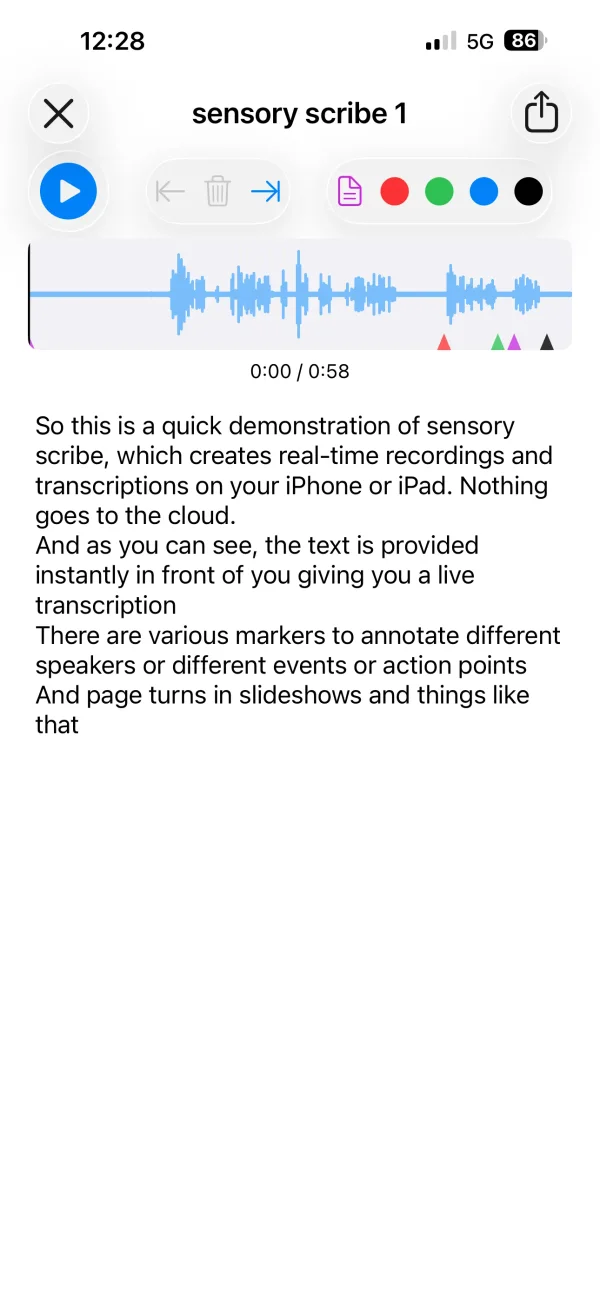
Five marker types -- Page (purple), Red, Green, Blue, and Black -- let you tag moments during recording with a single tap. Use them however you like: section breaks, action items, urgent flags, questions, speaker changes or general annotations. Each marker is saved with a precise timestamp.
SYNCHRONIZED PLAYBACK
Review any individual recording with a visual waveform display (in app purchase option). Words highlight in sync with the audio as it plays. Colored marker indicators appear directly on the waveform, and Previous/Next buttons let you jump between markers instantly. Add, edit, or delete markers during playback to refine your annotations.
RECORDING MANAGEMENT
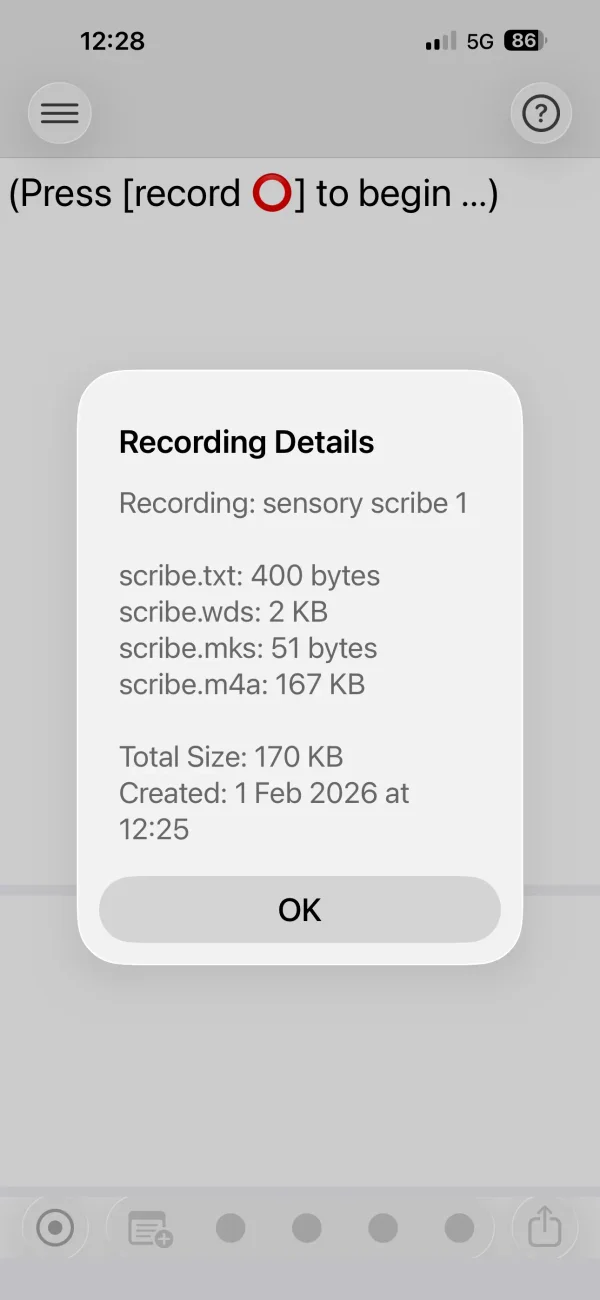
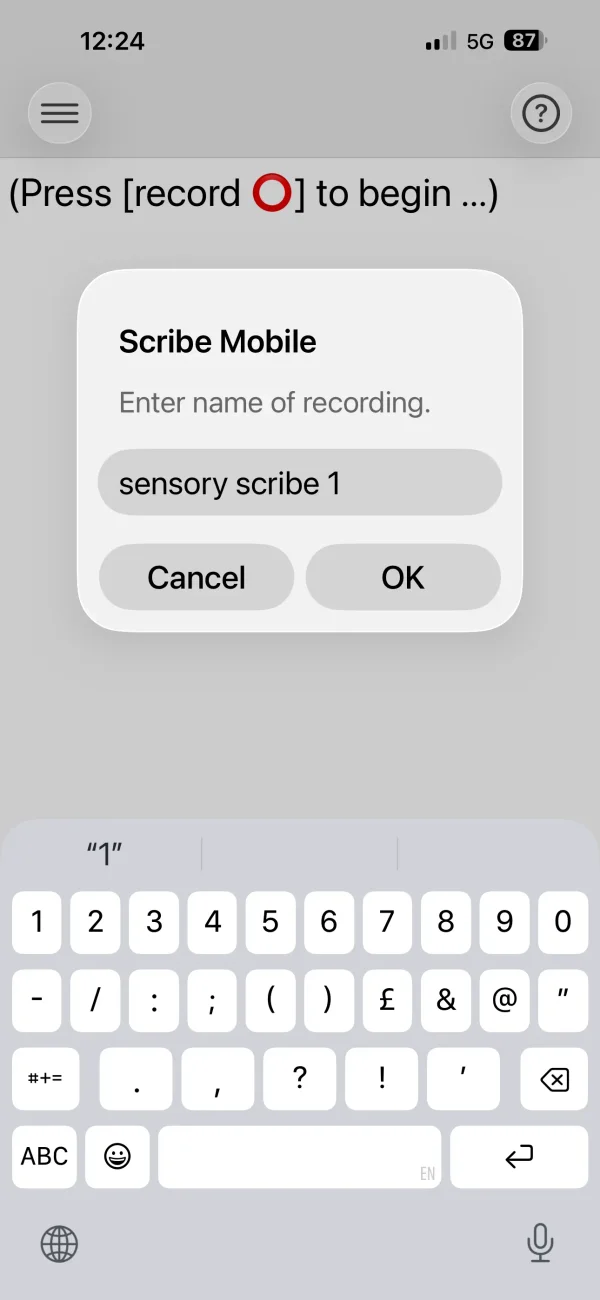
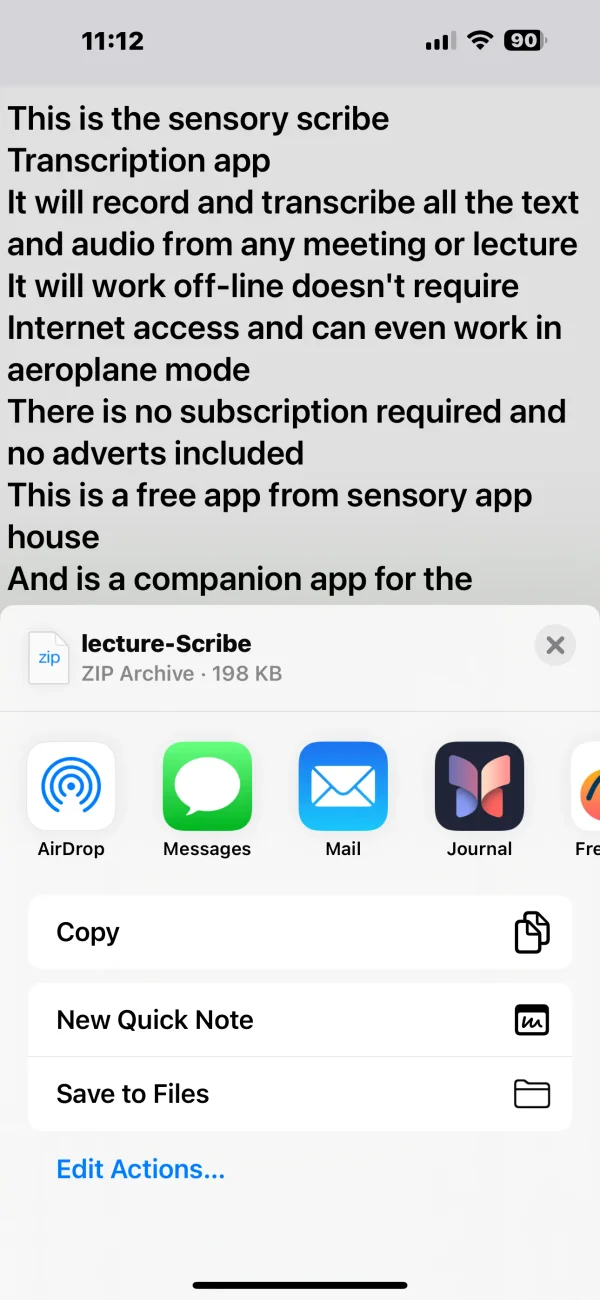
Save recordings with custom names. Duplicate recordings for separate annotation passes. Share complete recordings -- audio, transcript, word timing data, and markers -- as a single ZIP archive via AirDrop, Mail, Messages, or any other sharing method. Review any individual recording with a visual waveform display (in app purchase option).
PRIVATE BY DESIGN
All speech recognition runs entirely on your device. No audio, text, or personal data is sent to any external server. No internet connection is required for recording or transcription. Your recordings are yours alone.
BUILT FOR
- Meeting recording and instant transcription with decision and action item tracking
- Lecture capture with concept tagging for study review
- Interview recording with real-time quote highlighting
- Personal note-taking for ideas, observations, and voice memos
- Field research documentation with categorized annotations
Requires iOS 16.6 or later. Works on iPhone and iPad.
Sensory Scribe creates a zip file containing the audio file and text transcription, so you can save in the cloud or share. The marker option allows you to tag important points such as change of speakers or actions. If you import that Scribe .zip file into Sensory Scribe for Windows, you can see the markers, the full audio and text transcription for further review.
Sensory Scribe doesnt require an account to be created, no login needed and no adverts included. Optional in-app purchase to unlock individual audio recording and transcription review within the app.
To review or share the individual audio and text files, open your Files app, unzip the recording zip file and open the individual audio or text file. External iPad or iPhone microphone recommended for recording at a distance.
What’s new
Version 2.11 · Feb 14, 2026
Updated for in-app purchase to be active, unlocking the detailed Playback review function with a single in app fee.
App privacy
What Sensory App House Ltd declares on the App Store about how this app handles data.
-
Data not collected
The developer does not collect any data from this app.
Privacy practices may vary, for example with the features you use or your age.
Information
- Seller
- Sensory App House Ltd
- Category
- Education
- Version
- 2.11
- Updated
- Feb 14, 2026
- Released
- Apr 20, 2025
- Size
- 3.4 MB
- Requires
- iOS 16.6 or later
- Age rating
- 4+
- In-app purchases
- Yes
- Languages
- English
- Copyright
- © Sensory App House Ltd