- Age rating4+
- CategoryEducation
- DeveloperAdam Pickard
- LanguagesEnglish
- Size1.2 MB
Links to the official App Store page
Download.org hosts no file of StudyCog. The button opens its official App Store page, published by Adam Pickard. Listing last checked on Nov 12, 2026.
Screenshots

About
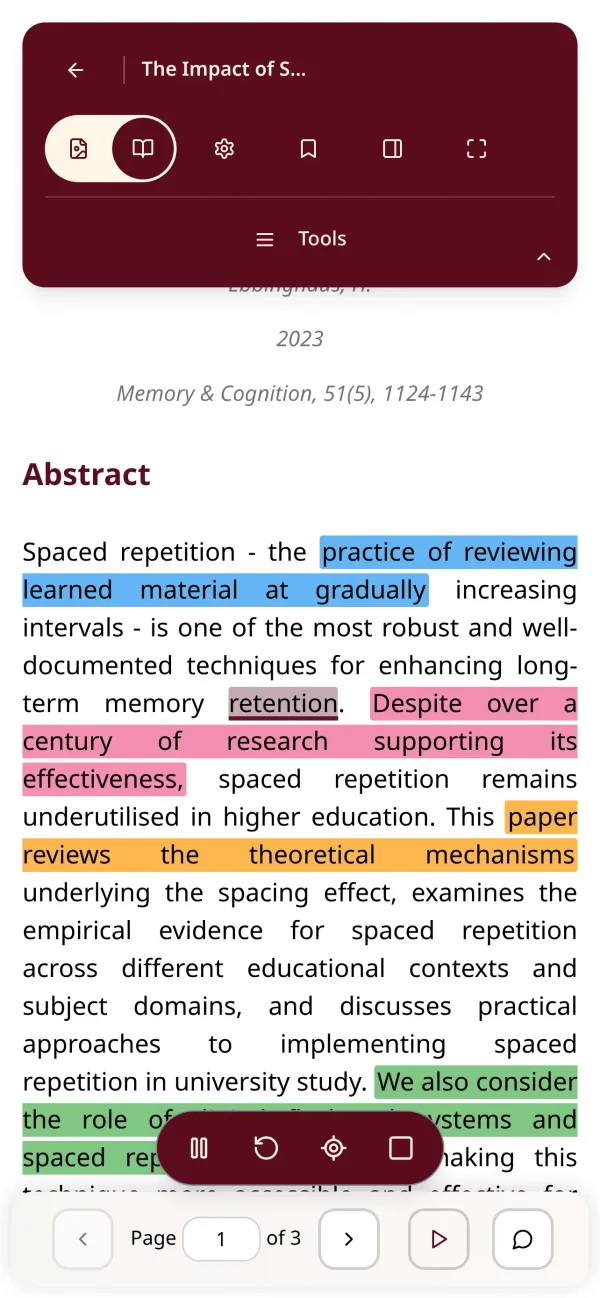
StudyCog turns university reading into something you can actually get through - listen to any document with natural voices, make sense of dense papers, and keep your highlights, notes and sources together in one accessible place.
Built for students who think differently - including dyslexia, ADHD and visual stress - StudyCog is the same study space on iPhone, iPad, Mac and the web, always in sync.
READ AND LISTEN
- Upload PDFs, Word documents, screenshots or photos of handouts
- An Easy-to-Read view rebuilds cluttered pages into clean, readable text
- Natural read-aloud voices highlight each word as they speak
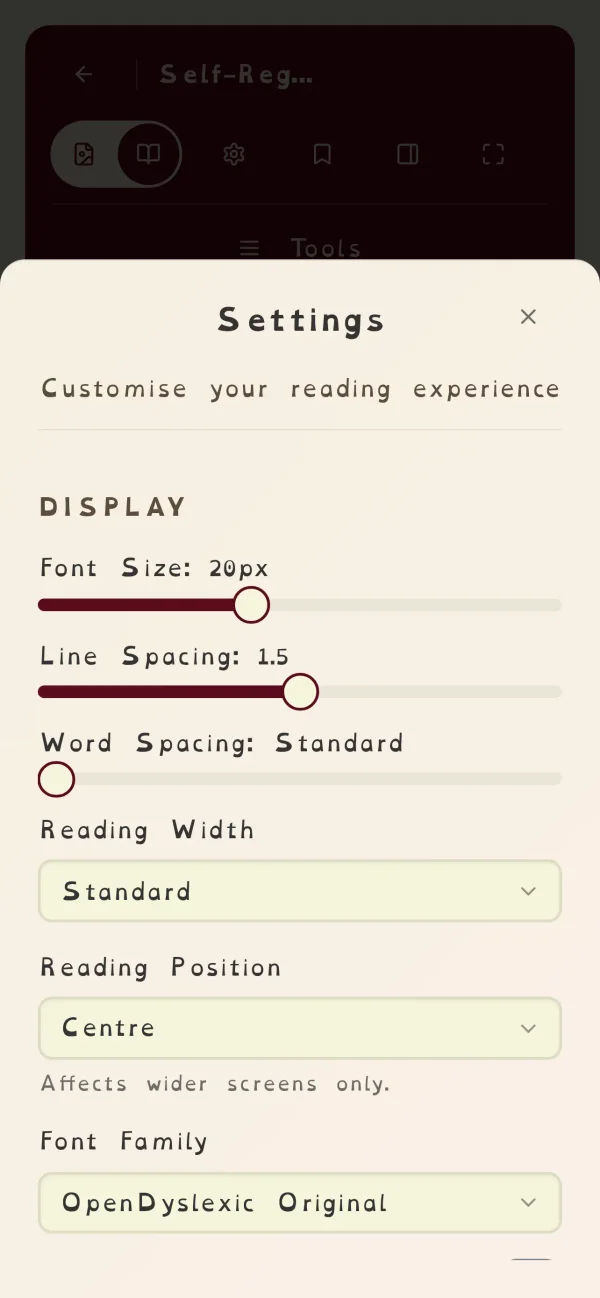
- Fixation reading, dyslexia-friendly fonts, your own colour schemes and text sizes throughout
UNDERSTAND FASTER
- Ask questions about a document and get answers drawn from that document
- Simplify or summarise long readings into plainer English
- Turn readings into podcast-style audio for listening on the go
CAPTURE FROM SAFARI
- The included Safari extension saves selected text or a snapshot of any page straight into your library
- On iPhone and iPad, share text or images to StudyCog from any app with the share sheet
- Every capture keeps its source link for honest referencing
KEEP TRACK
- Highlights, text notes and voice notes attached to the exact sentence
- Find academic sources and build citations in the style your course expects
- Assignments, drafts and feedback in one place
ACCESSIBLE FIRST
Designed to WCAG 2.2 AA - works with VoiceOver and keyboard navigation, with fonts, spacing, colours and reading aids you can tune to suit you.
GETTING IN
Sign in with your StudyCog account. Many students receive StudyCog through their Disabled Students' Allowance (DSA) supplier or their university, and you can start a free trial in the app. There is nothing to buy inside the app.
Support: https://studycog.co.uk/support
Privacy: https://studycog.co.uk/privacy
App privacy
What Adam Pickard declares on the App Store about how this app handles data.
-
Data linked to you
May be collected and linked to your identity.
- Contact info
- User content
- Identifiers
- Usage data
- Diagnostics
Privacy practices may vary, for example with the features you use or your age.
Information
- Seller
- Adam Pickard
- Category
- Education
- Version
- 1.1
- Updated
- Sep 1, 2026
- Released
- Aug 30, 2026
- Size
- 1.2 MB
- Requires
- iOS 16.4 or later
- Age rating
- 4+
- Languages
- English
- Copyright
- © 2026 ThinkCog Ltd