- Age rating4+
- CategoryLifestyle
- DeveloperRYOTA HASHIMOTO
- LanguagesEnglish+ 1 more
- Size19.4 MB
Links to the official App Store page
Download.org hosts no file of Simple Repeat Alarm. The button opens its official App Store page, published by RYOTA HASHIMOTO. Listing last checked on Nov 22, 2026.
Screenshots

About
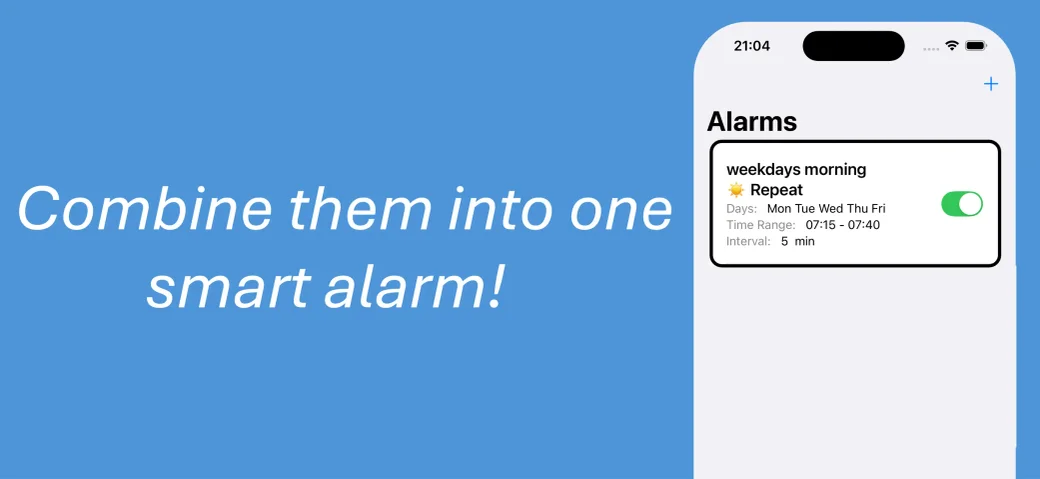
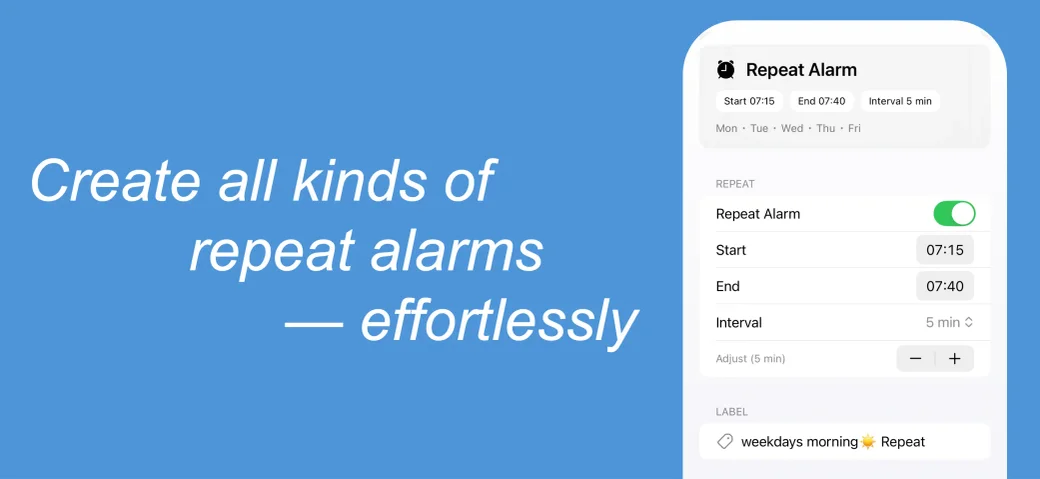
Repeat Alarm removes the hassle of creating many alarms 5 minutes apart. With one repeat alarm you can set a start time, end time, and interval to automatically fire within a time window. You can also create standard one-off alarms. Designed for clarity and speed, the app keeps your alarm list tidy while giving you the flexibility of repeating alarms and interval alarms.
=== Highlights ===
Repeat alarm within a time window: set Start, End, and Interval (for example 5 to 120 minutes) and let it ring automatically in that range.
Weekday selection: choose any combination of days (weekdays only, weekends only, custom).
Standard alarms: create simple one-time alarms with the same smooth workflow.
Vibrate only option: notify by vibration without sound (behavior depends on device settings).
Sound selection: pick a tone you like for normal alarms.
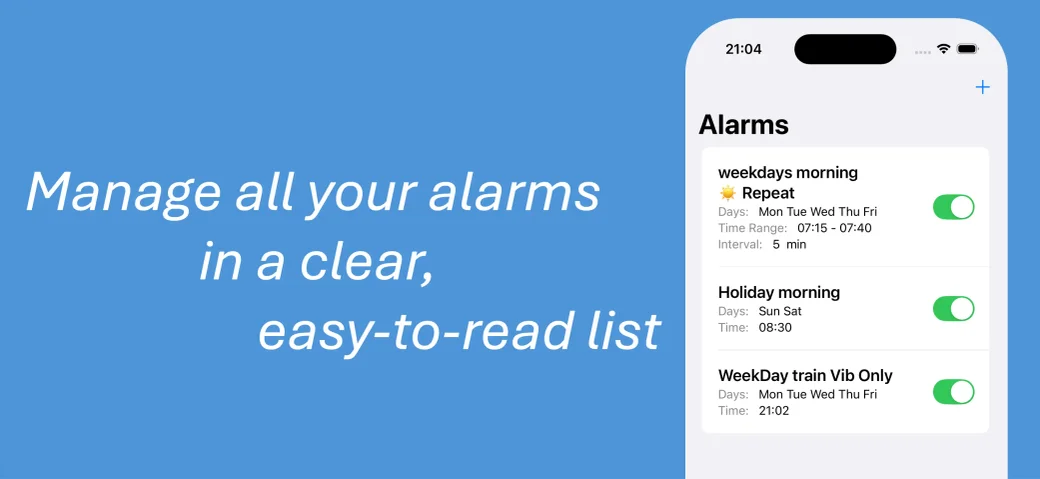
Clean list view: see label, days, time range, and interval at a glance; toggle on or off instantly.
Intuitive editing: switch between repeat alarm and normal alarm and adjust parameters with minimal taps.
Localization: Japanese and English. English weekdays use short labels (Sun, Mon, Tue, Wed, Thu, Fri, Sat).
=== Use cases ===
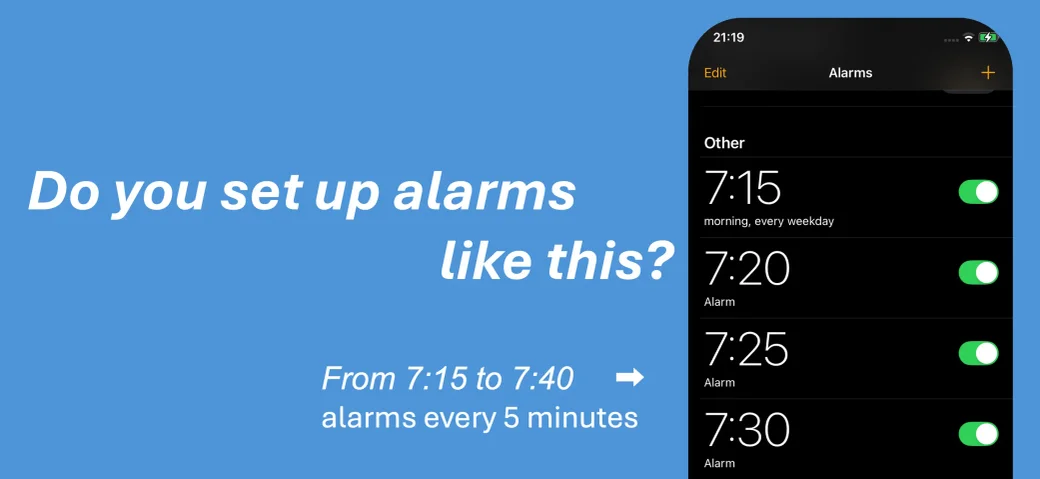
Wake up: 7:00 to 7:30 at a 5 minute interval to prevent oversleeping.
Study or work: Pomodoro style with 25 minutes focus + 5 minutes break using a repeating alarm.
Exercise and stretching: periodic reminders at a fixed interval.
Hydration and chores: repeating notifications throughout the day to build habits.
=== Why it helps ===
Traditionally you might create 6 separate alarms at 5 minute steps. With Repeat Alarm, you define one repeat alarm with Start, End, and Interval to achieve the same behavior. Creation, editing, and deletion all happen in one place, so there is less clutter, fewer mistakes, and faster adjustments. Your schedule stays clear and easy to manage.
=== How it works ===
Choose repeat alarm or standard alarm.
For a repeat alarm, set Start, End, and the Interval. The app schedules notifications at every interval within the time window on the selected weekdays.
For a standard alarm, set a single time and optional repeat days.
Turn alarms on or off from the list; swipe to delete; tap to edit.
=== FAQ ===
Q. Can I use vibration only without sound?
A. Yes. Enable Vibrate Only. Actual vibration behavior depends on the device Sound and Haptics settings.
Q. Will it notify in the background?
A. Yes. The app uses local notifications. Make sure notifications are allowed in system settings.
Q. Does the interval alarm support different languages or weekday styles?
A. Yes. The app supports Japanese and English. In English we show short weekday labels (Sun, Mon, Tue, Wed, Thu, Fri, Sat) to keep the layout compact.
=== Notes ===
Notification sounds must follow iOS limitations. Vibration and sound behavior depend on device settings.
What’s new
Version 1.10 · Oct 26, 2026
- Fixed an issue where alarms might not ring on iOS 26.1 or later when alarm permission was not allowed.
- Fixed repeats that cross midnight (for example 23:30 to 0:30) not ringing.
- Ads now stay at the bottom of the screen so they don't get in the way of your alarms.
- Simplified the permission prompts at first launch.
- Added links to reviews, support and the privacy policy in App Info.
App privacy
What RYOTA HASHIMOTO declares on the App Store about how this app handles data.
-
Data used to track you
May be used to track you across apps and websites owned by other companies.
- Identifiers
-
Data linked to you
May be collected and linked to your identity.
- Location
- Identifiers
- Usage data
-
Data not linked to you
May be collected but is not linked to your identity.
- Diagnostics
Privacy practices may vary, for example with the features you use or your age.
Information
- Seller
- RYOTA HASHIMOTO
- Category
- Lifestyle
- Version
- 1.10
- Updated
- Oct 26, 2026
- Released
- Sep 9, 2025
- Size
- 19.4 MB
- Requires
- iOS 17.6 or later
- Age rating
- 4+
- Price
- Free
- Languages
- English, Japanese
- Copyright
- © Ryota Hashimoto
You might also like
-
 Simple Alarm Clock-Smart WakeSimple Alarm Clock-Smart Wake
-
 RemindClock-Repeat Rules ClockCustom Sounds & Repeat Rules
-
 Alarm Clock Xtreme & TimerSmart Alarm, Timer & Sleep
-
 Vibration Alarm Clock & TimerVibration-only Alarm & Timer
-
 Vibrating Alarm Clock & TimerQuiet Alerts with Vibration
-
 Alarm - Smart Clock AlarmifySmart ALARM & Wake Up Missions
-
 Hourly Chime - hourly reminderhourly voice alarm clock
-
 Alarm ®Alarm Clock for Heavy Sleepers
-
 Alarm & TimerSimple, Easy-to-Use Clock
-
 SuperAlarm - Loud Alarm ClockWake Up Heavy Sleepers, Snooze