
SiteNotes — Construction Log
Voice logs + inspection PDFs
Designed for iPhone
Free
- Age rating4+
- CategoryBusiness
- DeveloperBanruo Yang
- LanguagesEnglish+ 1 more
- Size6.9 MB
Links to the official App Store page
Download.org hosts no file of SiteNotes — Construction Log. The button opens its official App Store page, published by Banruo Yang. Listing last checked on Nov 12, 2026.
Screenshots


About
SiteNotes is the fastest way to document a construction site, whether you're the foreman writing the daily diary or the engineer signing off the
inspection report.
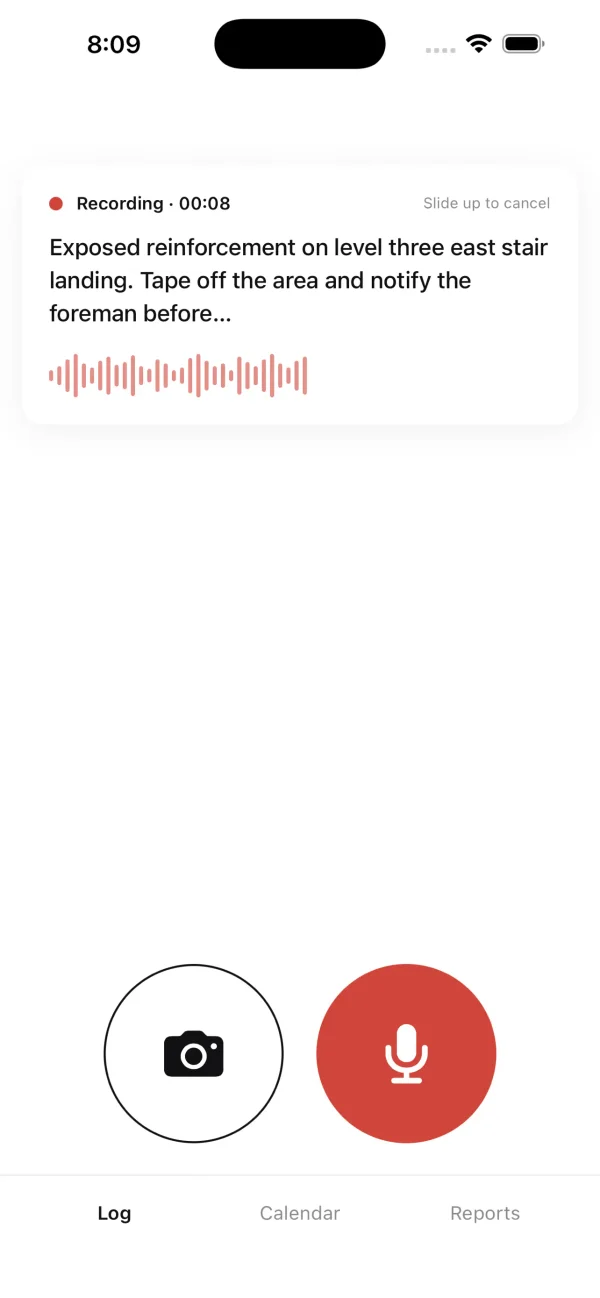
Long-press the mic, talk for ten seconds, and the app does the rest. No typing on a wet glove. No login. No monthly subscription.
TWO ROLES, ONE APP
Pick your role on first launch — the home screen, AI focus and PDF template all adapt to what you actually do.
SITE TEAM MODE — for foremen, project managers, builders and supervisors
- Voice-dictate site notes one-handed; auto-classified into hazards, completed work and daily diary entries.
- GPS auto-detects the nearest jobsite, so logs land on the right project.
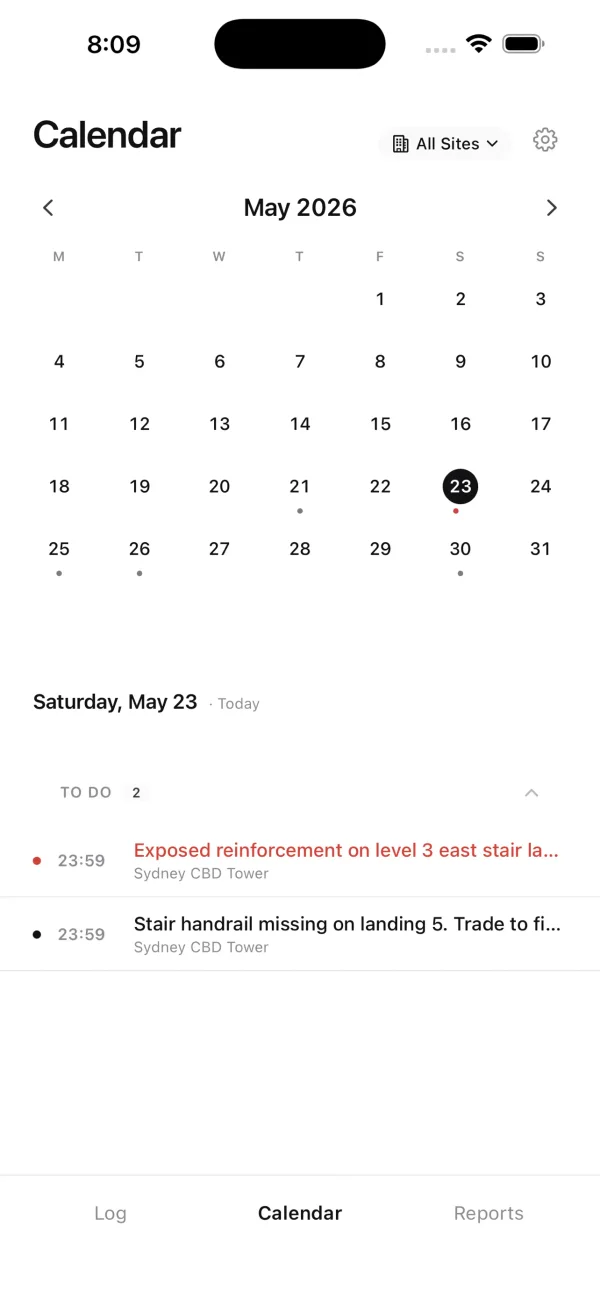
- Calendar view with overdue + today's tasks pushed front-and-centre.
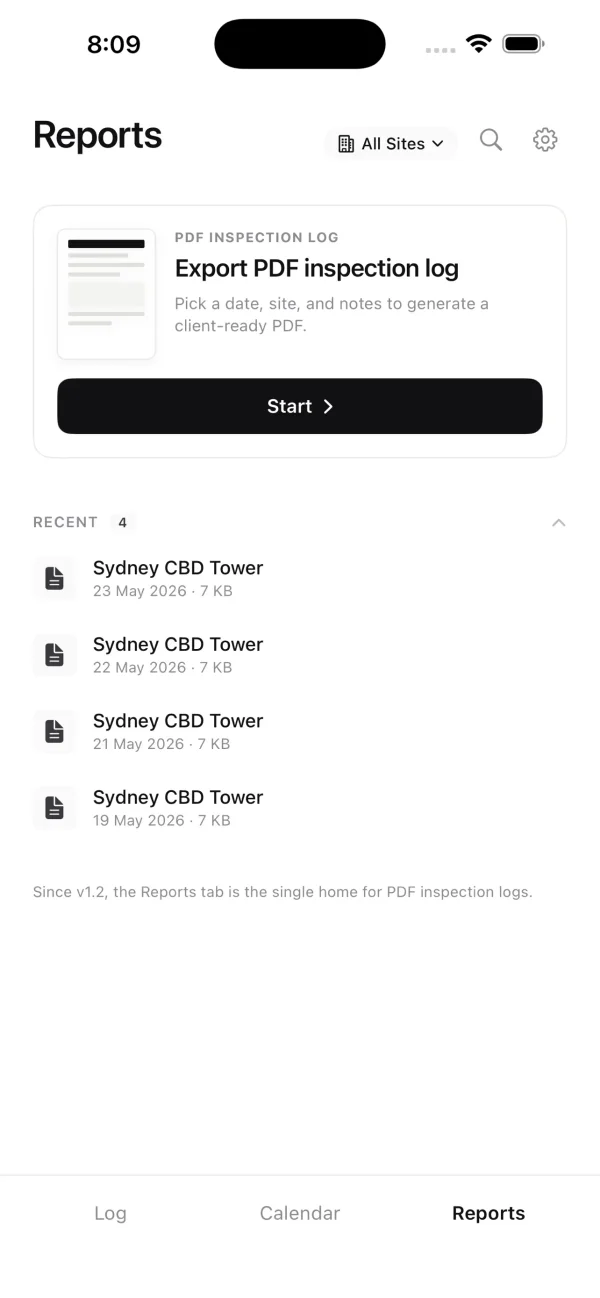
- Export a polished Daily Site Diary PDF for the client, head office or principal contractor in one tap.
- Optional team collaboration via Apple's CloudKit Sharing — assign sites to crew members; member logs flow back to the head's device.
ENGINEER MODE — for inspectors, QA engineers, building certifiers
- Inspection sessions (not loose notes): start a visit, dictate findings, finish — every note auto-bundles into one signed report.
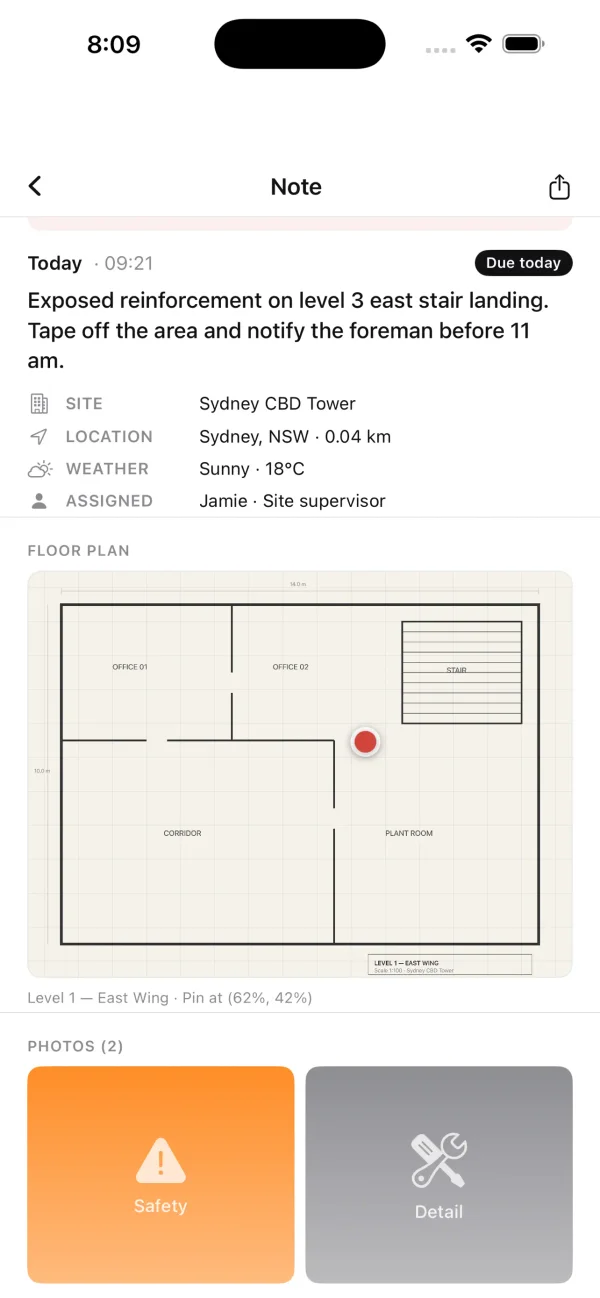
- Floor plan pins: tap on the architectural drawing to mark a defect or hazard at 10× the accuracy of GPS.
- Site Visit Report PDF with project header, conducted-by + site representative blocks, optional disclaimers, photos and floor-plan annotations.
- One-tap email to the builder using the recipient list you maintain per project.
- Caption-per-photo override so each PDF entry tells the right story.
WHY SITENOTES IS DIFFERENT
- Voice-first. One-handed capture, designed for a noisy jobsite and gloves.
- Works offline. The whole app runs without a connection. Sync later when you're back in coverage.
- On-device AI. Transcription and classification happen on your iPhone. Your notes don't leave the device unless you choose to export them.
- No account required. Nothing to sign up for, no team seats to buy, no servers holding your data hostage.
- Native iOS. Fast, ad-free, designed for the iPhone you already use on site.
COMMON FEATURES
- Auto-classified into hazards, completed work and daily diary entries.
- GPS auto-detects the nearest jobsite, so logs land on the right project.
- Weather and site conditions stamped on every entry.
- Attach photos inline, annotate them with arrows and notes, and pin them to a floor plan.
- iCloud sync uses your own Apple ID. Move between iPhone and iPad without setting up another account.
PRIVACY
SiteNotes runs on-device by default. Voice transcription, classification and storage all happen on your iPhone. There is no SiteNotes account, no
analytics dashboard tracking your day, and no advertising network. If you turn on iCloud sync, your data syncs through your own iCloud account —
we never see it.
BUILT FOR THE TRADES
Whether you're running a renovation, a commercial fit-out, a civil works site or a residential build, SiteNotes keeps both the daily diary and the
formal inspection report organised without slowing you down. Designed alongside working foremen, engineers and QA inspectors in Australia, the UK
and the US.
Free in v1.0. Download it, take it on tomorrow's site walk, and see how much faster a day's worth of notes can be.
App privacy
What Banruo Yang declares on the App Store about how this app handles data.
-
Data not linked to you
May be collected but is not linked to your identity.
- Contact info
Privacy practices may vary, for example with the features you use or your age.
Information
- Seller
- Banruo Yang
- Category
- Business
- Version
- 1.0
- Updated
- May 26, 2026
- Released
- May 26, 2026
- Size
- 6.9 MB
- Requires
- iOS 17.0 or later
- Age rating
- 4+
- Price
- Free
- Languages
- English, Simplified Chinese
- Copyright
- © 2026 Banruo Yang
You might also like
-
 每日速记Productivity
-
 SiteReportKitSnag & Punch List Reports
-
 Fielded: Contractor EstimatesQuote & Home Inspection Report
-
 Site AssistantPhotos, Measurements & Records
-
 InfiniteCalendarBusiness
-
 FreeBeam: CAD PDF Plan MeasureBlueprint & Drawing Viewer
-
 Multi DiaryYour Daily Journal, Simplified
-
 Snap Translate: Photo ScannerCamera Translator & Text OCR
-
 Quick Notes Jot Pad & WriteMemo Draft History Log Swipe