
Sleek: To-Do & Task Manager
To Do List, Reminder & Planner
Designed for iPhone
Free · In-app purchases
- Age rating4+
- CategoryProductivity
- DeveloperKapps LLC
- LanguagesEnglish
- Size22.5 MB
Links to the official App Store page
Download.org hosts no file of Sleek: To-Do & Task Manager. The button opens its official App Store page, published by Kapps LLC. Listing last checked on Nov 12, 2026.
Screenshots


About
## Description
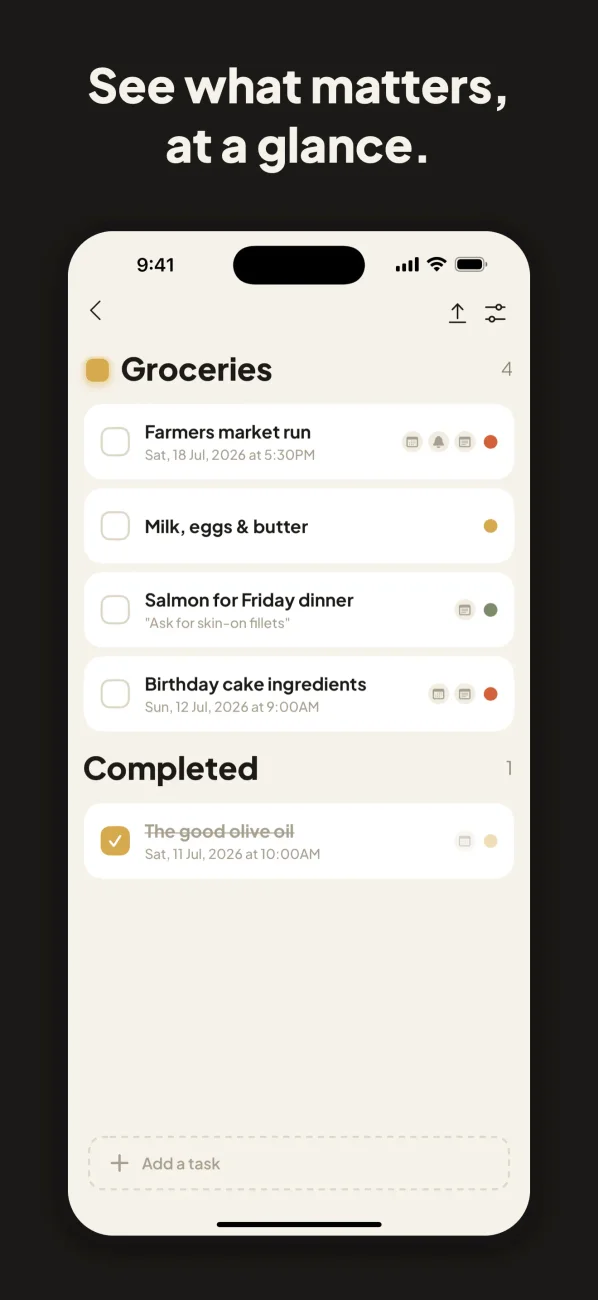
Sleek helps you manage tasks with clarity and style. Organize everything into color-coded lists, set priorities, due dates, and reminders - then get notified right on time.
GET THINGS DONE
• Create lists for work, personal, shopping, anything
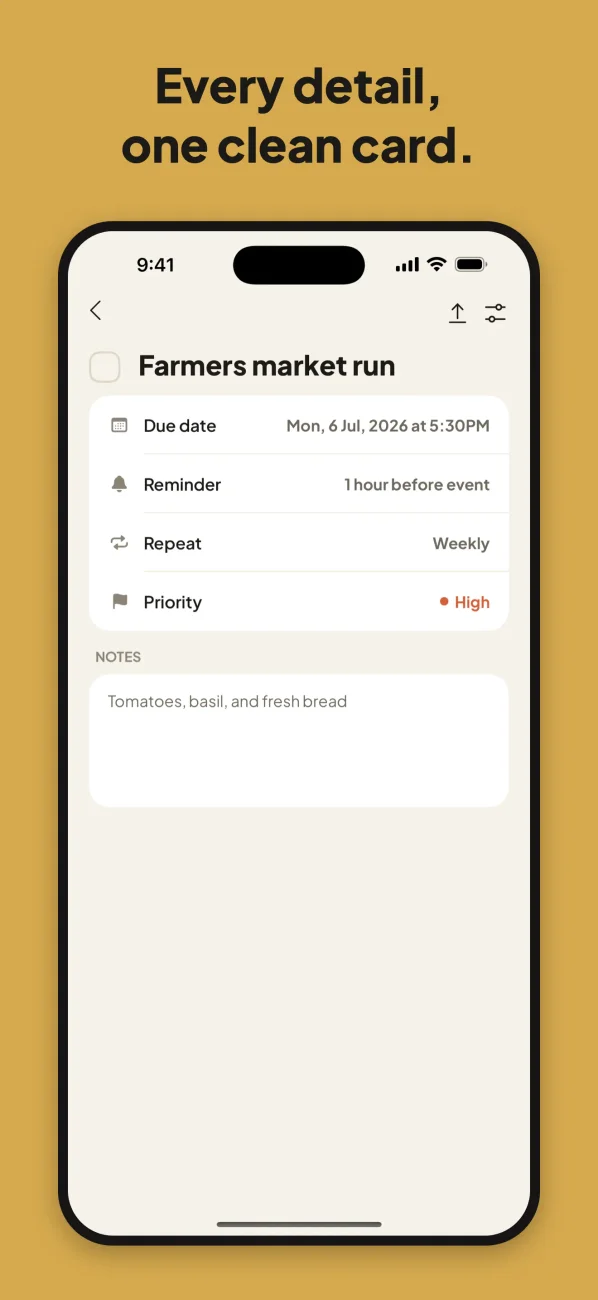
• Set High, Medium, or Low priority for every task
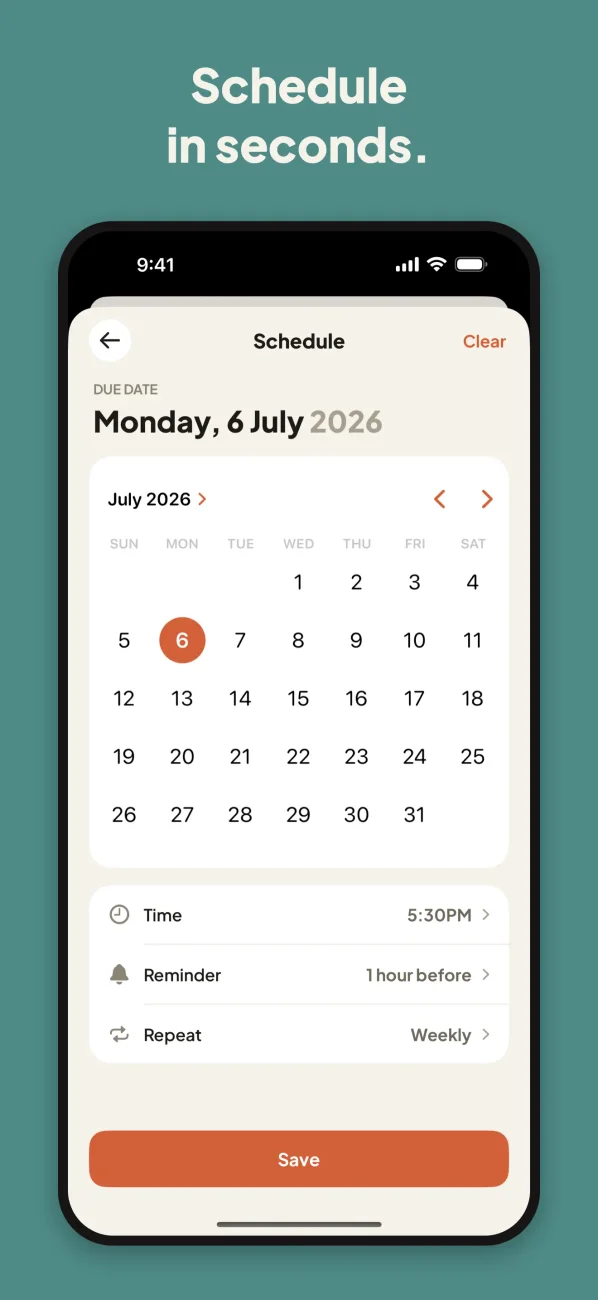
• Pick due dates on a beautiful built-in calendar
• Attach notes to tasks for extra context
• Quick Tasks: swipe to instantly capture ideas
NEVER FORGET
• Smart reminders: at time, 15 min, 1 hour, or 1 day before
• Repeating reminders: daily, weekly, monthly, or yearly
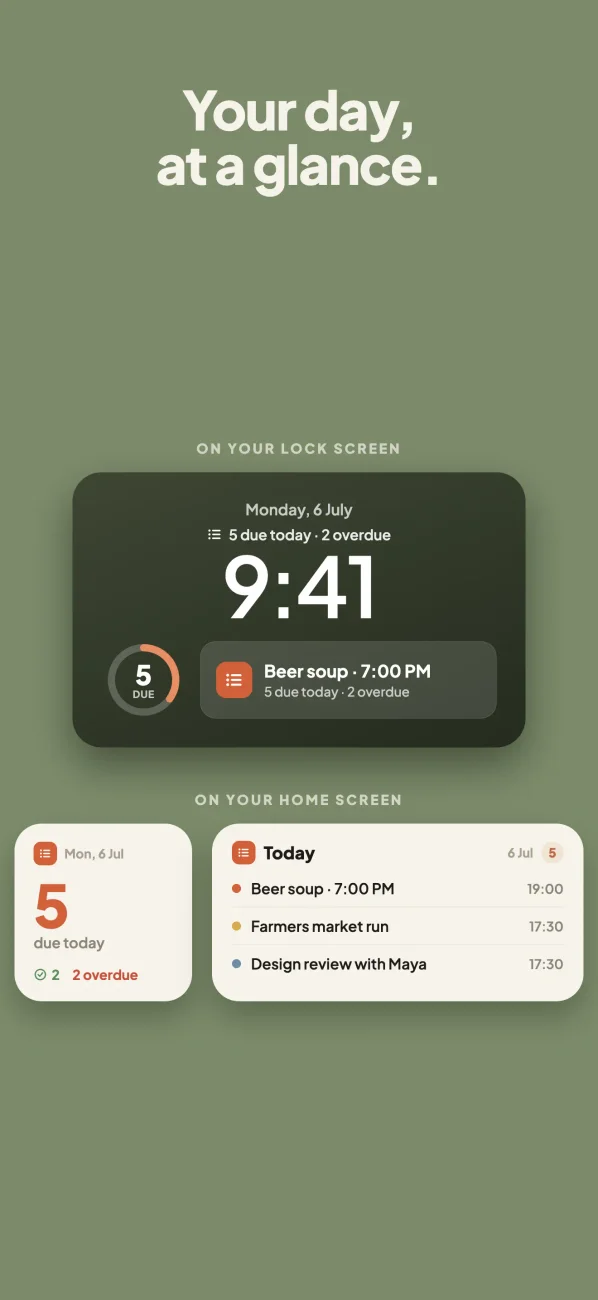
• Home Screen widgets: due count, today's list, and a completion ring
• Lock Screen widgets keep your day next to the clock
• Complete tasks directly from notifications
MAKE IT YOURS
• Give every list its own color
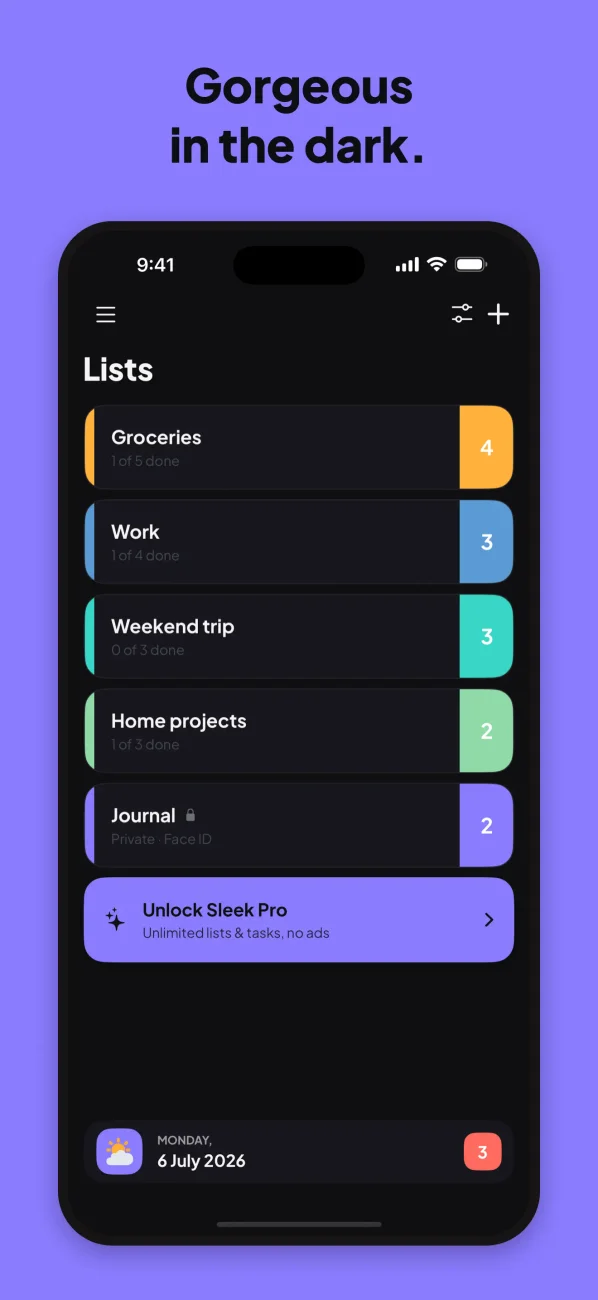
• Two hand-crafted looks: warm light and deep dark (or follow your system)
• Lock private lists with Face ID or Touch ID
SLEEK PRO
Unlock unlimited lists and tasks, private lists, moving tasks between lists, and an ad-free experience. Choose monthly or yearly.
Free users get up to 5 lists with 5 tasks each — plenty to get started.
Terms of Use: https://www.apple.com/legal/internet-services/itunes/dev/stdeula/
Privacy Policy: https://kapps.us/privacy-policy
What’s new
Version 2.0.2 · Jul 15, 2026
Sleek 2.0 - a complete redesign.
Every screen has been rebuilt from the ground up, with two carefully crafted looks: a warm, paper-like light mode and a deep, focused dark mode. Same fast Sleek, whole new feel.
• All-new design across every screen — lists, tasks, settings, everything
• Give every list its own color, picked right from the list header
• New calendar-first scheduler: pick a date, time, reminder & repeat in one place
• Redesigned task details with a cleaner notes card
• All-new Home Screen widgets — due count, today's tasks with their list colors, and a completion ring
• New Lock Screen widgets: your day next to the clock
• Fresh empty states, new Today card, and a smoother first-run experience
• Dozens of small fixes and refinements throughout
App privacy
What Kapps LLC declares on the App Store about how this app handles data.
-
Data used to track you
May be used to track you across apps and websites owned by other companies.
- Identifiers
-
Data linked to you
May be collected and linked to your identity.
- Contact info
- User content
- Identifiers
- Usage data
- Diagnostics
-
Data not linked to you
May be collected but is not linked to your identity.
- Identifiers
Privacy practices may vary, for example with the features you use or your age.
Information
- Seller
- Kapps LLC
- Category
- Productivity
- Version
- 2.0.2
- Updated
- Jul 15, 2026
- Released
- Dec 9, 2021
- Size
- 22.5 MB
- Requires
- iOS 17.0 or later
- Age rating
- 4+
- Price
- Free
- In-app purchases
- Yes
- Languages
- English
- Copyright
- © 2021 Kapps LLC
You might also like
-
 Super: The Flow State AppNow Connect With Friends
-
 SwiftoDo for todo.txtTodo.txt task list
-
 Purelist: Notes & TasksCapture Ideas, Get Things Done
-
 Organizly: Task & NotesPlan projects, capture notes
-
 ToDo: Simple ToDo ListNo Ads Simple ToDo List
-
 Airlist - Notes & TasksProductivity
-
 Agendus – day-to-day plannerCalendar & Reminders widget
-
 beorg: To-Do List & AgendaProjects, tasks and notes
-
 Outliner: ScrollOutline List Nodes & Mind Map
-
 Chaos Control™: GTD Task ListDaily Planner and Organizer