
SloMo: Screen Time Control
App Blocker, Move to Unlock
Designed for iPhone, iPad
Free
- Age rating4+
- CategoryProductivity
- DeveloperArmando Jr Pagkalinawan
- LanguagesEnglish+ 4 more
- Size39.5 MB
Links to the official App Store page
Download.org hosts no file of SloMo: Screen Time Control. The button opens its official App Store page, published by Armando Jr Pagkalinawan. Listing last checked on Nov 24, 2026.
Screenshots


About
You open your phone to check one thing. Before you know it, you’ve spent another half hour scrolling.
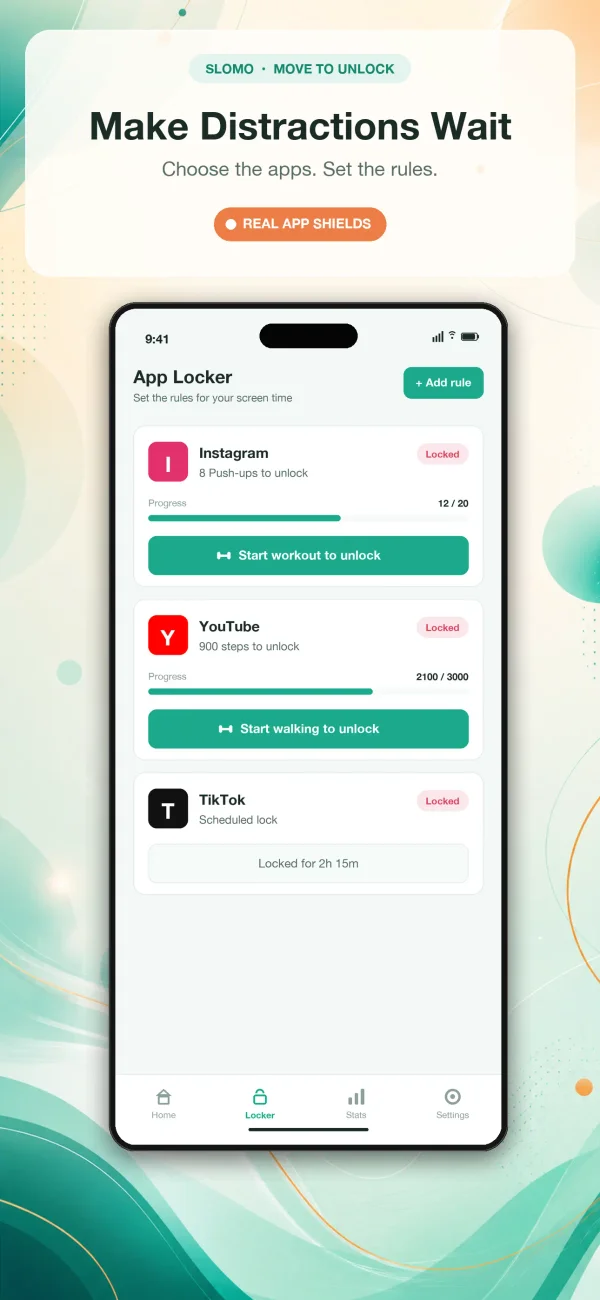
SloMo helps you take back control of your screen time. Block distracting apps and unlock them by moving a little, or set a time lock when you need to focus. Small changes, at your own pace.
BLOCK DISTRACTING APPS
Choose the apps that pull you away from what you want to do. Group several apps under one rule and decide how you’ll unlock them.
MOVE TO UNLOCK
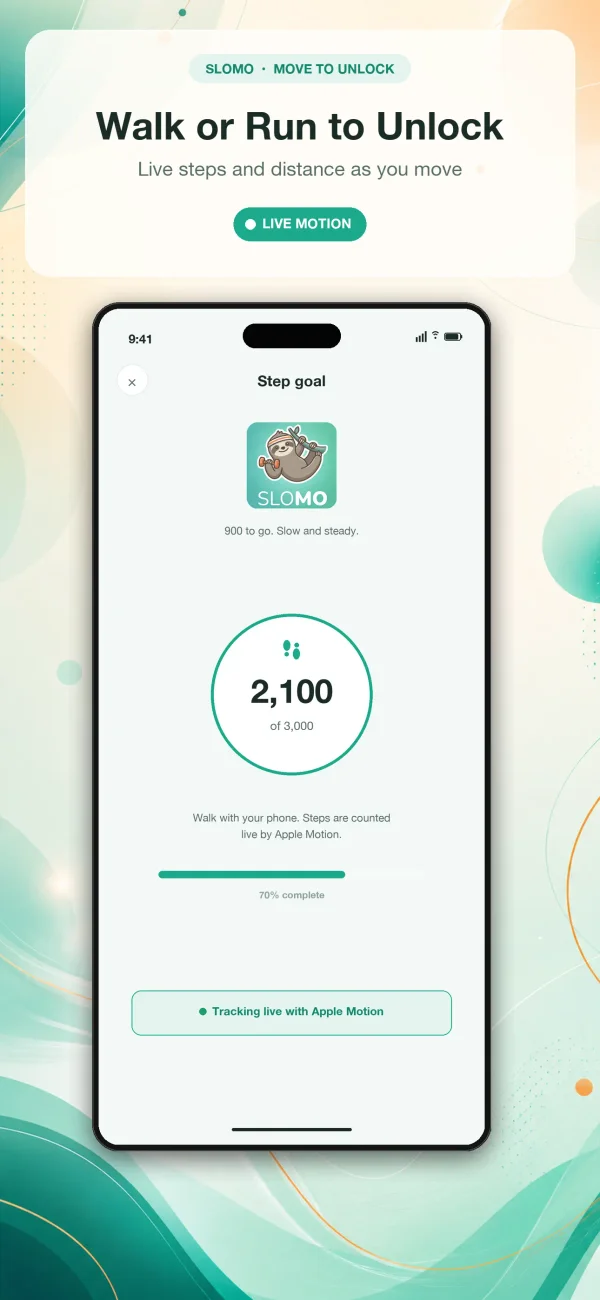
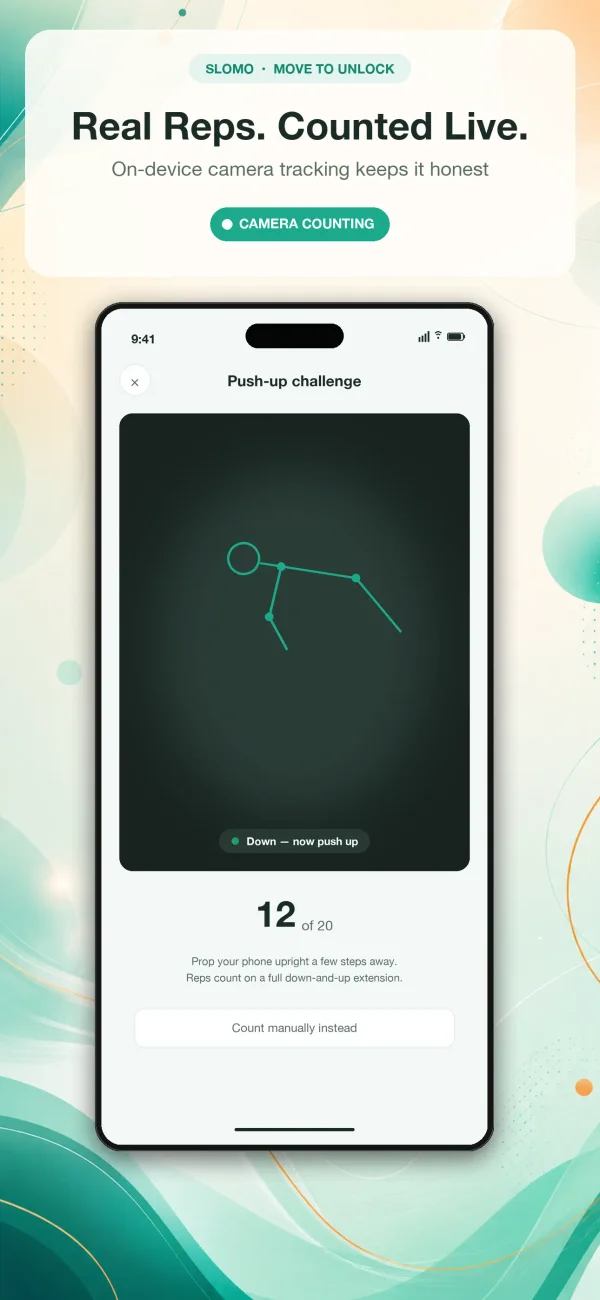
Earn your next scroll with push-ups, squats, pull-ups, steps, or a distance challenge. Set your goal, complete it, and unlock the apps covered by that rule. Camera-assisted exercise counting and step tracking help you follow your progress.
MAKE ROOM FOR FOCUS
Studying, working, or taking a break from your phone? Set a Time Lock for a fixed duration or until a chosen time. Start now or create a repeating schedule that fits your routine.
CHECK YOUR PROGRESS AT A GLANCE
Follow active Time Lock countdowns with Live Activities and widgets on supported iOS versions. See step and distance progress on your Lock Screen during challenges.
UNDERSTAND YOUR SCREEN TIME
See your daily app usage, most-used apps, and weekly comparisons. Notice where your time goes and choose which habits you want to change.
BUILD A STREAK
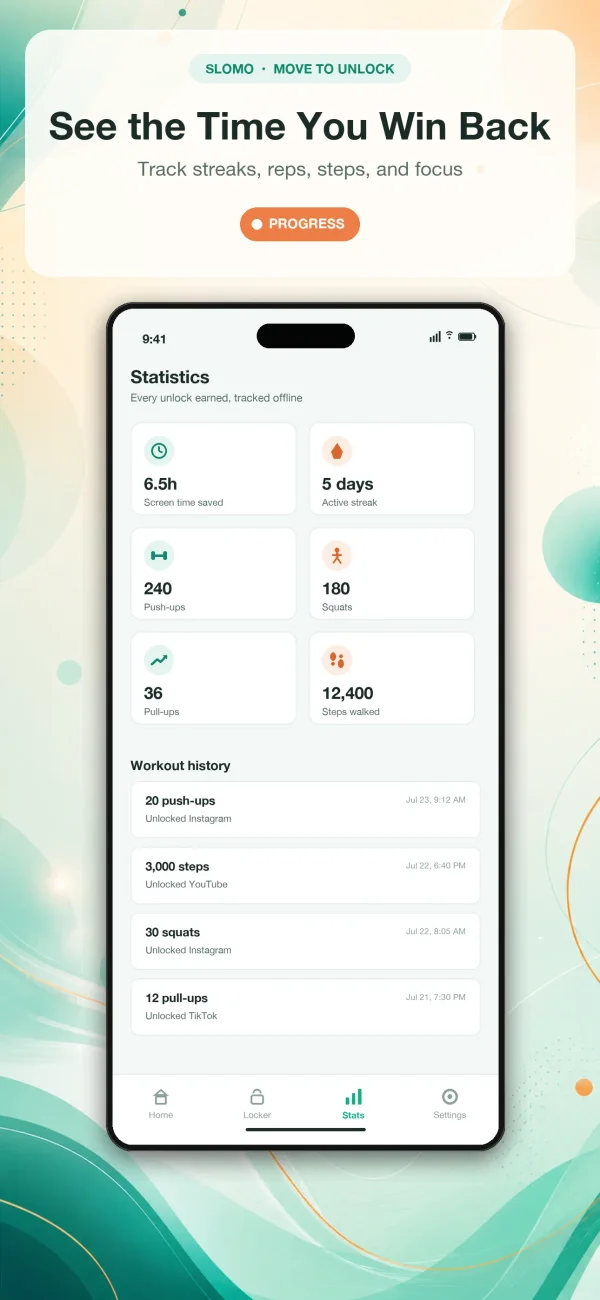
Completed workouts and Time Locks both count toward your daily streak. Look back at your history, track your personal best, and keep building on small wins.
SHARE YOUR WINS
Share workout unlocks, Time Lock progress, and weekly recaps as cards on your socials or in a group chat. Choose whether app names appear on individual result cards.
GET STARTED WITHOUT AN ACCOUNT
Core features work offline. Your rules, workout history, and fitness stats stay on your device. Camera images are processed on your device and are never recorded, stored, or uploaded.
SloMo is free and supported by ads. It uses basic app-open analytics, and ad privacy choices are available in Settings where applicable.
Requires iOS 16 or later. Live Activities require iOS 16.2 or later. Screen Time access is required for app blocking and usage reports. Camera, motion, and Health permissions are requested for features that use them.
Less scrolling. More living.
What’s new
Version 2.1 · Nov 24, 2026
Set a daily walking goal and count steps across multiple walks without locking an app. Filter Stats by date to revisit your workouts and Time Locks.
Feed your sloth to unlock outfits and grow its home through 365 leaves. Pick headband and dumbbell colors, then share your sloth on a colored or transparent progress card.
App privacy
What Armando Jr Pagkalinawan declares on the App Store about how this app handles data.
-
Data not collected
The developer does not collect any data from this app.
Privacy practices may vary, for example with the features you use or your age.
Information
- Seller
- Armando Jr Pagkalinawan
- Category
- Productivity
- Version
- 2.1
- Updated
- Nov 24, 2026
- Released
- Jul 26, 2026
- Size
- 39.5 MB
- Requires
- iOS 16.0 or later
- Age rating
- 4+
- Price
- Free
- Languages
- English, Belarusian, Dutch, German, Korean
- Copyright
- © SloMo
You might also like
-
 Scan.neraiCollege Note Scan & Organize
-
 Denkna – stop scrollingThink before you open
-
 Screen Time Control: UnscrollApp Lock, Focus & Site Blocker
-
 Earn your screen time: UnlockdWalk & Push-Ups to Unlock Apps
-
 RepRock: Screen Time ControlWorkout-Powered App Blocker
-
 Push Ups App Blocker: RepLockApp blocker for screen time
-
 TimeUp: Move to ScrollMove to earn screen time
-
 Make Hay: Fitness App BlockerEarn Screen Time by Moving
-
 FocusFirst Screen Time ControlBlock Apps, Earn Screen Time
-
 DoomLift: Screen Time WorkoutApp Blocker for Self-Control