Smart Mirror | TV & Device
Screen Mirroring to Any Device
Designed for iPhone, iPad, iPod touch
Free · In-app purchases
- Age rating4+
- CategoryPhoto & Video
- Developer长江 吴
- LanguagesEnglish
- Size27.5 MB
Links to the official App Store page
Download.org hosts no file of Smart Mirror | TV & Device. The button opens its official App Store page, published by 长江 吴. Listing last checked on Nov 27, 2026.
Screenshots
About
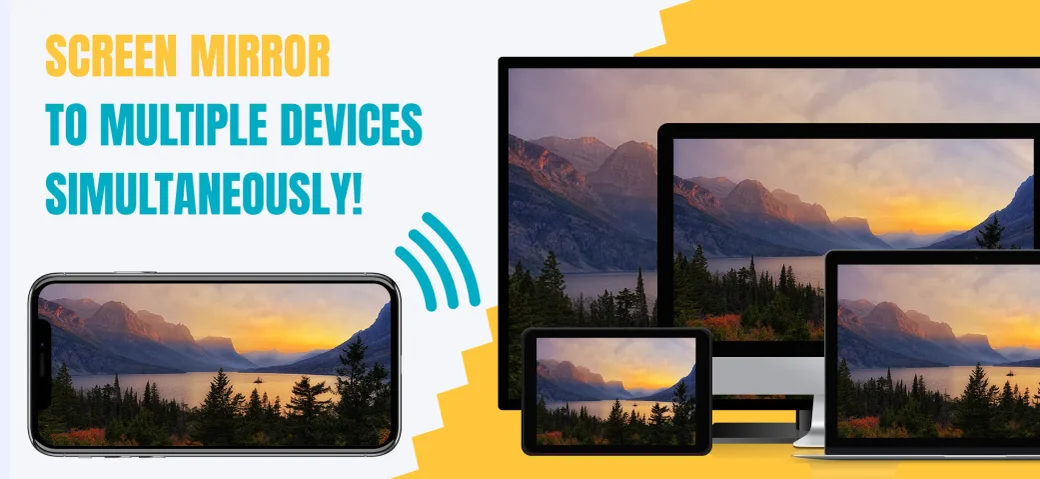
** SCREEN MIRROR TO MULTIPLE DEVICES SIMULTANEOUSLY **
Screen Mirror your iPhone or iPad screen to Multiple TVs, Computers, or Devices Simultaneously!
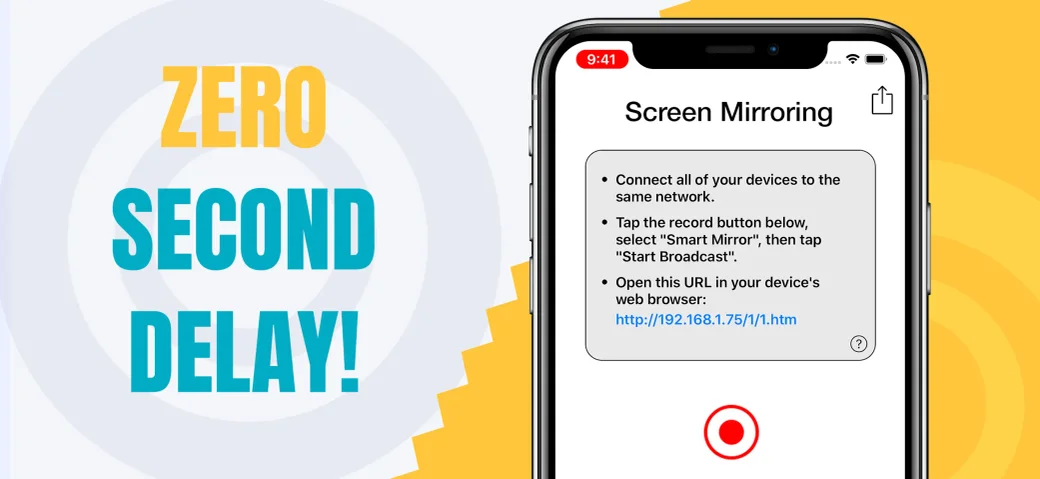
The app is simple and easy to use. Just open a web browser on your device, enter the supplied URL, and you're good to go. You get a zero-second delay and high picture quality!
You can share your screen on any Smart TV, Smart Phone, Tablet, Mac, PC, Laptop, Game Console, etc.
EXCLUSIVE FEATURE:
* Mirror your iPhone or iPad screen to Multiple TVs, Computers, or Devices Simultaneously! Only this app can do that! This is great if you're making a presentation or for educational purposes, sharing photos and videos, etc.
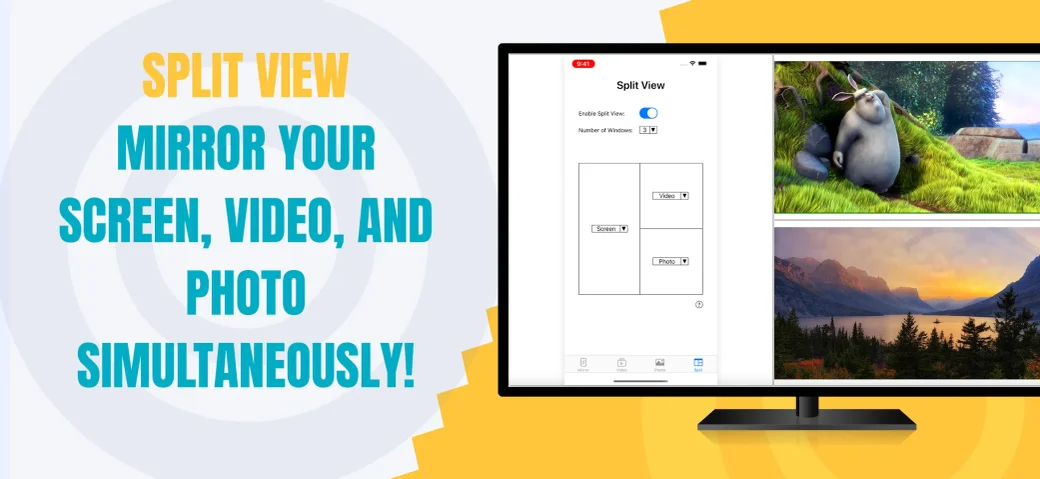
* Cast your Videos and Photos to Multiple TVs, Computers, or Devices Simultaneously.
* Mirror up to Three Media at the same time - namely, the iPhone/iPad Screen, plus Video and Photo.
Key Features:
* Supports Smart TVs, Smartphones, Tablets, Mac, PC, Laptops, Game Consoles, etc. Basically, any device that uses a web browser.
* Zero-second latency.
* Automatically switch between portrait and landscape orientation.
* Share the URL via AirDrop.
* No additional hardware/software required.
Premium Version:
* Removes all limitations.
Note: Make sure your iPhone/iPad and your Smart TV, Smart Phone, Tablet, Mac, PC, or other device are connected to the same network. Sound is not supported yet. If you mirror your screen to many devices simultaneously, mirroring performance may be degraded. The latest iPhone/iPad models are recommended in this case.
Auto-Renewable Subscription:
* Payment will be charged to iTunes Account at confirmation of purchase.
* Subscription automatically renews unless auto-renew is turned off at least 24-hours before the end of the current period.
* Account will be charged for renewal within 24-hours prior to the end of the current period. The cost depends on the selected plan.
* Subscriptions may be managed by the user and auto-renewal may be turned off by going to the user's Account Settings after purchase.
* Any unused portion of a free trial period, if offered, will be forfeited when the user purchases a subscription.
Terms: http://www.appofmac.com/terms/
Privacy Policy: http://www.appofmac.com/privacy/
What’s new
Version 3.3.6 · May 5, 2025
* Minor bug fixes.
App privacy
What 长江 吴 declares on the App Store about how this app handles data.
-
Data not linked to you
May be collected but is not linked to your identity.
- Purchases
Privacy practices may vary, for example with the features you use or your age.
Information
- Seller
- 长江 吴
- Category
- Photo & Video
- Version
- 3.3.6
- Updated
- May 5, 2025
- Released
- Nov 8, 2019
- Size
- 27.5 MB
- Requires
- iOS 12.0 or later
- Age rating
- 4+
- Price
- Free
- In-app purchases
- Yes
- Languages
- English
- Copyright
- © AppOfMac
You might also like
-
 Screen Mirroring: Mac,PC & TVAirPlay Miracast Cast to TV
-
 Screen Mirroring Samsung TVSmart View Mirror Cast Things
-
 Screen Mirroring AppSmart TV,PC,Web,Computer,Games
-
 Sony TV Screen Mirroring CastStream,Mirror,Streaming,DLNA
-
 Smart View - Screen MirroringAir Mirror: Share & Cast to TV
-
 TV Cast for DLNA Smart TVBest Movie Stream Browser App
-
 LG TV Screen Mirroring CastSmart Share Plus Thinq Webos
-
 Screen Mirroring App - TV CastSmart Mirror & Miracast Share
-
 Chromecast TV Streamer #1For Google TV Screen Mirroring
-
 Smart View - Cast Device to TVAllcast Receiver: Air Connect