Smart View - Screen Mirroring
Air Mirror: Share & Cast to TV
Designed for iPhone, iPad, iPod touch
Free · In-app purchases
- Age rating17+
- CategoryPhoto & Video
- DeveloperSoufiane Benabid
- LanguagesEnglish+ 8 more
- Size61.4 MB
Links to the official App Store page
Download.org hosts no file of Smart View - Screen Mirroring. The button opens its official App Store page, published by Soufiane Benabid. Listing last checked on Nov 26, 2026.
Screenshots

About
Transform your iPhone screen mirroring experience with our professional screen casting solution. Mirror your iPhone to TV, cast phone to TV, and stream content wirelessly to Samsung TV, LG TV, Roku, and other smart TVs. Perfect alternative to Miracast for iPhone users, utilizing advanced wireless display technology.
Key Features:
- Free screen mirroring app with intuitive user interface
- Cast iPhone to Samsung TV, LG TV, and other smart displays
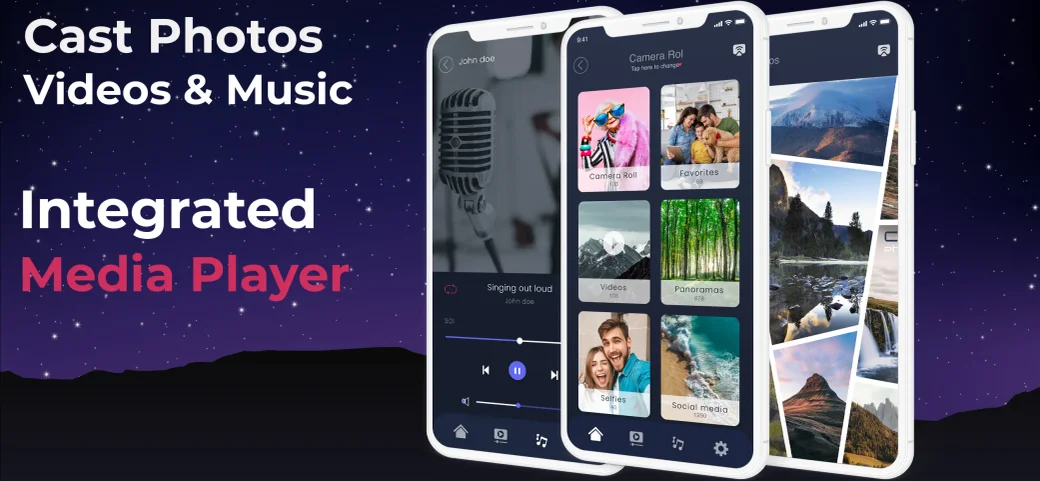
- Stream photos, videos, and music with built-in media player
- Wireless display connection - no cables or additional hardware required
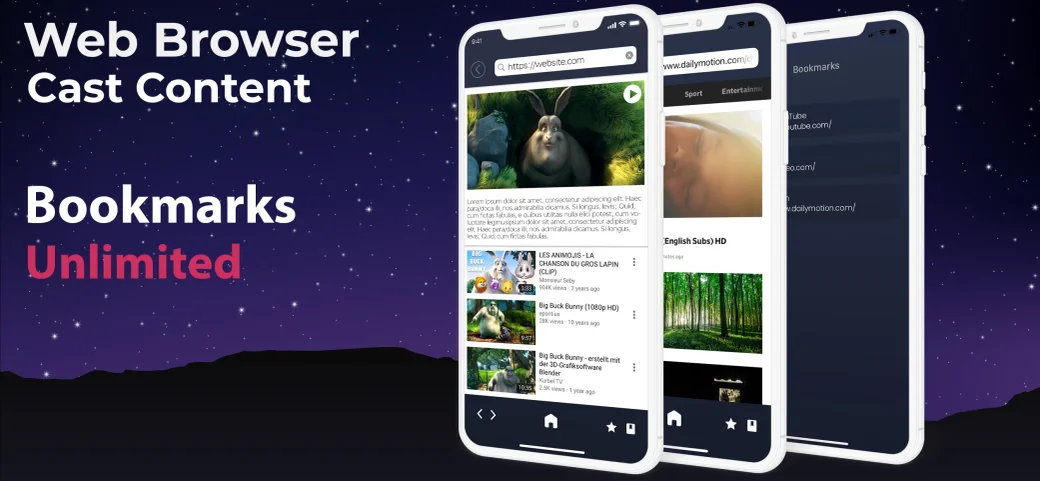
- Integrated browser for casting online videos directly to your TV
- Compatible with iPhone screen mirroring to Samsung TV and LG screen share
Professional Screen Casting Solution:
Experience seamless screen mirroring iPhone to TV functionality. While many users search for Miracast iPhone solutions, our app provides superior wireless casting specifically designed for iOS devices. Support for all major TV brands including Samsung, LG, Sony, and Roku devices. Connect phone to TV effortlessly through your WiFi network.
How to Start Screen Mirroring:
1. Ensure both your iPhone and TV are connected to the same WiFi network
2. Select your content (photos, videos, or music)
3. Choose your target device from the available casting options
4. Enjoy wireless display mirroring on your big screen
Subscription Options:
- Free version with daily casting limitations
- Premium plans: $6.99/week, $8.99/month, $19.99/year, or $39.99 lifetime access
- Unlock unlimited screen mirroring iPhone to Samsung TV and all casting features
Subscription Terms:
- Auto-renewal can be disabled 24 hours before period end
- Account charges occur within 24 hours of renewal
- Manage subscriptions in Account Settings
- Free trial forfeited upon subscription purchase
Privacy Policy: https://benabid.me/privacy
Terms of Use: https://benabid.me/terms
What’s new
Version 15.5.6 · Sep 2, 2025
Hello everyone,
We're excited to share the latest updates to our Screen Mirroring app. This version includes improved connection stability, enhanced video quality, and better compatibility across devices. We've also streamlined the setup process to get you mirroring your screen faster than ever.
Our team continues to work on delivering the most reliable screen mirroring experience possible. If you have any suggestions for features or need help setting up the app, please get in touch at contact@benabid.me.
Thank you for your continued support.
App privacy
What Soufiane Benabid declares on the App Store about how this app handles data.
-
Data used to track you
May be used to track you across apps and websites owned by other companies.
- Identifiers
-
Data linked to you
May be collected and linked to your identity.
- Identifiers
-
Data not linked to you
May be collected but is not linked to your identity.
- Diagnostics
Privacy practices may vary, for example with the features you use or your age.
Information
- Seller
- Soufiane Benabid
- Category
- Photo & Video
- Version
- 15.5.6
- Updated
- Sep 2, 2025
- Released
- Aug 17, 2020
- Size
- 61.4 MB
- Requires
- iOS 15.6 or later
- Age rating
- 17+
- Price
- Free
- In-app purchases
- Yes
- Languages
- English, French, German, Italian, Korean, Russian, Spanish, Traditional Chinese, Vietnamese
- Copyright
- © Screen Mirroring - TV Cast
You might also like
-
 Smart View - Cast Device to TVAllcast Receiver: Air Connect
-
 Screen Mirroring Samsung TVSmart View Mirror Cast Things
-
 TV Cast for Samsung TV AppBest Movie Stream Browser App
-
 Screen Mirroring MirrorMeisterCast to TV, AirPlay & Miracast
-
 Smart Mirror | TV & DeviceScreen Mirroring to Any Device
-
 Screen Mirroring AppSmart TV,PC,Web,Computer,Games
-
 LG TV Screen Mirroring CastSmart Share Plus Thinq Webos
-
 TV Cast for Chromecast ‣Stream Movies & Videos at Home
-
 TV Cast for LG webOSBest Movie Stream Browser App
-
 Miracast Screen Mirroring .Web Chrome Video Caster on TV