- Age rating4+
- CategoryProductivity
- DeveloperLapisoft Projects SL
- LanguagesEnglish+ 6 more
- Size46.6 MB
Links to the official App Store page
Download.org hosts no file of SmartShift - Work Schedule. The button opens its official App Store page, published by Lapisoft Projects SL. Listing last checked on Nov 18, 2026.
Screenshots




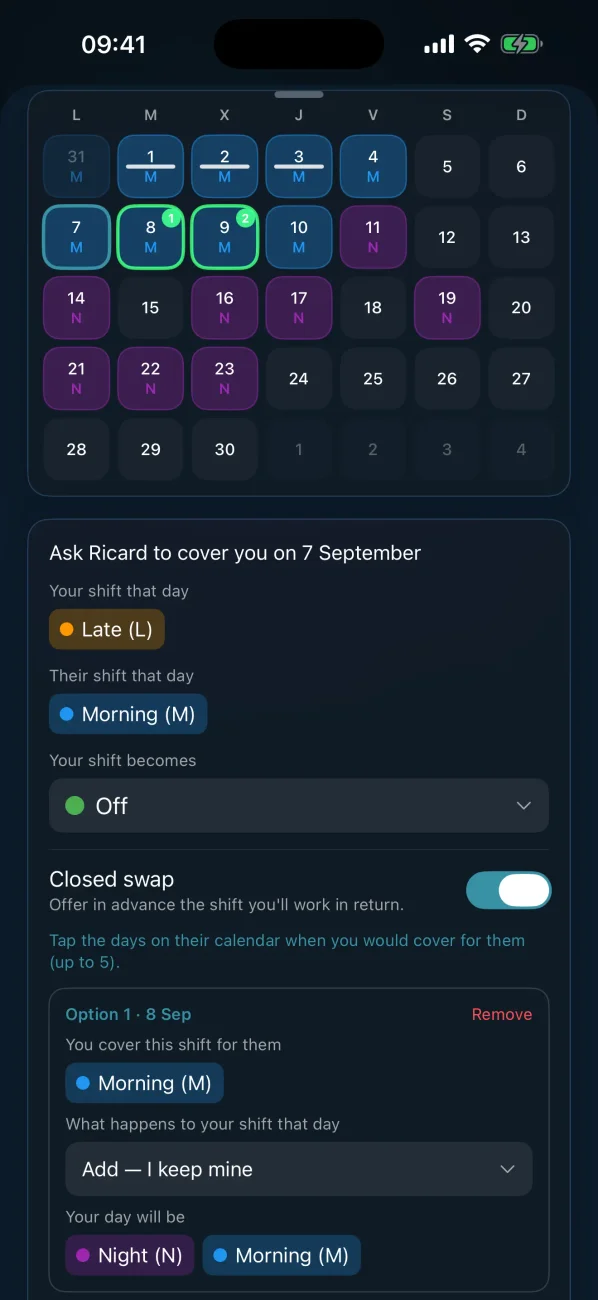
About
If you work shifts, you know the hassle. What am I on next week, how many hours have I done this month, who can cover me on Saturday. SmartShift keeps it all in one place and does the maths for you.
YOUR SCHEDULE AT A GLANCE
Build your shifts with their own name, color, hours and breaks. Split shifts, overnight shifts that run past midnight, two shifts in one day: they all fit.
See the full month, the week in detail, or the whole year when you plan your time off.
STOP FILLING IN DAY BY DAY
Set up your pattern once — four earlies, two lates, two off, whatever yours is — and apply it to any date range. The schedule fills itself in.
Swapped at the last minute? One tap on the day and it is done.
HOURS THAT COUNT THEMSELVES
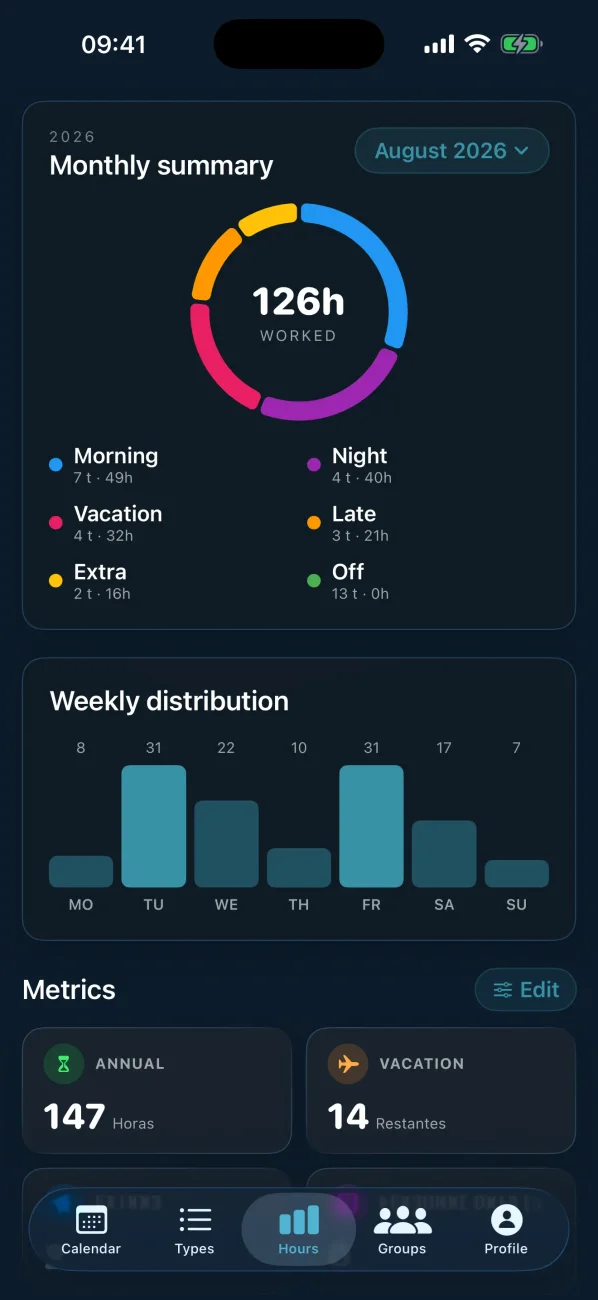
Monthly and yearly hours, always up to date. Breaks come off, split shifts add up, and shifts that end at 3am are counted properly.
Flag which shift types are overtime and know exactly how much extra you have done before payday.
YOUR TEAM, INSIDE THE APP
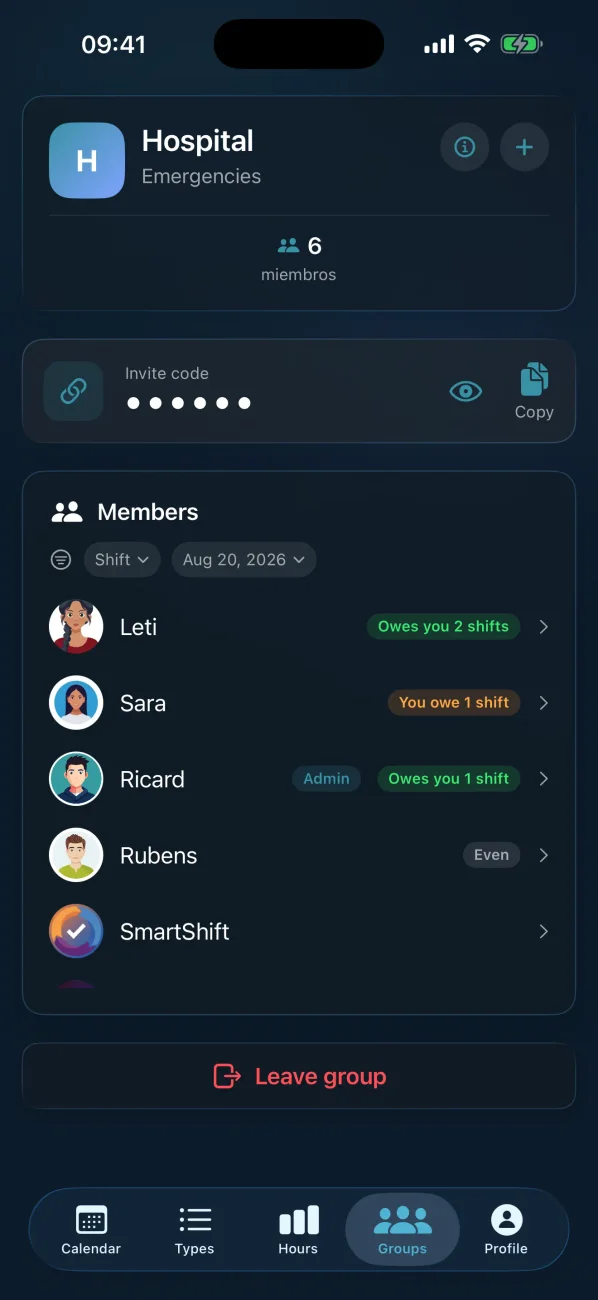
Start a group with your coworkers or join one with a code. See who is working each day without asking.
And when you need a swap, you request it in the app: they accept, and both schedules update. No endless group chats, no screenshots.
HOLIDAYS AND TIME OFF
Pick your country and region and public holidays show up in your calendar, local ones included.
Keep track of your annual leave and see how many days you have left.
WHEREVER YOU NEED IT
Widgets to check your week or your month straight from the home screen.
An alert before each shift, as far ahead as you want it.
Export to your iPhone calendar or save the month as a PDF.
Works with no signal: note anything down and it syncs once you are back online.
START WITHOUT GIVING YOUR EMAIL
You can use SmartShift without creating an account at all. Your shifts stay on your iPhone and nobody else sees them. If you later want to sync across devices or join a group, create the account then and everything comes with you.
Available in English, Spanish, German, French, Turkish and Chinese.
What’s new
Version 1.0.3 · Nov 4, 2026
• Security update: we've strengthened the connection to our servers to protect your shifts, especially on public or unsecured networks. We recommend updating.
App privacy
What Lapisoft Projects SL declares on the App Store about how this app handles data.
-
Data used to track you
May be used to track you across apps and websites owned by other companies.
- Identifiers
- Usage data
-
Data linked to you
May be collected and linked to your identity.
- Contact info
- User content
- Identifiers
- Diagnostics
-
Data not linked to you
May be collected but is not linked to your identity.
- Identifiers
- Usage data
Privacy practices may vary, for example with the features you use or your age.
Information
- Seller
- Lapisoft Projects SL
- Category
- Productivity
- Version
- 1.0.3
- Updated
- Nov 4, 2026
- Released
- Sep 21, 2026
- Size
- 46.6 MB
- Requires
- iOS 17.0 or later
- Age rating
- 4+
- Price
- Free
- Languages
- English, French, German, Simplified Chinese, Spanish, Traditional Chinese, Turkish
- Copyright
- © 2026 LAPISOFT PROJECTS S.L.
You might also like
-
 Central 4.0Productivity
-
 ShiftAl: Shift Work CalendarRota planner, alarms & pay
-
 Document Expiry ReminderPrivacy-First Expiry Tracking
-
 TurnoClip - Cambios de TurnoProductivity
-
 ShiftWave: Shift CalendarRotating Work Schedule Planner
-
 Shift Calendar - Auto ScheduleProductivity
-
 Shift Calendar: Work SchedulesNurse Rota & Rotation Planner
-
 HourSum: Work Hours CalculatorWork days, timesheet & pay log
-
 Spark - Shift CalendarCustomize, Organize, Plan Life
-
 Color Notes With Lock & To DoReminders, Voice Note & Memo