- Age rating4+
- CategoryPhoto & Video
- Developer晓晗 程
- LanguagesEnglish+ 16 more
- Size62.7 MB
Links to the official App Store page
Download.org hosts no file of Snapery. The button opens its official App Store page, published by 晓晗 程. Listing last checked on Nov 15, 2026.
Screenshots


About
One-Tap Long Screenshots, Plus a Full Image Toolkit
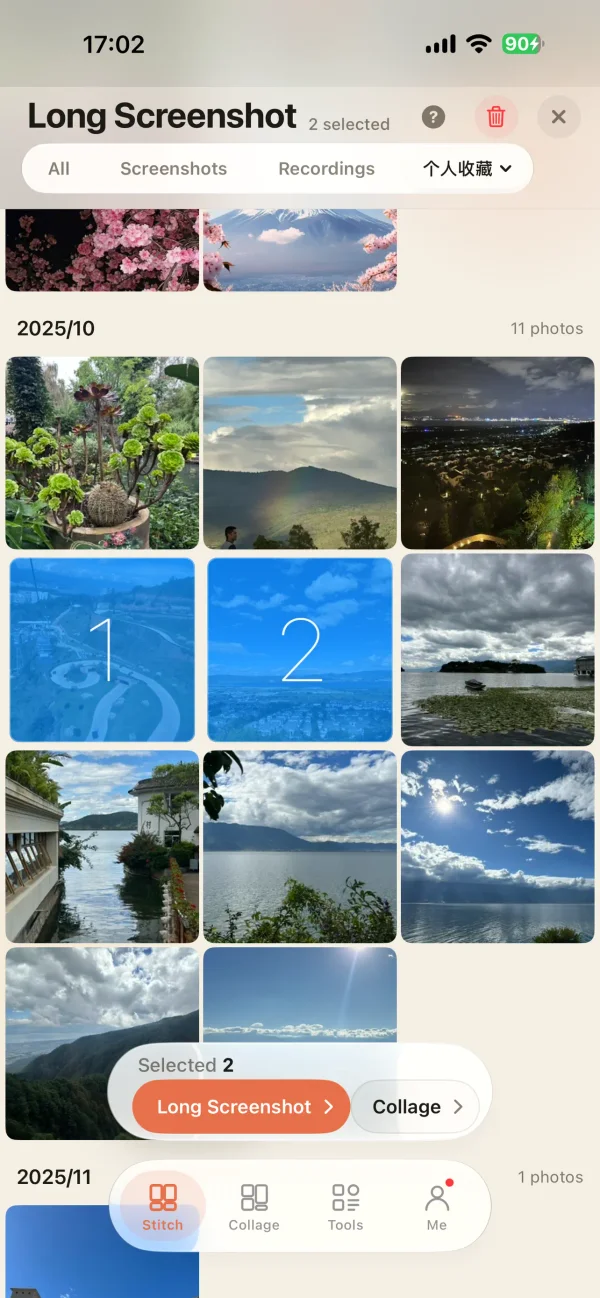
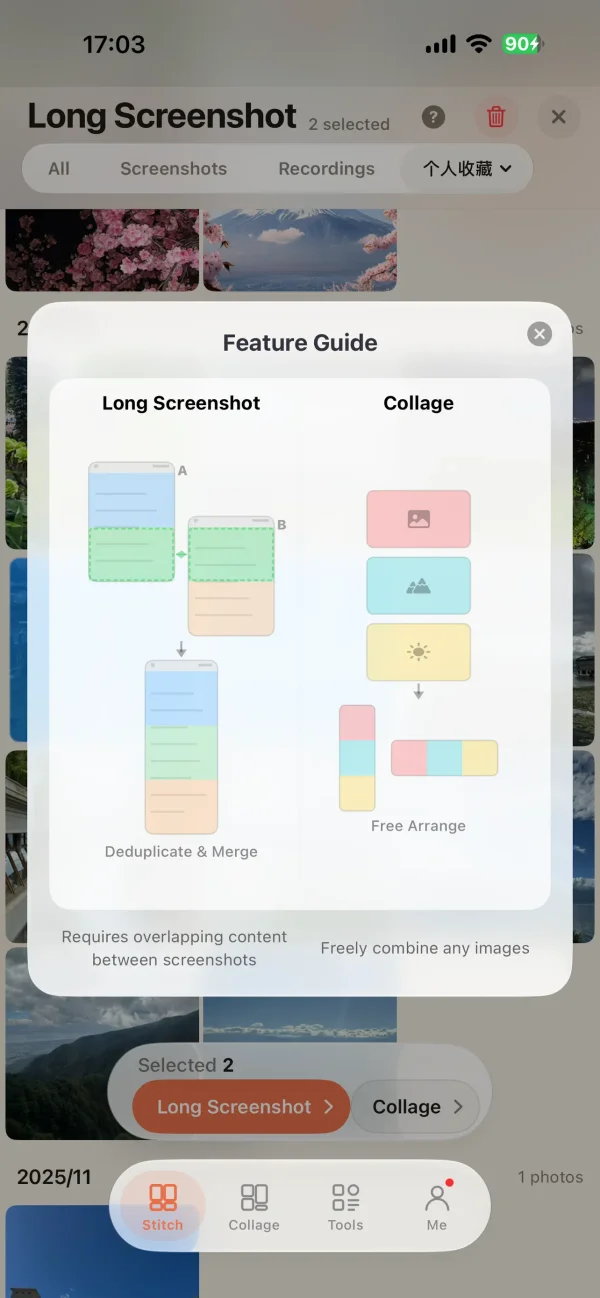
Snapery is built on a powerful stitching algorithm: it automatically detects overlapping content across multiple screenshots and merges them precisely into one long image. You can also record a video while scrolling the screen — Snapery extracts the key frames and generates the complete long screenshot for you. No more taking screenshots over and over.
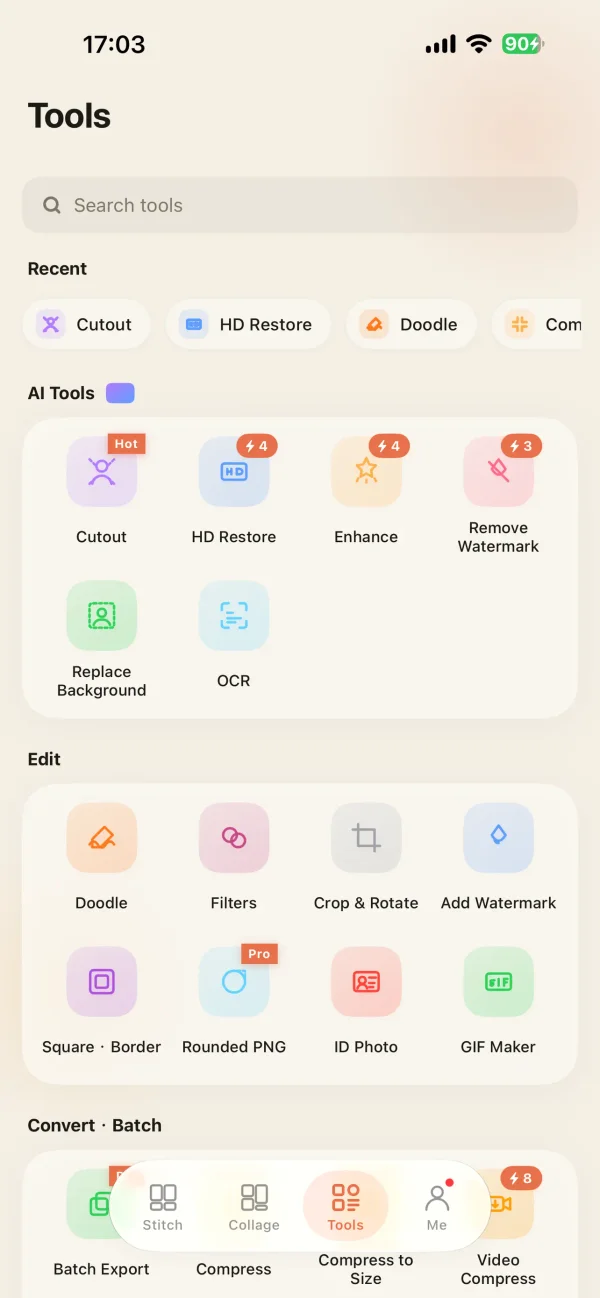
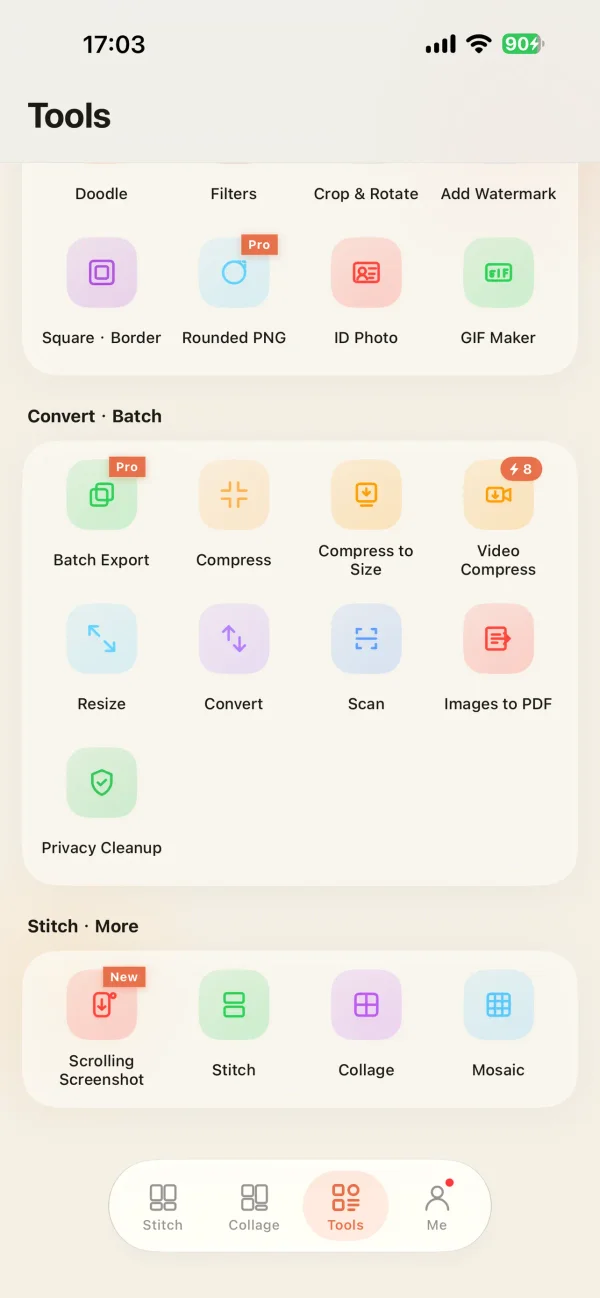
And Snapery is now much more than long screenshots: collages, AI photo tools, format utilities — all the everyday image tools you need, in one app.
Long Screenshots — Fast and Accurate:
● One-Tap Stitch: automatically detects stitchable screenshots, generates and saves in one tap
● Scrolling Screenshot: extracts key frames from a screen recording — even the longest page fits in a single image
● Unlimited Images: no cap on how many images you can stitch
● Flexible Export: original high resolution, size-limited, or PDF
● Extract Text: recognize text in your long image (OCR) with one tap and copy it instantly
Collages — Any Way You Like:
● Collage: horizontal, vertical, grid, or waterfall — freely combine as many photos as you want
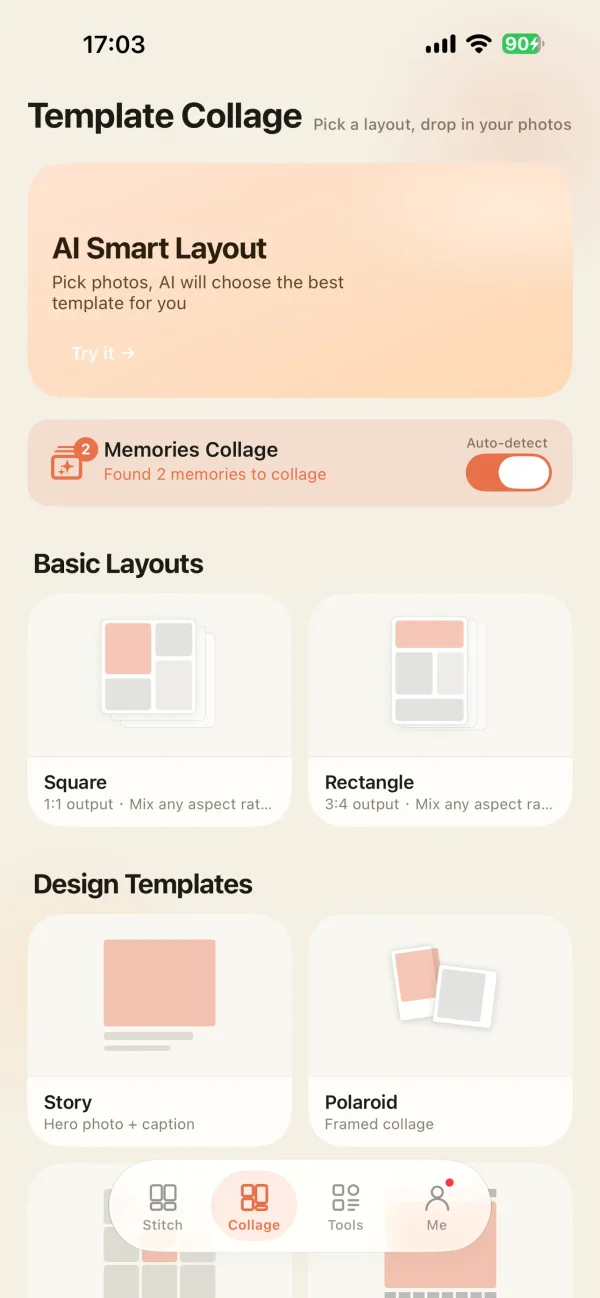
● Template Collage: AI smart layouts, rich templates and canvas ratios, text and background styles, Polaroid effects, and even animated video export
● Memories Collage: automatically finds photos worth remembering and turns them into a collage in one tap
AI Photo Tools — Done in One Step:
● HD Restore: make old or blurry photos sharp again in seconds
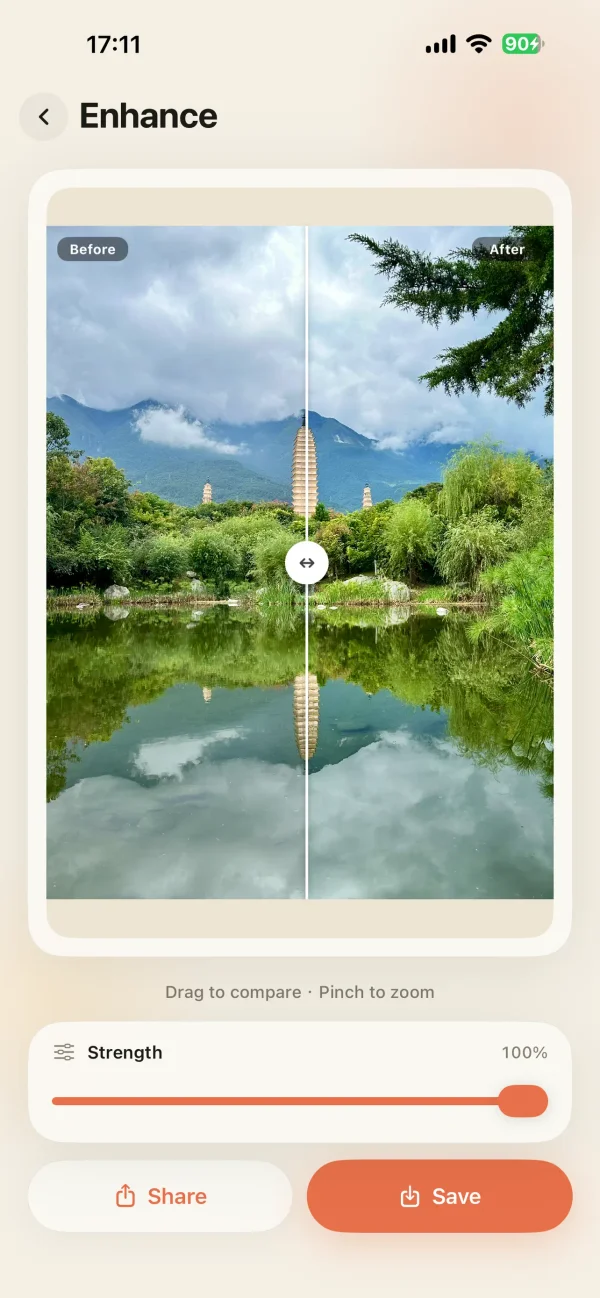
● Enhance: boost color and detail across the board
● Cutout / Replace Background: instant subject cutout with natural edges, swap in any background
● Remove Watermark: paint over watermarks and clutter to make them disappear naturally
● ID Photo: standard-size ID photos in one tap
Handy Utilities — All in One Place:
● GIF Maker, Video Compress, Images to PDF
● Compress, Resize, Convert (JPG / PNG / HEIC / WebP)
● Document Scan: turn paper documents into clean scans
● Privacy Cleanup: automatically detects sensitive info in an image before you share — tick to blur it out
Everything you create stays in History — find it, re-edit it, and share it anytime.
Download Snapery now — start with one long screenshot and discover your all-in-one image toolbox.
Terms of Use (EULA): https://www.apple.com/legal/internet-services/itunes/dev/stdeula/
What’s new
Version 1.2.8 · Oct 2, 2026
- Improved long screenshot stitching.
- Bug fixes and stability improvements.
App privacy
What 晓晗 程 declares on the App Store about how this app handles data.
-
Data linked to you
May be collected and linked to your identity.
- Purchases
- Location
- Contact info
- User content
- Identifiers
- Usage data
- Diagnostics
Privacy practices may vary, for example with the features you use or your age.
Information
- Seller
- 晓晗 程
- Category
- Photo & Video
- Version
- 1.2.8
- Updated
- Oct 2, 2026
- Released
- Apr 6, 2026
- Size
- 62.7 MB
- Requires
- iOS 18.0 or later
- Age rating
- 4+
- Price
- Free
- In-app purchases
- Yes
- Languages
- English, Arabic, French, German, Hindi, Indonesian, Japanese, Korean, Portuguese, Russian, Simplified Chinese, Spanish + 5 more
- Copyright
- © 2026 Snapery
You might also like
-
 SplitCam: Dual RecorderSplit Screen Video & Photo
-
 RevoCamDual Camera Video Recorder
-
 iVideo - Video Editor ToolboxTrim, Caption, Color, Compress
-
 GIF Aura - GIF & Live PhotoMake, Edit GIF & Live Photo
-
 PhotoDateStamp: TimestampLive Photos, EXIF & Frames
-
 Video to GIF: ViftoMaker, Editor & Converter
-
 PopNow - Instant Film CameraLive film look, instant reveal
-
 Video Editor - ClipFlowLive Photo & Audio Editor
-
 ImageTiny: Compress Photo sizeBatch Resize, Crop, Shrink pic
-
 Blur Background - Studio BlurBlur and Background Cam Vlog