
Sonement for Sonos
Powerful whole-home control
Designed for iPhone, iPad, Mac
Free · In-app purchases
- Age rating12+
- CategoryMusic
- DeveloperJonathan Clegg
- LanguagesEnglish+ 6 more
- Size81.5 MB
Links to the official App Store page
Download.org hosts no file of Sonement for Sonos. The button opens its official App Store page, published by Jonathan Clegg. Listing last checked on Nov 23, 2026.
Screenshots

About
Your Sonos system can do a lot. Sonement gives you a powerful, beautifully native way to control it.
Search across your music sources in one place. Control every room and group. Browse your Apple Music library. Then take the same experience to your iPhone, iPad, Mac, Apple TV and Apple Watch.
No Sonement account. No cloud service between you and your speakers. No data collection.
ONE SEARCH, ALL YOUR MUSIC
Search once and see music from your connected sources together — songs, albums, artists, playlists, stations and more.
Results show where they came from, and source filters let you narrow the search whenever you want.
WHOLE-HOME CONTROL
See what's playing throughout your home at a glance.
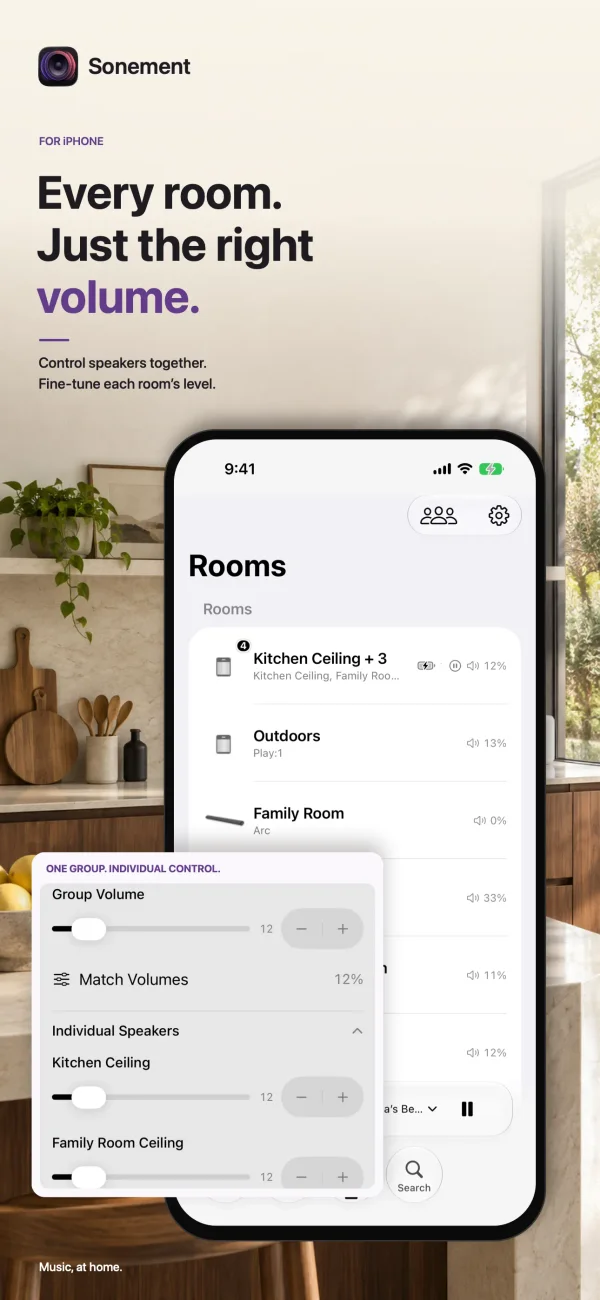
• Control individual rooms and groups
• Group and ungroup speakers
• Adjust individual and group volume
• Pause the whole house
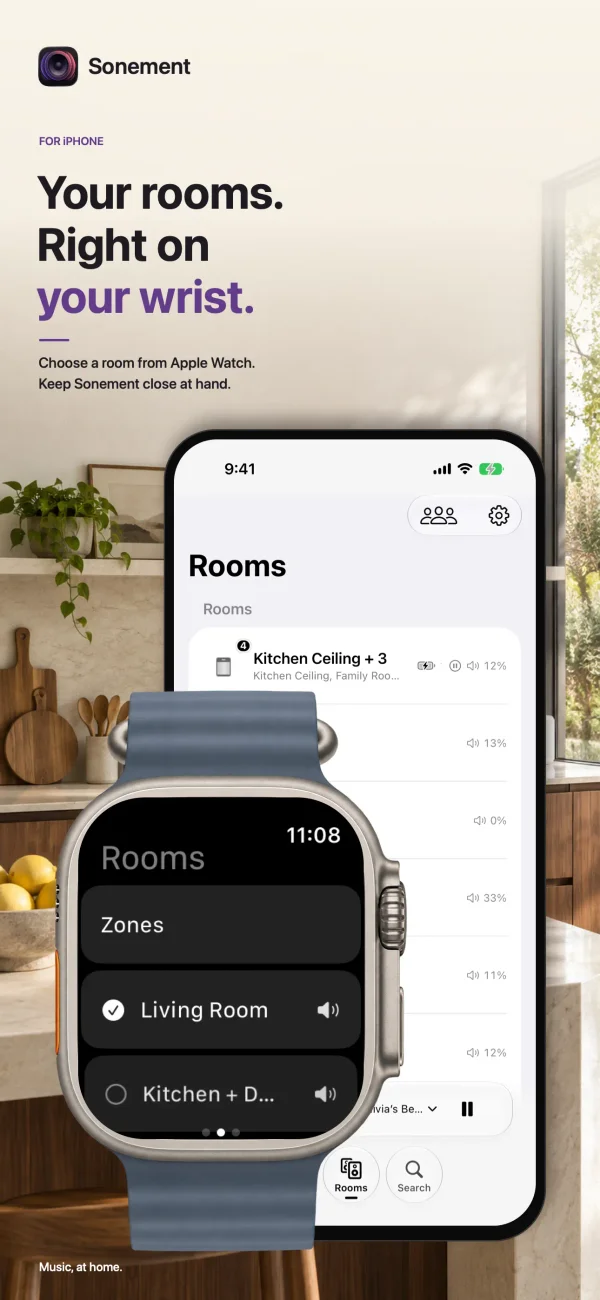
• Save frequently used speaker combinations as Zones
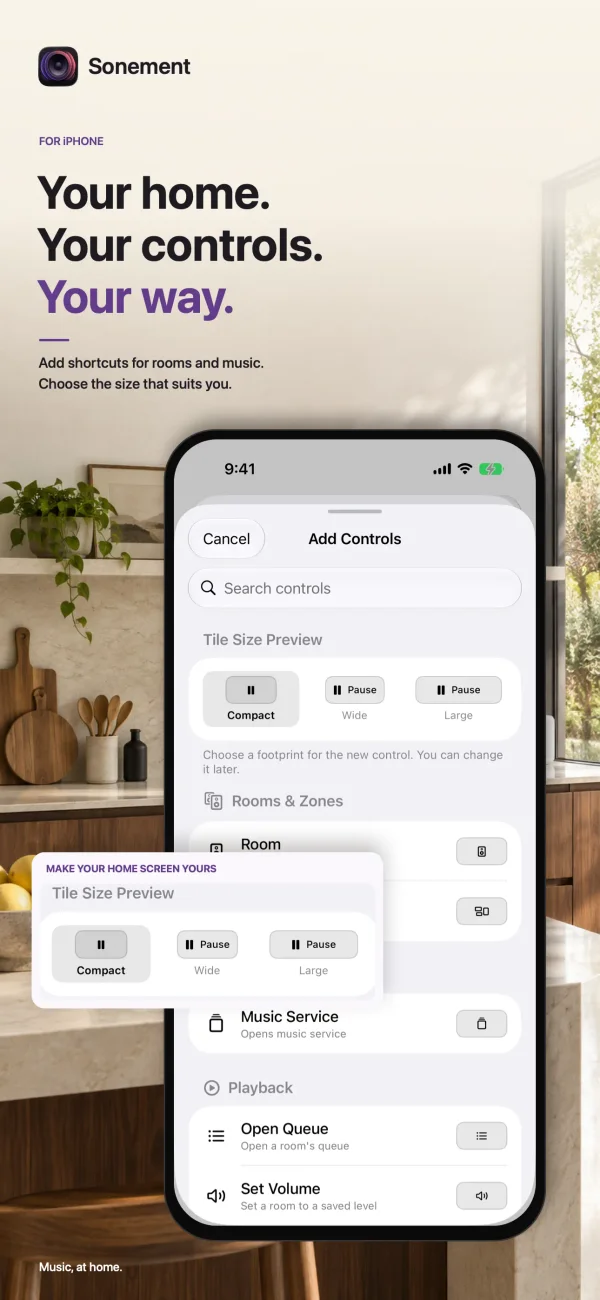
• Pin favourite rooms and listening shortcuts for quick access
APPLE MUSIC, NATIVELY
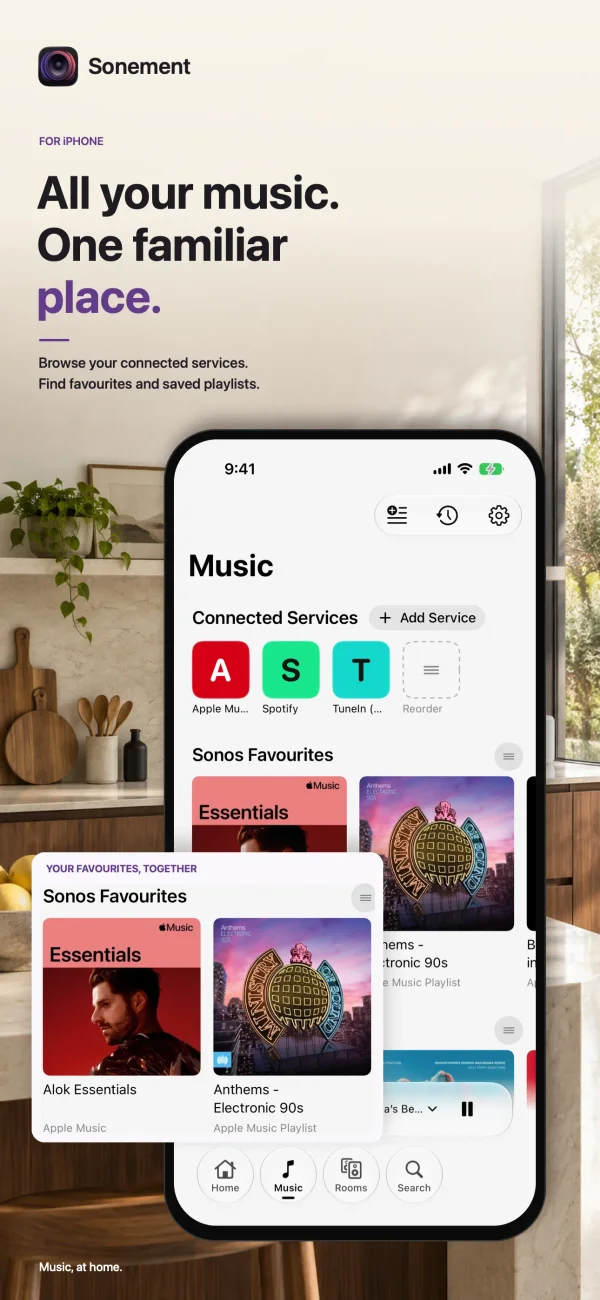
Browse your Apple Music library directly inside Sonement, including artists, albums, songs and playlists, then play your selection through your Sonos speakers.
MADE FOR YOUR APPLE DEVICES
Sonement isn't simply stretched across different screens.
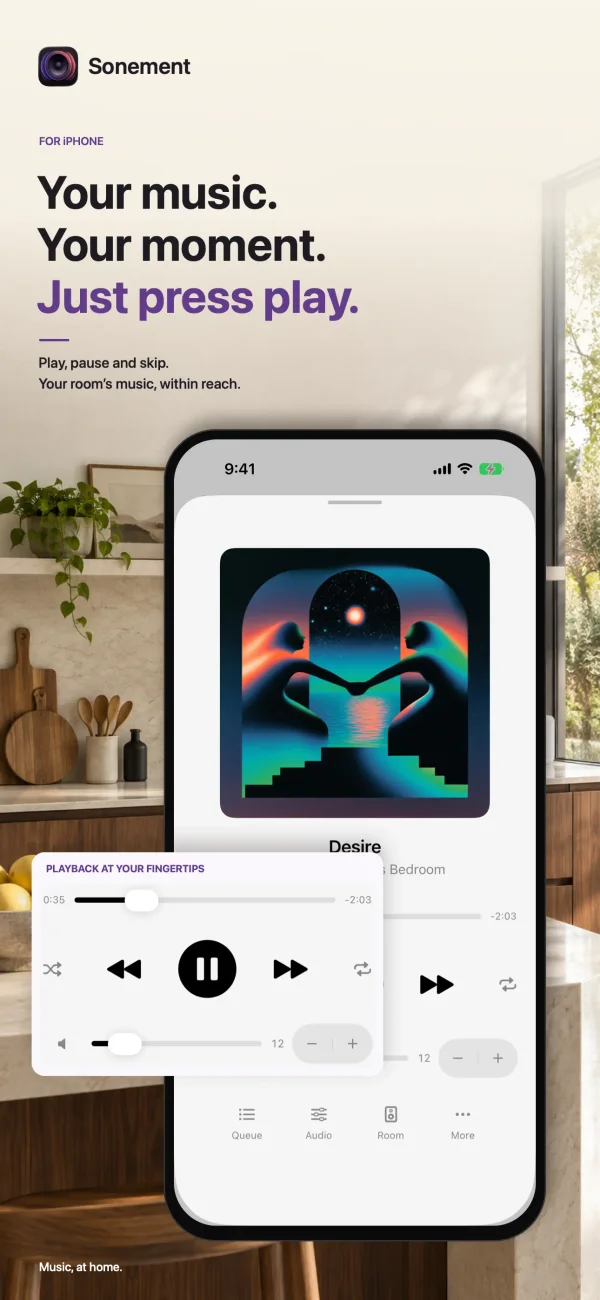
On iPhone, you get a focused controller with Home, Music, Rooms and Search, plus Lock Screen and Dynamic Island controls.
On iPad, the experience expands into a desktop-style layout with persistent playback controls, queue management and room audio settings.
On Mac, Sonement becomes a full desktop controller for your home, with music browsing, search, rooms, queue and playback always close at hand.
On Apple TV, browse music and control playback from the biggest screen in your home.
And Apple Watch keeps essential playback and volume controls on your wrist.
MORE THAN PLAY AND PAUSE
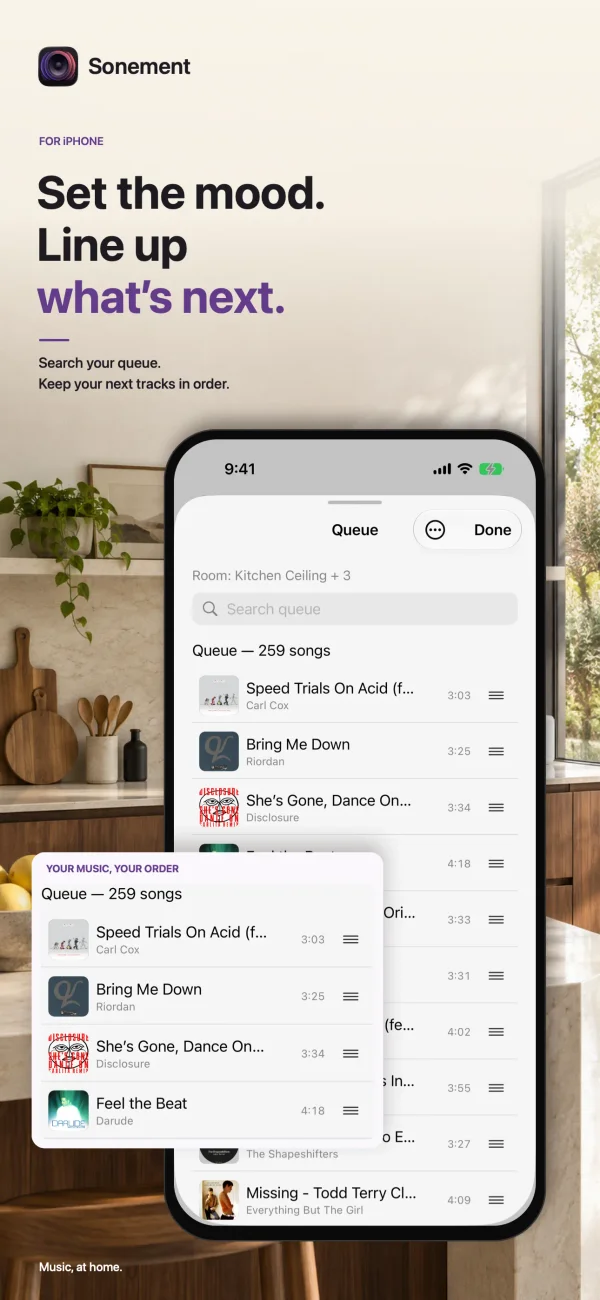
• Reorder and manage the queue
• Save queues as playlists
• Sleep timers and household alarms
• Timed lyrics
• Listening history by room
• Announce to a room using your voice
• Bass, treble and other speaker audio controls
• Light and dark appearance
• Widgets and Live Activities
TRY IT WITHOUT SPEAKERS
Demo Mode creates a sample household so you can explore Sonement even when you're away from your Sonos system.
PRIVATE BY DESIGN
Sonement communicates directly with your speakers on your home network.
There's no Sonement account to create and Sonement does not collect your data.
One purchase. Your whole Sonos home. Across your Apple devices.
Sonement is an independent app and is not affiliated with, endorsed by, or sponsored by Sonos, Inc. Sonos is a registered trademark of Sonos, Inc. Apple Music, Apple TV and Apple Watch are trademarks of Apple Inc. All other trademarks are the property of their respective owners.
What’s new
Version 3.5 · Nov 22, 2026
Home now brings your music to you. New shelves (Recently Played, Your Favourites, Recommended for You, From Your Library and Explore Music) sit on Home, drawn from Apple Music and the services you've signed in to. "Tune your Home" is a guided session: rate real suggestions, choose which shelves appear and how often they refresh, then see what changed.
Alarms has its own page with every option: room, music (the Sonos chime, a Sonos Favourite or a playlist), repeat days, volume, how long it plays, shuffle and grouped rooms. Find it under Rooms on iPhone and in the sidebar on iPad.
Your iPhone or iPad is now a room (Apple Music Only). Once Apple Music is connected, "This iPhone" or "This iPad" appears alongside your speakers with its own player and queue: reorder, shuffle, repeat, set a sleep timer, or save the queue as an Apple Music playlist.
Now Playing shows the audio quality your speaker reports for the current track, such as Lossless with its bit depth and sample rate, or Spatial Audio.
Settings is reorganised into six pages (System, Music & Library, Playback, Appearance, App Access, and Help & About), and you can search it.
You can now unlock Sonement for good straight from the free-trial offer, without starting the trial first.
Also in this update:
- A new app icon.
- Every Music shelf opens a See All page, and album, playlist, artist and song pages can be a grid or a list.
- Sort Sonos Favourites, Playlists, Apple Music library and See All pages by title, artist, date added and more.
- Artwork Size in Settings now sizes covers everywhere, and every Sonos Favourite names the service it plays from.
- Listening Scenes are cards you build by dropping a favourite and a room onto them, and Explore Your Library is one scrolling page. Both are on Home under "Your preferences".
- Customise Feed edits the service page itself: move or hide sections and the page follows.
- Help & About adds Check My Setup and a diagnostic report you can copy or export for support.
- Each service has a details page saying whether it can be browsed in Sonement and played on Sonos.
- Automatic ungrouping is set per household, only ungroups stopped rooms, and starts off. Turn it on in Settings ▸ Playback.
- On iPhone, Home, Music, Rooms and Search share one large title that settles into the bar as you scroll, and Home takes your home's name.
- On iPhone Home, the room you play to is a volume row, and rooms stopped for ten minutes move to Quiet.
- On iPhone, Now Playing grows out of the mini player into a floating sheet, and pulls up to full height.
- On iPad, the sidebar leads with Services and adds Alarms, Radio can be removed and added back, and Sleep Timer sits in the room's Speakers card.
- Themes are easier to read: accent-coloured text and icons keep clear contrast, and list icons follow your theme.
- Delete and remove actions have a red icon, and battery levels show inside a battery coloured by charge.
- Long lists in your Apple Music library and on service pages have an A to Z index.
- Search lists results in the same order everywhere, with See All for each kind.
- Volume, play buttons, room tiles, headings and sheets look and work the same on every screen, and Home's room cards add mute and step buttons.
- Rounder corners, one Retry button everywhere, and clearer Apple Music errors.
- Rooms, volume and what's playing update over a direct, steadier connection to each speaker.
- Play and Shuffle now work on saved Sonos playlists, and use the whole list on long albums and playlists.
- Fixes a crash shortly after launch when settings sync with iCloud.
- Fixes rare cases where quick taps could leave playback controls out of step with your speakers.
- Widgets no longer bring back a song that has already finished.
- On Apple Watch: a new icon, Now Playing fits small screens and Larger Text, Bass, Treble, alarm and favourite changes stick, and Play in Room goes to the room you chose.
App privacy
What Jonathan Clegg declares on the App Store about how this app handles data.
-
Data linked to you
May be collected and linked to your identity.
- Purchases
- Contact info
- User content
- Search history
- Identifiers
- Usage data
Privacy practices may vary, for example with the features you use or your age.
Information
- Seller
- Jonathan Clegg
- Category
- Music
- Version
- 3.5
- Updated
- Nov 22, 2026
- Released
- Jul 21, 2026
- Size
- 81.5 MB
- Requires
- iOS 26.0 or later
- Age rating
- 12+
- Price
- Free
- In-app purchases
- Yes
- Languages
- English, Dutch, French, German, Italian, Portuguese, Spanish
- Copyright
- © codeframe 2026
You might also like
-
 Platine — MultiroomMultiroom speaker remote
-
 Bops: Music for SonosListen on Sonos or on the go
-
 EmbeatLossless Emby & Jellyfin music
-
 Nudge: Speaker RemoteCompatible with Sonos
-
 ZoneFoundry for SonosMulti-room Sonos, by voice
-
 Clic for SonosMusic controller & remote
-
 Orto - For SonosMulti-Device Remote for Sonos
-
 Vibe: Music NearbyMusic playing near you
-
 Radio DIYRadio Do It Yourself (DIY)