
SplitKeyboard
Designed for humans
Designed for iPhone, iPad
Free · In-app purchases
- Age rating4+
- CategoryUtilities
- DeveloperMax Robson
- LanguagesEnglish
- Size26.7 MB
Links to the official App Store page
Download.org hosts no file of SplitKeyboard. The button opens its official App Store page, published by Max Robson. Listing last checked on Nov 23, 2026.
Screenshots
About
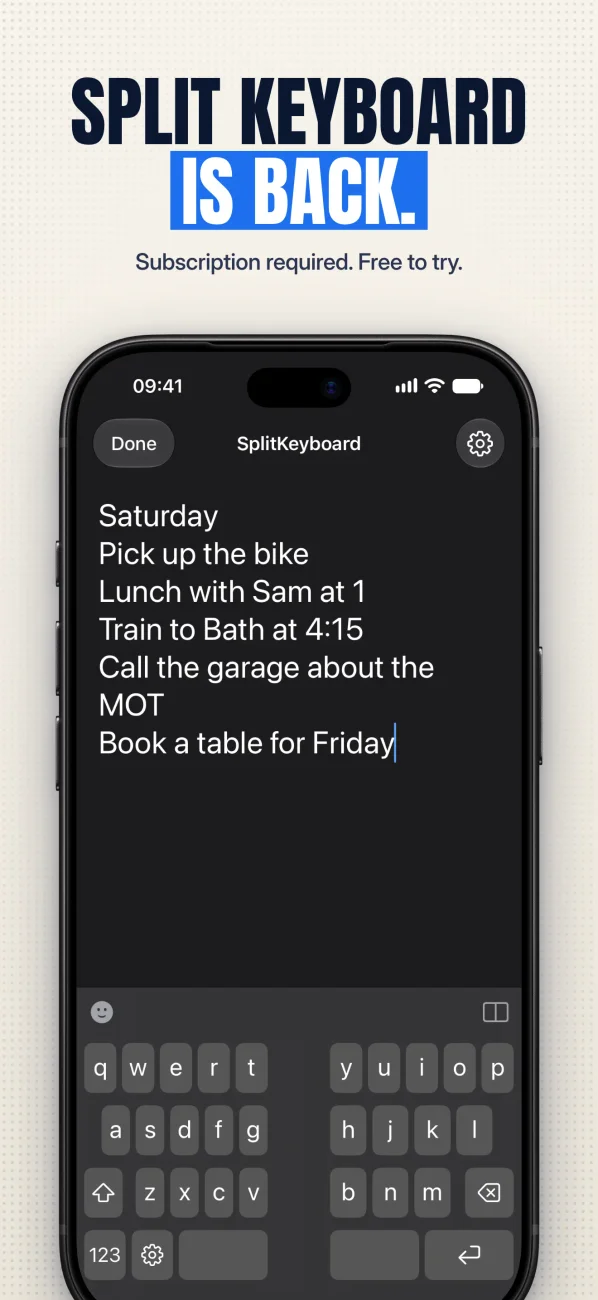
Split your keyboard properly and type comfortably. Finally.
We've worked meticulously to make the best split keyboard we can, and we hope you enjoy it.
Try it free in the app. To use it in other apps, choose a yearly subscription with two weeks free, or monthly. If you already bought lifetime access, it stays yours.
On iPhone
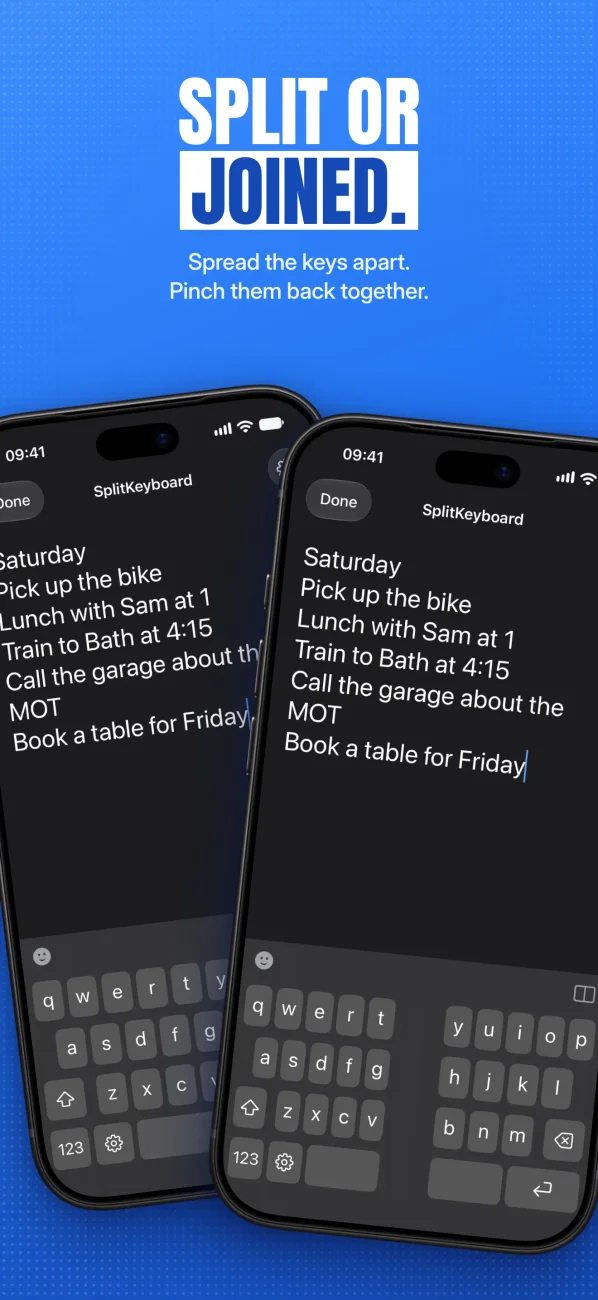
• Split the keys in portrait or landscape.
• Raise the keyboard so the keys are easy to reach.
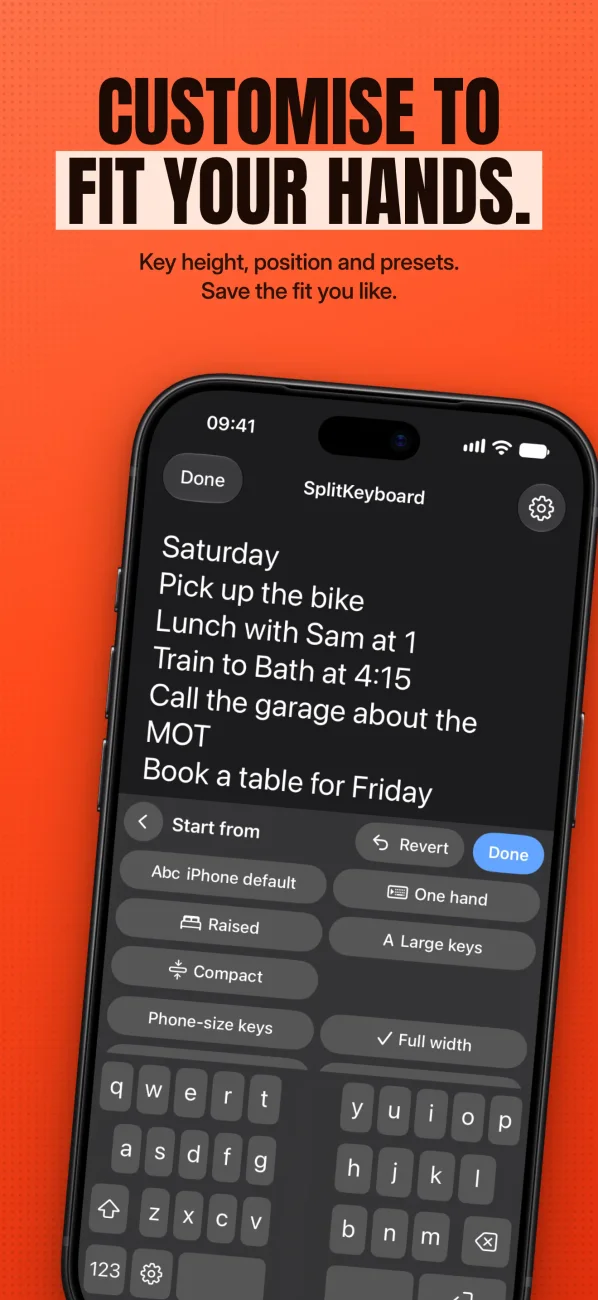
• Pick a preset for how you hold your phone.
On iPad
• Spread two fingers to split and pinch to join.
• Bring each half within easy reach, with a separate reach for left and right if you like.
• Use a phone-size keyboard on the left, centre or right.
• Repeat the middle letters on one half or both.
On iPhone Duo
• Closed, it types like any iPhone keyboard.
• Open, it can split with an empty gap in the middle.
Just like your built-in keyboard
• Pull down on a key for its number or symbol.
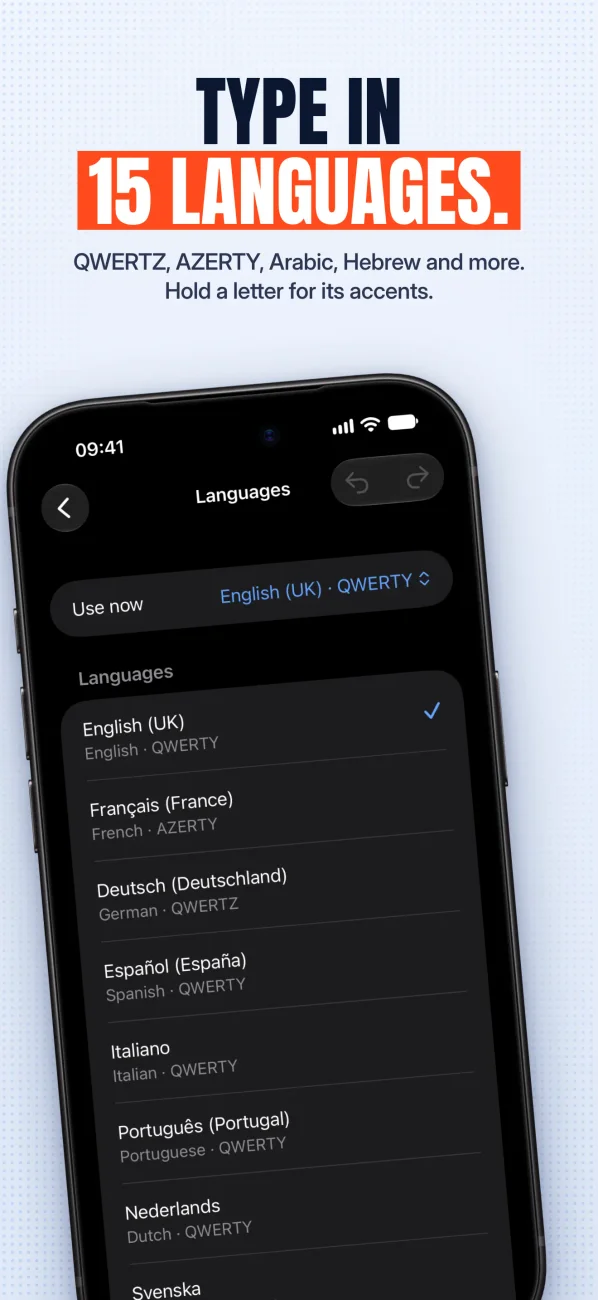
• Hold a letter for accents.
• Hold Space to move the cursor.
• Switch keyboards with the globe key.
• Capitals at the start of sentences, and a double space for a full stop.
• Emoji in one scrolling panel, with your recent ones first.
What we've added
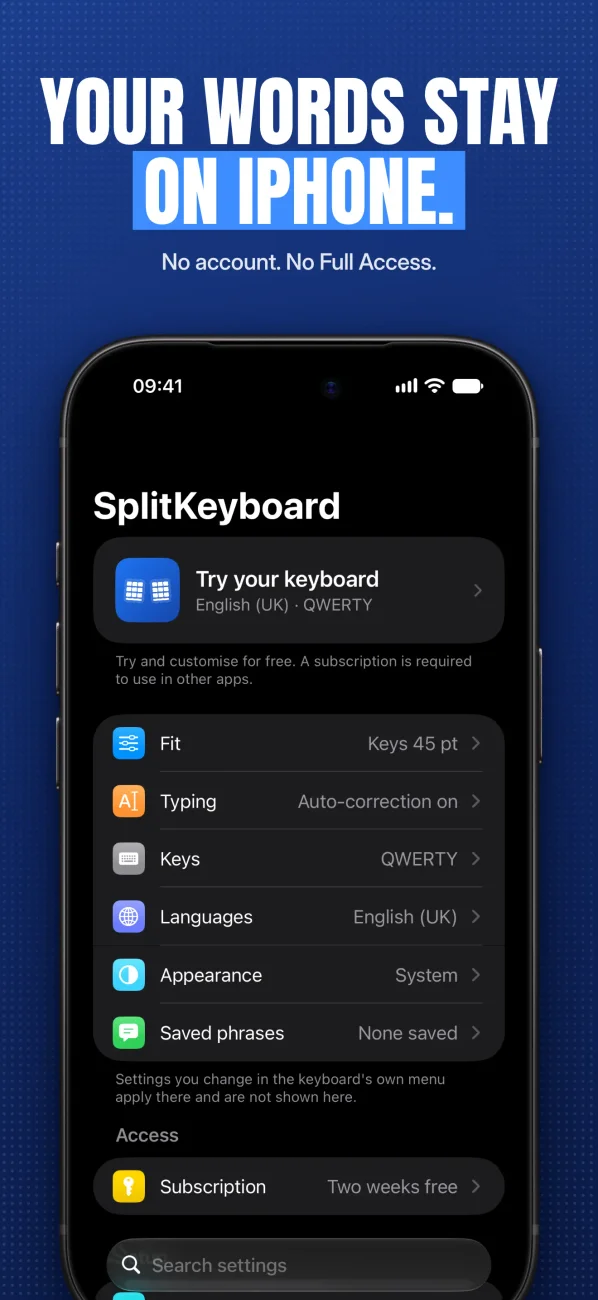
We designed comfort in from the ground up. Find your fit and save it as a preset so you can swap layouts on the go.
• Height, reach and spacing that you set yourself.
• Presets for how you type, plus your own saved fits.
• Hold the settings key to swap fits, split or join, or turn auto-correction off.
• A keyboard menu with Fit, Typing, Keys, Languages, Appearance and Phrases, so you can change settings without leaving the app you're in.
• Swap any key and add a number row or arrows.
• Saved phrases one tap away.
• On-device auto-correction and word suggestions in all your languages, and optional swipe typing in English.
• Add languages straight from the keyboard.
• A top bar of shortcuts you can rearrange.
Languages
English, French, German, Spanish, Italian, Portuguese, Dutch, Swedish, Norwegian, Danish, Arabic, Persian, Hebrew, Urdu and Vietnamese. Each has its proper layout. English also offers ABC, Dvorak and Colemak.
Why it's different
• No account, no Full Access and no tracking.
• Nothing you type leaves your device.
• Designed to feel as if it came with your device.
Even more
• Number row, arrow keys and a Tab key.
• Punctuation, currency and maths pages.
• Hidden keys in the centre gap.
• A solid, clear, frosted or glass centre gap.
• Larger keys and letters.
• Choose how fast Delete repeats when held.
• Key sounds and dark mode.
• Custom characters with drag-and-drop editing.
• Search every setting, with undo and redo.
• Works offline with no sign-up.
Built by those who care. Email hello@amberlake.co.uk and we'll get back to you.
Requires iOS or iPadOS 18 or later. Password fields and some apps use the system keyboard. Next-word prediction and dictation are not included.
Terms of Use: https://www.apple.com/legal/internet-services/itunes/dev/stdeula/
Privacy Policy: https://amberlake.co.uk/splitkeyboard/privacy/
What’s new
Version 1.05 · Nov 19, 2026
Bug fixes and performance upgrades.
App privacy
What Max Robson declares on the App Store about how this app handles data.
-
Data not collected
The developer does not collect any data from this app.
Privacy practices may vary, for example with the features you use or your age.
Information
- Seller
- Max Robson
- Category
- Utilities
- Version
- 1.05
- Updated
- Nov 19, 2026
- Released
- Sep 22, 2026
- Size
- 26.7 MB
- Requires
- iOS 18.0 or later
- Age rating
- 4+
- Price
- Free
- In-app purchases
- Yes
- Languages
- English
- Copyright
- © 2026 Max Robson
You might also like
-
 Split KeyboardComfortable typing on iPad
-
 KeyLilt – Split KeyboardType, save and paste
-
 FoldboardThe keyboard that follows you
-
 BSCUtilities
-
 LatLock VPNUtilities
-
 Time Vault: Memory CapsuleSave moments to unlock later
-
 Days of Life - MilestonesTrack what truly counts
-
 Know My IPSpeed Test & Network Tools
-
 Fiberlux AppUtilities
-
 Industry ApplicationUtilities