Stickit: Sticky Notes Widget
Notes on your home screen
Designed for iPhone, iPad, iPod touch
Free · In-app purchases
- Age rating4+
- CategoryProductivity
- DeveloperKitae Kim
- LanguagesEnglish+ 9 more
- Size53.3 MB
Links to the official App Store page
Download.org hosts no file of Stickit: Sticky Notes Widget. The button opens its official App Store page, published by Kitae Kim. Listing last checked on Nov 22, 2026.
Screenshots
About
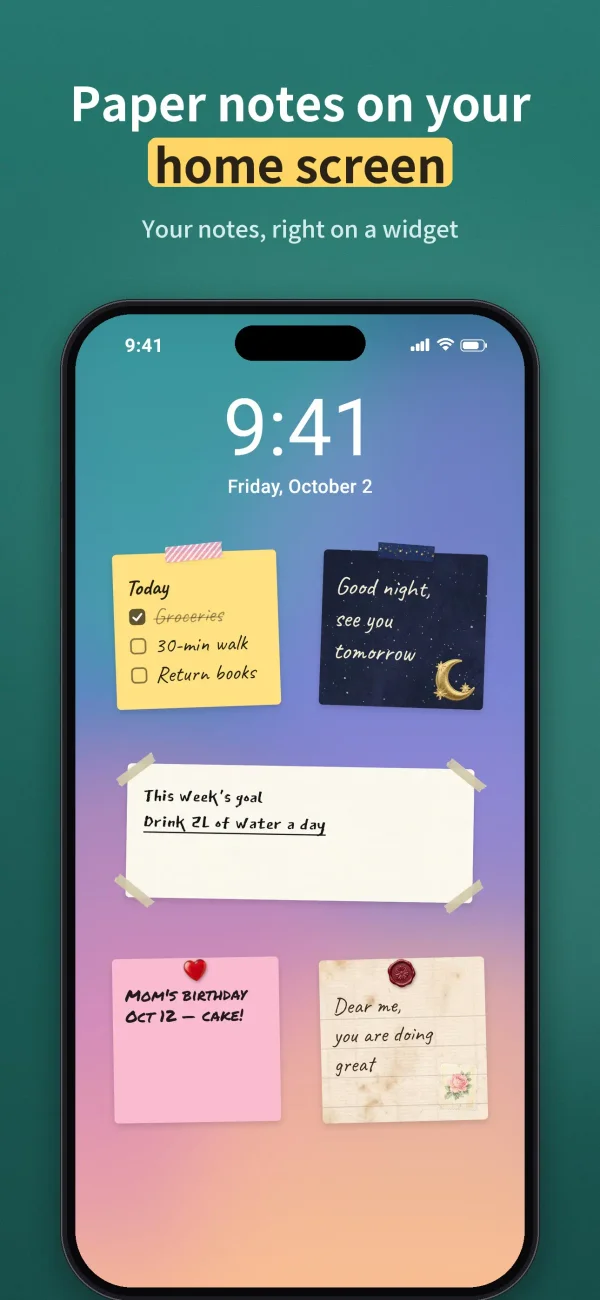
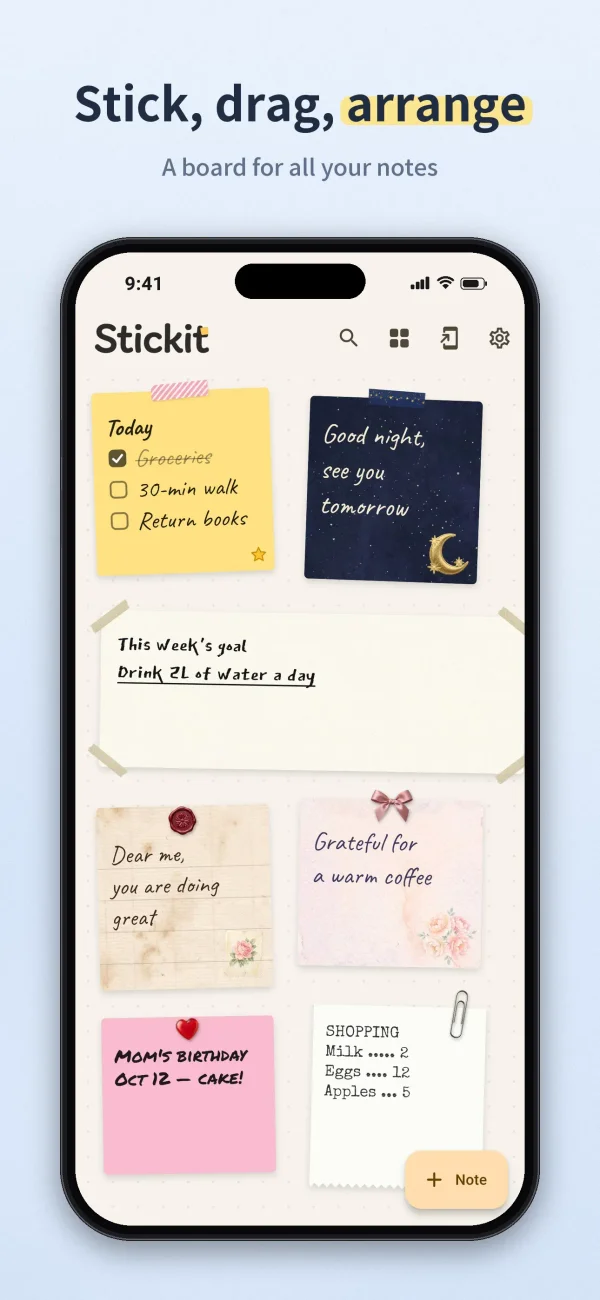
Stickit puts your notes right on your home screen, like sticky notes on a fridge.
The note you write in the app shows up on the widget exactly as it looks, so your to-dos and goals catch your eye every time you look at your phone.
Notes that stick to your home screen
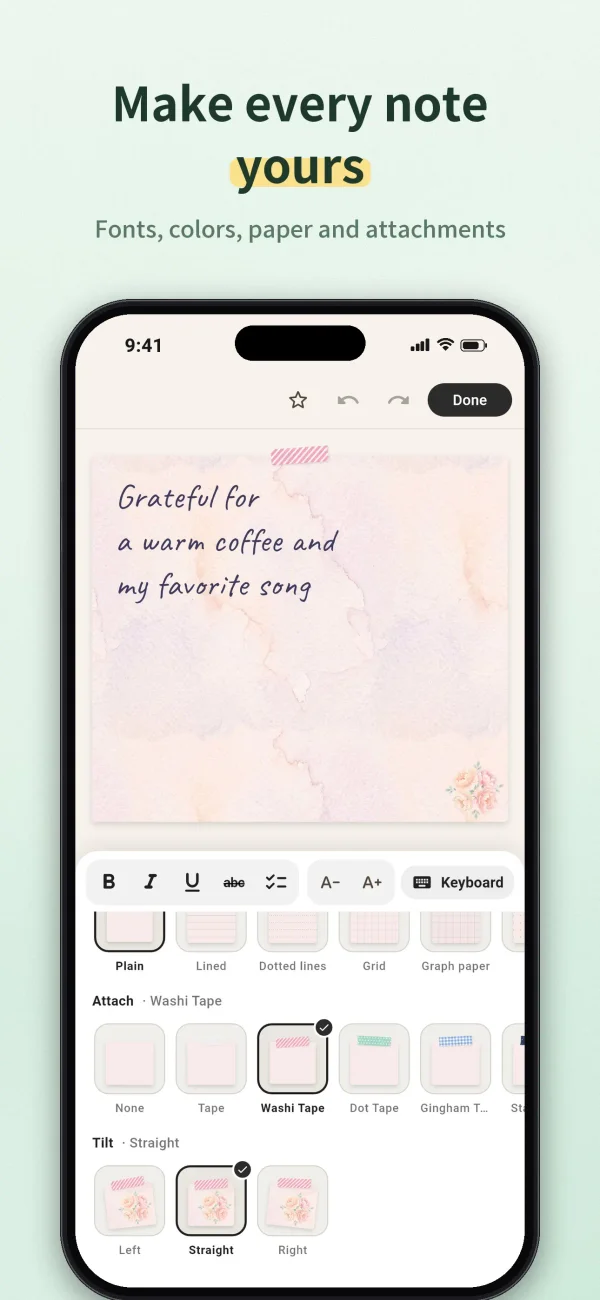
• Your widget looks just like the note you styled in the app: same theme, font, text size and tilt.
• Tap a widget to open that note instantly.
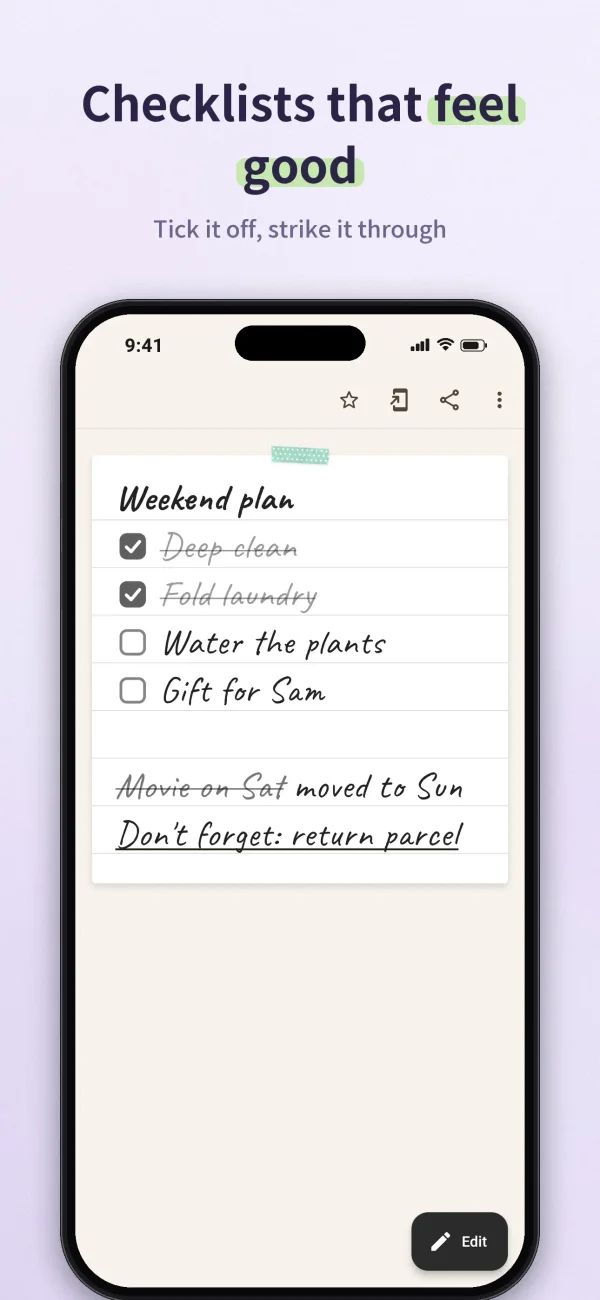
• Tap a checklist line to tick it off right on the widget, without opening the app (iOS 17+).
Sticky notes, done right
• Backgrounds that look like real paper: curled or slightly lifted sticky notes, spiral notebooks, torn paper and perforated edges.
• Pick a sticky note color from soft shades to neon, and lay down Lined, Grid, Dots, Legal pad or Manuscript paper.
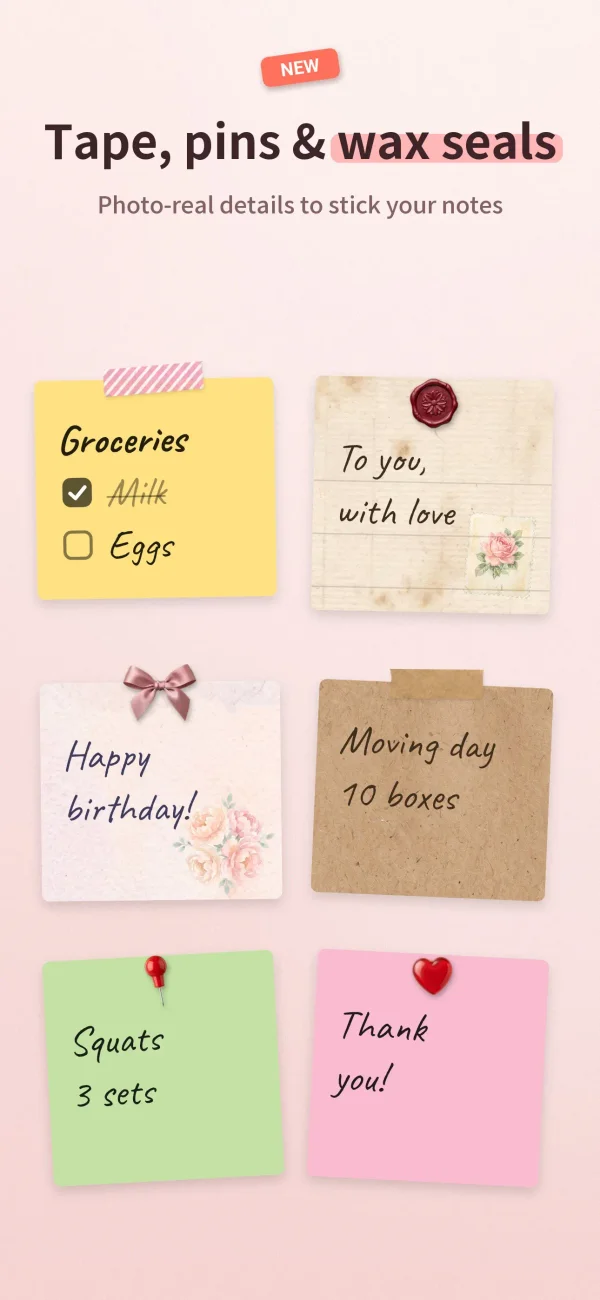
• Stick on Washi Tape, a Thumbtack, Clip, Binder Clip, Magnet, Ribbon or Wax Seal, and set its size to S, M or L.
Fun themes to pick from
• On screen: Retro Window, Terminal, Game Dialog, Now Playing, Notification, Camcorder
• Everyday parodies: Shipping Label, Nutrition Facts, Pharmacy Bag, Library Card, Ticket, Clapperboard, Graded Test
• Playful: Photo Booth, Photocard, Neon Sign, Pixel, Holographic, Toast, Dino
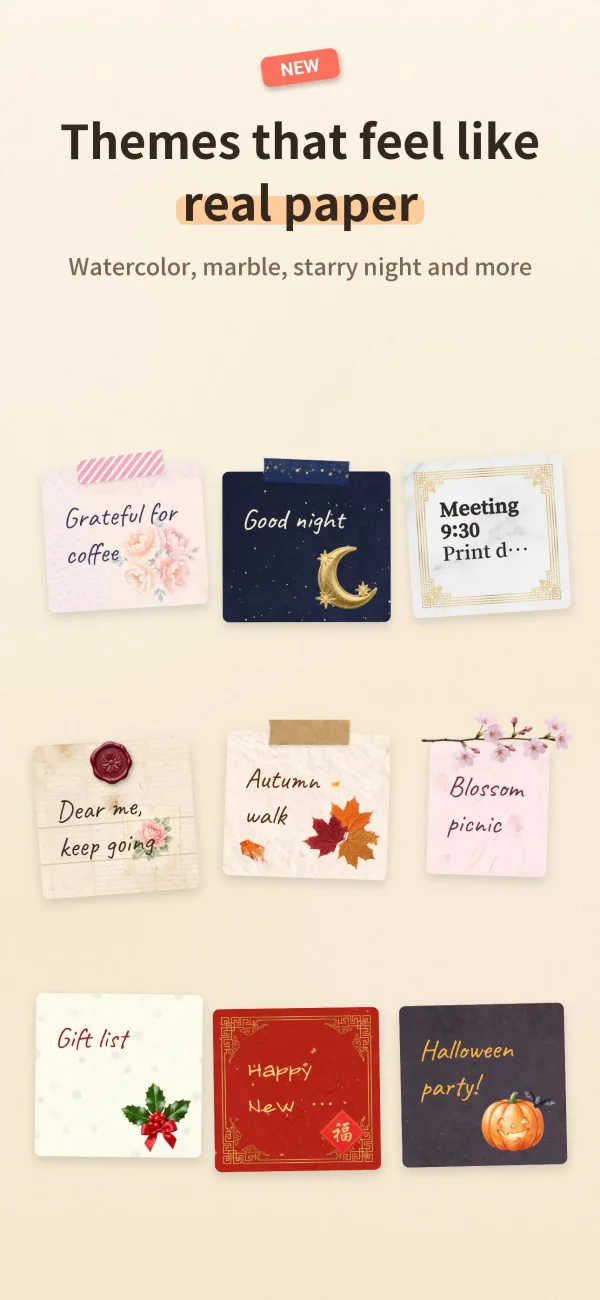
• Mood: Watercolor, Starry Night, Café, Pressed Flowers, Tarot Card
• Seasons and holidays: Cherry Blossom, Autumn Leaves, Snowy Day, Christmas, Halloween, Birthday, Harvest Moon
• Materials and nature: Kraft, Chalkboard, Hanji, Marble, Ocean, Forest, Lavender Field
The joy of checking things off
• Choose your checkbox style: box, circle, grading circle, pencil check or heart
• Bold, italic, underline and strikethrough; left, center or right alignment
• Handwriting, brush, typewriter and more fonts, plus your device font
Reminders so you never forget
• Set a reminder on any note and get notified right on time. Pick in 1 hour, this evening or tomorrow morning in one tap.
• Reminders can fire once or repeat daily, on weekdays or weekly.
A board full of sticky notes
• Make more than one board to keep things apart, like Work and Home.
• Drag notes around, or tap Arrange to line them up neatly.
• Star important notes to keep them at the front.
Find, share and keep
• Search to find any note in a moment.
• Share a note as an image that looks just like the sticky note, or send or copy the text.
• Deleted notes stay in the Trash for 30 days.
No sign-up needed
• No account required. Your notes are stored only on your device (and in your account only if you turn on Premium sync).
* Free: 2 home screen widgets and the basic themes and fonts, with a small ad at the top of the board. Premium (one-time purchase): no ads, unlimited widgets, every theme and font, and sign-in to sync notes across devices.
Available in English, Korean, Japanese, Chinese (Simplified and Traditional), Spanish, Portuguese, German, French and Indonesian. Switch anytime in Settings > Language.
What’s new
Version 1.7.0 · Nov 17, 2026
Meet the new Stickit.
• Fun new themes like Retro Window, Terminal, Shipping Label, Graded Test and Photo Booth.
• Classic sticky notes like curled notes and spiral notebooks now look more like real paper.
• Pick your checkbox style: box, circle, grading circle, pencil check or heart.
• Set attachments to S, M or L, and change text alignment right from the formatting bar.
• Theme decorations look bigger and sharper on widgets.
App privacy
What Kitae Kim declares on the App Store about how this app handles data.
-
Data linked to you
May be collected and linked to your identity.
- Location
- Identifiers
- Usage data
-
Data not linked to you
May be collected but is not linked to your identity.
- Diagnostics
Privacy practices may vary, for example with the features you use or your age.
Information
- Seller
- Kitae Kim
- Category
- Productivity
- Version
- 1.7.0
- Updated
- Nov 17, 2026
- Released
- Oct 9, 2026
- Size
- 53.3 MB
- Requires
- iOS 15.0 or later
- Age rating
- 4+
- Price
- Free
- In-app purchases
- Yes
- Languages
- English, French, German, Indonesian, Japanese, Korean, Portuguese, Simplified Chinese, Spanish, Traditional Chinese
- Copyright
- © 2026 ToyDream
You might also like
-
 付箋ウィジェットメモ -ホーム画面にメモを表示Productivity
-
 はしっこ付箋Productivity
-
 Petatto TODOGentle Tasks on Sticky Notes
-
 ふせん - 付箋ウィジェット・メモProductivity
-
 DailyWall: Lock Screen NotesSticky Notes Widget, Reminders
-
 Stickit: Sticky Notes BoardSticky Board for Lock Screen
-
 Instink Handwritten NotesJot ideas fast, by hand
-
 ロック画面メモ - LockScreenMemoProductivity
-
 Tekika - Handwritten PlannerHandwriting Calendar & Planner
-
 Quick Widget MemoWidget Handwrite Memo