- Age rating4+
- CategoryUtilities
- DeveloperTatsuro Higuchi
- LanguagesEnglish+ 1 more
- Size17.8 MB
Links to the official App Store page
Download.org hosts no file of STIL.HUB. The button opens its official App Store page, published by Tatsuro Higuchi. Listing last checked on Nov 17, 2026.
Screenshots


About
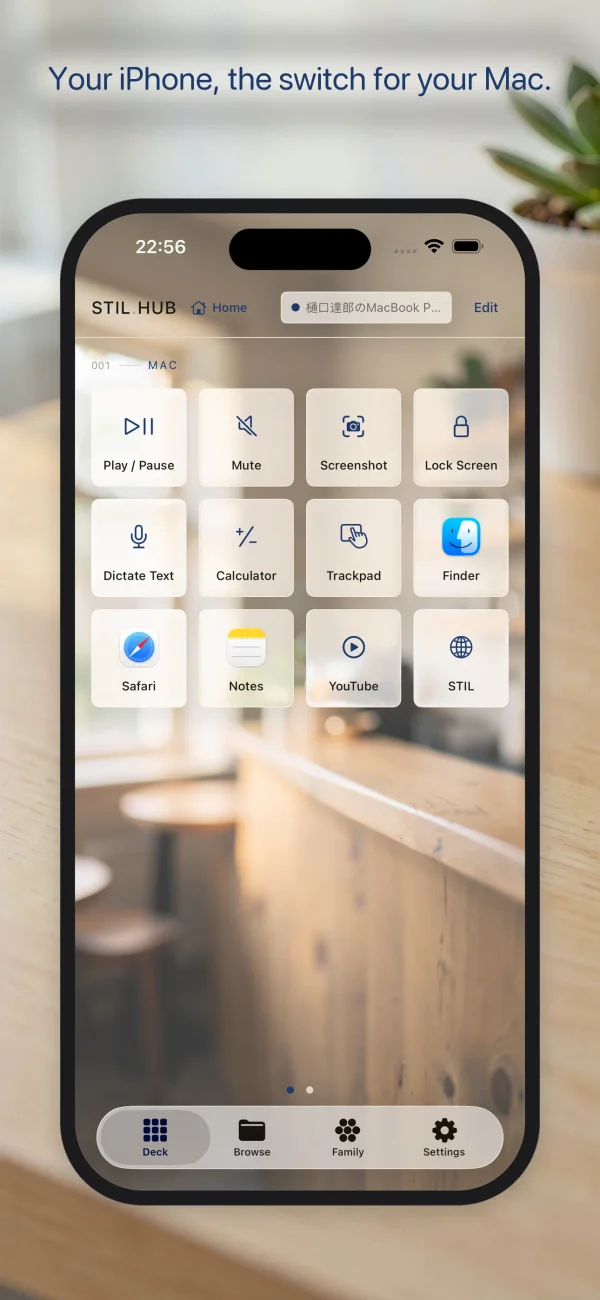
STIL.HUB turns your iPhone into a control surface for your Mac. Lay out the actions you use most as buttons, then tap to run them.
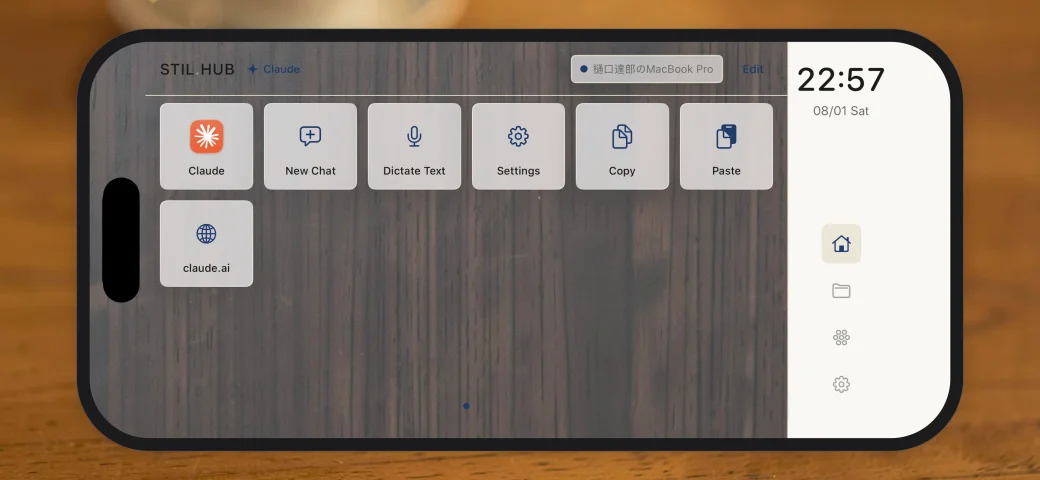
Keep the iPhone on your desk and switch apps, take screenshots, or run a saved routine without moving your hands off the keyboard. Turn it sideways for a desk layout with a clock and menu, and it works as a desk clock too.
■ What you can do
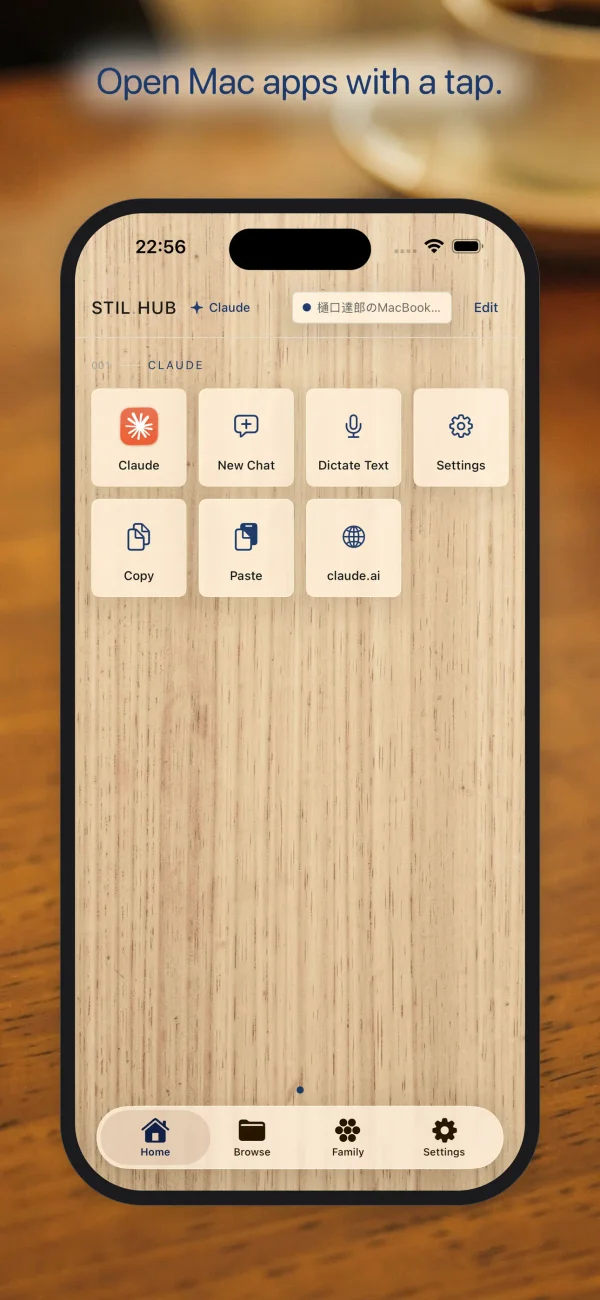
- Launch and switch apps (pick from what is installed on your Mac)
- Send keystrokes (copy, paste, screenshots, and more)
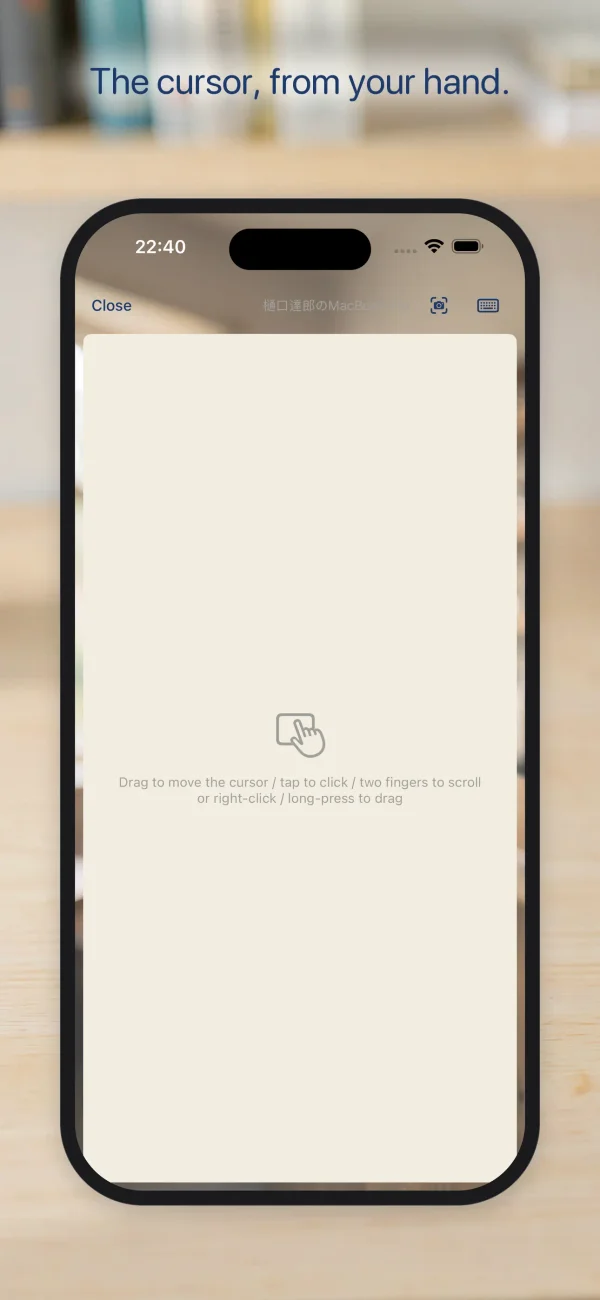
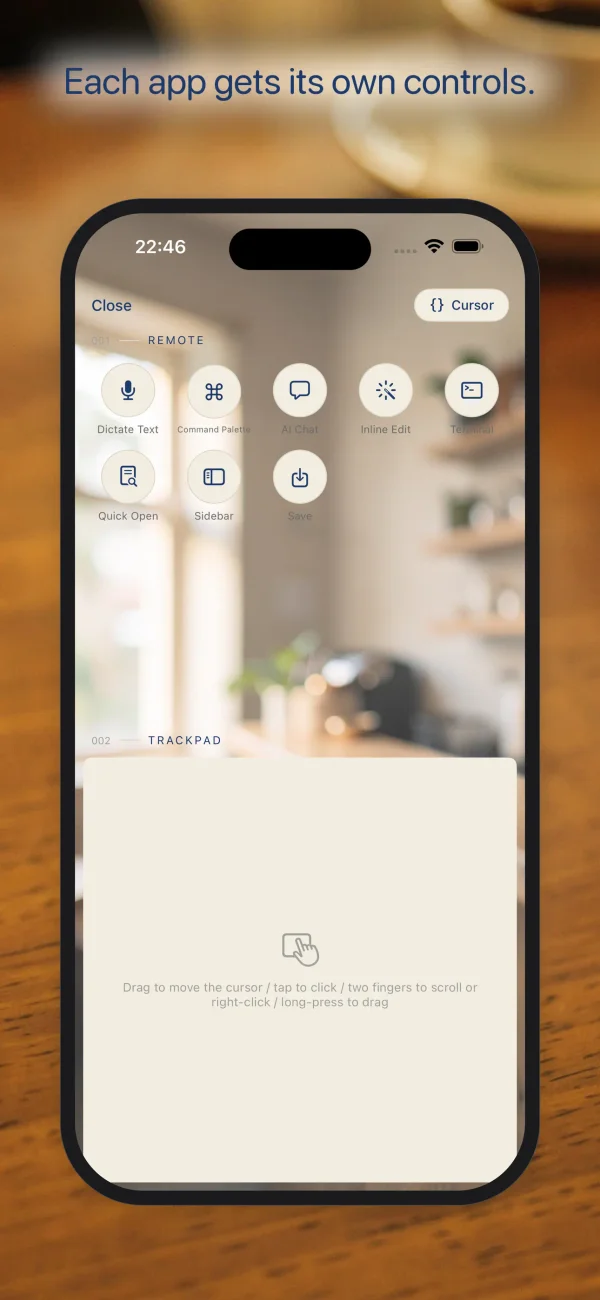
- Turn the iPhone screen into a trackpad for your Mac's cursor (tap to click, two fingers to scroll and right-click, press and hold to drag, flick with two fingers for momentum scrolling)
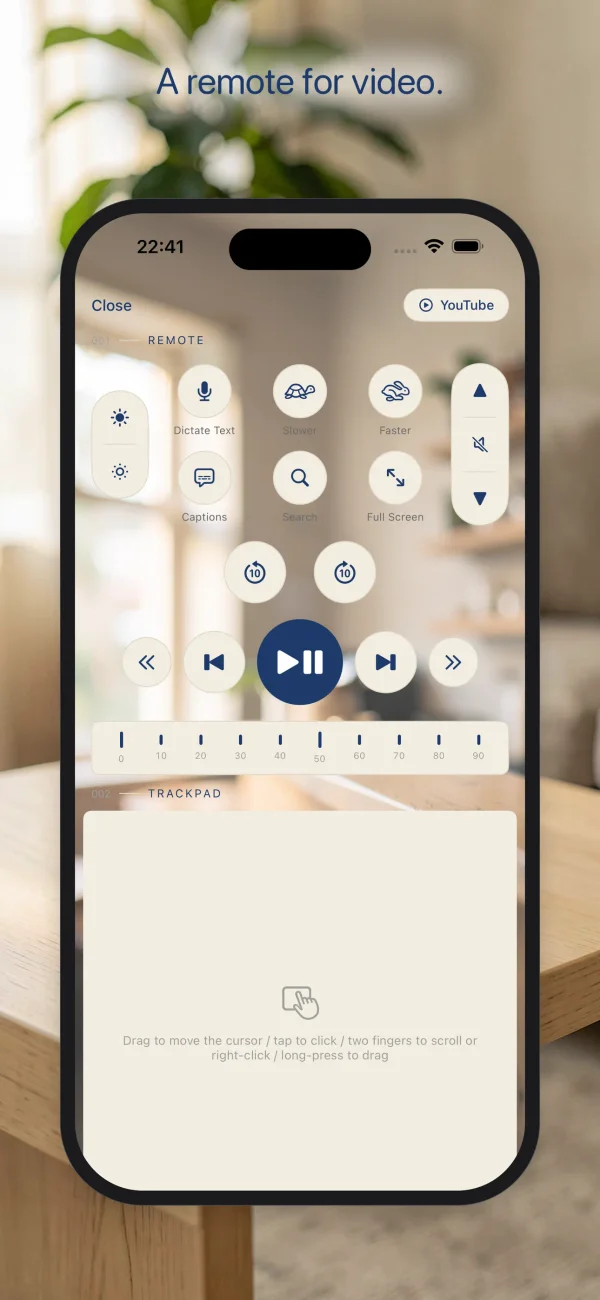
- A remote for video (play and pause, previous and next, 10-second skip, chapters, captions, full screen, volume, brightness). The lower half stays a trackpad
- Run Shortcuts
- Run scripts (Python, shell, and others; results come back to the iPhone, and you can schedule them by time)
- Media controls such as volume and playback
- Send text you type or dictate on iPhone to the input field on your Mac
- Send text you copied on iPhone to your Mac
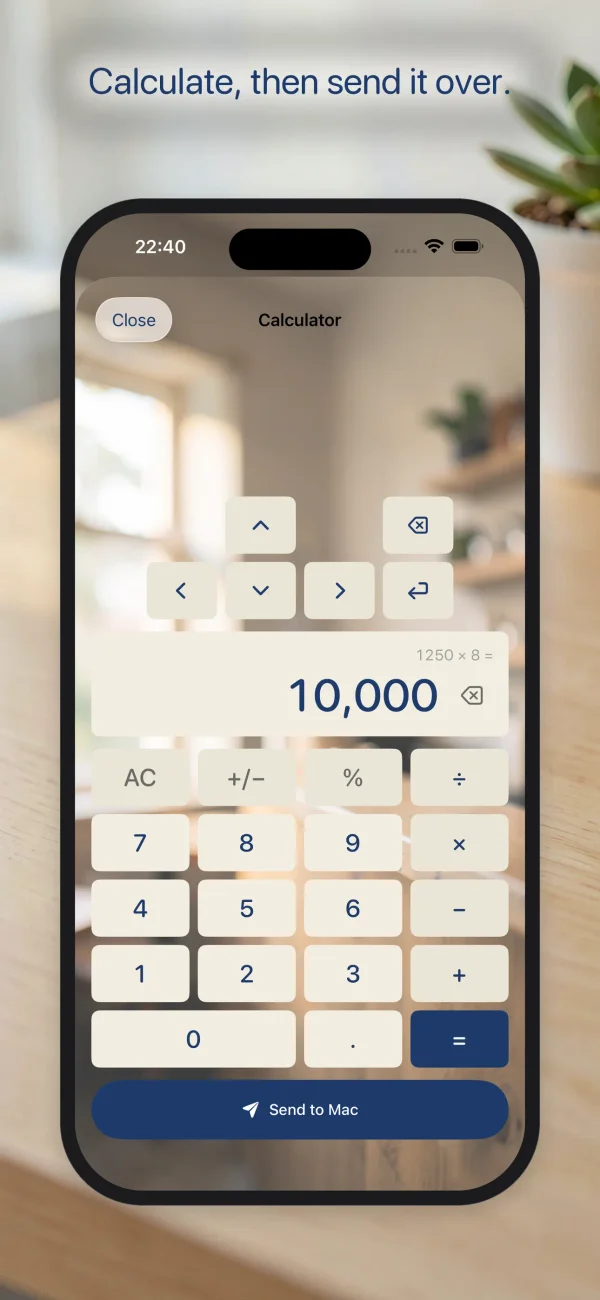
- Run the numbers in the iPhone calculator and send the result to your Mac (arrow keys and Enter included)
- Screenshots (area, full screen, and toolbar)
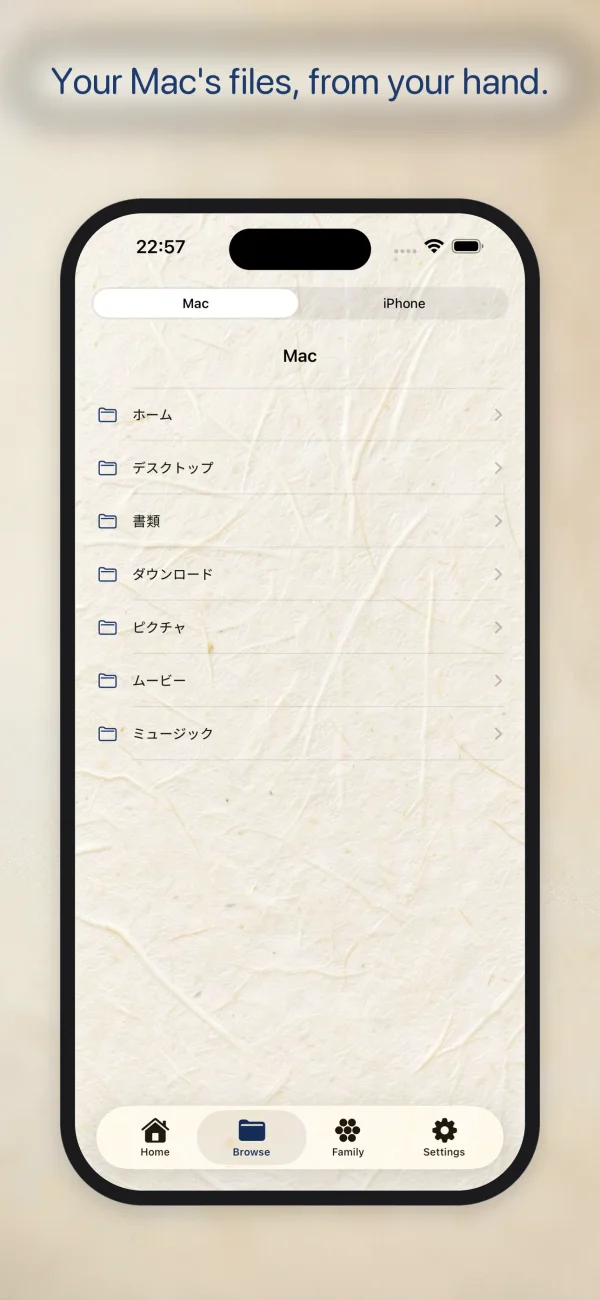
- Browse folders on your Mac from the iPhone to open or receive files
- Give each app its own deck, and your iPhone follows when you switch apps on the Mac
- Run actions straight from Home Screen and StandBy widgets
- Start quickly from templates (Claude, Cursor, Xcode, Final Cut Pro, video sites, and more)
- Edit your decks from the Mac as well
■ Connection and privacy
- Pair once with a 6-digit code while the iPhone and Mac are on the same network
- Traffic stays on your local network and is encrypted. Nothing goes to a server
- No account required. No data collected
Get the free Mac companion app "STIL.HUB Companion" at stil.photo/hub and move it to your Applications folder.
Product names are trademarks of their respective owners. This app is not affiliated with them. The video-site templates send that site's standard keyboard shortcuts to the page you opened in your browser.
What’s new
Version 1.2 · Aug 1, 2026
Your iPhone is now the remote for watching video on your Mac.
- Video remote — Tap the tile on your home deck: the site opens on your Mac and the remote appears in your hand. Play and pause, previous and next, 10-second skip, chapters, captions, full screen. The lower half stays a trackpad, so the cursor is still there. Templates for YouTube, Netflix, Prime Video, and Hulu are included.
- Jump scale — Ten steps from 0% to 90%. Reach the part you want in one move.
- Volume and brightness — Rockers on both sides, so you can dim the screen and turn the volume down without leaving the remote.
- Momentum scrolling — Flick with two fingers and the page keeps going. Turn it off in Settings → Trackpad.
- Screenshots in one button — Area, full screen, or toolbar. For area and toolbar, the trackpad opens right after so you can draw the selection.
- A first-run walkthrough — Three steps that point at the actual controls. You can replay it from Settings.
- A larger trackpad — In landscape the controls move to a vertical rail, giving the pad 25% more height.
- When your Mac is not found — The connection sheet now has a rescan button and points you to the iPhone's Local Network setting.
- New default look — A cafe backdrop with frosted glass. Change it in Settings → Appearance.
Fixed an issue where dictated text could disappear.
Brightness control requires STIL.HUB Companion 1.2 or later on your Mac (free, from stil.photo/hub). From 1.2, Companion checks for updates on its own.
App privacy
What Tatsuro Higuchi declares on the App Store about how this app handles data.
-
Data not collected
The developer does not collect any data from this app.
Privacy practices may vary, for example with the features you use or your age.
Information
- Seller
- Tatsuro Higuchi
- Category
- Utilities
- Version
- 1.2
- Updated
- Aug 1, 2026
- Released
- Jul 29, 2026
- Size
- 17.8 MB
- Requires
- iOS 17.0 or later
- Age rating
- 4+
- Languages
- English, Japanese
- Copyright
- © 2026 Tatsuro Higuchi
You might also like
-
 VisuoTimer CountdownSimple Visual Timer
-
 AI Identifier Photo ScanIdentify Plants, Bugs, Birds
-
 VimKey - Code & Vim KeyboardArrow Keys & Cursor for Coding
-
 CodableWeb developer tools for mobile
-
 QuickPad - Touch & ControlWireless Mouse, Keys & Macros
-
 BESV Smart Plus AppUtilities
-
 AI Shortcuts ActionsIntelligent shortcuts with AI
-
 BESV SMART APPSmarten Up Your Ride
-
 Wi-Fi QR CodeQuickly connect to Wi-Fi
-
 AlwaysOn: Standby ClockNightstand & Ambient Display