Stock Count: Barcode Counter
Inventory & stocktake scanner
Designed for iPhone, iPad, iPod touch
Free · In-app purchases
- Age rating4+
- CategoryProductivity
- DeveloperDIREKTA s.r.o.
- LanguagesEnglish+ 27 more
- Size44.4 MB
Links to the official App Store page
Download.org hosts no file of Stock Count: Barcode Counter. The button opens its official App Store page, published by DIREKTA s.r.o. Listing last checked on Nov 24, 2026.
Screenshots


About
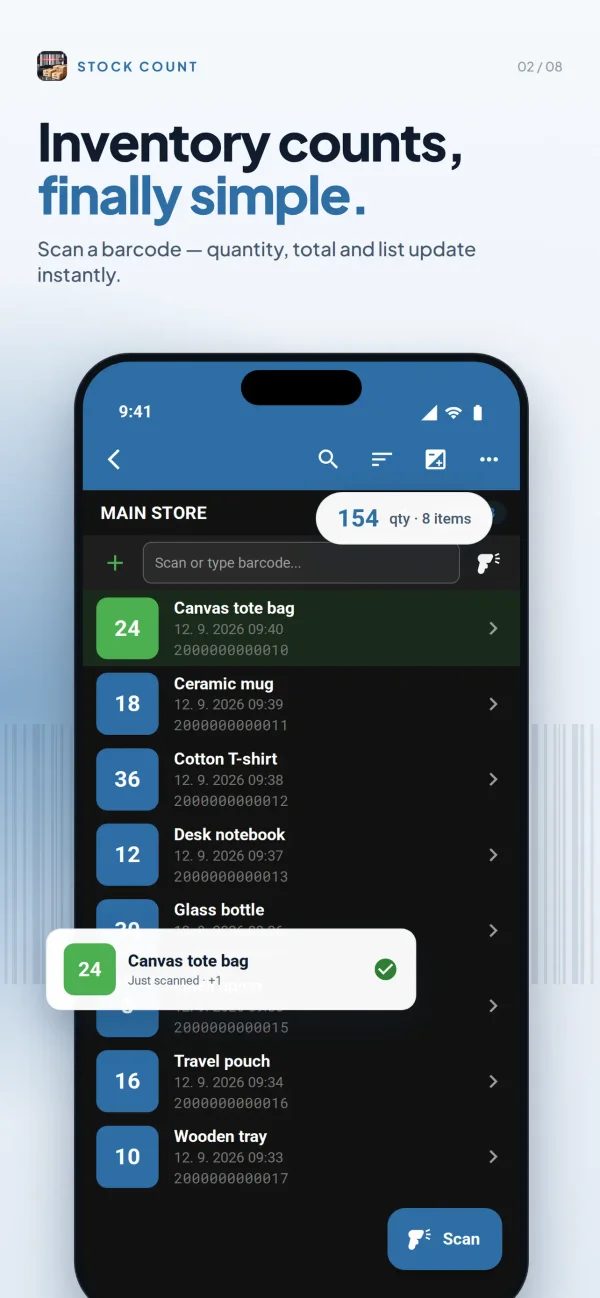
Count your stock with the phone in your pocket. Point the camera at a barcode and the item is counted. No paperwork, no clipboard, no typing product numbers by hand.
Stock Count is built for real stockrooms - warehouses, retail shops, e-commerce fulfilment, workshops, bars and restaurants, events, tool and asset audits.
SCAN THE WAY YOU WORK
- Quick Scan: every scan adds +1 instantly, ideal for fast shelf counting
- Quantity Mode: scan once, then enter the exact amount
- Continuous scanning without leaving the camera view
- Built-in torch for dark aisles and a clear scan viewfinder
- Move and resize the scan frame to aim at one code; the torch stays on
- Works with professional Bluetooth scanners (Zebra, Honeywell, Datalogic and other HID devices)
EVERY COMMON BARCODE
EAN-13, EAN-8, UPC-A, UPC-E, Code 128, Code 39, Code 93, ITF, QR Code, Data Matrix and more.
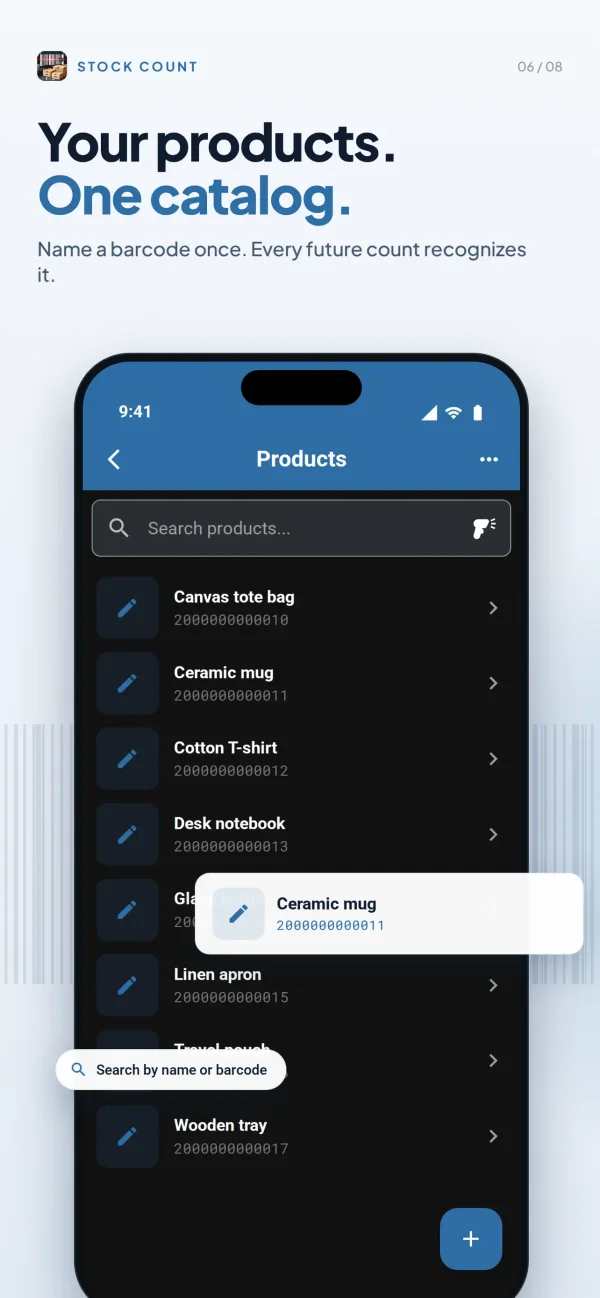
A CATALOG THAT REMEMBERS
Name a barcode once and it is recognised in every count that follows. Import an existing catalog from CSV or XLSX, or simply build it as you scan.
SEVERAL COUNTS SIDE BY SIDE
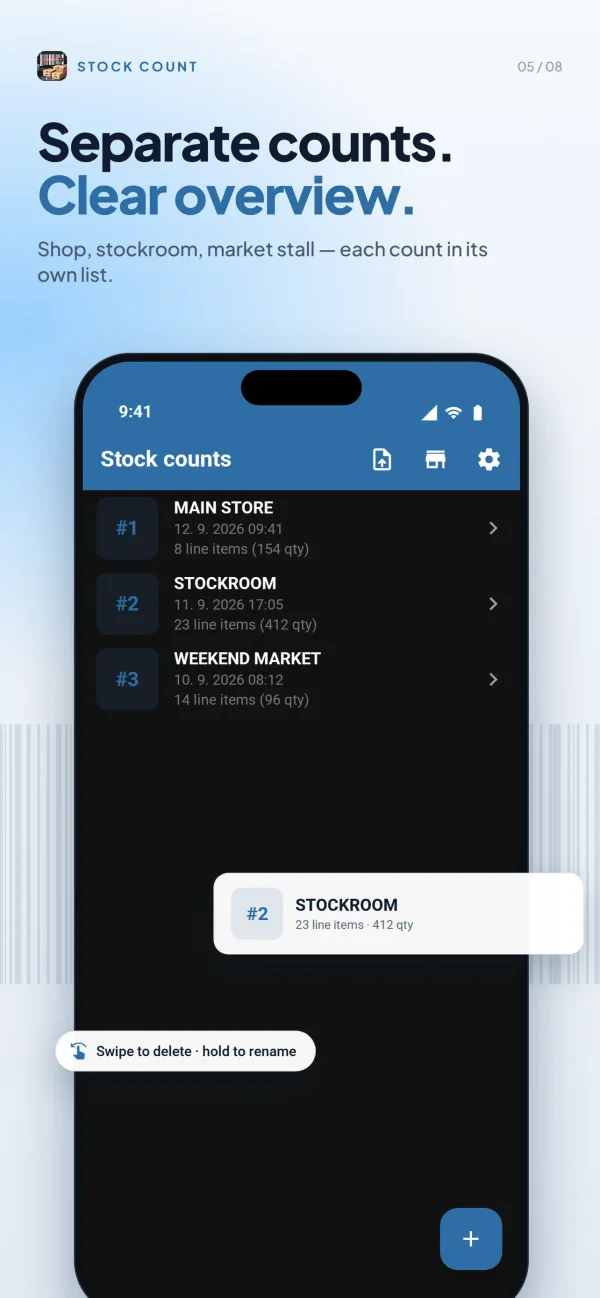
Keep separate counts for shelves, storerooms, vans or dates. Switch between them any time, rename them, or clear one and start over. Compare two counts to see what changed, what's new and what's missing, lock a finished count so it can't be changed by accident, and add a location and note to counted items.
EXPORT IN ONE TAP
- XLSX: opens straight in Excel or any spreadsheet app
- PDF: a clean, printable count sheet
- CSV, JSON and TXT for your own system
Send the file by e-mail or message, drop it in cloud storage, or save it to Files.
LABELS, BATCHES AND PHOTOS
- Print barcode labels on A4 or Letter sheets or label rolls, in any custom size, with a live preview
- Batch numbers and expiry dates, with filters for expired and expiring soon
- Product photos from the camera or photo library
- Templates for repeat counts with weekly or monthly reminders
- Blind count hides expected quantities while you count
- Save exports straight to Files
BUILT FOR IPAD
On iPad your counts stay on the left and the open count on the right.
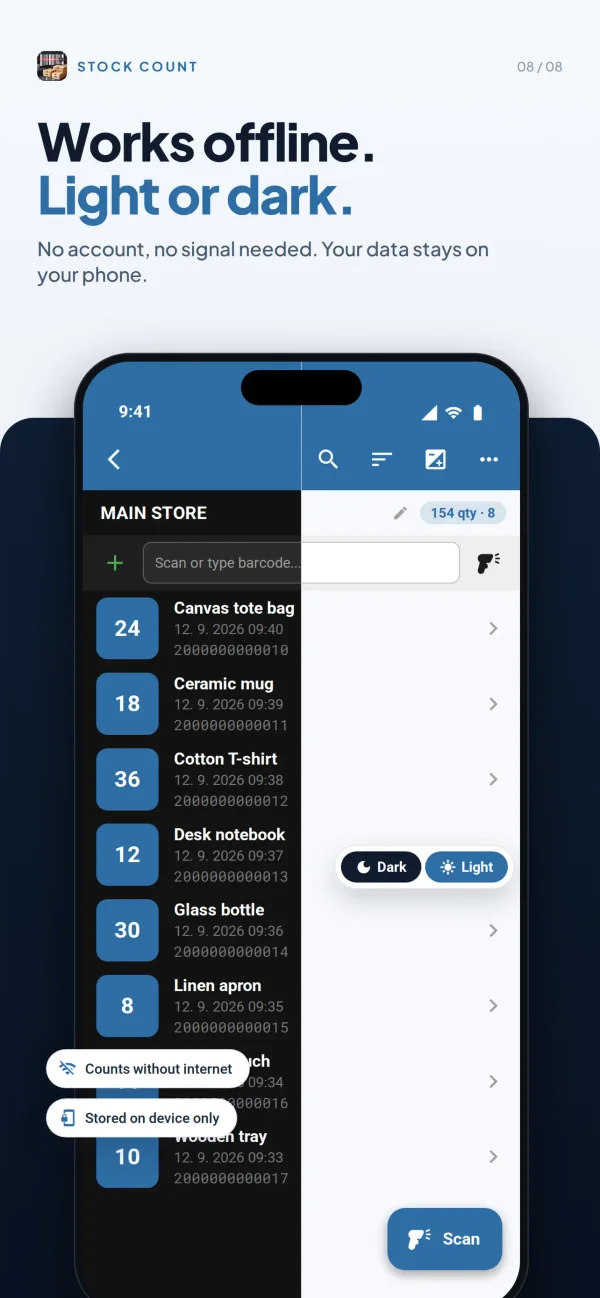
WORKS COMPLETELY OFFLINE
No account, no sign-in, no cloud. Your data stays on the device, so a cellar with no signal is not a problem. Back up all data to a file and restore it on a new phone.
MADE FOR LONG COUNTING SESSIONS
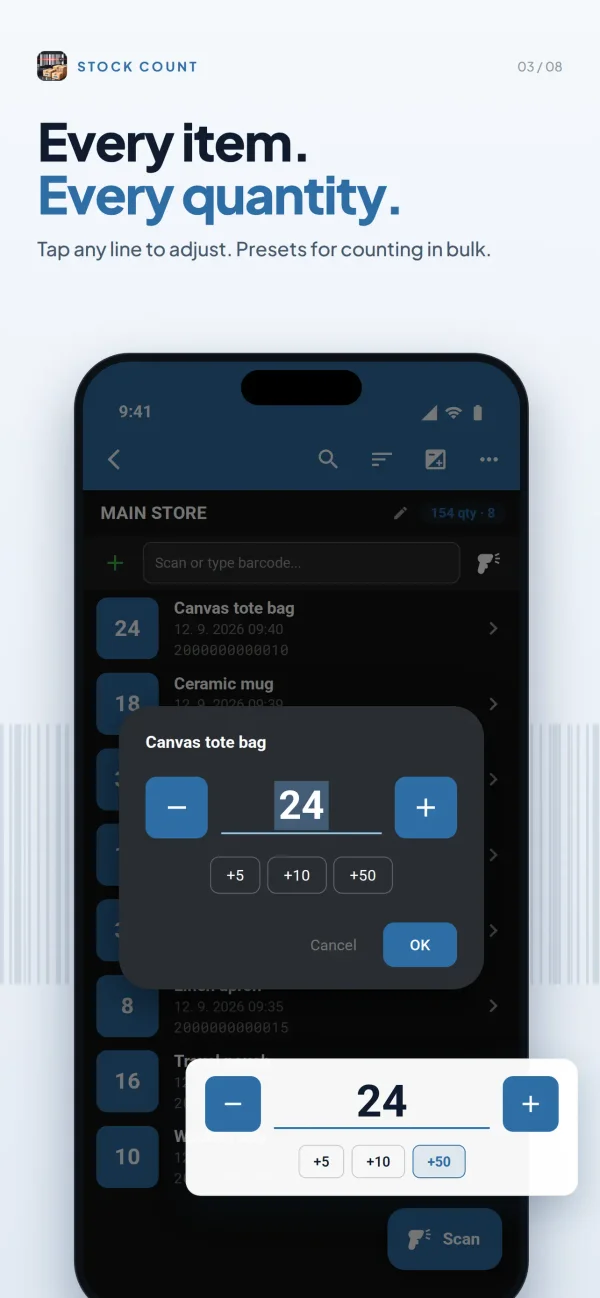
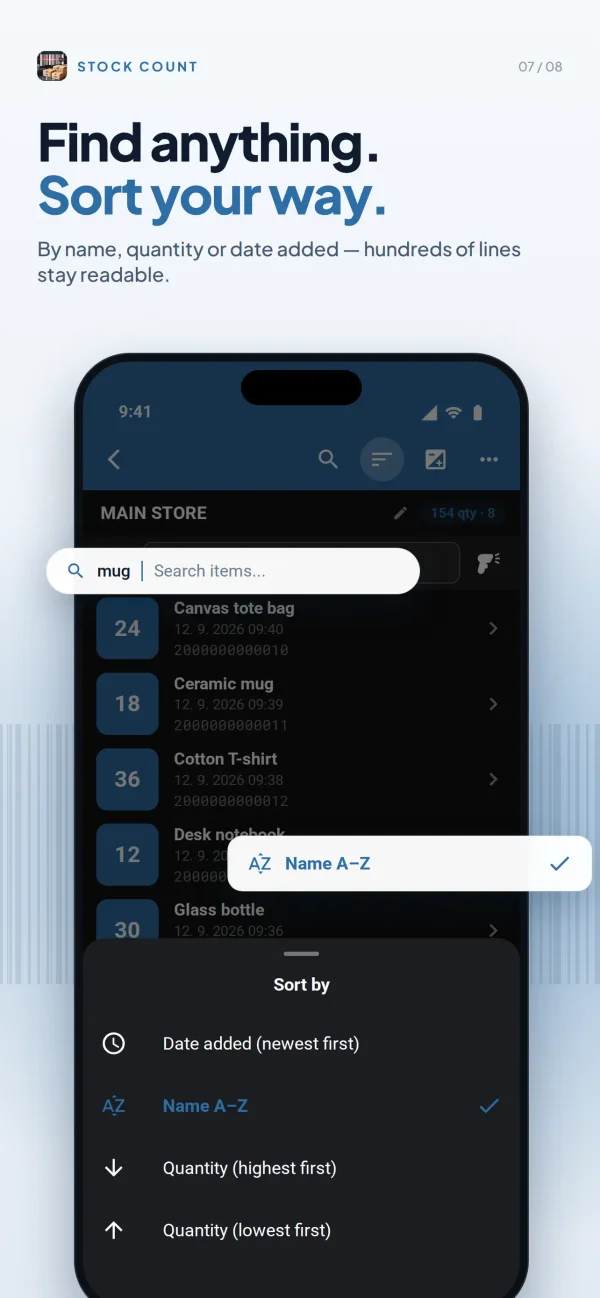
Dark mode, sound and vibration feedback on every scan, a screen that stays awake, quick +/- editing, swipe to delete, and search across all items. Available in 28 languages.
PRO
The app is free to use. Pro removes all ads and adds stock value with unit prices, expected quantities with differences (import a list or start from a previous stock count), export of differences, barcode labels, batches with expiry dates, count templates and custom export columns - available as a monthly or yearly auto-renewing subscription, or as a one-time purchase.
Payment is charged to your account at confirmation of purchase. A subscription renews automatically unless it is cancelled at least 24 hours before the end of the current period, and your account is charged for renewal within 24 hours before the period ends. You can manage or cancel your subscription in your account settings after purchase.
Missing a feature or found something odd? Write to us - we answer.
Privacy Policy: https://www.sensodroid.com/s/na-1
Terms of Use (EULA): https://www.apple.com/legal/internet-services/itunes/dev/stdeula/
What’s new
Version 1.4.9 · Nov 23, 2026
• Units and packages: give a product its unit (pcs, box, pair, roll or your own) and a package barcode, so scanning a carton counts the whole package at once
• Camera above the list: scan and see the list at the same time (Settings › Scanning)
• Product photos in PDF and Excel exports (Pro)
• Fixes and improvements
App privacy
What DIREKTA s.r.o. declares on the App Store about how this app handles data.
-
Data used to track you
May be used to track you across apps and websites owned by other companies.
- Location
- Identifiers
- Usage data
-
Data not linked to you
May be collected but is not linked to your identity.
- Purchases
- Location
- Identifiers
- Usage data
- Diagnostics
Privacy practices may vary, for example with the features you use or your age.
Information
- Seller
- DIREKTA s.r.o.
- Category
- Productivity
- Version
- 1.4.9
- Updated
- Nov 23, 2026
- Released
- Sep 21, 2026
- Size
- 44.4 MB
- Requires
- iOS 15.0 or later
- Age rating
- 4+
- Price
- Free
- In-app purchases
- Yes
- Languages
- English, Arabic, Czech, Danish, Dutch, Finnish, French, German, Hebrew, Hindi, Hungarian, Indonesian + 16 more
- Copyright
- © 2026 DIREKTA s.r.o.
You might also like
-
 Inventory Stock ManagerEasy to use and complete
-
 InvenioScanBarcode Inventory Scanner
-
 Simple Stock ListEasy stock list management
-
 Countpad: Inventory TrackerOffline stock count + reports
-
 My Documents: PDF ScannerOCR Organizer & Expiry Alerts
-
 Itemory - Inventory & QR LabelTrack Parts, Storage & Assets
-
 Billbop InventoryStress-Free Inventory Tracking
-
 Maxee AppProductivity
-
 Barcode Scan: InventoryProductivity
-
 MyStorageUnit - Item InventoryOrganize Your Storage Unit