- Age rating4+
- CategoryProductivity
- DeveloperSwen Sekha
- LanguagesEnglish
- Size4.0 MB
Links to the official App Store page
Download.org hosts no file of Stop Scrolling!. The button opens its official App Store page, published by Swen Sekha. Listing last checked on Nov 14, 2026.
Screenshots

About
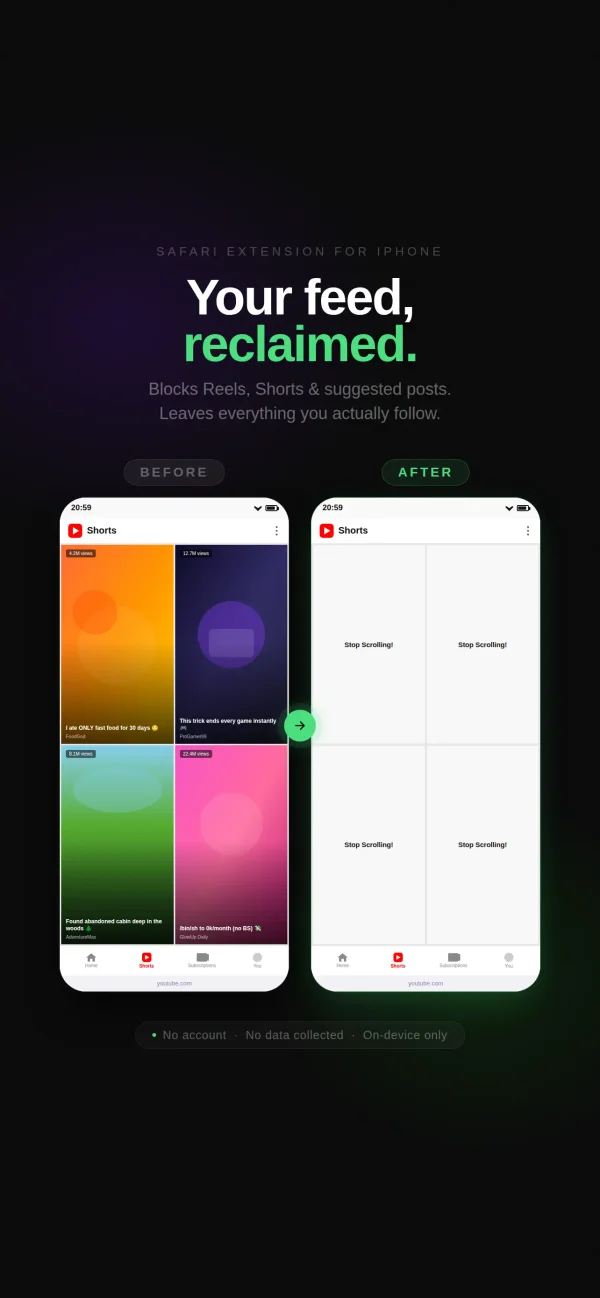
Take back your feed. Stop Scrolling blocks Reels, Shorts, and algorithmically suggested posts in Safari — leaving only content from people you actually chose to follow.
THE PROBLEM
Social media wasn't always this way. You followed people you cared about. Then the algorithm arrived: filling your feed with strangers, autoplay videos, and content engineered to keep you hooked. Most blocking apps destroy the whole experience. Stop Scrolling is more precise — it blocks only the unwanted content.
WORKS IN SAFARI
Stop Scrolling works on youtube.com and instagram.com in Safari — not inside the YouTube and Instagram apps. That's deliberate: the apps are built to keep you hooked, and nothing is allowed to change that. The Stop Scrolling! app helps you make the switch and walks you through the whole setup in about two minutes.
WHAT IT BLOCKS
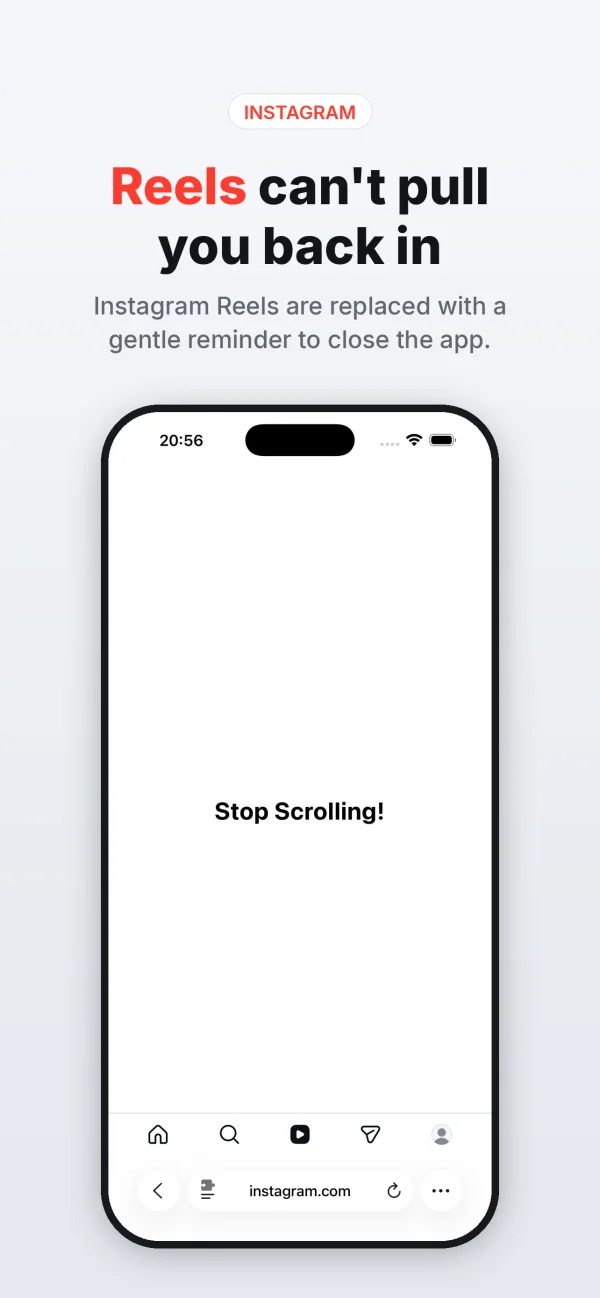
• Short-form video (Instagram Reels, YouTube Shorts)
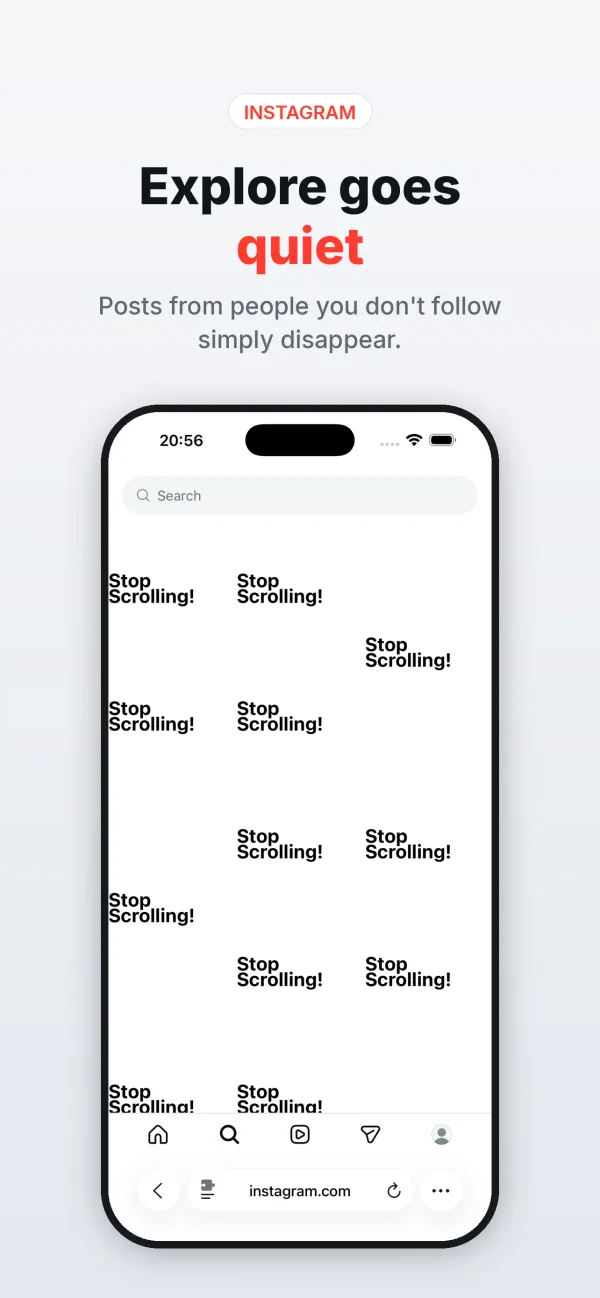
• Suggested posts and ads from accounts you don't follow
• The Explore page and Shorts shelves — the parts of your feed designed to trap you, not inform you
WHAT IT LEAVES ALONE ON INSTAGRAM
• Posts from people you follow
• Your own page (you can still post)
• Stories and search
• Direct messages (optional)
WHAT IT LEAVES ALONE ON YOUTUBE
• Regular (non-short-form) videos
MAKE IT YOURS
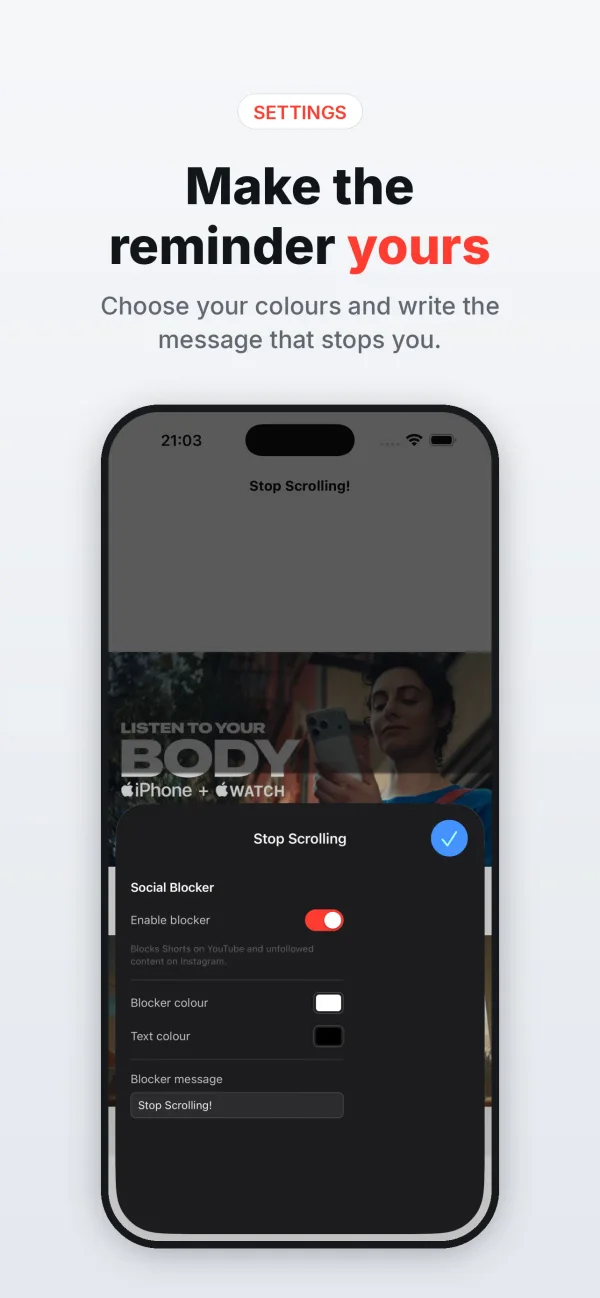
Pick your own blocking message and colors. Prefer to keep shared posts in your DMs visible? One toggle.
PRIVATE BY DESIGN
No account required. No data collected. No analytics. Everything runs on your device. The developer has no idea you exist, and that's the point.
SIMPLE SETUP
Open youtube.com or instagram.com in Safari
Tap the page menu → Manage Extensions → turn on Stop Scrolling
Tap Always Allow on Every Website
That's it — the app shows you every step with pictures.
PRICE
Stop Scrolling is free. No subscription, no in-app purchases, no ads, no account.
Privacy Policy: https://swensekha-wq.github.io/public_policy/
Terms of Use (EULA): https://www.apple.com/legal/internet-services/itunes/dev/stdeula/
What’s new
Version 3 · Sep 1, 2026
Stop Scrolling is completely free — no subscription, no trial, no in-app purchases. Blocking works as soon as the extension is on in Safari.
App privacy
What Swen Sekha declares on the App Store about how this app handles data.
-
Data not collected
The developer does not collect any data from this app.
Privacy practices may vary, for example with the features you use or your age.
Information
- Seller
- Swen Sekha
- Category
- Productivity
- Version
- 3
- Updated
- Sep 1, 2026
- Released
- May 4, 2026
- Size
- 4.0 MB
- Requires
- iOS 16.0 or later
- Age rating
- 4+
- Price
- Free
- Languages
- English
- Copyright
- © 2026 Swen Sekha
You might also like
-
 TabellaSimple .xlsx file compare
-
 Adios: Ad Blocker for SafariBlock Ads, Trackers & Popups
-
 InstaPinpin your posts,reels,links
-
 Stop ScrollingBreak the scroll cycle
-
 PDF Extractor: Image & OCROffline OCR, Tables, Markdown
-
 Unhook: App Blocker & FocusLimit Screen Time & Websites
-
 Nope: Reels & Shorts BlockerStop doomscrolling. Find focus
-
 Fluid Friction: Block ReelsBlock Reels, Shorts & Apps
-
 SparkPDF: Scan, Sign & FillPDF Filler & Document Scanner
-
 Remical:calendar widgetCalendar & Reminders Widgets