- 対象年齢4+
- カテゴリ仕事効率化
- 開発元Swen Sekha
- 言語英語
- サイズ4.0 MB
App Storeの公式ページにリンクしています
Download.orgはStop Scrolling!のファイルを一切ホストしていません。ボタンを押すと、Swen Sekhaが公開しているApp Storeのアプリページが開きます。ページの最終確認:2026/11/14。
スクリーンショット

概要
開発元はこのテキストをお使いの言語で提供していません。
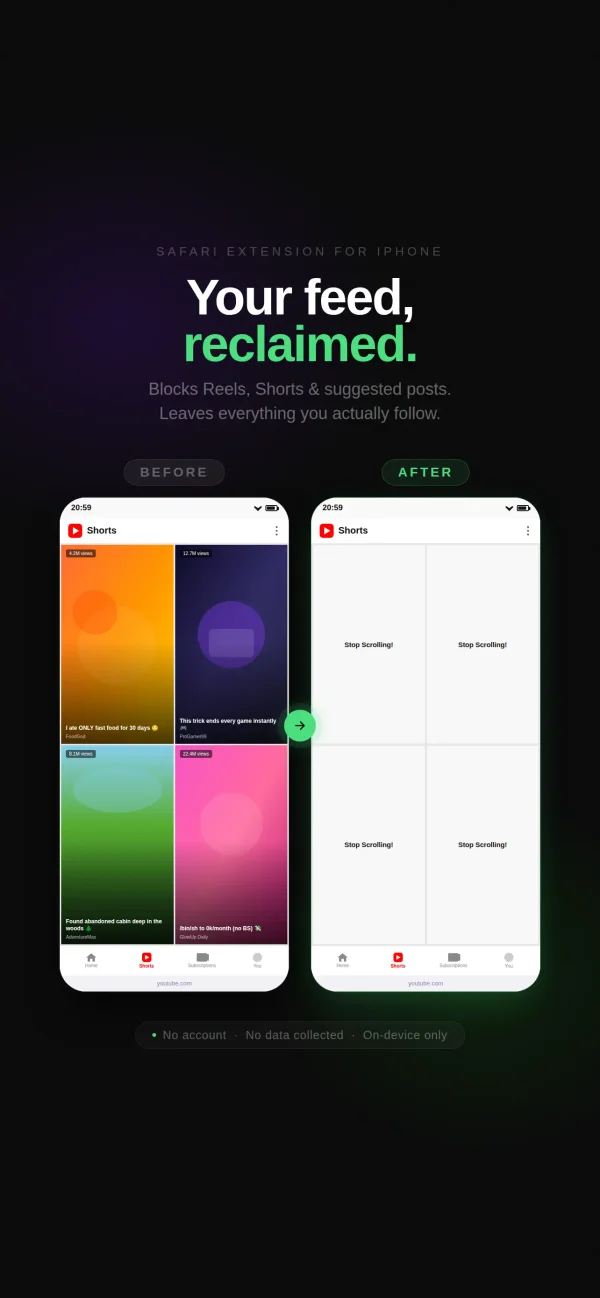
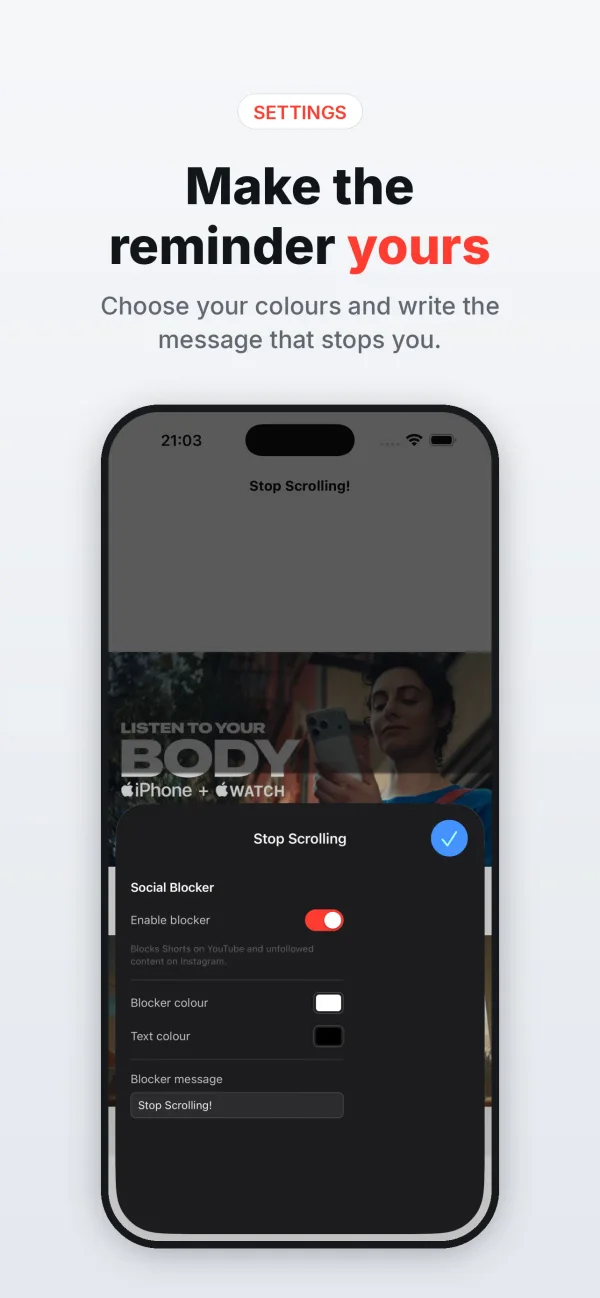
Take back your feed. Stop Scrolling blocks Reels, Shorts, and algorithmically suggested posts in Safari — leaving only content from people you actually chose to follow.
THE PROBLEM
Social media wasn't always this way. You followed people you cared about. Then the algorithm arrived: filling your feed with strangers, autoplay videos, and content engineered to keep you hooked. Most blocking apps destroy the whole experience. Stop Scrolling is more precise — it blocks only the unwanted content.
WORKS IN SAFARI
Stop Scrolling works on youtube.com and instagram.com in Safari — not inside the YouTube and Instagram apps. That's deliberate: the apps are built to keep you hooked, and nothing is allowed to change that. The Stop Scrolling! app helps you make the switch and walks you through the whole setup in about two minutes.
WHAT IT BLOCKS
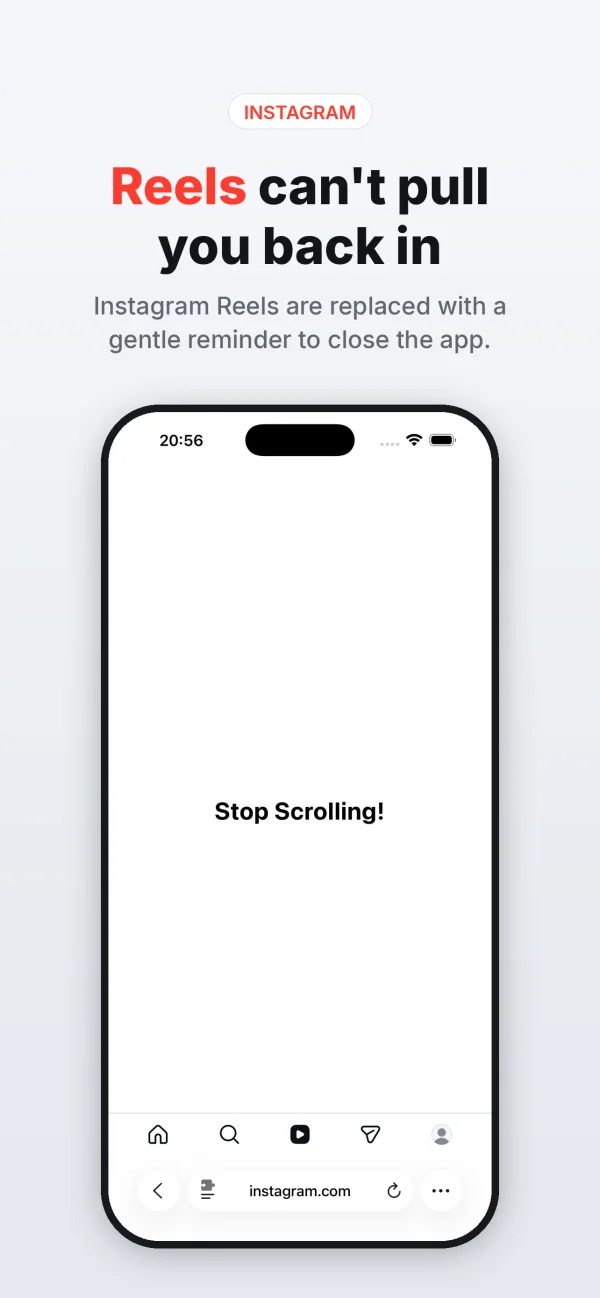
• Short-form video (Instagram Reels, YouTube Shorts)
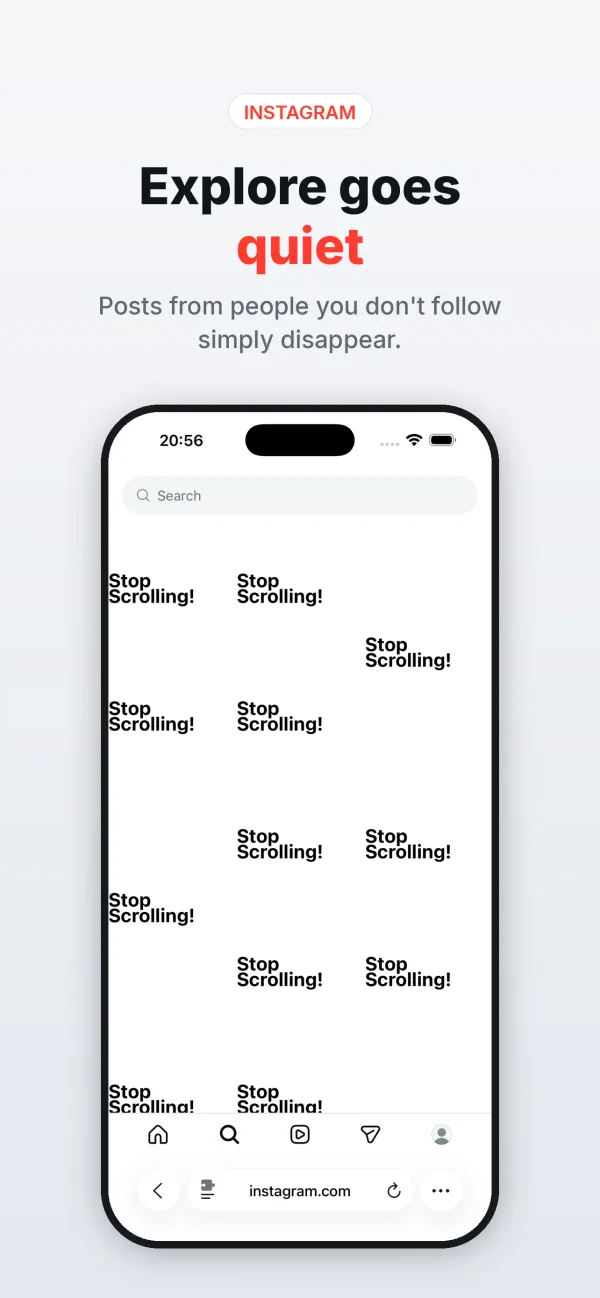
• Suggested posts and ads from accounts you don't follow
• The Explore page and Shorts shelves — the parts of your feed designed to trap you, not inform you
WHAT IT LEAVES ALONE ON INSTAGRAM
• Posts from people you follow
• Your own page (you can still post)
• Stories and search
• Direct messages (optional)
WHAT IT LEAVES ALONE ON YOUTUBE
• Regular (non-short-form) videos
MAKE IT YOURS
Pick your own blocking message and colors. Prefer to keep shared posts in your DMs visible? One toggle.
PRIVATE BY DESIGN
No account required. No data collected. No analytics. Everything runs on your device. The developer has no idea you exist, and that's the point.
SIMPLE SETUP
Open youtube.com or instagram.com in Safari
Tap the page menu → Manage Extensions → turn on Stop Scrolling
Tap Always Allow on Every Website
That's it — the app shows you every step with pictures.
PRICE
Stop Scrolling is free. No subscription, no in-app purchases, no ads, no account.
Privacy Policy: https://swensekha-wq.github.io/public_policy/
Terms of Use (EULA): https://www.apple.com/legal/internet-services/itunes/dev/stdeula/
新機能
バージョン 3 · 2026/9/1
Stop Scrolling is completely free — no subscription, no trial, no in-app purchases. Blocking works as soon as the extension is on in Safari.
アプリのプライバシー
このアプリのデータの取り扱いについて、Swen SekhaがApp Storeで申告している内容です。
-
データの収集なし
開発元はこのアプリからデータを収集しません。
プライバシーの取り扱いは、ご利用の機能やお客様の年齢などに応じて異なる場合があります。
情報
- 販売元
- Swen Sekha
- カテゴリ
- 仕事効率化
- バージョン
- 3
- 更新日
- 2026/9/1
- リリース
- 2026/5/4
- サイズ
- 4.0 MB
- 必要条件
- iOS 16.0以降
- 対象年齢
- 4+
- 価格
- 無料
- 言語
- 英語
- 著作権
- © 2026 Swen Sekha
こちらもおすすめ
-
 Tabella仕事効率化
-
 Adios:Safari広告ブロック広告・トラッカー・ポップアップを遮断
-
 InstaPin仕事効率化
-
 Stop Scrolling仕事効率化
-
 PDF抽出:画像とOCR文字認識オフライン 表組み Markdown
-
 Unhook: アプリ制限・スマホ依存対策スクリーンタイム管理で勉強に集中
-
 Nope: リール・ショートを非表示スクロールを減らして集中
-
 Fluid Friction: リールをブロックリールとSNSを制限、スクリーンタイム管理
-
 SparkPDF: スキャン・署名・記入書類スキャン&PDF記入・署名
-
 Remical:カレンダーウィジェットカレンダー・リマインダー・ウィジェット