
- Age rating4+
- CategoryProductivity
- DeveloperGeewoo Park
- LanguagesEnglish
- Size7.3 MB
Links to the official App Store page
Download.org hosts no file of Stop Watching - App Limits. The button opens its official App Store page, published by Geewoo Park. Listing last checked on Nov 17, 2026.
Screenshots
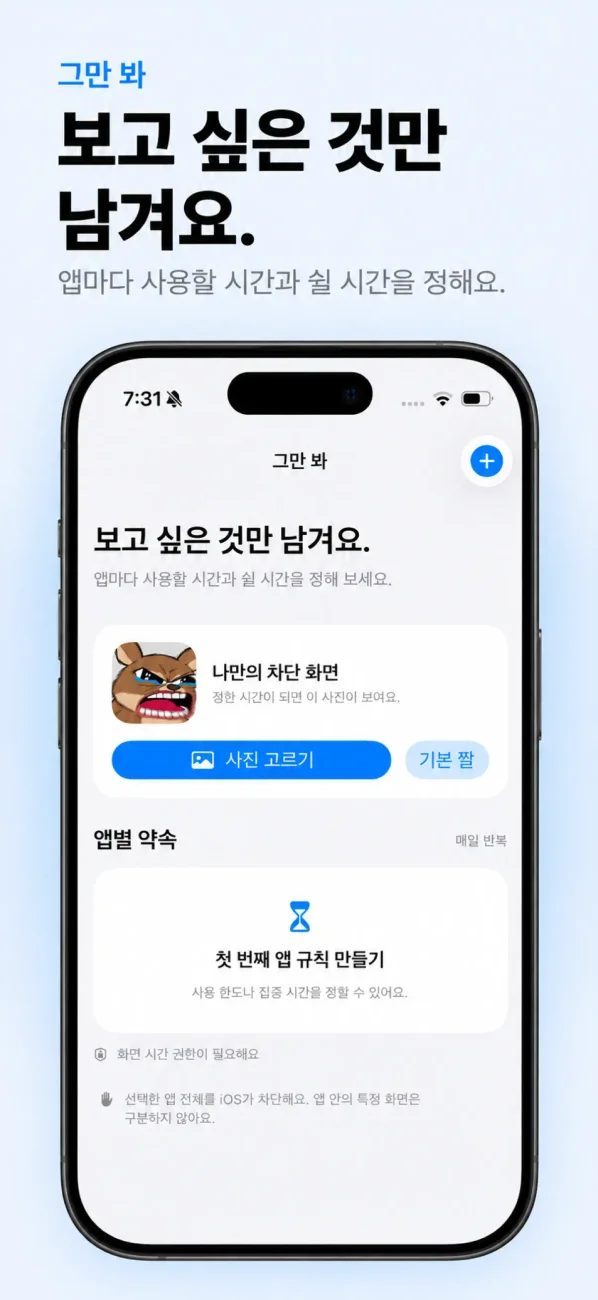
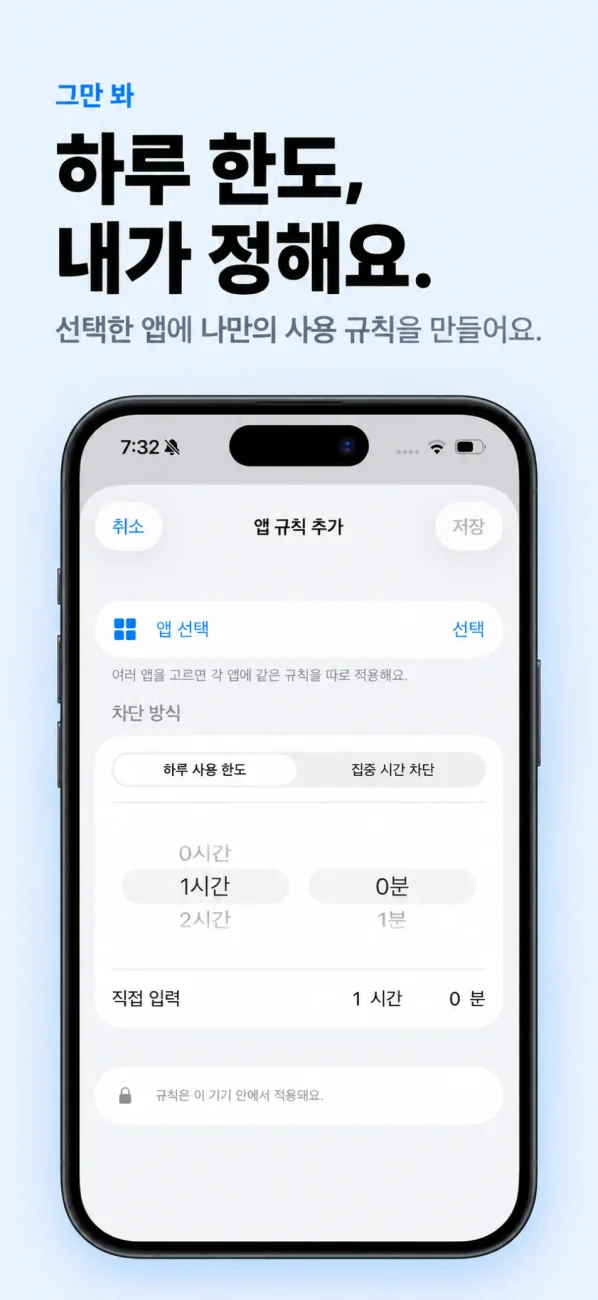

About
Stop Watching helps you use your phone on your terms.
Pick the apps you want to manage, set a daily time limit or a repeating focus window, and let iOS take care of the rest. When your time is up, those apps pause and you see a block screen you chose yourself.
HOW IT WORKS
1. Choose apps with the Screen Time app picker.
2. Set a daily limit in hours and minutes, or a focus window that repeats every day.
3. When the limit is reached or the focus window starts, iOS blocks the selected apps for you.
FEATURES
- Separate rules for each app. Select several apps at once and each one gets its own rule.
- Daily usage limits. Use the hour and minute wheels or type the time in directly.
- Repeating focus time. Pick the hours you want to concentrate and the apps pause at the same time every day.
- Your own block screen. Use the default image or choose a photo from your library.
- Private by design. No account and no sign-up. Your rules and block screen image stay on your device.
PRIVACY
Stop Watching relies on Apple's Screen Time technology. iOS gives the app only anonymous tokens for the apps you select, so the app cannot see their names or what you do in them. We never read what is on the screen of other apps.
The app shows a small banner ad on the home screen, provided by Google AdMob. See our privacy policy for details:
https://stopwatching.byeolter.com/privacy
Questions or feedback: contact@byeolter.com
Requires Screen Time permission.
What’s new
Version 1.1.0 · Nov 5, 2026
- Added a small banner ad at the bottom of the home screen.
- Minor improvements and bug fixes.
App privacy
What Geewoo Park declares on the App Store about how this app handles data.
-
Data linked to you
May be collected and linked to your identity.
- Identifiers
- Usage data
Privacy practices may vary, for example with the features you use or your age.
Information
- Seller
- Geewoo Park
- Category
- Productivity
- Version
- 1.1.0
- Updated
- Nov 5, 2026
- Released
- Oct 25, 2026
- Size
- 7.3 MB
- Requires
- iOS 16.0 or later
- Age rating
- 4+
- Price
- Free
- Languages
- English
- Copyright
- © 2026 Byeolter
You might also like
-
 Allowance: Focus & App LimitsScreen time blocker, itemized
-
 Goal Lock: App Blocker & FocusGoal review before you scroll
-
 Reset Focus: Beat DistractionRefocus in 30 Seconds
-
 FocusLock - App Limits & VaultApp limits and private vault
-
 LimitSet: App Blocker & FocusScreen Time Control
-
 Pluto: Screen Time LockBlock apps until you prove it
-
 YourPriority - Quit DoomscrollApp blocker with daily planner
-
 AppLimiter Screen Time ControlBlock apps, beat phone habits
-
 Latch: App Blocker & FocusApp & website blocker
-
 Pause: App BlockerProductivity