
Subtitle Maker: Just Captions
Auto Captions & Emoji Styles
Designed for iPhone, Mac
In-app purchases
- Age rating4+
- CategoryPhoto & Video
- Developer嘉莉 梁
- LanguagesGerman+ 12 more
- Size170.6 MB
Links to the official App Store page
Download.org hosts no file of Subtitle Maker: Just Captions. The button opens its official App Store page, published by 嘉莉 梁. Listing last checked on Nov 27, 2026.
Screenshots

About
Add captions to your videos, then bring them to life with emojis and animated styles.
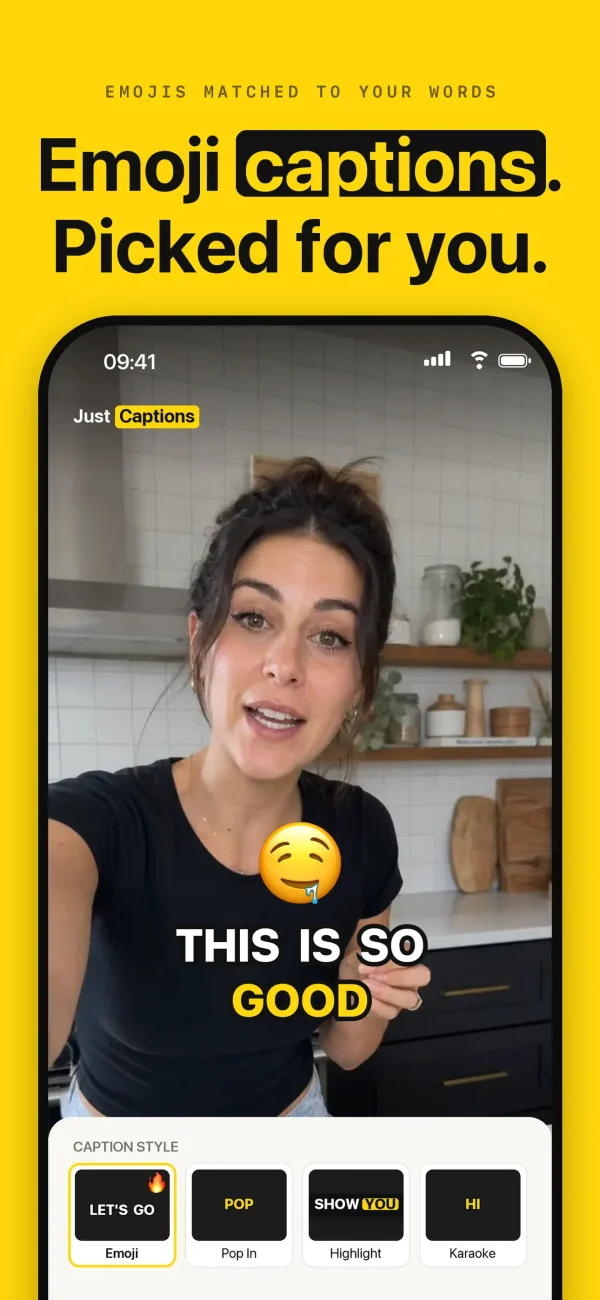
Just Captions turns spoken videos into subtitles on your iPhone. Choose an Emoji style that automatically matches emojis to your caption text, use word highlights, edit the transcript, and export a captioned video.
AUTO CAPTIONS FOR VIDEO
Generate captions from speech and review the words before exporting. Make talking-head videos, tutorials, demos, and short clips easier to follow.
EMOJI CAPTIONS
Add emojis that match your caption text without placing each one yourself. Pair emojis with bold text and word highlights. Free users can try one single-video Emoji export; further Emoji exports require Pro.
ANIMATED STYLES & WORD HIGHLIGHTS
Choose clean subtitles, yellow highlights, and animated caption styles. Adjust the look for your video and preview it before export. Pro is required for locked styles after any available free trial.
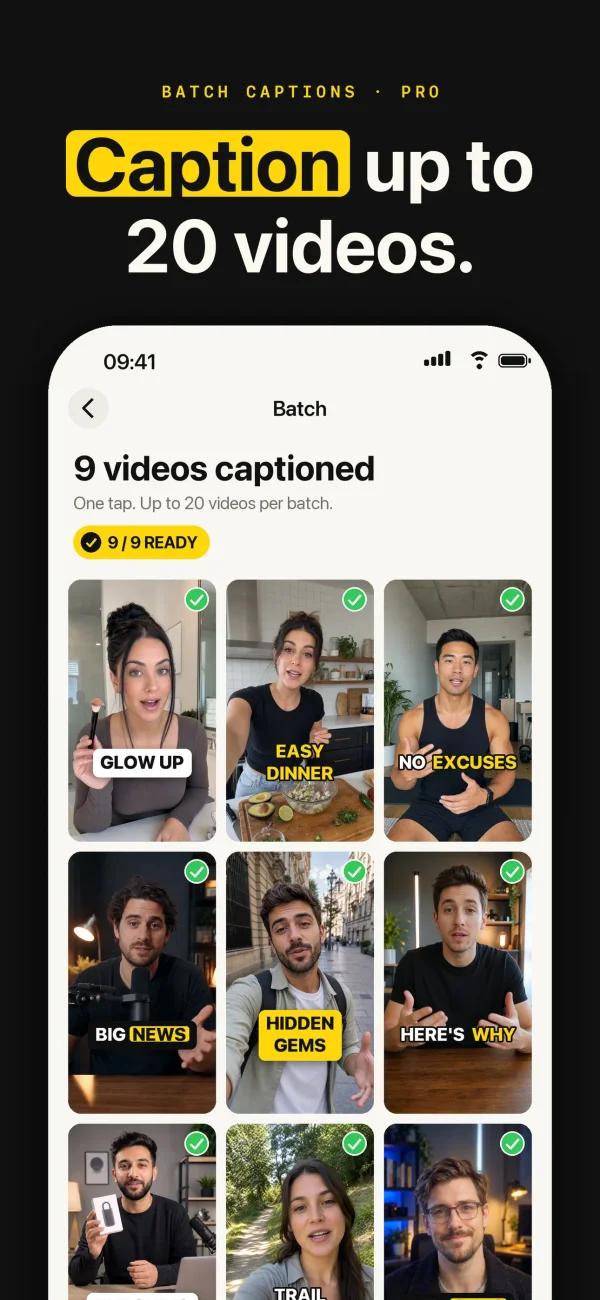
BATCH UP TO 20 VIDEOS
With Pro, caption up to 20 videos in one batch and review each clip before export.
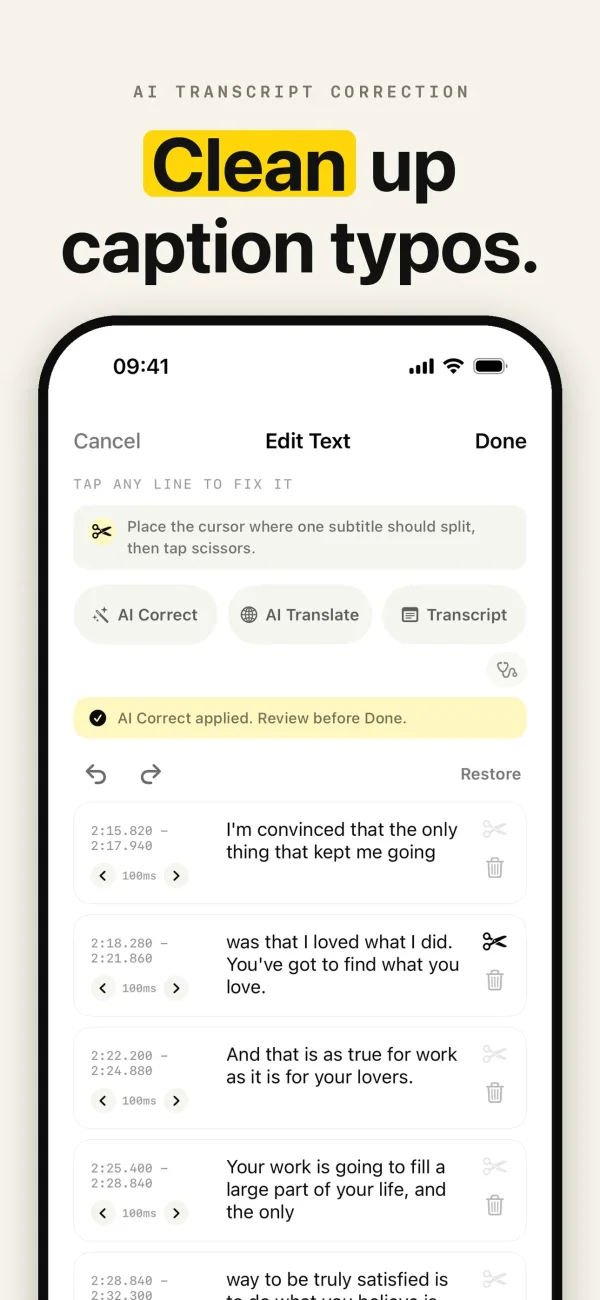
AI CORRECT & TRANSLATE
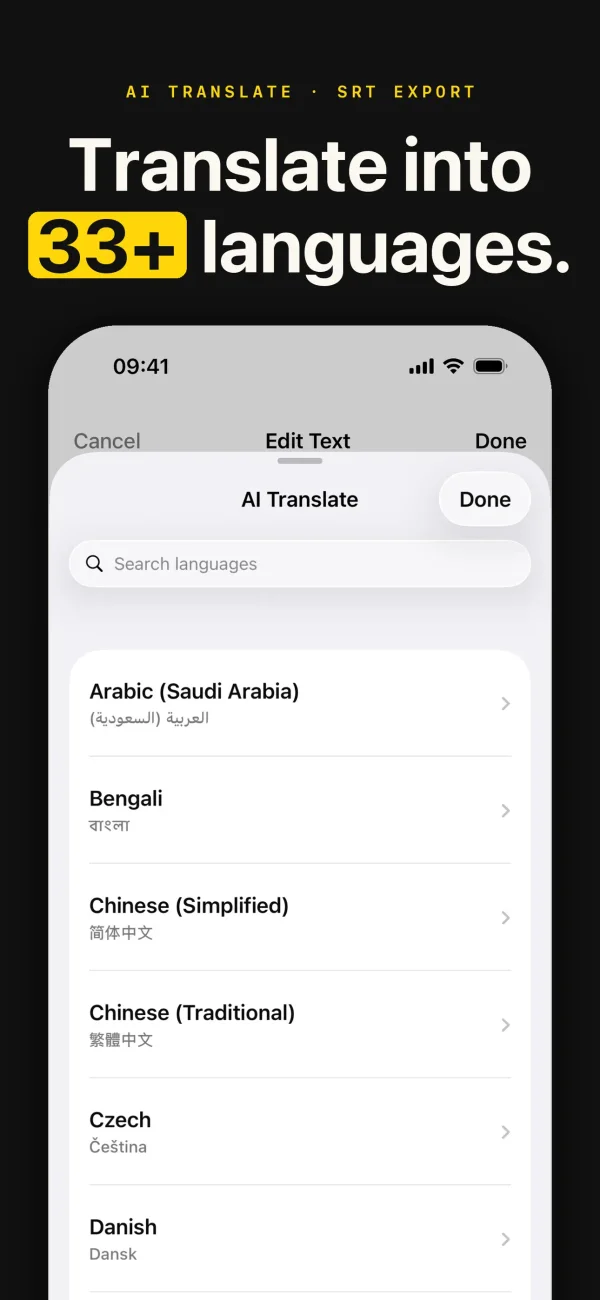
Use AI Correct to help clean up transcript typos and punctuation. Translate subtitles into 33+ languages with AI Translate. These optional AI text tools use the internet after your consent.
EXPORT VIDEO & SUBTITLES
Export captioned videos as MP4 or MOV, or export subtitle text as SRT. Choose vertical, square, or horizontal formats, then save to Photos or share your video.
ON-DEVICE CORE CAPTIONS
Core caption generation can run on your device without uploading the video. Optional online AI tools, including AI emoji matching, send caption text only after your consent. Emoji styling also has on-device fallback matching.
FREE TO START
Free single-video exports include a Just Captions watermark. Pro removes watermarks and unlocks batch captions, animated styles, higher export quality, and 600 AI caption minutes per month.
Privacy Policy: https://justcompress.online/apps/just-captions/privacy/
Terms of Use: https://justcompress.online/apps/just-captions/terms/
What’s new
Version 2.9 · Oct 26, 2026
Improved layouts for iPhone Duo, including its inner and outer displays, landscape use and multitasking. Clearer previews and export actions.
App privacy
What 嘉莉 梁 declares on the App Store about how this app handles data.
-
Data not linked to you
May be collected but is not linked to your identity.
- User content
- Identifiers
- Usage data
Privacy practices may vary, for example with the features you use or your age.
Information
- Seller
- 嘉莉 梁
- Category
- Photo & Video
- Version
- 2.9
- Updated
- Oct 26, 2026
- Released
- May 21, 2026
- Size
- 170.6 MB
- Requires
- iOS 17.0 or later
- Age rating
- 4+
- In-app purchases
- Yes
- Languages
- German, Arabic, English, Filipino, French, Indonesian, Japanese, Korean, Portuguese, Spanish, Thai, Traditional Chinese + 1 more
- Copyright
- © 2026 @spacesheepboy
You might also like
-
 Video Translator AI-StillzCutCaption Maker & Reel Editor
-
 SnapScript: Animated CaptionsSubtitles & Captions for Video
-
 Lazy Captions: Offline ForeverCaption, On Device, Offline
-
 CapSnap: AI Video CaptionsAuto Subtitles & Text on Video
-
 CaptPRO - Subtitles & CaptionsTeleprompter & video editor
-
 Offline AI Auto CaptionsPrivate AI Video Subtitles
-
 CaptionEdge: Smart CaptionsPrivate Video & Photo Captions
-
 Woseps: AI Video EditorCaptions, Dubbing & Voice
-
 EasyCut: Video ToolkitEasy Video Editing
-
 ActionCheese – Multicam RemoteMulticam crew in your pocket