
taped. Lock Screen Notes
Sticky Widget & To-Do List
Designed for iPhone
Free · In-app purchases
- Age rating4+
- CategoryProductivity
- DeveloperBoris Ryssin
- LanguagesEnglish+ 8 more
- Size47.5 MB
Links to the official App Store page
Download.org hosts no file of taped. Lock Screen Notes. The button opens its official App Store page, published by Boris Ryssin. Listing last checked on Nov 23, 2026.
Screenshots


About
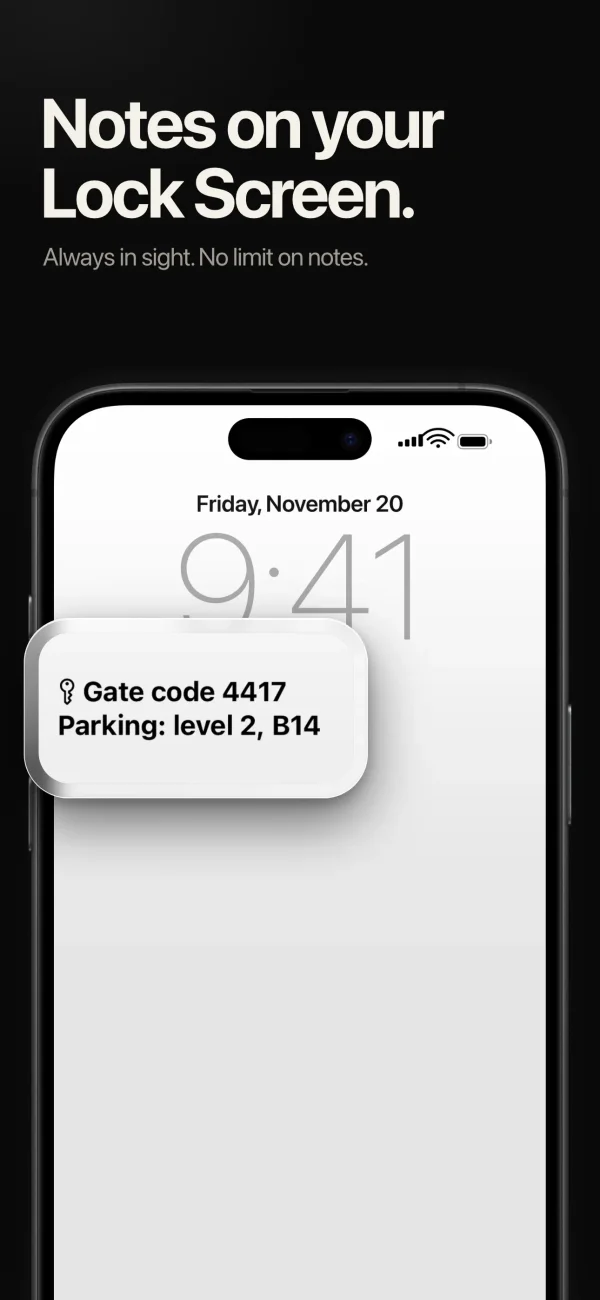
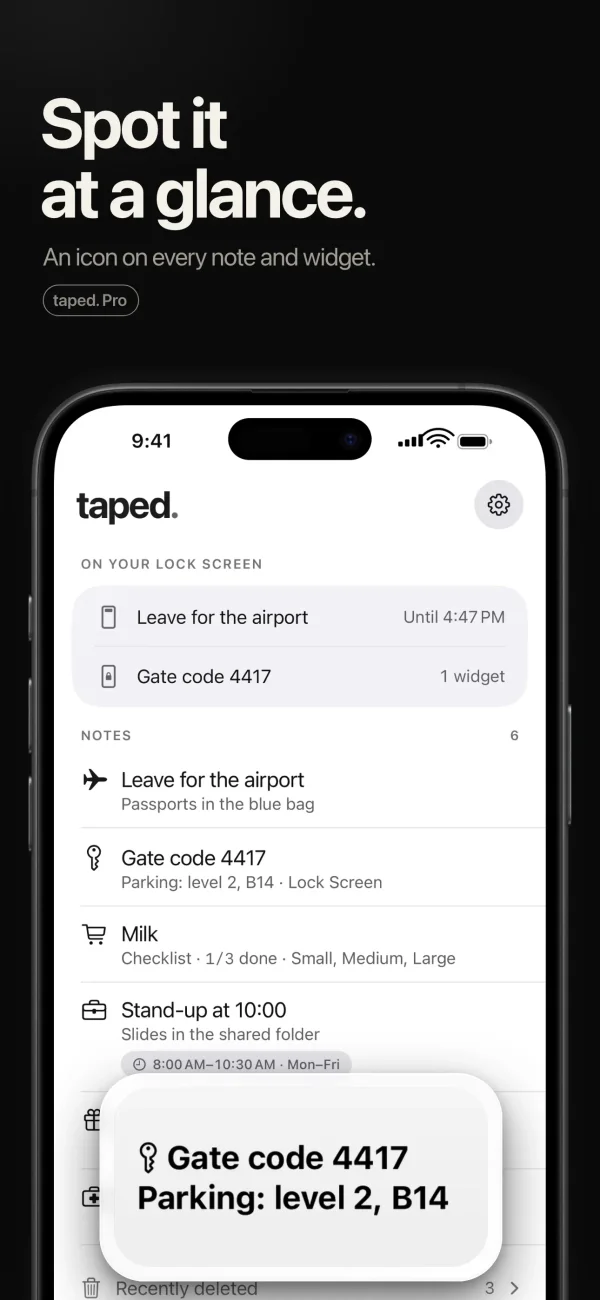
taped. puts your note on the iPhone Lock Screen: the gate code, the shopping list, the one task that matters today. Pick up your phone and it's there.
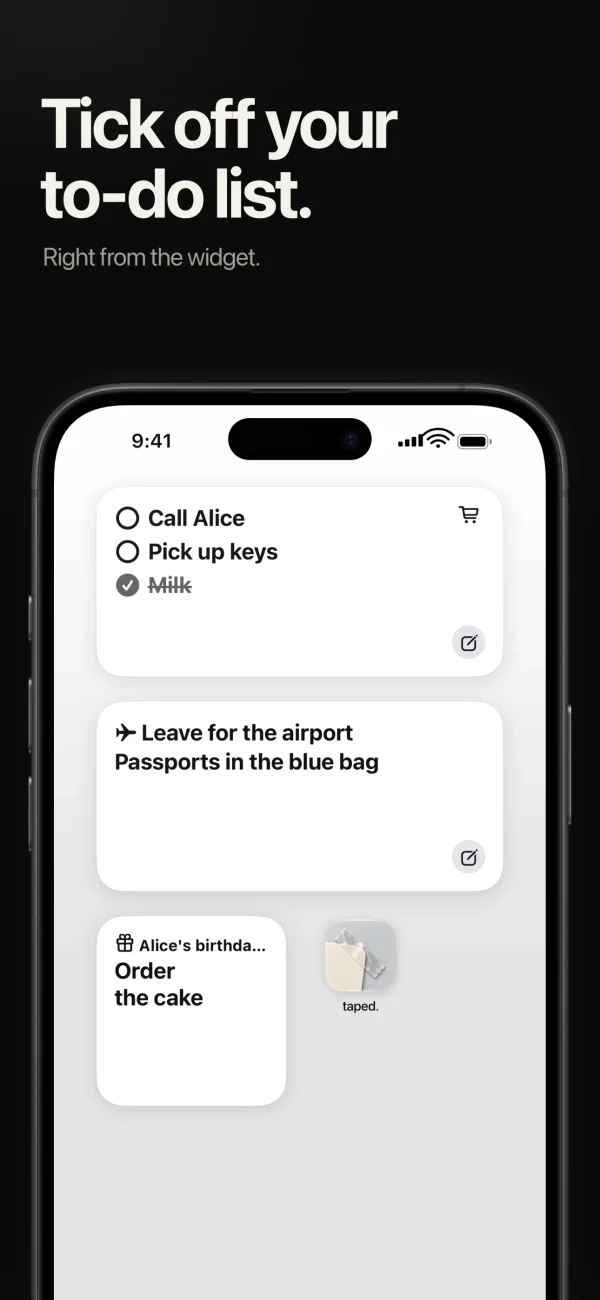
Free sticky note widgets for the Lock Screen and Home Screen, with no limit on notes. Turn a note into a to-do list and tick items off right on the widget.
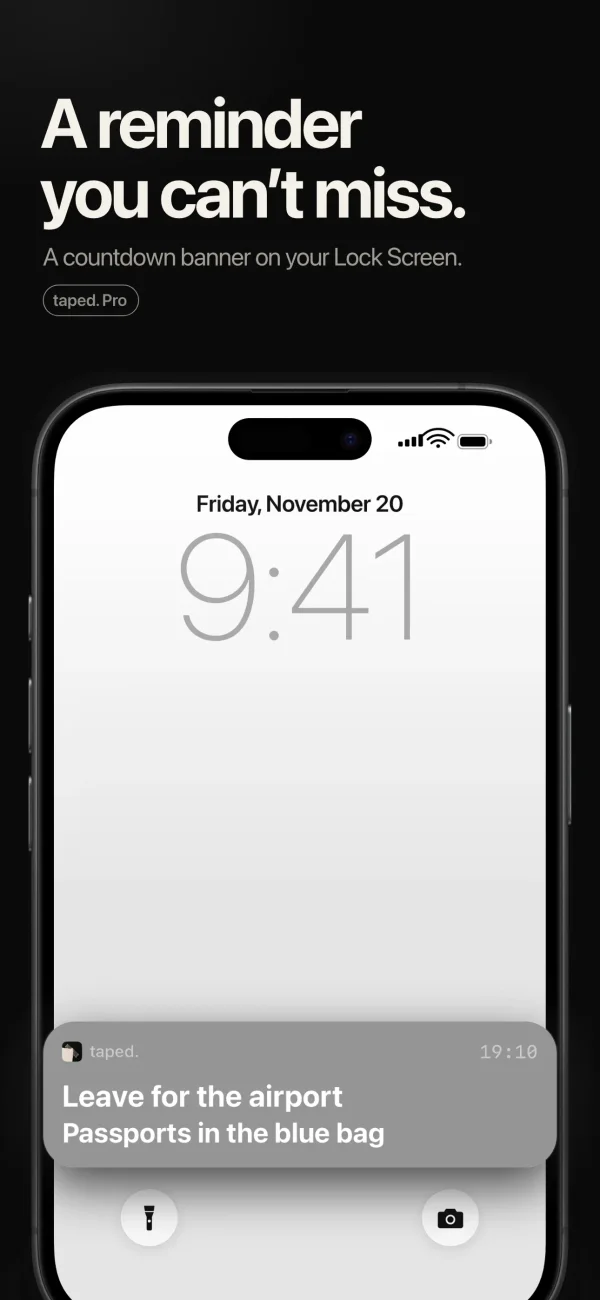
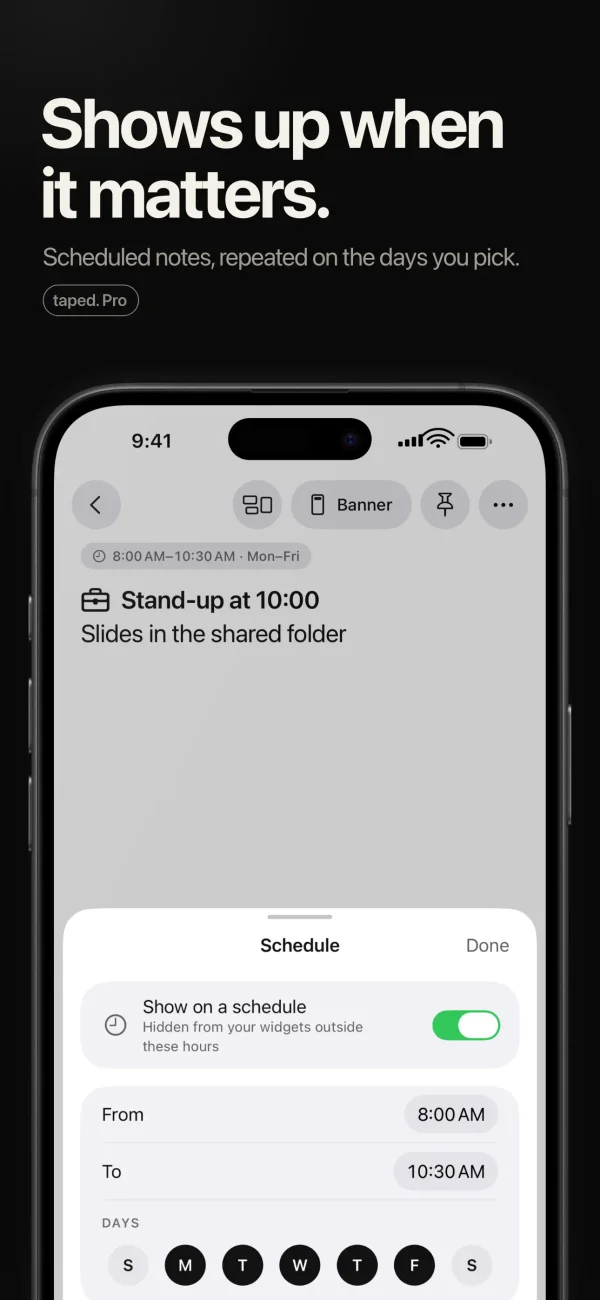
taped. Pro adds a Live Activity banner with a countdown, scheduled notes, styles, history and iCloud sync, monthly, yearly or once for life.
FREE: YOUR NOTE AS A WIDGET
A real widget on the Lock Screen (rectangular, inline and circular) and on the Home Screen (small, medium and large). It stays until you change it. Pin a different note to the Lock Screen and to each Home Screen size.
WRITE IT, SEE IT
Open taped., type, close. The widget shows the new text within seconds. Tap an empty widget to start a new note right there. Or add New note to Control Center, the Lock Screen or the Action Button (iOS 18).
CHECKLISTS
Turn a note into a checklist and tick items off on the widget itself, without opening the app.
PRIVATE WHEN LOCKED
Hide any note until you unlock: iOS keeps it hidden on the Lock Screen. No account and no sign-in. Your notes stay on your iPhone, and in your own iCloud only if you turn on sync.
SHORTCUTS, EXPORT AND UNDO
Read and update notes from Shortcuts and automations. Export all your notes at any time. Deleted notes wait in Recently deleted for 30 days, so a slip of the finger is never final.
TAPED. PRO
- The banner: your note as a Live Activity on the Lock Screen and in the Dynamic Island. iOS ends every Live Activity after about 8 hours; opening taped. starts it again, and an optional reminder tells you when it has ended. Try it once for free, for up to 8 hours.
- Countdowns in the banner: "leave in 20 min", "flight in 3 h".
- Scheduled notes: show a note at the times you choose, repeated on the days you pick.
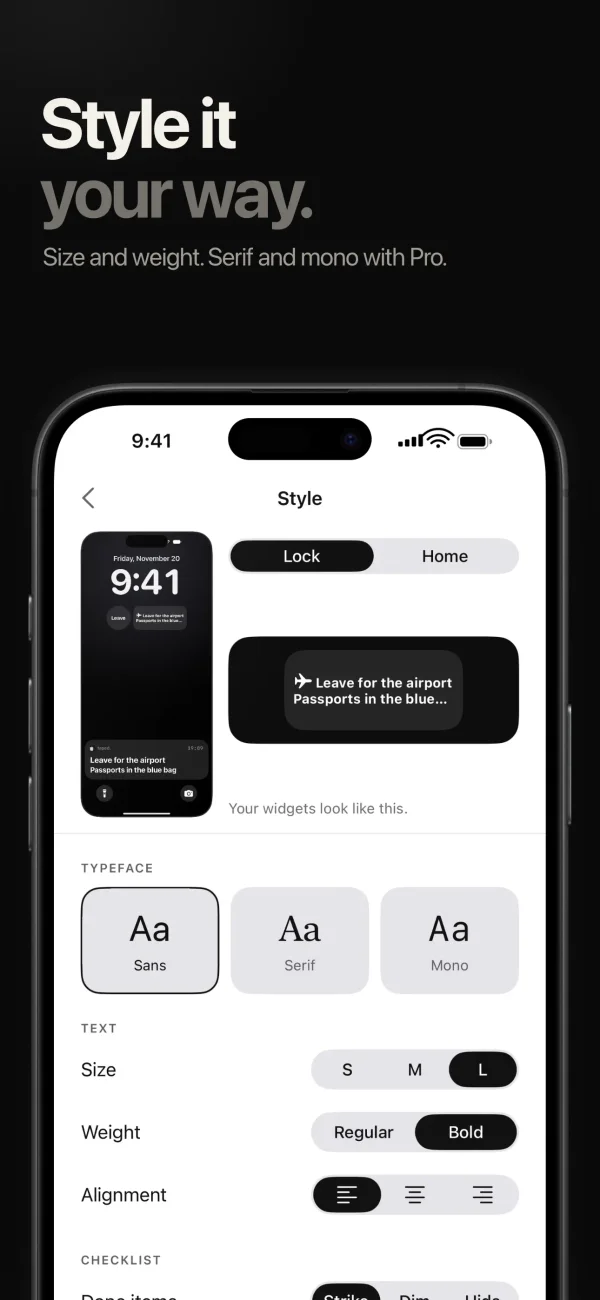
- Styles: serif and mono type, text alignment, two-column checklists.
- History: earlier versions of every note.
- iCloud sync: your notes, pins and style kept in your own private iCloud.
- Alternate app icons.
WHAT IT COSTS
Free, forever: unlimited notes, every widget, checklists, privacy, Shortcuts, export and Recently deleted.
taped. Pro: choose monthly, yearly or lifetime. The yearly plan starts with a 7-day free trial; cancel before it ends and you pay nothing. Subscriptions renew automatically until you cancel in your Apple Account settings, at least 24 hours before the current period ends. The lifetime purchase is yours to keep and can be shared with your family through Family Sharing; subscriptions are not shared. Prices are shown in the app and in the App Store's In-App Purchases list. If a subscription ends, your notes stay and the free features keep working.
Terms of Use (Apple's standard EULA): https://www.apple.com/legal/internet-services/itunes/dev/stdeula/
Privacy Policy: https://apps.ryssin.dev/taped/privacy/
QUIET BY DESIGN
Text first, set in San Francisco, dark by default with a light theme if you prefer. No stickers, no confetti, no badges, and no notifications unless you turn on the banner reminder.
GOOD FOR
- A shopping list you'll actually see in the shop
- Today's one priority, so your phone reminds you every time you pick it up
- A door code, a parking spot, a flight number
- A countdown to the train you need to catch
Questions or ideas: ryssinb@gmail.com.
Requires iOS 17 or later. iPhone only. The Dynamic Island needs an iPhone that has one.
What’s new
Version 1.1 · Nov 20, 2026
• Note icons: a small symbol before each note's title, on widgets and in the list. Choose from 5, or use all of them with taped. Pro.
• A new Style screen previews your widgets before you save.
App privacy
What Boris Ryssin declares on the App Store about how this app handles data.
-
Data not collected
The developer does not collect any data from this app.
Privacy practices may vary, for example with the features you use or your age.
Information
- Seller
- Boris Ryssin
- Category
- Productivity
- Version
- 1.1
- Updated
- Nov 20, 2026
- Released
- Nov 6, 2026
- Size
- 47.5 MB
- Requires
- iOS 17.0 or later
- Age rating
- 4+
- Price
- Free
- In-app purchases
- Yes
- Languages
- English, French, German, Japanese, Korean, Portuguese, Russian, Spanish, Traditional Chinese
- Copyright
- © 2026 Boris Ryssin
You might also like
-
 Sticky Notes: Board & SyncNotes that sync everywhere
-
 Look Tuck: Lock Screen NotesShopping, events, cheat sheets
-
 Decoy: Hidden Lock Screen NoteNotes nobody else can see
-
 CueCard: Lock Screen PromptsProductivity
-
 PinnedNoteQuick Notes & Lock Screen Pins
-
 Lock Screen Notes - PinNoteSticky Widgets & Reminders
-
 Lock Screen Notes: LockCardsSticky notes & Reminders
-
 Root - Notes, Diary & BoardsYour thoughts, days and plans
-
 Beeper: Repeat Timer & ChimesInterval & Hourly Reminders
-
 Glass Notes: Private NotepadTo-Do, Widgets & Reminders