
TapRecord
Voice Recorder & Transcriber
Designed for iPhone, iPad
Free · In-app purchases
- Age rating4+
- CategoryProductivity
- DeveloperTomokazu Shinozaki
- LanguagesEnglish+ 9 more
- Size7.6 MB
Links to the official App Store page
Download.org hosts no file of TapRecord. The button opens its official App Store page, published by Tomokazu Shinozaki. Listing last checked on Nov 23, 2026.
Screenshots
About
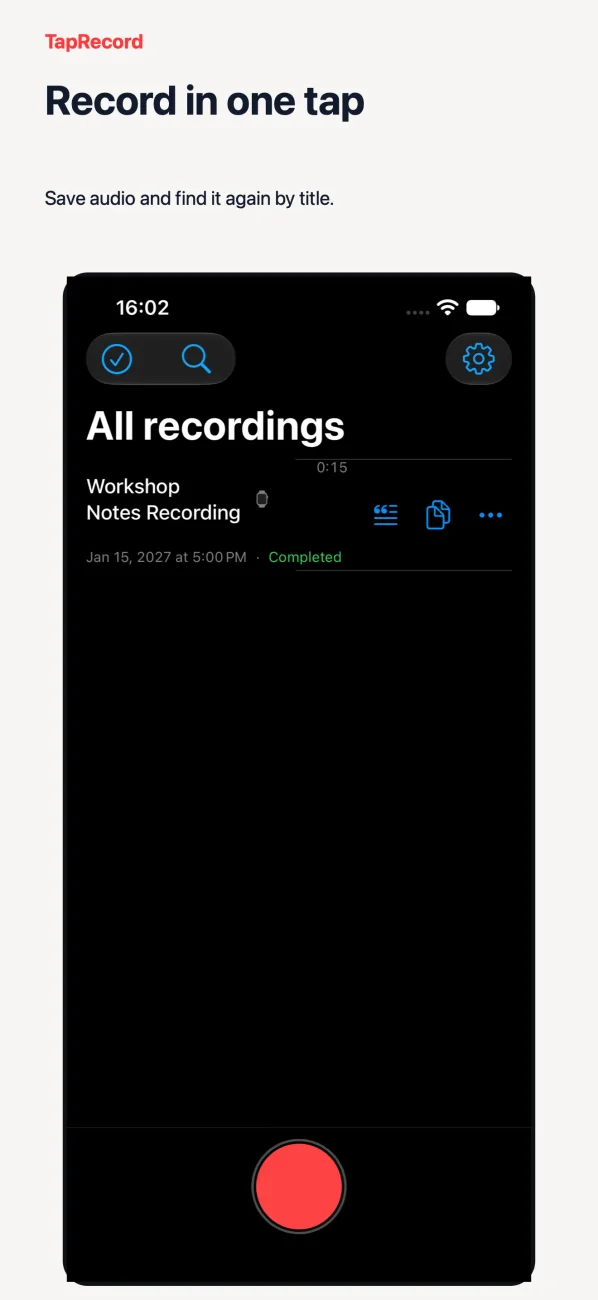
Record in one tap. Turn saved speech into text, then edit, copy, or share it. TapRecord helps you keep meeting notes, lecture recordings, and ideas useful after the recording ends.
RECORD SIMPLY
• Start with one large recording button; tap Stop to save.
• See recording time and a live audio-level waveform in the app.
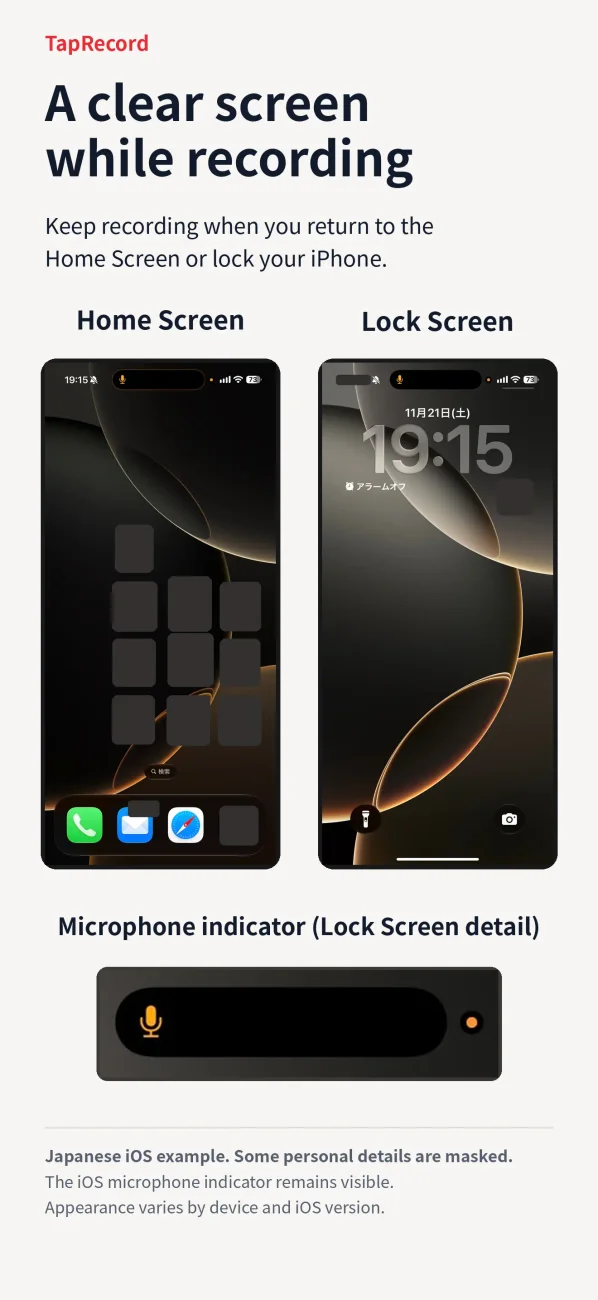
A LESS CLUTTERED SCREEN WHILE RECORDING
TapRecord adds no recording Live Activity, Now Playing card, or recording notification to your Lock or Home Screen. iOS microphone-use indicators and other system displays remain visible as provided by iOS. Appearance varies by OS version and device.
TURN SAVED AUDIO INTO TEXT
• Transcription starts after you stop and save a recording. You can also run it again from the recording's menu.
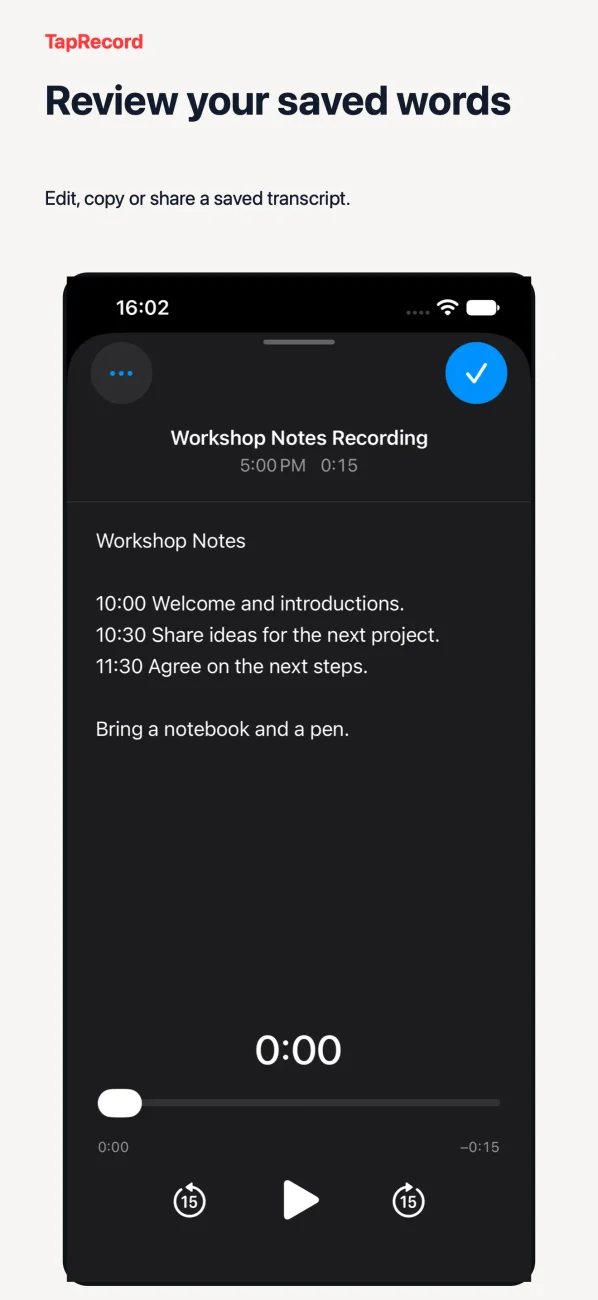
• Read the transcript, make corrections, and copy or share the text.
• Use the device language by default, or choose from available on-device transcription languages in Settings.
• Add other supported languages and download speech models when needed. Swipe left on a language added for TapRecord to remove its registration. Availability depends on your device, language, and speech model.
FIND IT AND LISTEN AGAIN
• Give recordings meaningful names and search titles or transcript text.
• Play saved recordings, seek to a position, or skip back or forward 15 seconds.
• Share audio files, or delete recordings you no longer need.
BEFORE YOU TRANSCRIBE
Transcription runs on your device after recording, rather than while you speak. A compatible device and language are required; speech-model downloads may need internet access and storage. Accuracy varies with the audio, so review the text before using it.
ADS AND OPTIONAL AD REMOVAL
The app includes banner ads. A one-time Remove Ads in-app purchase removes TapRecord's ads; it does not unlock extra recording or transcription features.
YOUR RECORDINGS
Audio and transcripts are saved in local app storage. TapRecord does not send them to a TapRecord server. Sharing sends the content to the destination you choose. Advertising services may process separate advertising and usage data as described in the Privacy Policy. Obtain appropriate consent before recording others.
Requires iOS 26 or later / iPadOS 26 or later.
What’s new
Version 1.0.4 · Nov 21, 2026
Added Home Screen and Lock Screen examples while recording to the App Store screenshots.
App privacy
What Tomokazu Shinozaki declares on the App Store about how this app handles data.
-
Data used to track you
May be used to track you across apps and websites owned by other companies.
- Identifiers
-
Data linked to you
May be collected and linked to your identity.
- Location
- Identifiers
- Usage data
-
Data not linked to you
May be collected but is not linked to your identity.
- Diagnostics
Privacy practices may vary, for example with the features you use or your age.
Information
- Seller
- Tomokazu Shinozaki
- Category
- Productivity
- Version
- 1.0.4
- Updated
- Nov 21, 2026
- Released
- Sep 30, 2026
- Size
- 7.6 MB
- Requires
- iOS 26.0 or later
- Age rating
- 4+
- Price
- Free
- In-app purchases
- Yes
- Languages
- English, Hindi, Indonesian, Japanese, Korean, Portuguese, Simplified Chinese, Spanish, Traditional Chinese, Vietnamese
- Copyright
- © 2026 Tomokazu Shinozaki
You might also like
-
 Open Micer TimerOpen Mic Night Made Easy
-
 SpeakerTimer: Stage ClockStage countdown for speakers
-
 SaidInk: Audio to TextVoice Notes & Transcripts
-
 App Blocker: Screen TimeFocus Timer & Goals
-
 VoiceLeaf: Narrator VoicePDF, EPUB & Document Reader
-
 LiveClock the Gig TimerPro Precision Gig Timer
-
 Rechka: audio to textVoice recorder & transcription
-
 Abang-Ideas and BrainstormingBe Creative with Random Words
-
 Tasks WizardGantt Charts & Team Planner
-
 Habit Tracker: HabitsyDaily Streaks, Goals & Widgets