- Age rating4+
- CategoryProductivity
- DeveloperMICHAEL STONE
- LanguagesEnglish
- Size18.9 MB
Links to the official App Store page
Download.org hosts no file of Task Timeline Gantt. The button opens its official App Store page, published by MICHAEL STONE. Listing last checked on Nov 18, 2026.
Screenshots
About
**Task Timeline Gantt — Plan, Track, and Deliver**
Whether you're managing a product launch, a home renovation, or a personal project, Task Timeline Gantt gives you the clarity to see exactly where everything stands — and what needs to happen next.
**A Timeline That Actually Makes Sense**
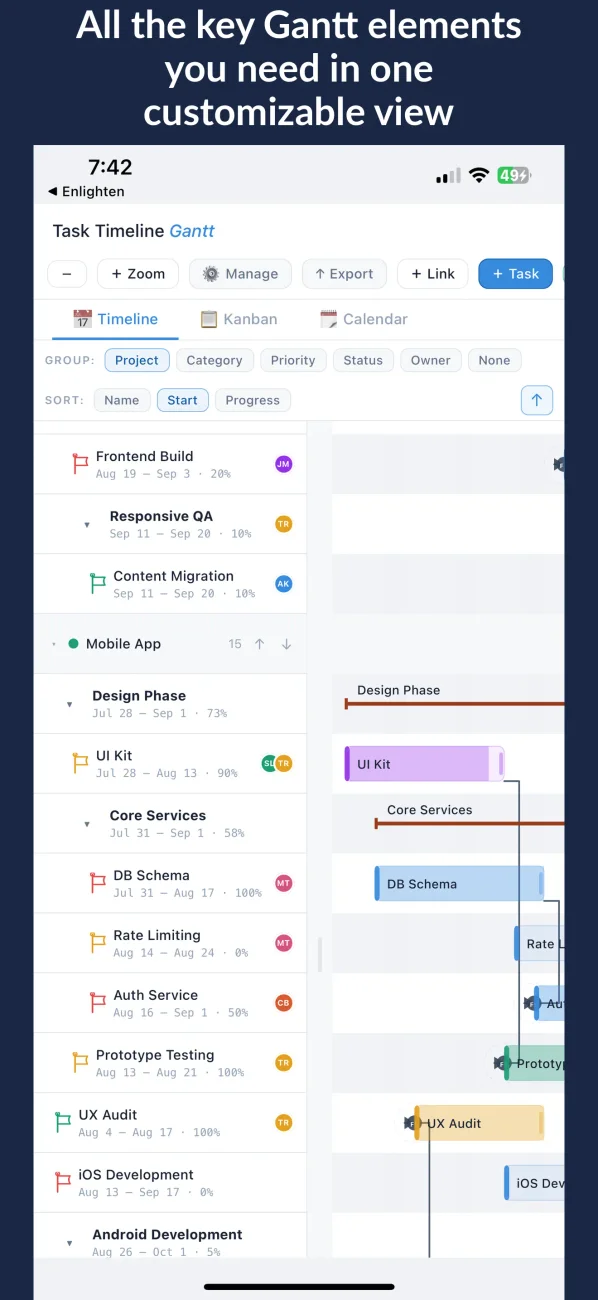
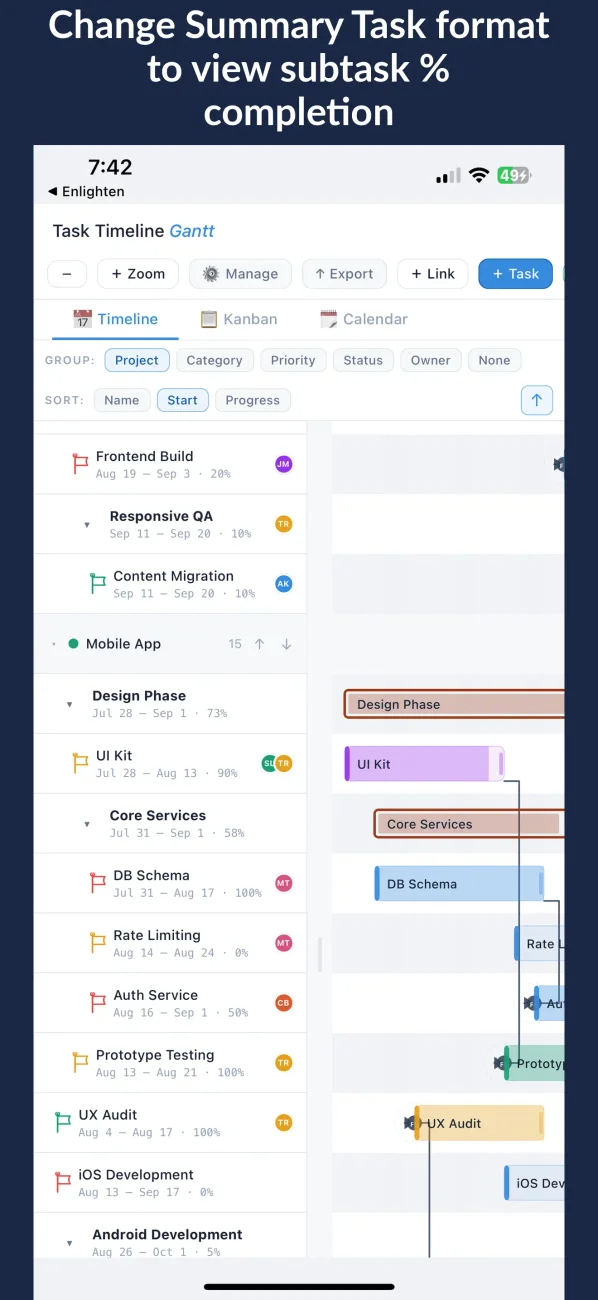
The Gantt chart view puts your entire project on one screen. Drag to move tasks, resize bars to adjust durations, and see how everything fits together at a glance. Need to mark a key delivery date? Zero-duration milestones render as crisp diamonds so critical moments never get lost in the timeline.
**Dependencies That Keep You Honest**
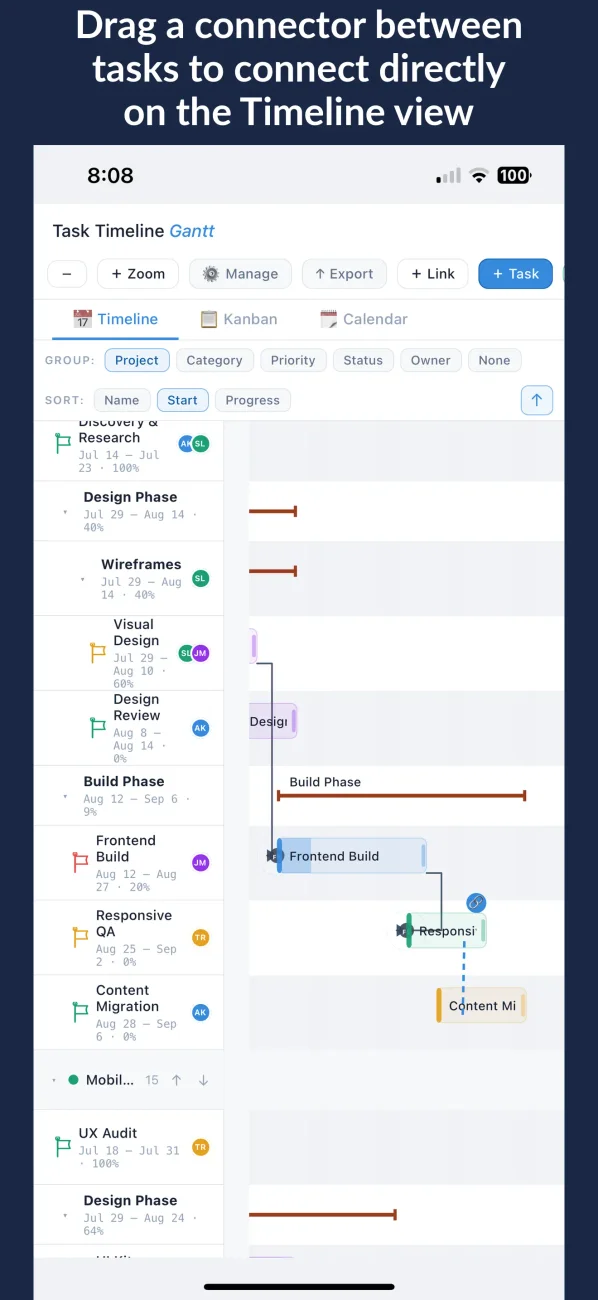
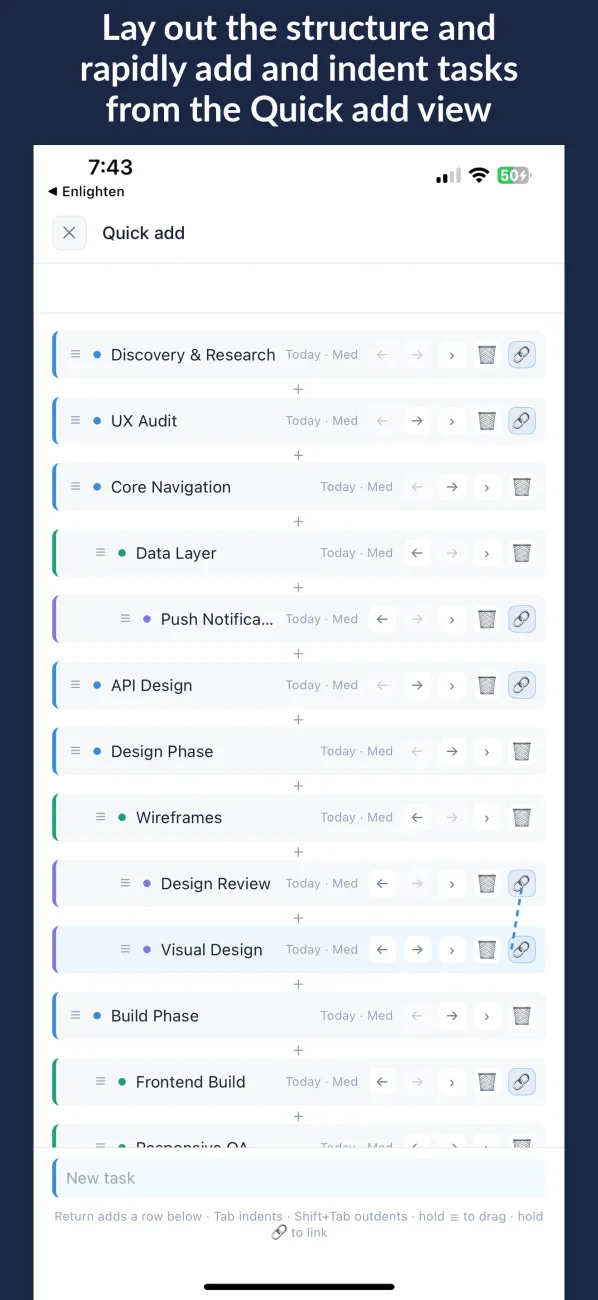
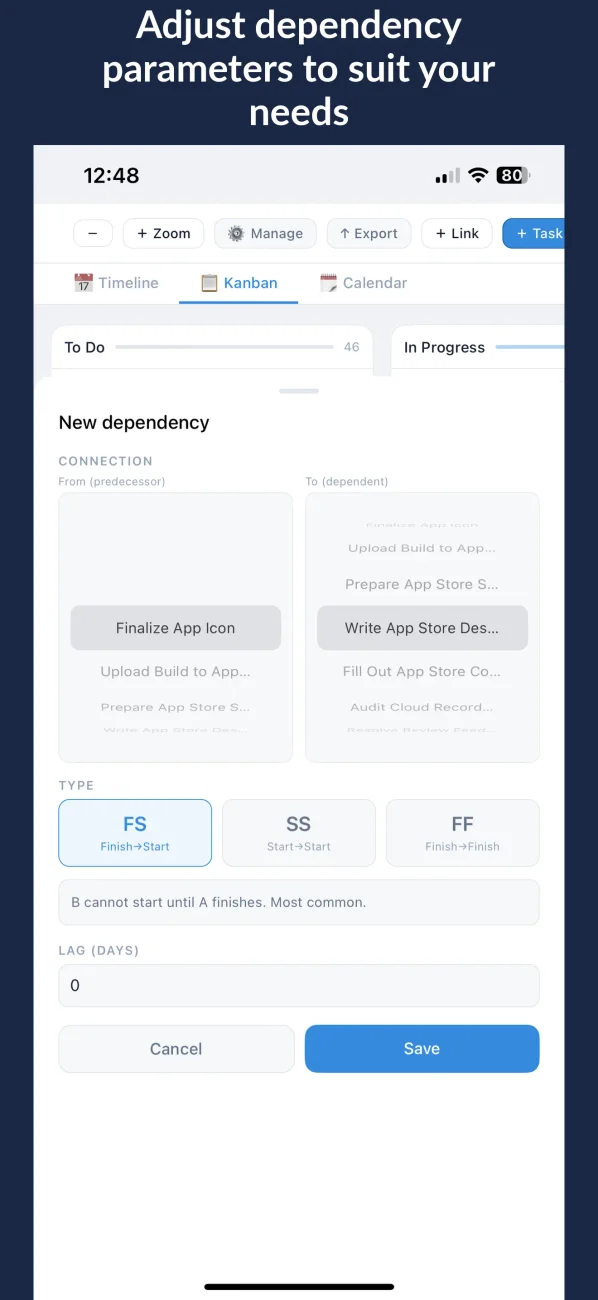
Link tasks together so you always know what's blocking what. Dependency arrows connect automatically — even to milestone diamonds — so your schedule reflects reality, not wishful thinking.
**Kanban When You Need It**
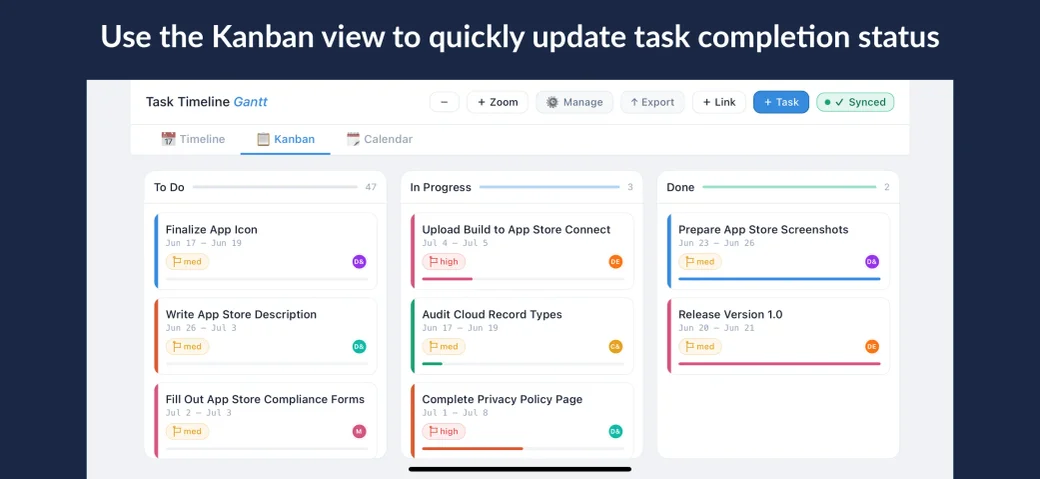
Switch to the Kanban board when you want to focus on status rather than schedule. Drag cards between columns to move work forward. Both views stay in sync, so you're always looking at the same underlying data no matter which perspective you prefer.
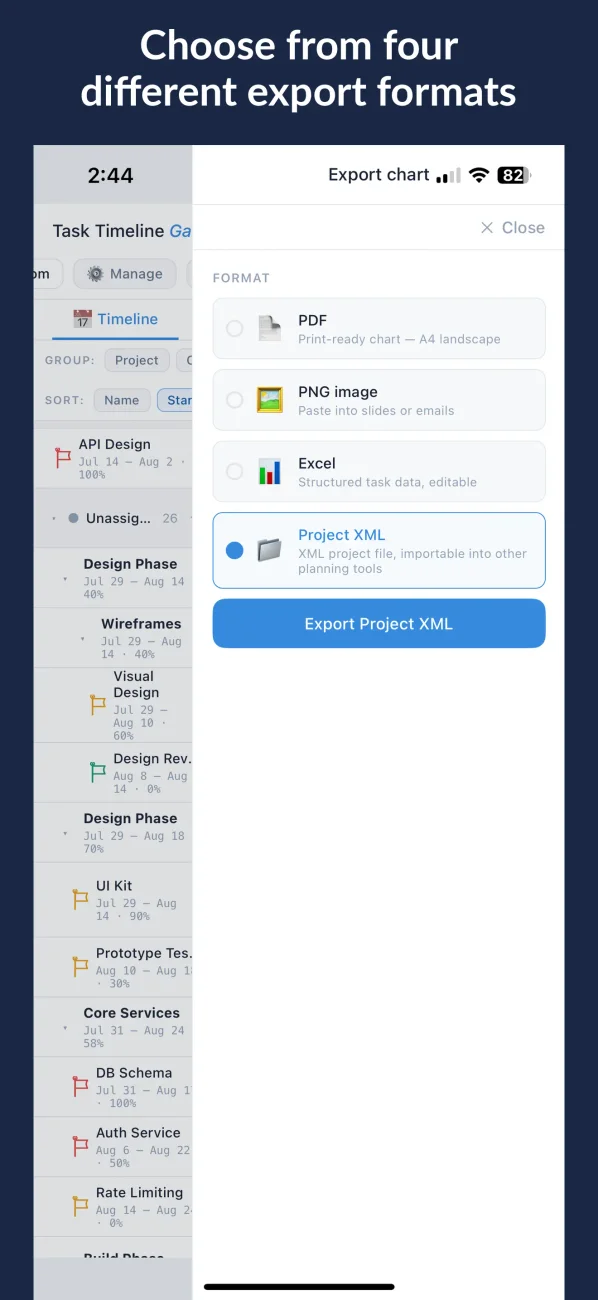
**Export in Any Format**
When it's time to share your plan, Task Timeline Gantt has you covered:
- **PDF** — sharp, print-ready, and easy to attach to any email or document
- **PNG** — a clean image of your chart, ready to drop into a presentation or report
- **Excel** — a full spreadsheet of your task data, compatible with Microsoft Excel and Apple Numbers
- **XML** — a project file importable into other planning tools
Exports are generated entirely on-device. No account required, no data sent to a server.
**Seamless iCloud Sync**
Your projects stay in sync across all your Apple devices automatically via iCloud. Start a plan on your iPhone, refine it on your iPad, and present it from your Mac — everything is always up to date.
**Built for iPhone, iPad, and Mac**
Task Timeline Gantt is a single universal purchase that runs natively on all your Apple devices. The Mac app is a full-featured desktop experience — not a scaled-up phone app — with a fixed side panel, native save dialogs, and keyboard-friendly interactions.
**Private by Design**
Your project data belongs to you. Task Timeline Gantt does not collect personal information, does not serve ads, and does not require an account. Everything is stored locally and in your own private iCloud container.
**Entries (projects, tasks, owners and categories) can be in your native language!**
---
*Plan with confidence. Ship on time.*
What’s new
Version 3 · Nov 12, 2026
Screenshot and other media updates - No SW change.
App privacy
What MICHAEL STONE declares on the App Store about how this app handles data.
-
Data not collected
The developer does not collect any data from this app.
Privacy practices may vary, for example with the features you use or your age.
Information
- Seller
- MICHAEL STONE
- Category
- Productivity
- Version
- 3
- Updated
- Nov 12, 2026
- Released
- Jul 7, 2026
- Size
- 18.9 MB
- Requires
- iOS 15.1 or later
- Age rating
- 4+
- Price
- $5.99
- Languages
- English
- Copyright
- © 2026 Michael Stone
You might also like
-
 Project Gantt Chart & TimelineSchedule & Deadline Tracker
-
 Gantt chart AI planner InganttPlan project schedule&timeline
-
 Scan To PDF: JustScanQuick Document Converter
-
 KnowledgeBase BuilderMind Maps & Knowledge Graph
-
 2Do: To Do List, Tasks & NotesDaily Planner, Reminders & GTD
-
 Truly Simple TimelineVisual Event & Story Planner
-
 Ganttly: Gantt Chart PlannerProject Schedules & Timelines
-
 Cardflow+ Mind Map StoryboardIndex cards to plot and plan
-
 QuickPlan 3D - Floor plansDesign your home floor plan
-
 FormbookPersonal database reinvented