
TaskChute Cloud Lite
Time tracking, done simply
Designed for iPhone, iPad, iPod touch
Free · In-app purchases
- Age rating4+
- CategoryProductivity
- DeveloperZoeLab
- LanguagesEnglish
- Size36.7 MB
Links to the official App Store page
Download.org hosts no file of TaskChute Cloud Lite. The button opens its official App Store page, published by ZoeLab. Listing last checked on Nov 18, 2026.
Screenshots


About
TaskChute Cloud Lite brings TaskChute, the time-management method of logging what you do as you go, to your phone in a simple form.
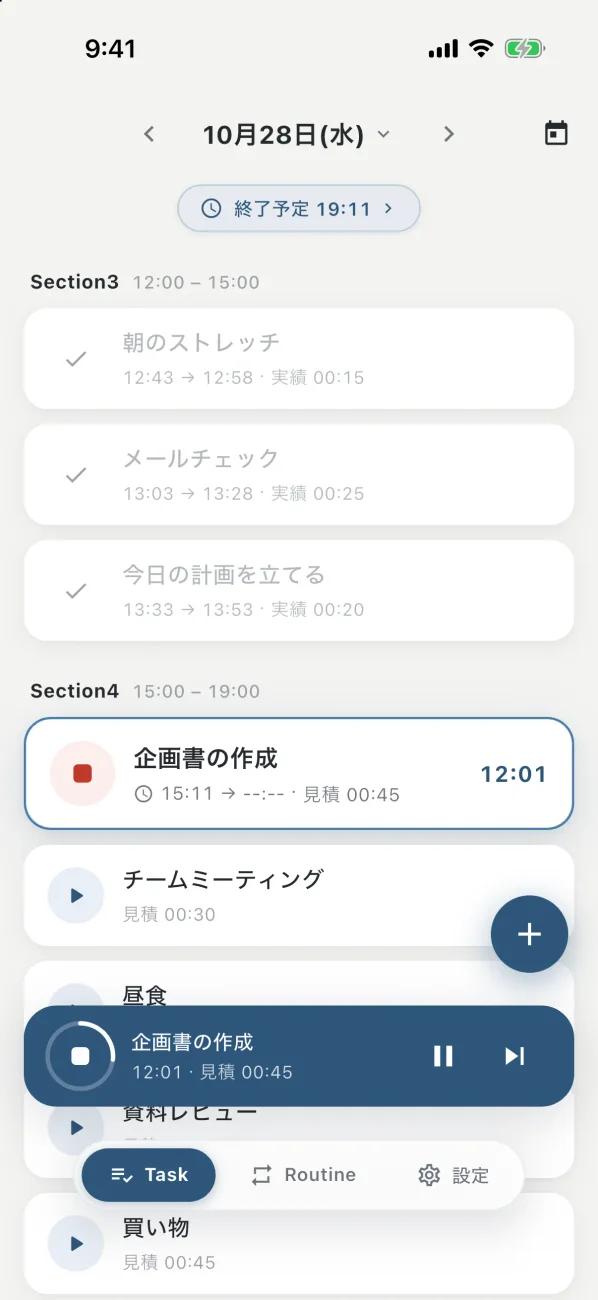
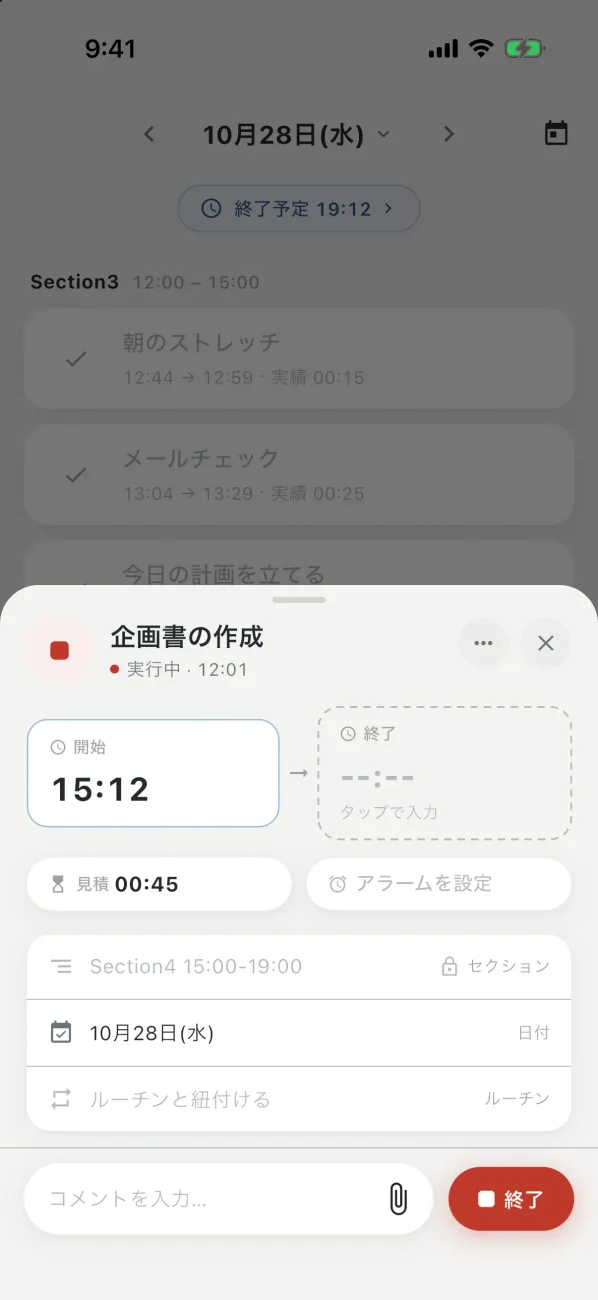
Pick a task and tap ▶ to start. Tap ■ when you're done. That's all it takes to record the start time, end time and actual duration, so you can see how your plan compares with reality. Falling behind is fine. Keep logging, and you'll naturally learn how you really spend your time.
■ Key features
• Logging with a tap
Just tap to start and stop. The running task stays at the bottom of the screen, showing progress against its estimate at a glance.
• Know when your day will end
The app continuously shows the time your day is scheduled to end, based on the estimates of the remaining tasks. Spot an overloaded day early and adjust on the spot.
• Sections to shape your day
Tasks are grouped into sections, the time blocks of your day. Roughly placing tasks in the morning, afternoon or evening is enough to give the day a flow.
• Routines that prepare each day for you
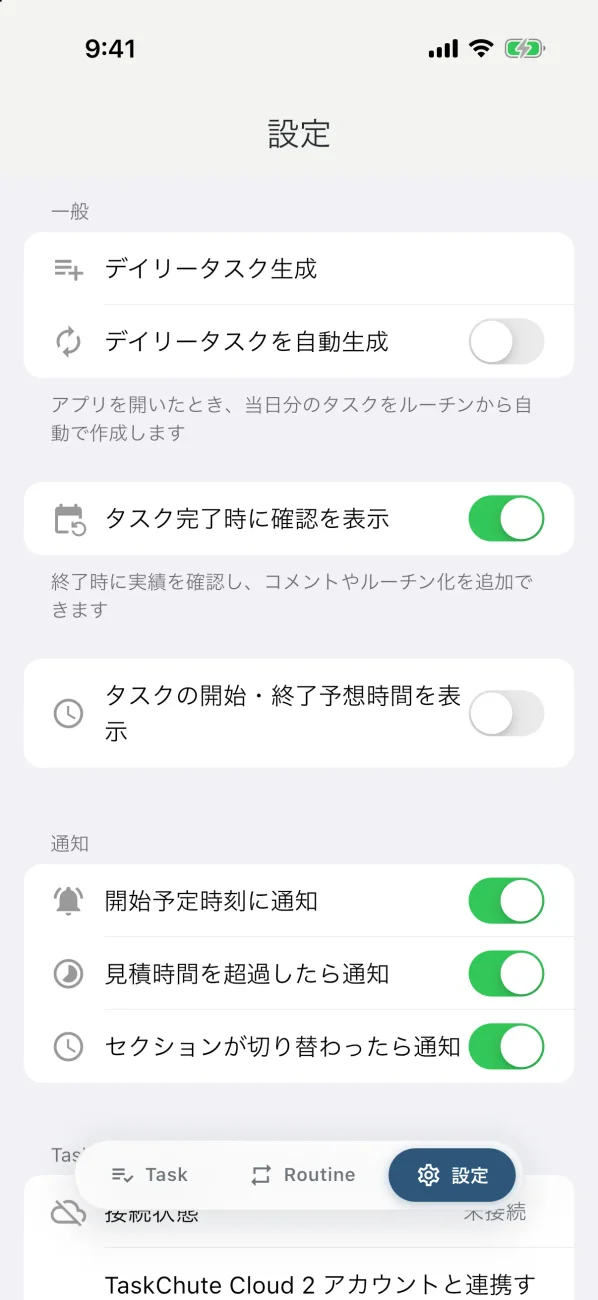
Register daily, weekly or monthly repeating tasks as routines, and the day's tasks are generated automatically.
• Progress at a glance
See how many tasks are done and remaining, the actual time spent, the remaining estimate and the scheduled end time in one place.
• Notifications
Get notified at a task's scheduled start time, when a task exceeds its estimate, or when a section begins. Turn on only what you need.
• One-minute tutorial
New to TaskChute? Experience the flow in about a minute.
• Available in English and Japanese
■ Free to use
Start right away, no account required. The free plan allows up to 40 tasks per day, 20 routines and a view of 7 days around today. For many people, that's plenty for everyday logging.
■ Plus plan (subscription)
• Removes the limits on tasks, routines and the dates you can view
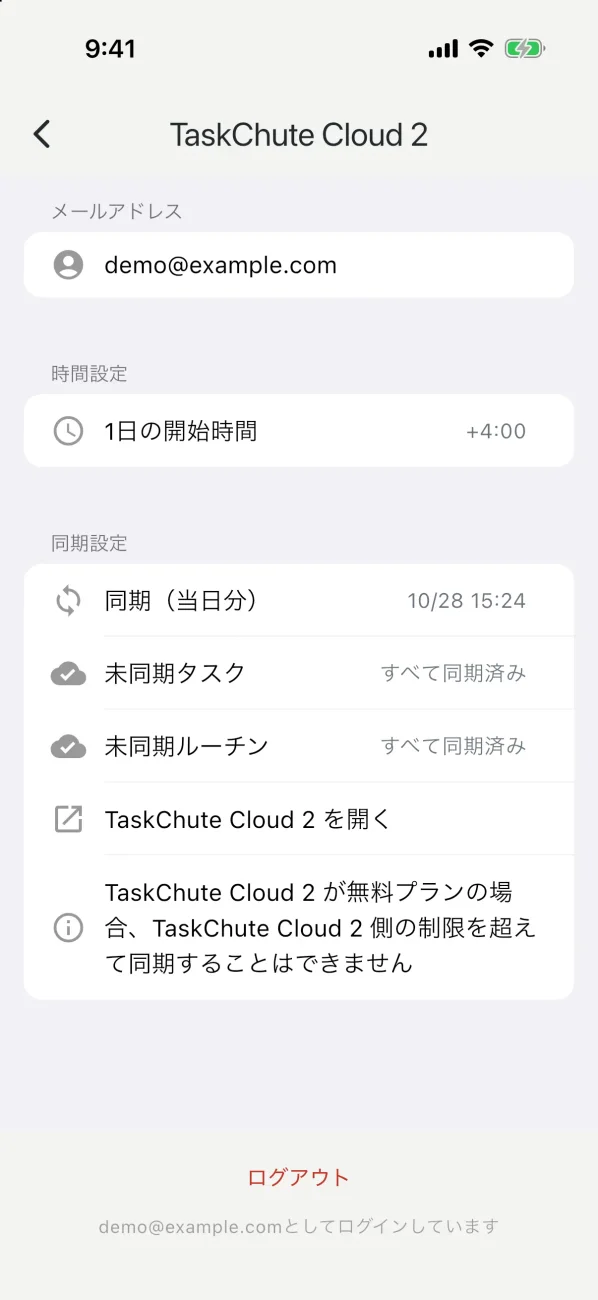
• Syncs with TaskChute Cloud 2, so the same data is available on your phone and on the web, across multiple devices
Plus does not require a TaskChute Cloud 2 account. Monthly and annual plans are available, with a free trial for first-time subscribers. Prices are shown in the app.
■ For TaskChute Cloud 2 users
Sign in with your TaskChute Cloud 2 account to run the tasks and routines you created on the web from your phone, with your records reflected back on the web. Keep TaskChute going wherever you are.
■ About auto-renewing subscriptions
Subscriptions renew automatically. Unless cancelled, the same price is charged at the end of each period. You can cancel anytime in your store's subscription settings.
Terms of Use: https://tccl.zoelab.jp/terms/
Privacy Policy: https://tccl.zoelab.jp/privacy/en/
Support: https://tccl.zoelab.jp/support/
App privacy
What ZoeLab declares on the App Store about how this app handles data.
-
Data linked to you
May be collected and linked to your identity.
- Purchases
- Contact info
- User content
- Identifiers
-
Data not linked to you
May be collected but is not linked to your identity.
- Usage data
- Diagnostics
Privacy practices may vary, for example with the features you use or your age.
Information
- Seller
- ZOELAB
- Category
- Productivity
- Version
- 1.0
- Updated
- Nov 10, 2026
- Released
- Nov 10, 2026
- Size
- 36.7 MB
- Requires
- iOS 15.0 or later
- Age rating
- 4+
- Price
- Free
- In-app purchases
- Yes
- Languages
- English
- Copyright
- © 2026 ZOELAB
You might also like
-
 Flash Log – Estimate & TrackKnow what fits in today
-
 TossDay - タスク管理 & タイムラインProductivity
-
 DayCraft: ToDo List & TasksProductivity
-
 Timlin: Time Blocking&TrackingPlan your day log what you did
-
 KomaRep: Pomodoro Day PlannerPlan your day, focus in blocks
-
 Check - Simple To-DoFocus on what matters today
-
 Ordr: Todo & Focus TimerTask List, Calendar & Planner
-
 ZattaMemoJot it down, rediscover later
-
 Habit RainbowMake every day more colorful!
-
 静音日和 - 日本の環境音・雨音・睡眠Productivity