Teleprompter-Scrolling Scripts
Video Recorder & Script Reader
Designed for iPhone, iPad, Mac
Free · In-app purchases
- Age rating4+
- CategoryPhoto & Video
- Developer曦月 张
- LanguagesEnglish+ 16 more
- Size5.8 MB
Links to the official App Store page
Download.org hosts no file of Teleprompter-Scrolling Scripts. The button opens its official App Store page, published by 曦月 张. Listing last checked on Nov 20, 2026.
Screenshots
About
Teleprompter helps content creators, presenters, and educators read scripts naturally without memorizing every line. It can be used for social media videos, online courses, presentations, video interviews, and speeches.
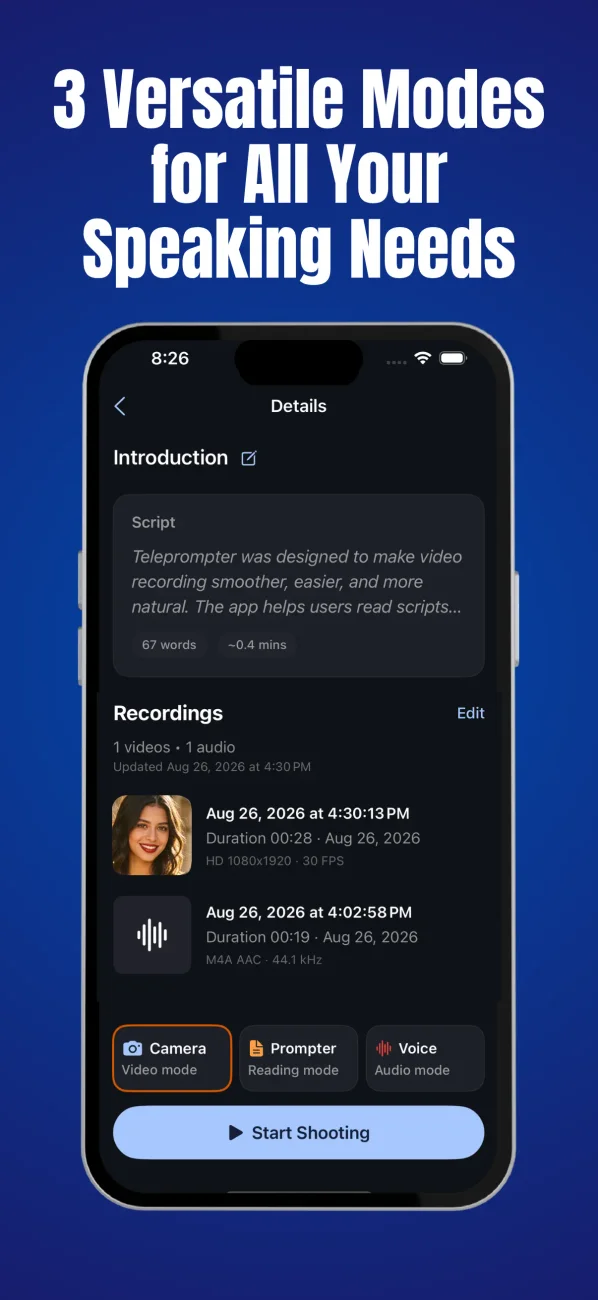
The app offers three modes for these different uses: video recording, a standalone teleprompter, and audio recording.
● VIDEO RECORDING
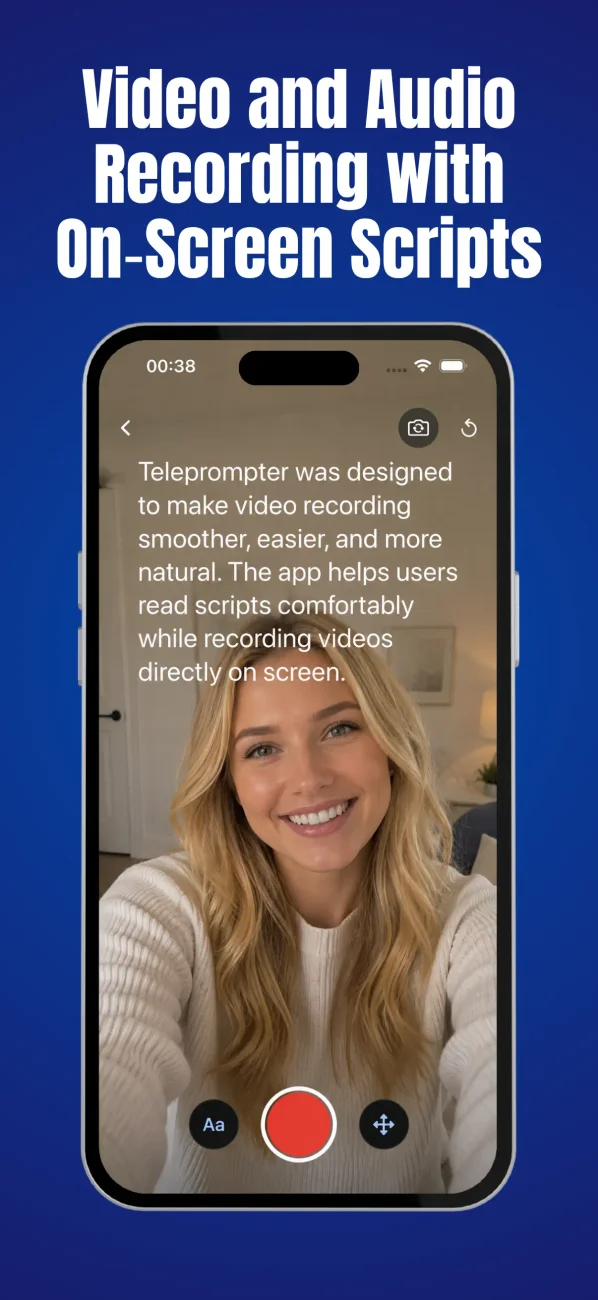
Video recording mode displays the script on screen while the camera records. The front camera is useful for speaking directly to an audience, while the rear camera captures everyday moments with talking points still in view. This mode works well for TikTok videos, Instagram Reels, YouTube videos, vlogs, tutorials, and online courses.
● TELEPROMPTER MODE
Teleprompter mode displays scrolling text without recording video or audio. It supports presentations, speeches, and rehearsals, with either a full script or a few notes on screen. The adjustable scrolling speed makes it suitable for both practice sessions and live presentations.
● AUDIO RECORDING
Audio recording mode keeps scripts or lyrics on screen while recording voiceovers, vocals, and podcast segments. Everything stays in one app, so there’s no need to switch between notes and a separate audio recorder.
● CUSTOMIZATION
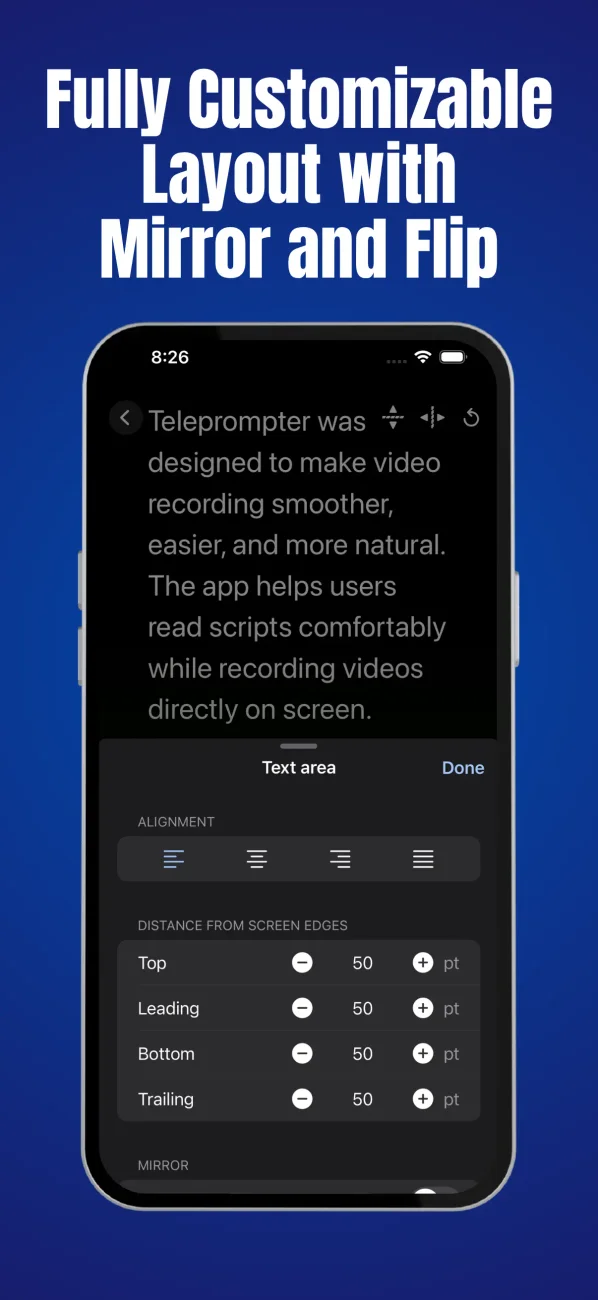
Scrolling speed, text size, colors, and layout can be adjusted for a comfortable reading experience. Voice-controlled scrolling allows the text to follow the speaker’s voice. Portrait and landscape support provides flexibility for different recording setups.
● FEATURES
• Video recording with an on-screen script
• Standalone teleprompter mode
• Audio recording for voiceovers and vocals
• Front and rear camera support
• Voice-controlled scrolling
• Adjustable scrolling speed
• Customizable text size, colors, and layout
• Portrait and landscape support
What’s new
Version 3.14 · Nov 18, 2026
Video editing just got easier. Export the subtitles and script from any take and drop them straight into your video editor or AI editing tool.
App privacy
What 曦月 张 declares on the App Store about how this app handles data.
-
Data not collected
The developer does not collect any data from this app.
Privacy practices may vary, for example with the features you use or your age.
Information
- Seller
- 曦月 张
- Category
- Photo & Video
- Version
- 3.14
- Updated
- Nov 18, 2026
- Released
- May 8, 2026
- Size
- 5.8 MB
- Requires
- iOS 17.0 or later
- Age rating
- 4+
- Price
- Free
- In-app purchases
- Yes
- Languages
- English, Arabic, Dutch, French, German, Hebrew, Indonesian, Italian, Japanese, Korean, Polish, Portuguese + 5 more
- Copyright
- © 2026 Xiyue Zhang
You might also like
-
 Rolltake Teleprompter & CameraRead your lines & record video
-
 AI Teleprompter: PrompaVideo Script Writer & Reader
-
 Teleprompter PremiumCue cards, never memorize
-
 Teleprompt OverlayRead scripts over your camera
-
 CueCam: AI Video TeleprompterScript, Record & Auto Caption
-
 OwlPrompter Video TeleprompterVoice scroll script & record
-
 Parrot TeleprompterPhoto & Video
-
 Telepromter for VideoScrolling Text Auto Captions
-
 NanoPrompter: TeleprompterFree Teleprompter for Video
-
 Shootsolo: Voice Video CameraVoice Controlled Video Camera