TenjiScan - Braille OCR Reader
Learn, Scan & Convert Braille
Designed for iPhone, iPad
Free · In-app purchases
- Age rating4+
- CategoryUtilities
- DeveloperRyo Takaoka
- LanguagesEnglish+ 1 more
- Size56.4 MB
Links to the official App Store page
Download.org hosts no file of TenjiScan - Braille OCR Reader. The button opens its official App Store page, published by Ryo Takaoka. Listing last checked on Nov 18, 2026.
Screenshots

About
Learn Braille with 3-choice quizzes.
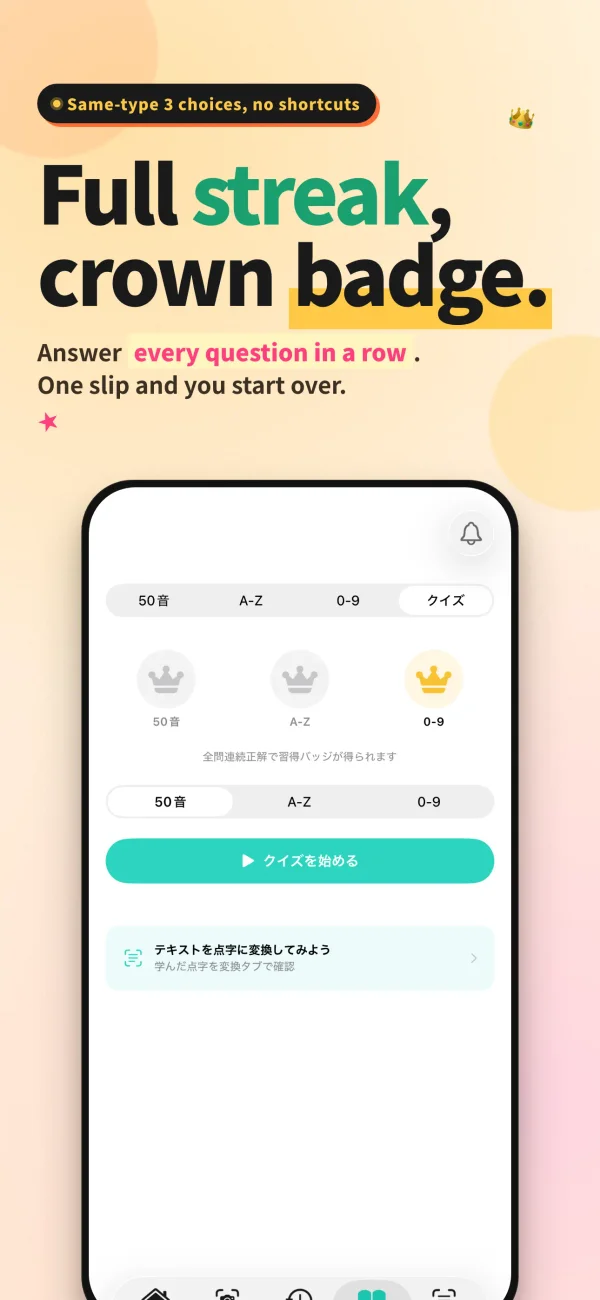
Master the dot patterns for Japanese kana (gojuon, dakuten, handakuten, yōon), English A–Z, and numbers — through quick 3-choice quizzes. Answer every question in a category in a row to earn a Mastery Badge. A real learning experience, not a guessing game.
-- Key Features --
3-choice quizzes
Look at the Braille pattern, pick the right character from three choices. Wrong-answer options are drawn from the same prefix type (e.g., dakuten quizzes use only dakuten characters) so you can't shortcut by counting dots. Get every question right in one streak to earn the badge.
Learning mode
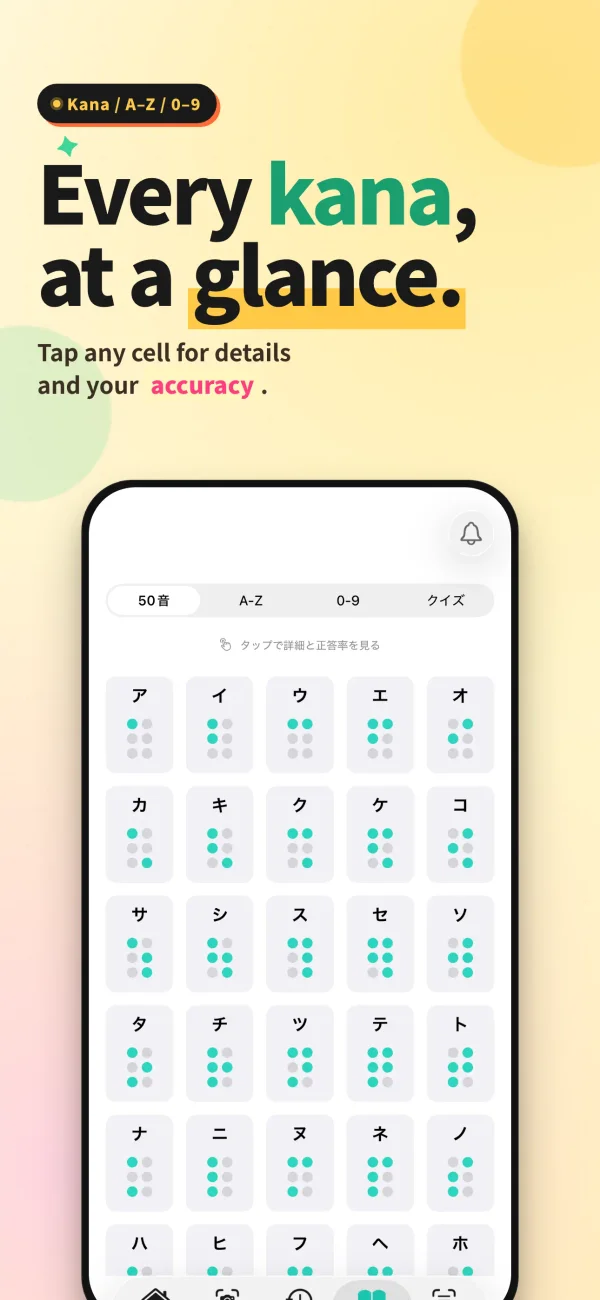
Browse Japanese kana including voiced and contracted forms, English A–Z, and numbers. Two-cell display shows prefix marks accurately so you can learn how Braille is built.
Text to Braille
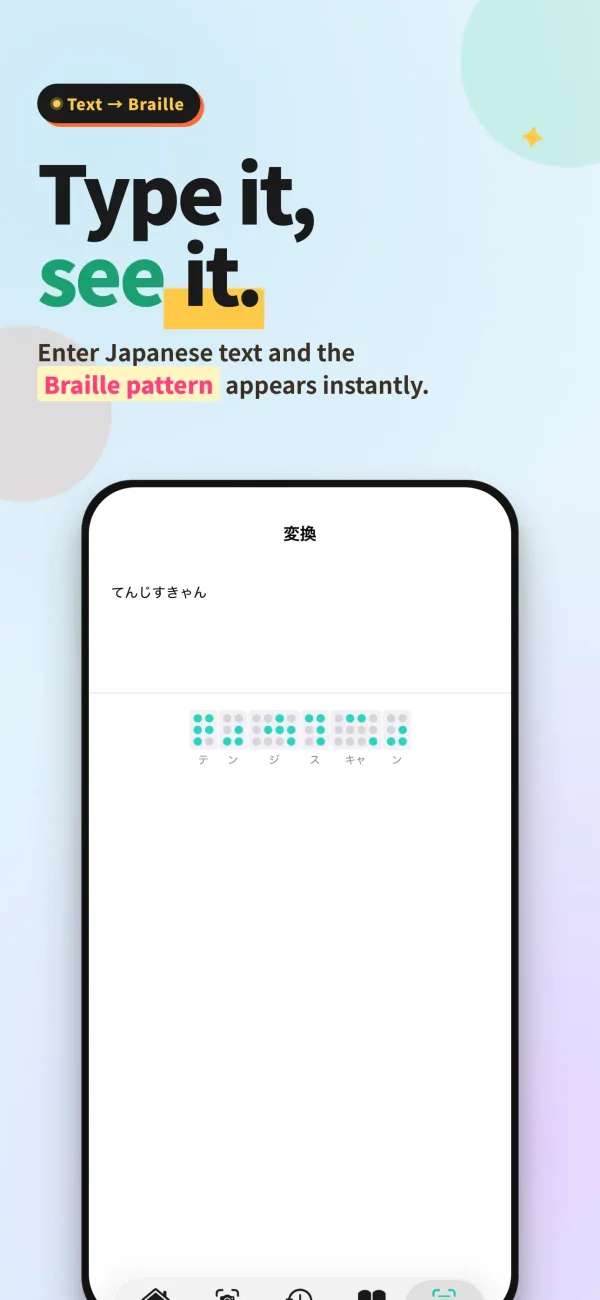
Type Japanese text and see the corresponding Braille pattern in real time. A way to write what you've learned and check yourself.
Camera scan (assistive feature)
A way to check real-world Braille against what you've learned. Point the camera at Braille, tap the shutter, and see it converted into text.
Note: Recognition depends on angle, lighting, and surface condition. Curved or faint Braille may not be read correctly — treat this as a learning aid, not a guarantee.
Auto voice readout
Scan results are read aloud automatically.
VoiceOver support
Key controls carry accessibility labels.
-- Privacy --
Images are processed on your device.
Captures are analyzed locally on your iPhone using CoreML. Recognition works even without an internet connection.
Image sharing is opt-in only.
Captured images and recognition results leave your device only if you turn on "Help improve accuracy" on the Home screen. To check the correct reading, the images may be read by an AI service. This is off by default, and you can turn it off at any time.
We also send anonymous usage events (scan outcome, feature usage, and similar) to Firebase Analytics, and error reports to Google Cloud, to improve the app. Captured images and recognized text are never included.
-- Supported Languages --
Japanese Braille (JIS standard)
English Braille (UEB Grade 1)
-- Who Is This For? --
- Students and professionals learning Braille
- Family members and caregivers supporting visually impaired people
- Educators and volunteers
- Anyone curious about the Braille around them
-- Pricing --
Learning, quizzes, and conversion are available at no charge.
- Ad removal (optional one-time purchase)
- Tip jar for development support (optional)
Terms of Use: https://sss3yai.com/tenjiscan-terms/
Privacy Policy: https://sss3yai.com/tenjiscan-privacy/
What’s new
Version 4.6.0 · Nov 14, 2026
- The app now reads braille automatically when it is inside the camera frame. No need to press the shutter: the result appears once the distance is right. You can turn this off in Settings.
- Fixed a case where the edge of a button on a control panel was misread as a braille dot.
- Fixed an issue where images were not sent even when "Help improve accuracy" was on.
App privacy
What Ryo Takaoka declares on the App Store about how this app handles data.
-
Data used to track you
May be used to track you across apps and websites owned by other companies.
- Identifiers
- Usage data
-
Data linked to you
May be collected and linked to your identity.
- Identifiers
- Usage data
-
Data not linked to you
May be collected but is not linked to your identity.
- User content
- Usage data
- Diagnostics
Privacy practices may vary, for example with the features you use or your age.
Information
- Seller
- Ryo Takaoka
- Category
- Utilities
- Version
- 4.6.0
- Updated
- Nov 14, 2026
- Released
- Feb 24, 2026
- Size
- 56.4 MB
- Requires
- iOS 17.0 or later
- Age rating
- 4+
- Price
- Free
- In-app purchases
- Yes
- Languages
- English, Japanese
- Copyright
- © 2026 Ryo Takaoka
You might also like
-
 Find Braille – Braille ReaderTap and Read Braille
-
 すぐそこチャイムUtilities
-
 Text EyesQuickly extracts text
-
 読み上げ文字認識Utilities
-
 Tenji P-Fab3D print of Braille
-
 Object detector for blindWorks with LiDAR or AR
-
 Generic Object DetectionUtilities
-
 VIP Code Reader: blind scannerFor Visually Impaired Persons
-
 Swift EyesAI-Powered Visual Descriptions
-
 VisionAI: visual assistanceDescribe your world