
Thermal State
Know when your phone throttles
Designed for iPhone, iPad
Free · In-app purchases
- Age rating4+
- CategoryUtilities
- DeveloperJonathan David Mayfield
- LanguagesEnglish+ 8 more
- Size5.5 MB
Links to the official App Store page
Download.org hosts no file of Thermal State. The button opens its official App Store page, published by Jonathan David Mayfield. Listing last checked on Nov 23, 2026.
Screenshots
About
Your iPhone manages heat quietly. It slows the processor, dims the screen, pauses background work, and never mentions it.
Thermal State mentions it.
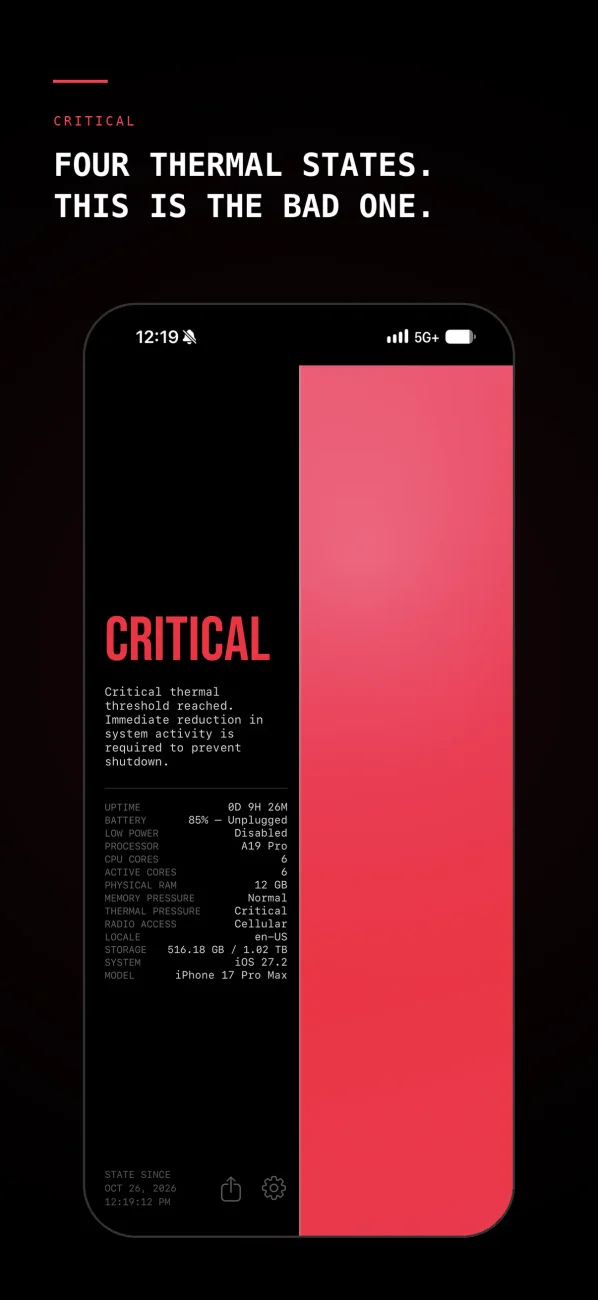
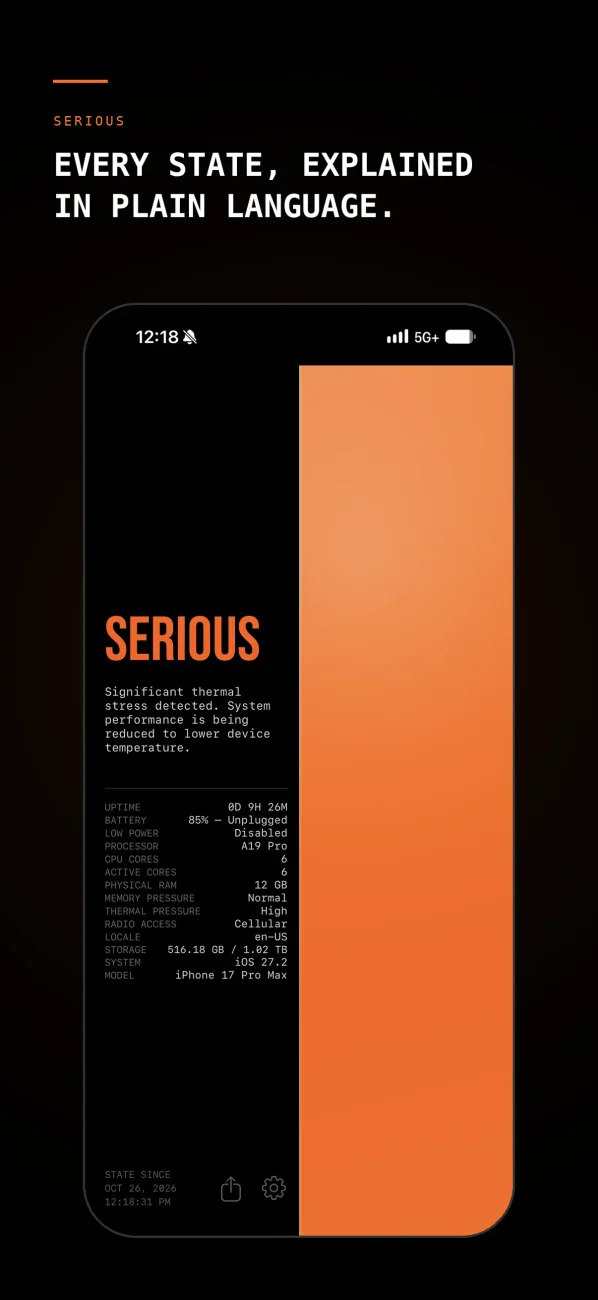
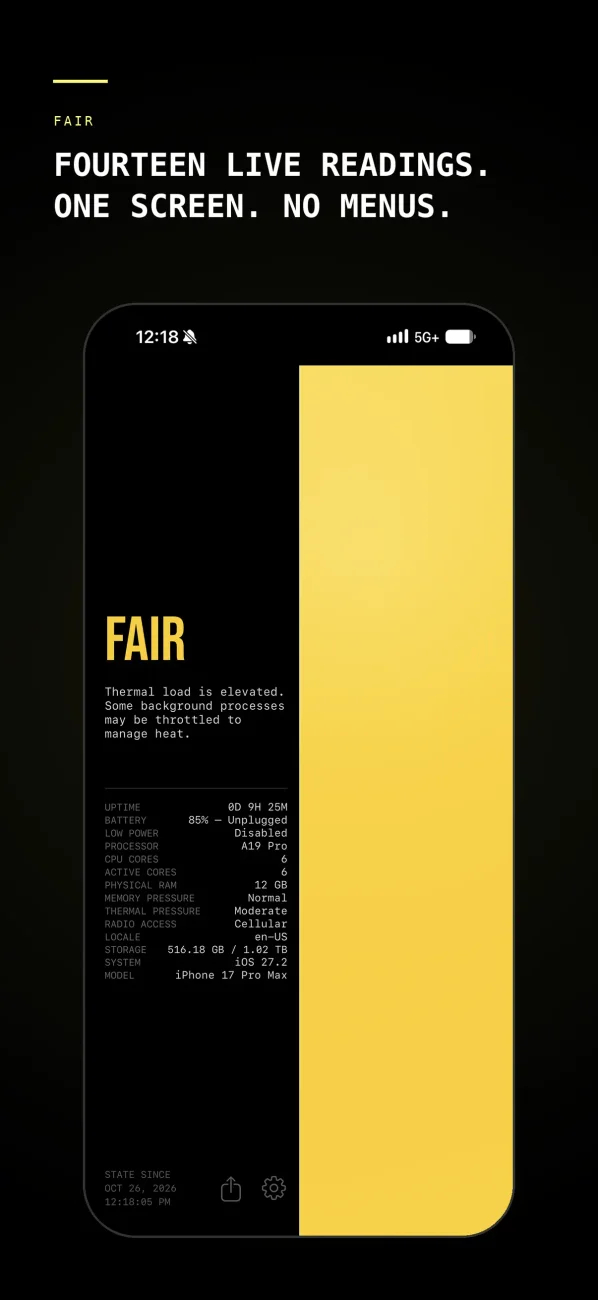
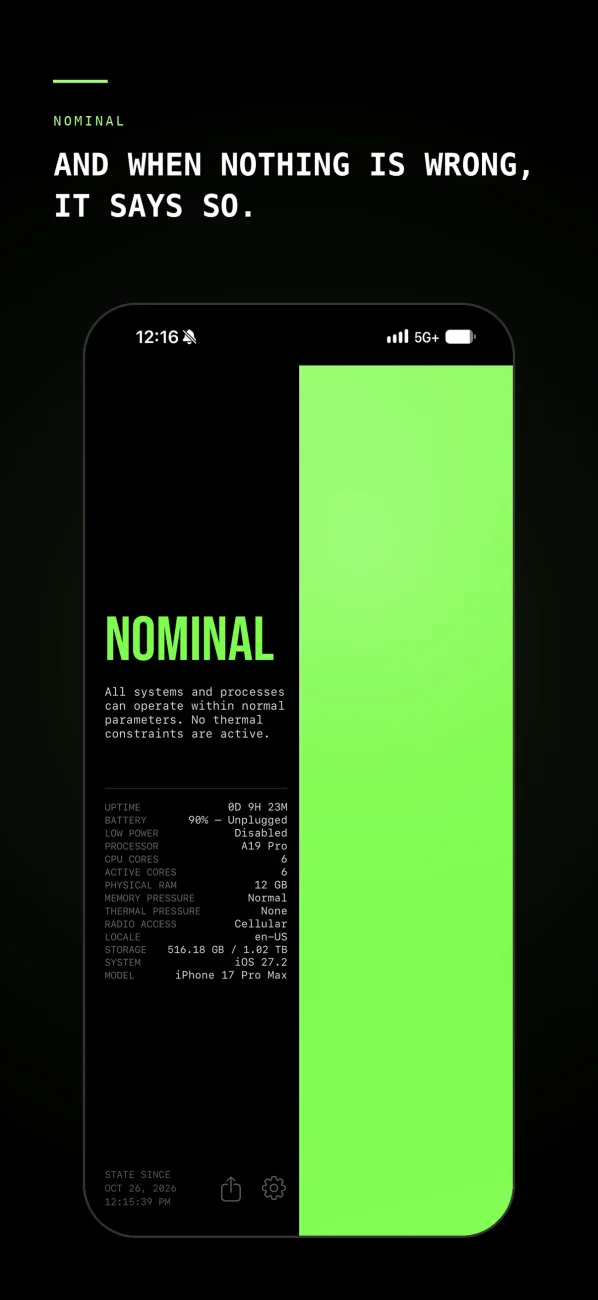
The app reads the thermal state iOS itself uses to make those decisions — Nominal, Fair, Serious, Critical — and puts it on one screen, in one color, with a plain-language explanation of what the system is doing and what you are likely to notice.
ON THE SCREEN
- The current thermal state, in full color
- What that state means and what it affects
- Thermal pressure and memory pressure
- Uptime
- Battery level and charging status
- Low Power Mode
- Processor, CPU core count, and active cores
- Physical RAM
- Radio access type
- Available storage and total capacity
- System version, device model, and locale
- The time the current state began
- An option to keep the screen awake while the app is open
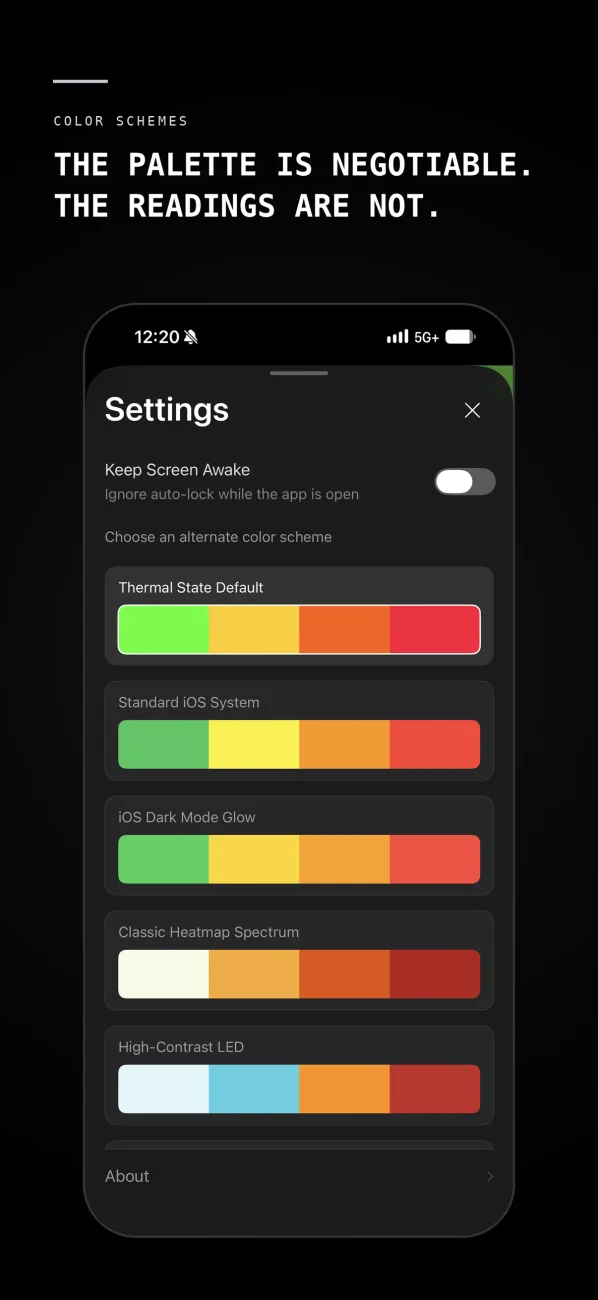
COLOR SCHEMES
The four state colors are a default, not a requirement. Swap them for another palette — including one that trades green and yellow for white and cyan, for anyone who doesn't read green as calm.
WIDGETS
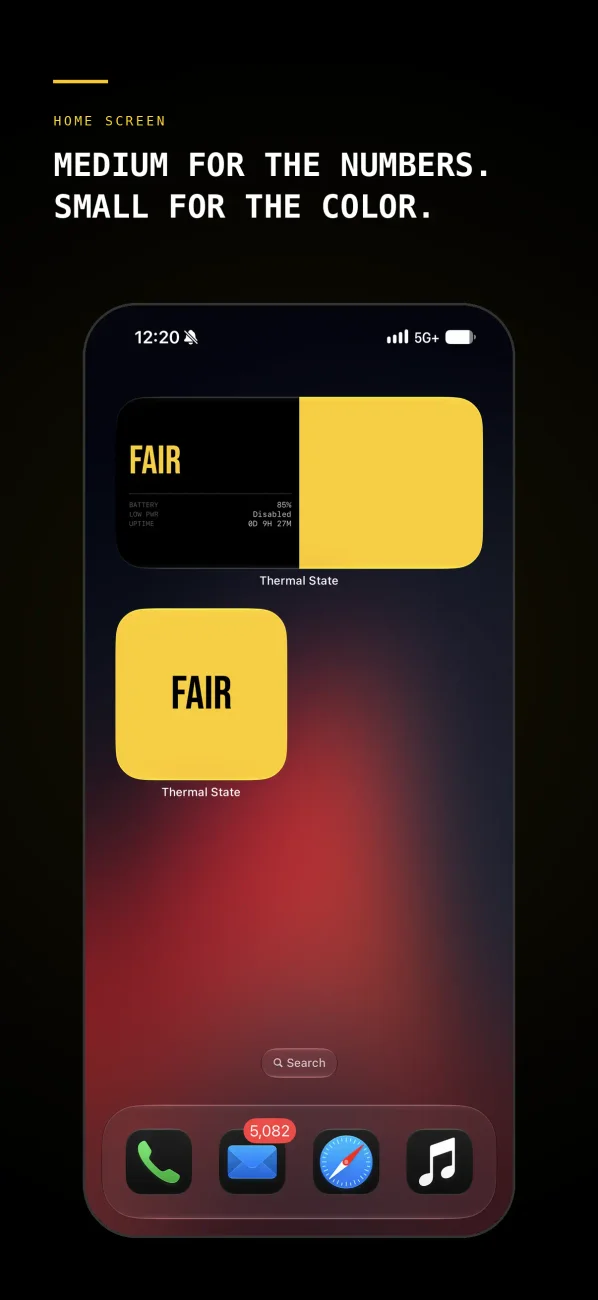
Home Screen: a Medium widget showing the state, its color, battery level, Low Power Mode, and uptime.
Home Screen and CarPlay: a Small widget that fills with the current state's color.
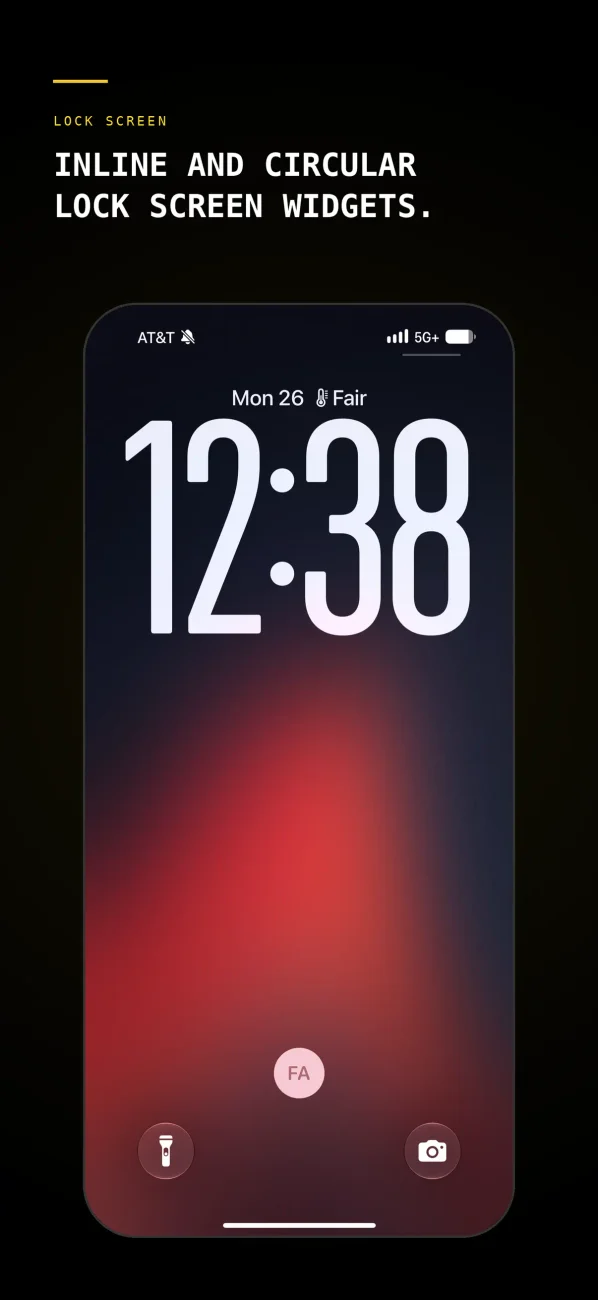
Lock Screen: inline and circular widgets, so the state is there before you unlock.
WHAT IT DOES NOT DO
It does not report degrees. iOS does not make a temperature reading available to apps. What it does make available is the four-state assessment the system acts on — which is the reading that actually predicts what your phone will do next.
It does not cool your phone down. No app can. It tells you when your phone is cooling itself, and how hard it is working at it.
PRIVACY
No account. No sign-in. Anonymous analytics only: a device identifier, interaction events, and coarse device state such as orientation and charging, not linked to your identity and never used for tracking.
Free. No subscription, no ads, nothing to unlock.
What’s new
Version 1.2 · Nov 23, 2026
Two more languages, and one new shape.
Thermal State now speaks German and Brazilian Portuguese, in the app and in its widgets.
On iPhone Duo, the fold becomes the dividing line: readings on one page, color on the other, whichever way you turn it. Stand it half folded on a desk and the upright half shows the state large enough to read from across the room, with the readings on the half lying flat.
Closed, it looks the way it always has.
App privacy
What Jonathan David Mayfield declares on the App Store about how this app handles data.
-
Data not linked to you
May be collected but is not linked to your identity.
- Purchases
- Usage data
- Diagnostics
Privacy practices may vary, for example with the features you use or your age.
Information
- Seller
- Jonathan David Mayfield
- Category
- Utilities
- Version
- 1.2
- Updated
- Nov 23, 2026
- Released
- Oct 16, 2026
- Size
- 5.5 MB
- Requires
- iOS 17.0 or later
- Age rating
- 4+
- Price
- Free
- In-app purchases
- Yes
- Languages
- English, Arabic, German, Portuguese, Russian, Simplified Chinese, Spanish, Traditional Chinese, Ukrainian
- Copyright
- © 2026 Quiet Apps
You might also like
-
 Countdowns AI Plus: Days UntilCountdown Widget & Day Counter
-
 Core Pulse - CPUCyber Device Monitor
-
 Truegauge: Phone TemperatureDevice monitor: CPU, RAM, heat
-
 SignalScout Cell Tower LocatorCoverage map by carrier
-
 Foldometer: Fold Angle GaugeLevel, Protractor, Slope Meter
-
 Is It Hot? – Thermal CheckCPU Battery Temp Monitor
-
 Phone Doctor Pro - CleanerClean, Optimize & Speed Up
-
 BitMeter: Data Usage WidgetTrack your mobile data plan
-
 Eluna Media: Video ConverterCompress offline, no ads
-
 Thermomator: Heat MonitorOverheating & Battery Health