
Thinkdown: AI Voice Journal
Audio diary & brain dump notes
Designed for iPhone, iPad, Mac
Free · In-app purchases
- Age rating4+
- CategoryProductivity
- DeveloperHONGQUAN XIE
- LanguagesEnglish+ 2 more
- Size12.3 MB
Links to the official App Store page
Download.org hosts no file of Thinkdown: AI Voice Journal. The button opens its official App Store page, published by HONGQUAN XIE. Listing last checked on Nov 20, 2026.
Screenshots



About
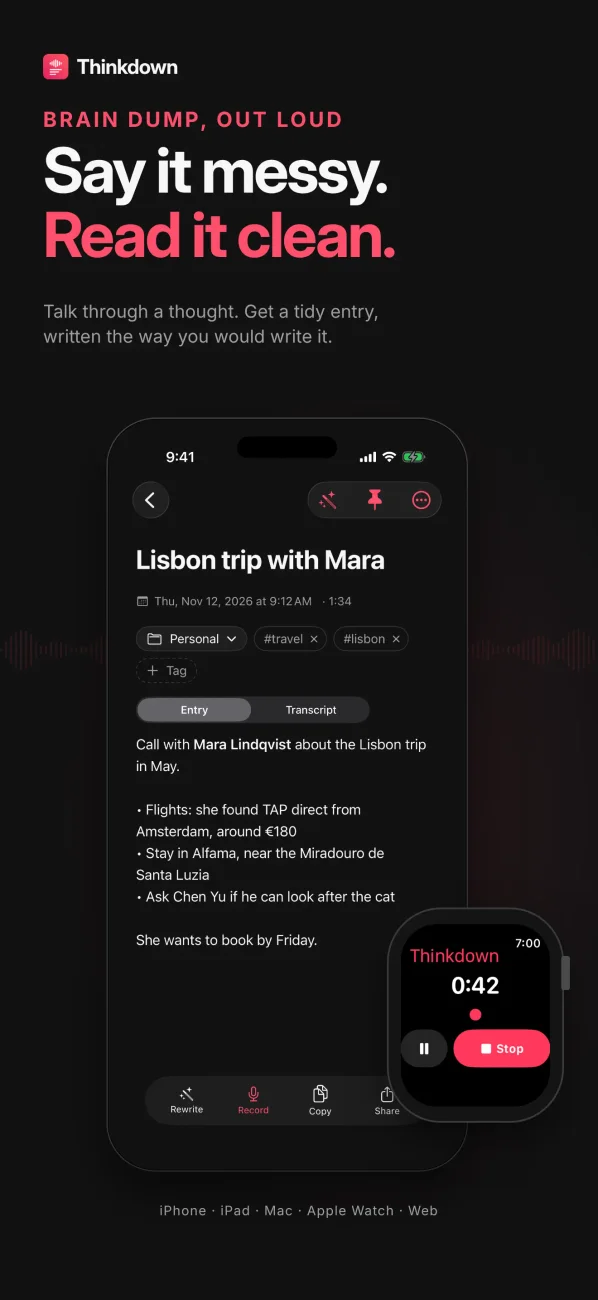
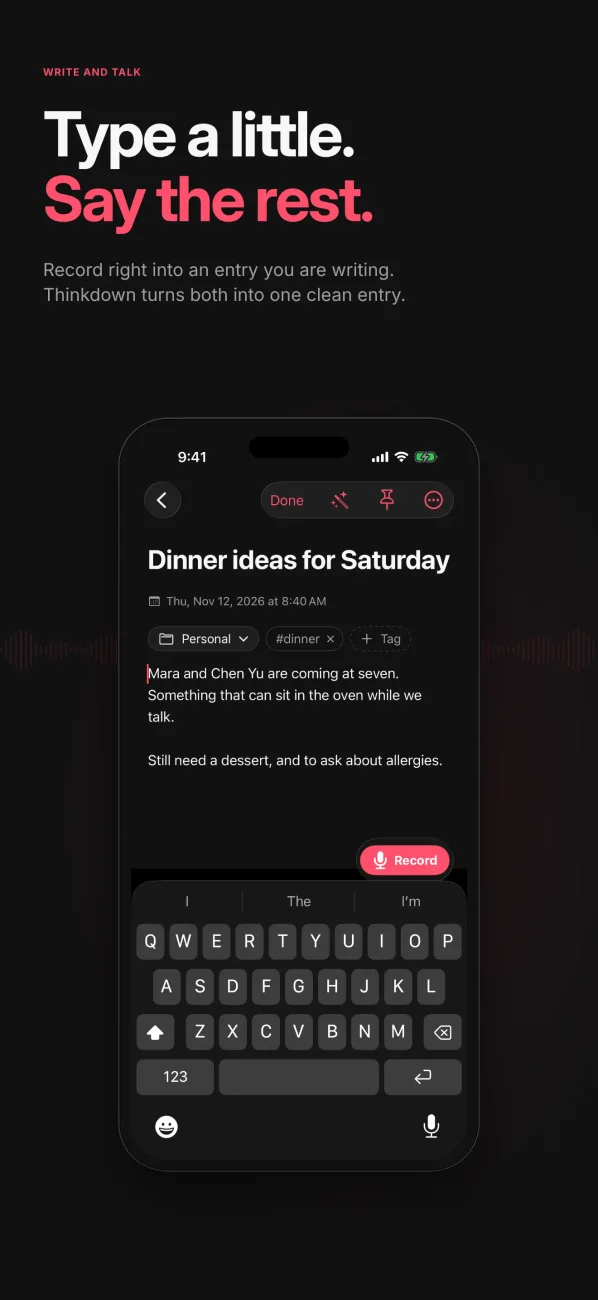
Your AI voice journal, audio diary and brain dump in one. Talk the way you think, and Thinkdown turns it into a clear note or a journal entry that sounds like you.
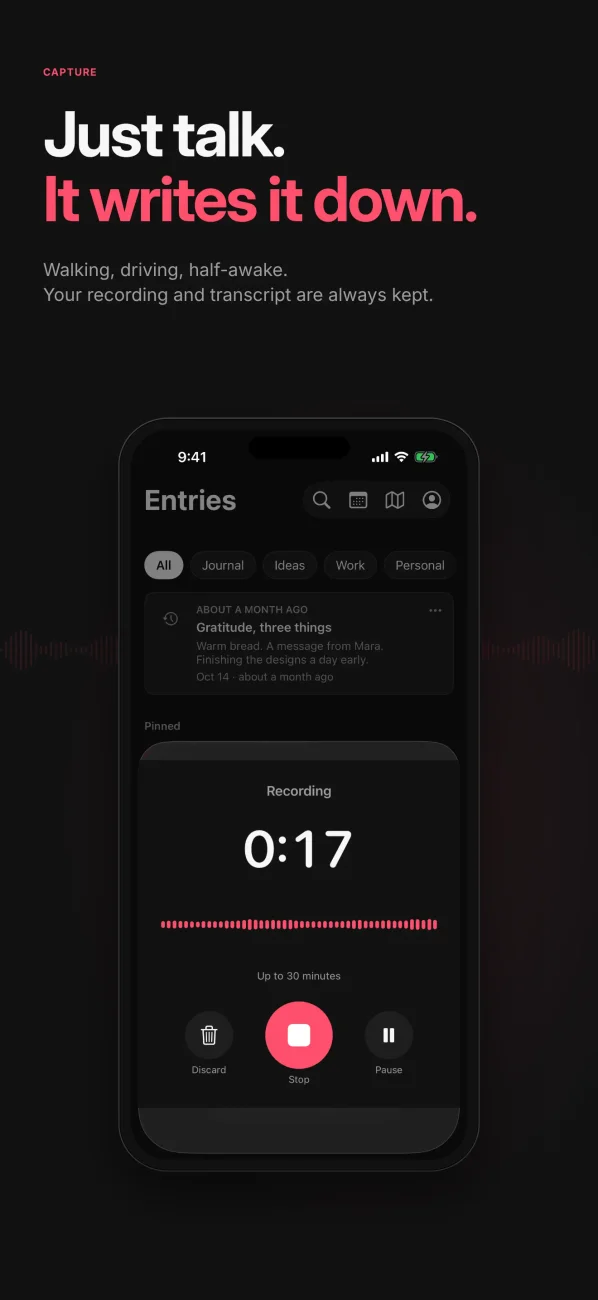
Tap record and just talk: half sentences, tangents, "wait, no". Thinkdown transcribes it and writes a clean note in the style you pick, with a title and tags. Your recording and transcript stay with the note, so you can always check what you really said.
AI JOURNAL
• Talk through your day and get a journal entry in your own voice, not a summary.
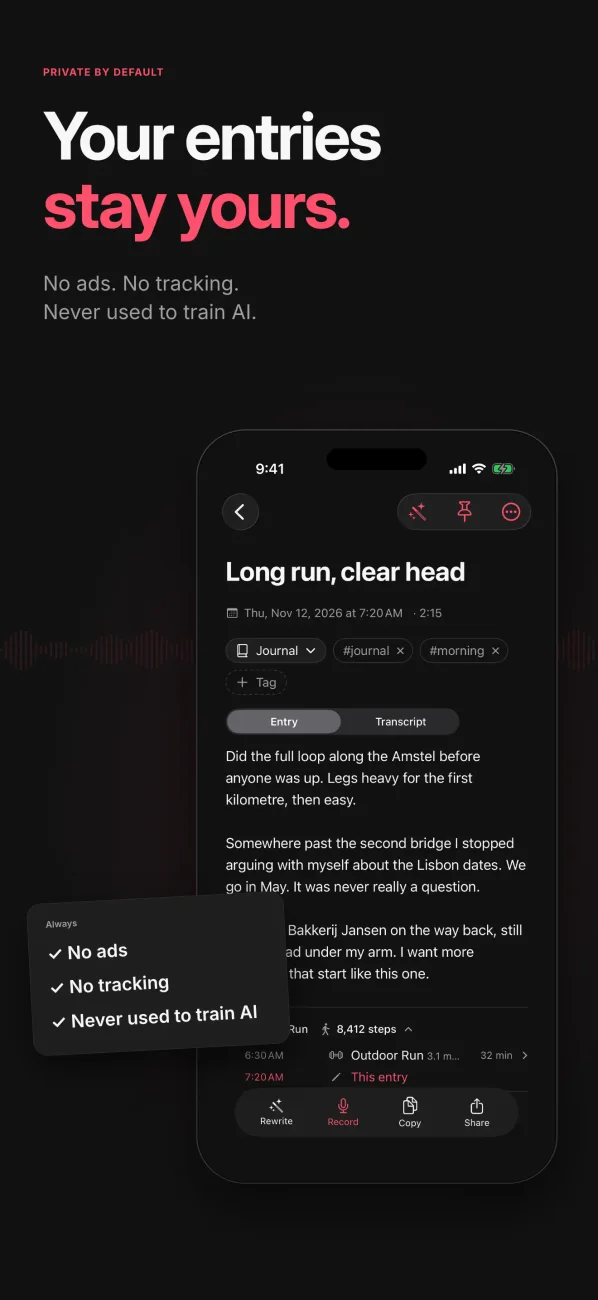
• Your journal entries show the photos and videos you took that day, read on your device only.
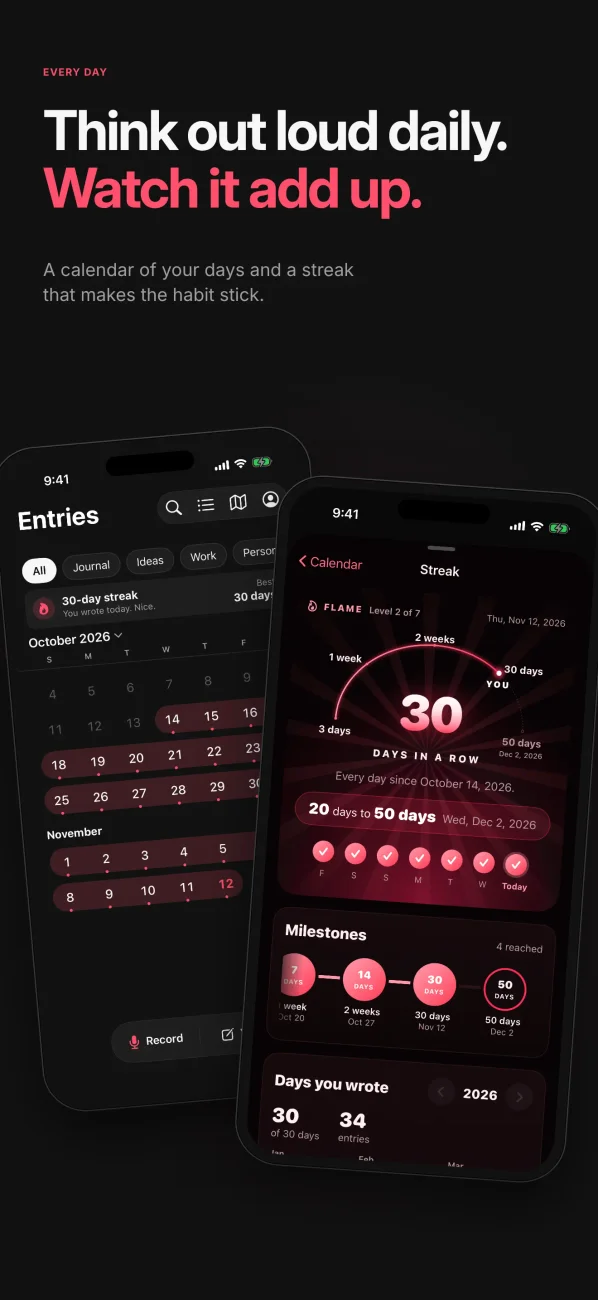
• A daily streak and milestones keep the habit going.
• Ask your journal anything, like "what was I worried about last month?", and get an answer from your own entries with the sources it used.
• Places on each entry, and a map of all your notes.
• The events from your calendars that day show inside the note.
IT KNOWS YOU
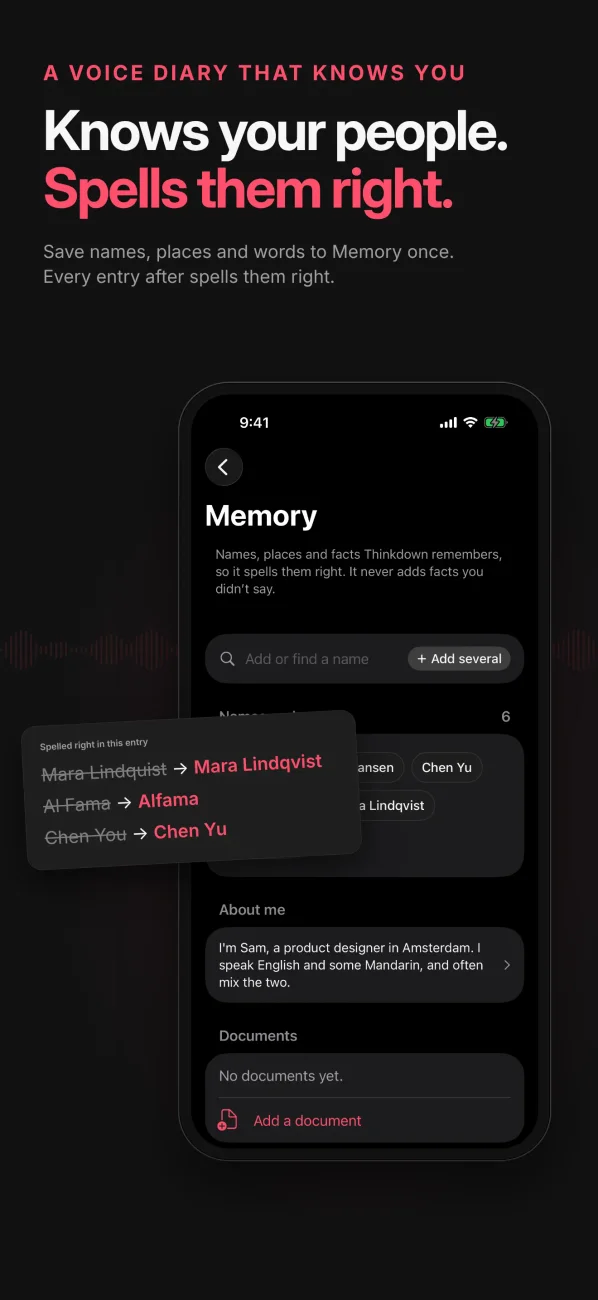
• The more you talk, the better it knows you. Every note suggests the people, places and words it heard; one tap saves them to Memory, and from then on they're spelled right.
• It fixes itself. Select a word it got wrong, tap Fix and say what you meant. The note updates and Thinkdown remembers how it misheard you, so it doesn't happen again.
• It knows where you are. Neighborhood and town names near where you record help it spell local places right.
• Add documents as background, so notes about a project get its names and references right.
SAY IT YOUR WAY
• Record on iPhone from the app, the Lock Screen or Siri, on the Mac with a keyboard shortcut, or on Apple Watch.
• Pause and pick up again, or add more to a note later.
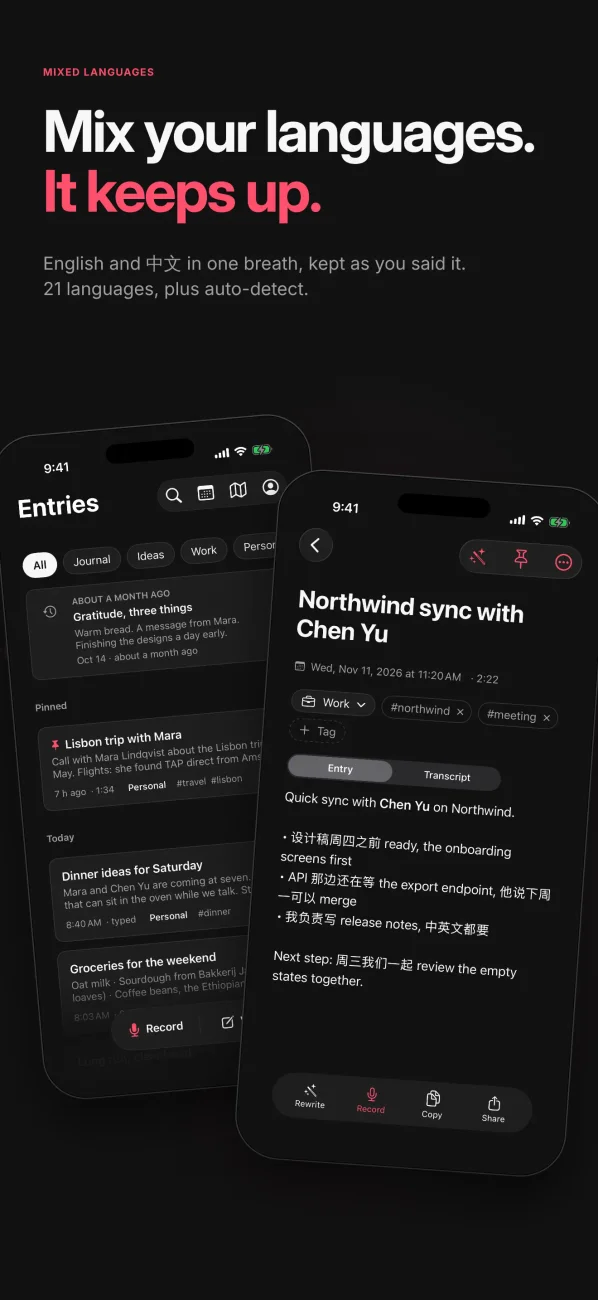
• 21 voice languages, and you can mix them in one note.
• Use the app in English or Simplified Chinese.
READ IT CLEAN
• Styles turn the same thought into a clear note, a journal entry, a list, an email or a prompt for an AI assistant. Make your own, too.
• Rewrite any note at any time, with every earlier version kept.
• Combine several notes into one.
• Connect your AI assistant to your notes from Settings > AI apps.
• Import notes from other apps on the Mac.
MAKE IT YOURS
• Choose the colors you like, in light or dark, and the text size that suits you.
ON ALL YOUR DEVICES
• Notes sync between iPhone, iPad, Mac and the web, and you can read your latest notes on Apple Watch.
• Everything works offline and catches up when you're back online.
• Tags, pins, search and a 30-day Deleted page.
PRIVATE BY DESIGN
• Sign in with Apple or a code sent to your email. No passwords.
• Lock Thinkdown with Face ID, Touch ID or your passcode if you like.
• No ads, no tracking, and your notes are never used to train AI models.
• Delete your account and all of its data from Settings at any time.
Terms of Use (EULA): https://www.apple.com/legal/internet-services/itunes/dev/stdeula/
Thinkdown Terms of Service: https://thinkdown.app/terms
Privacy Policy: https://thinkdown.app/privacy
Questions or ideas? Write to hello@thinkdown.app
What’s new
Version 1.1.8 · Nov 19, 2026
- Change an entry's place in one tap: a pencil on the place line opens an editor that finds real places, and an entry without a place can now get one.
- Daily timeline: see the places you went that day beside your entries, on iPhone, iPad and Mac.
- Save your journaling time to Apple Health as Mindful Minutes (iPhone and iPad, off until you turn it on).
- The recording screen comes up the moment you tap Record, while the microphone gets ready.
- Videos in entries play with sound, even with the silent switch on (iPhone, iPad).
- A new switch in Settings > AI apps lets connected chat apps save entries, and entries saved from a chat say so.
- Entry dates always show the year.
- Faster opening of entries, faster syncing, and a quicker Mac sidebar.
- Fixes and polish.
App privacy
What HONGQUAN XIE declares on the App Store about how this app handles data.
-
Data linked to you
May be collected and linked to your identity.
- Health and fitness
- Purchases
- Location
- Contact info
- User content
- Identifiers
-
Data not linked to you
May be collected but is not linked to your identity.
- Diagnostics
Privacy practices may vary, for example with the features you use or your age.
Information
- Seller
- HONGQUAN XIE
- Category
- Productivity
- Version
- 1.1.8
- Updated
- Nov 19, 2026
- Released
- Oct 19, 2026
- Size
- 12.3 MB
- Requires
- iOS 26.0 or later
- Age rating
- 4+
- Price
- Free
- In-app purchases
- Yes
- Languages
- English, Simplified Chinese, Spanish
- Copyright
- © 2026 Xie
You might also like
-
 Memo — Private Voice JournalOffline diary, Markdown files
-
 Gapboard: Calendar OpeningsShare When You Are Free
-
 Wave: Voice KeyboardOn-device speech to text
-
 Atelier DazzlePresentations simplified
-
 MinDrop: Notes & RemindersSticky notes that remind you
-
 PDFlowScan AI
-
 Atelier LibrettoDocuments simplified
-
 NoteStream — Capture Your MindSmarter Note Taking
-
 Detect & SolveReport, track, and solve
-
 Galleyhear: Proofread AloudHear manuscripts by ear