
ThreadFlow: Parallel Timer
Real Work Time · Task Timer
Designed for iPhone, iPad
Free
- Age rating4+
- CategoryProductivity
- DeveloperZero24 LLC
- LanguagesEnglish+ 12 more
- Size52.7 MB
Links to the official App Store page
Download.org hosts no file of ThreadFlow: Parallel Timer. The button opens its official App Store page, published by Zero24 LLC. Listing last checked on Nov 17, 2026.
Screenshots

About
ThreadFlow is a lightweight work timer designed for the way real work actually happens.
It combines daily tasks and time tracking without forcing you into fixed Pomodoro sessions or turning simple time tracking into complex project management.
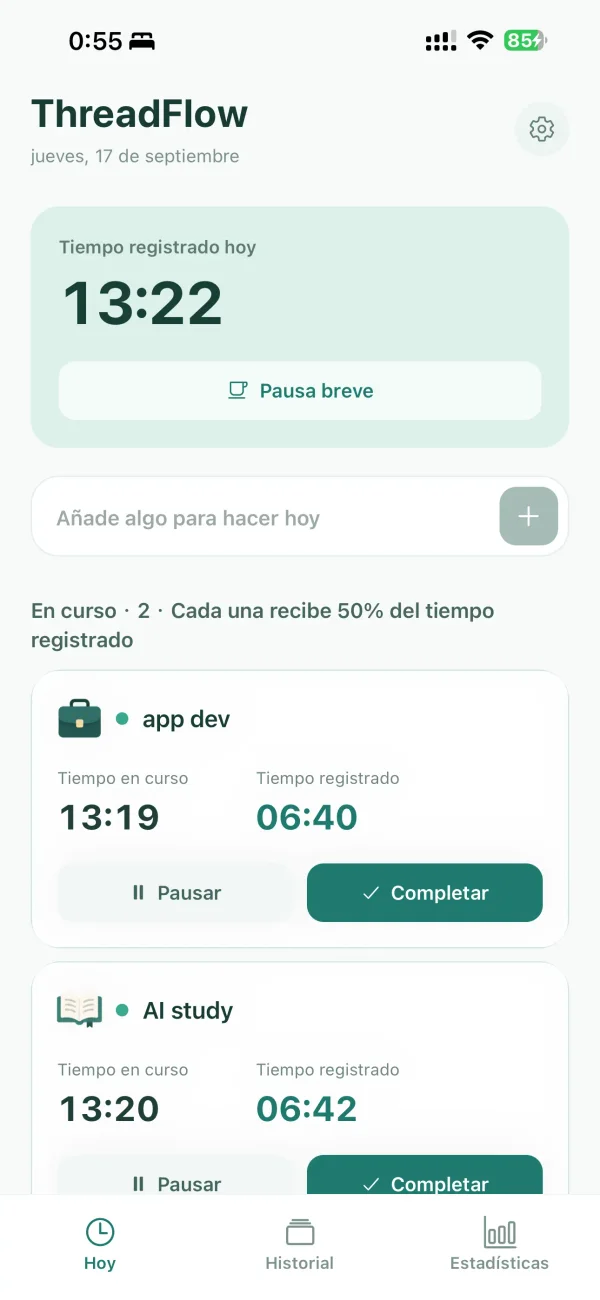
Start a timer when you begin working. Pause, resume, switch, or finish whenever you want. A task can span multiple sessions, and multiple tasks can run at the same time.
[Run multiple tasks at once]
An AI agent is still running while you start working on something else.
A file is processing while you move on to writing, planning, or another task.
One task is waiting for a result while you continue with the next.
ThreadFlow lets these tasks keep running together. You do not need to stop one timer just to start another.
[No double-counted time]
If two tasks run together for 30 minutes, your actual elapsed work time is still 30 minutes — not 60.
ThreadFlow automatically accounts for overlapping sessions so your daily total better reflects the time that actually passed.
[Daily tasks + work timer]
Add what you want to work on today and start timing with one tap.
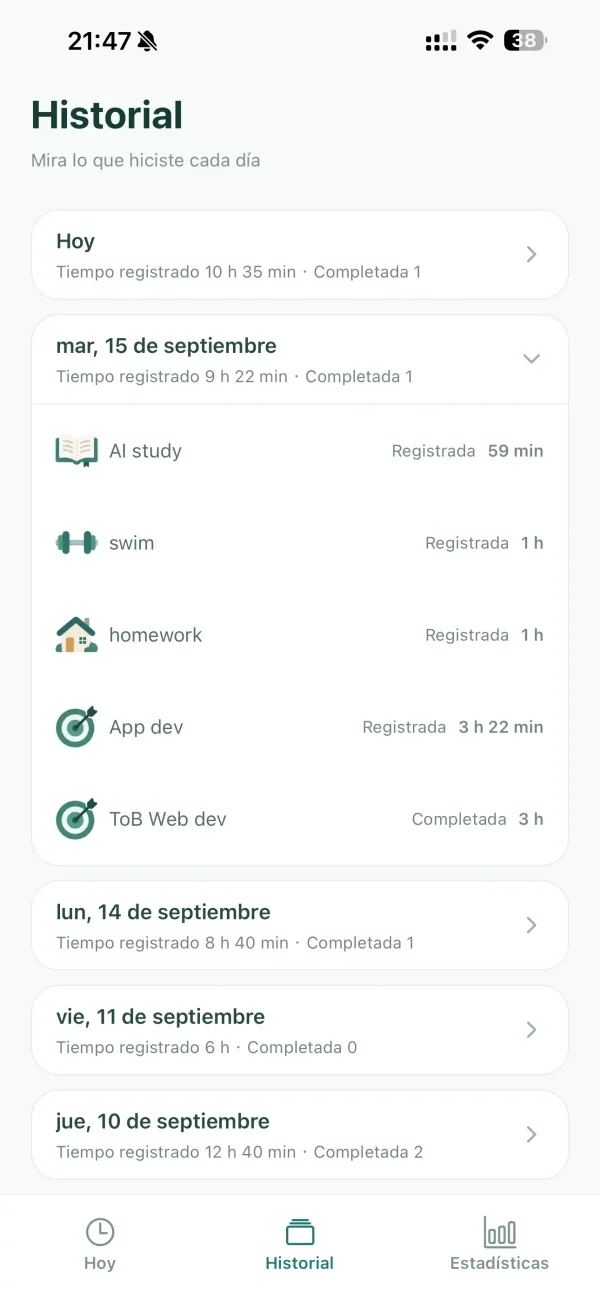
Pause, resume, or finish whenever you need to. A task can span multiple sessions, and your completed work stays in your daily history.
[No forced Pomodoro sessions]
There is no required 25-minute focus block and no forced break.
Work for five minutes or two hours. ThreadFlow follows your workflow instead of forcing you into a fixed routine.
[Live Activities]
Keep an eye on active timers through Live Activities and, on supported devices, the Dynamic Island.
Quickly check what is running without returning to the app.
[Lightweight reminders]
Set a reminder to start tracking your work.
ThreadFlow can also remind you when a timer has been running continuously for a long time, helping you check whether it should still be running or whether it is time for a break.
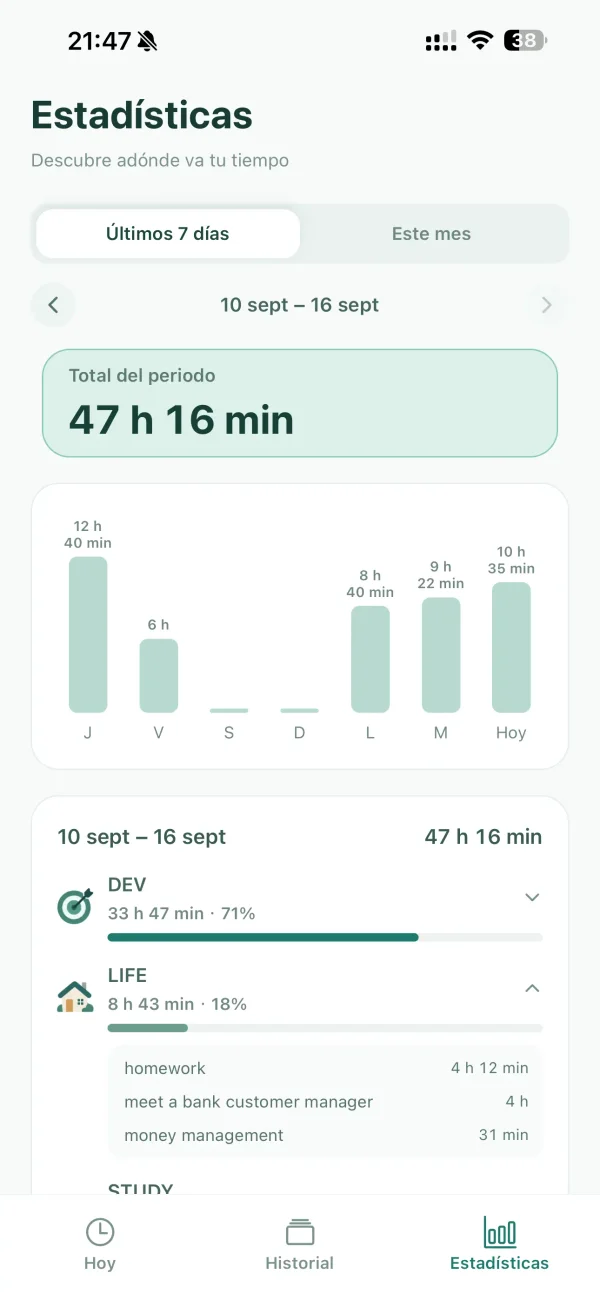
[See where your time went]
Review your actual work time over the last 7 days or by month.
See how much time you spent each day, how your time was distributed across categories, and what you completed.
[Simple and private]
No account is required.
Tasks, categories, timer records, and custom category icons are stored locally on your device.
ThreadFlow is built to answer two simple questions:
What did I work on today?
How much time did I actually spend?
What’s new
Version 1.2.0 · Nov 3, 2026
• Now optimized for iPad, with adaptive layouts for portrait, landscape, and multitasking.
• Edit recorded time more easily with a new numeric keypad on iPad.
• Prevent accidental duplicate tasks when creating, editing, or copying tasks.
• UI refinements and bug fixes for a smoother experience.
App privacy
What Zero24 LLC declares on the App Store about how this app handles data.
-
Data not collected
The developer does not collect any data from this app.
Privacy practices may vary, for example with the features you use or your age.
Information
- Seller
- Zero24 LLC
- Category
- Productivity
- Version
- 1.2.0
- Updated
- Nov 3, 2026
- Released
- Sep 4, 2026
- Size
- 52.7 MB
- Requires
- iOS 16.4 or later
- Age rating
- 4+
- Price
- Free
- Languages
- English, French, German, Indonesian, Italian, Japanese, Korean, Portuguese, Russian, Simplified Chinese, Spanish, Traditional Chinese + 1 more
- Copyright
- © 2026 Zero24 LLC
You might also like
-
 Scan Made EasyFlatten and relight any page
-
 KOMBIProductivity
-
 PDFScan GoUnlimited & Private Documents
-
 seed: Notes, Tasks & AI AgentAI tasks, agents & team chat
-
 GoDesk AIProductivity
-
 Coshocton CollaborativeStay connected. Work better.
-
 FlowDoro - Pomodoro TimerFocus timer and habit stats
-
 Multus TimersSet multiple timers!
-
 Timill®Your team, up to date
-
 Milk Flow LedgerProductivity